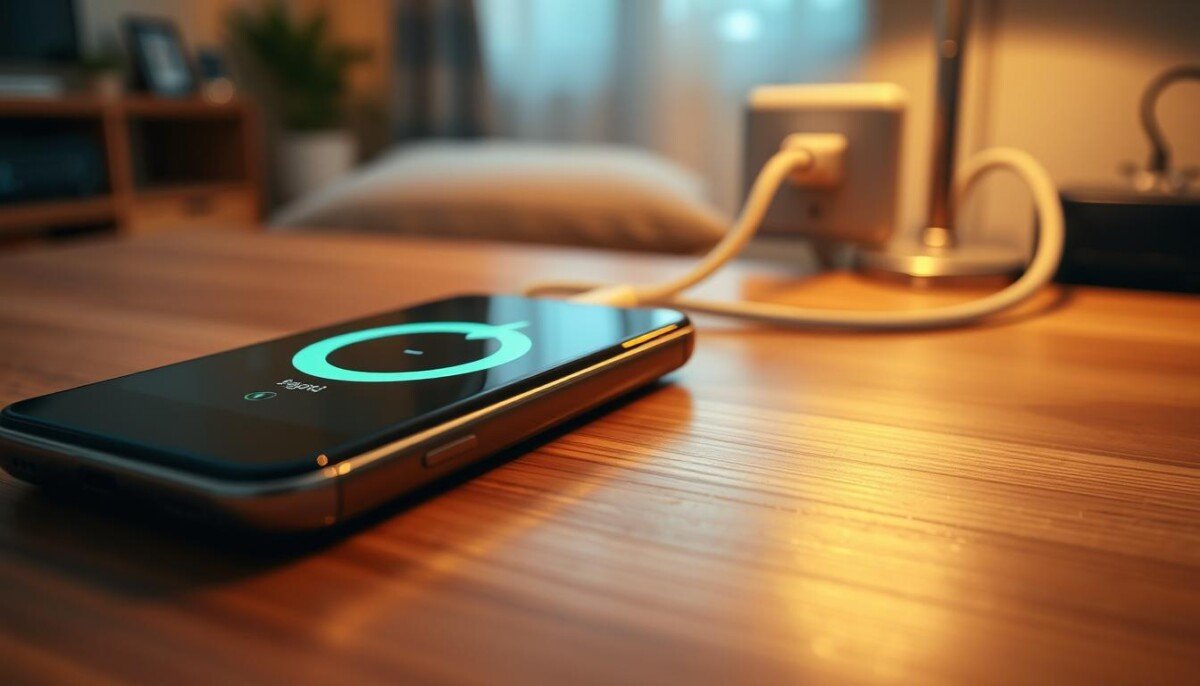
Ever wonder why your device feels warm while it fills with power? That sudden rise in temperature can be alarming, but it often points to simple causes you can fix.
Charging transfers energy into the battery and that process produces heat. Fast charging and heavy app use push the processor and increase heat output.
Other common reasons include low‑quality chargers, direct sunlight, a tight case, or aging battery health. These raise internal temperature and can speed up wear or lead to overheating.
In this guide, you’ll learn practical steps to reduce heat, safeguard battery life, and avoid damage. We’ll cover checks for chargers, software fixes, and simple habits to keep your device running cool and reliable.
Key Takeaways
- Heat during charge is normal, but excess warmth needs attention.
- Fast charging and active apps make the processor work harder.
- Use quality chargers and avoid direct sunlight to lower temperature.
- Removing the case and closing background apps helps cooling.
- Check battery health and get charging help if heat is extreme.
Understanding Why Your Android Phone Hot When Charging
Power transfer and active tasks together make a device run warmer during a charge.
Below 20°C (68°F) the device stays cool and stable. At 31–35°C (87–95°F) it starts to feel warm. When temperatures reach 36–40°C (96–104°F) the warmth becomes noticeable.
Above 40°C (104°F) many models trigger safety shutdowns to avoid damage. This means sustained high temperature can lead to sudden power loss and may shorten battery life.
- Power demand: Heavy apps use more power and push the processor, so the battery and circuits produce more heat.
- Ambient conditions: High room temperatures make it harder for the device to shed heat.
- Energy flow: Fast charging or long charge times can exceed the cooling capacity and cause the device to get hot charging.
| Temperature Range | Effect on Device | Action |
|---|---|---|
| Below 20°C (68°F) | Cool, stable | No action needed |
| 31–35°C (87–95°F) | Feels warm | Reduce heavy use |
| 36–40°C (96–104°F) | Noticeable heat | Pause intensive tasks |
| Above 40°C (104°F) | Risk of shutdown | Unplug and cool down |
It is normal for a device to get hot during charging, but persistent overheating needs a closer look. Monitor temperature and adjust use to protect battery health and long-term performance.
Common Hardware and Environmental Culprits
A few common culprits raise temperature while your device receives power.
Fast charging lets you return to work quickly, but it increases power flow and generates more heat than standard rates. Using a certified charger reduces risk because it delivers steady voltage and controls current draw.
Fast Charging Dynamics
High-watt chargers push current faster. That extra power speeds up battery chemistry and creates heat. If the setup or cable is low quality, uneven delivery makes the device work harder and can cause overheating.
The Role of Cases
Thick or rubbery cases trap heat between the battery and back cover. Remove the case while you charge to improve airflow and lower temperature. Place the device on a flat, hard surface so heat can escape.
Charging Port Maintenance
Debris in the port can block contact and cause inconsistent power transfer. Clean the port gently to ensure a solid connection and avoid extra heat.
| Culprit | Why it raises heat | Quick fix |
|---|---|---|
| Fast charging | Higher current increases internal heat | Use certified chargers; limit heavy use while plugged in |
| Thick case | Insulates and traps warmth | Remove case during charge; allow airflow |
| Dirty port | Uneven contact causes extra resistance | Clean port carefully; replace damaged cables |
| Wireless pad | Energy loss converts to heat (20–30%) | Use quality pads and keep alignment correct |
Pro tip: For a reliable high-watt option, consider power sources like the EcoFlow RIVER 3 Plus that support 100W fast charging to protect battery health. For step-by-step fixes, read the smartphone overheating guide.
Software and Background Process Impacts

Running many services at once forces the processor to work harder, which creates extra heat.
Background apps like YouTube, Instagram, and Facebook raise energy demand. That extra load makes the processor draw more power and the device can start overheating.
Managing Background Apps and Updates
Close unneeded apps before you plug in. Reducing active tasks lowers power use and helps the battery cool faster during charging.
Keep your software and apps updated. Developers patch bugs that cause excessive CPU work and wasted energy. Updates often cut background sync or fix runaway processes.
- Limit streaming and gaming while charging to reduce sustained load.
- Use a cleanup tool to remove junk files and stalled services that drain energy.
- Disable auto‑sync for apps that you don’t need running in the background.
By managing background processes and staying current with software, you keep power use steady and cut the chance your phone gets hot or reaches overheating levels.
Assessing the Risks of Overheating

Extended periods of heat stress wear down key components inside your device. Over time, high temperatures harm the processor and other chips and can lead to poor performance.
If your phone gets hot repeatedly, the battery health will decline. Repeated heat shortens battery life and makes the device lose charge faster over time.
Watch for functional problems. Overheating can cause screen delays, touch response issues, and system throttling that slow your work.
- Persistent phone overheating can cause permanent chip damage and reduced reliability.
- Severe overheating charging may make the battery swell or, in rare cases, ignite—this is a safety hazard.
- An automatic shutdown can occur to stop thermal damage, but frequent events still reduce lifespan.
Monitor temperature and act fast. If the device gets hot, unplug, move it to a cool spot, and close heavy apps to avoid costly damage.
Essential Steps to Cool Down Your Device

A warm device needs immediate steps to lower temperature and protect key parts.
Immediate Cooling Techniques
If your phone gets hot, remove the protective case first. That allows trapped heat to escape from the back and lowers battery stress.
Move the device out of direct sunlight and place it on a cool, hard surface to improve airflow. Dim the screen and enable airplane mode to reduce energy draw from apps and wireless radios.
Use a certified charger and a good cable if you must charge. If possible, pause fast charging until temperatures drop to protect the battery and processor.
What to Avoid During Overheating
Do not put an overheated device into a refrigerator or freezer. Rapid cooling risks condensation and permanent damage.
Avoid heavy use, gaming, or running large backups while the device cools. Also skip wireless pads that can add extra heat until the temperature stabilizes.
- Remove the case to speed cooling.
- Never force rapid cooling with extreme cold.
- Close background apps and dim the screen.
- For guided steps on how to safely charge and care for your device, see the charge phone safely page.
Best Practices for Safe Charging Habits
Simple charging habits make a big difference for battery health and device temperature.
Charge between 30% and 80%. Routine top‑ups keep the battery cooler and reduce long‑term wear. Avoid full cycles when you can to prevent excess heat and extend battery life.
Use certified chargers and cables. Look for USB‑PD or MFi labels and prefer manufacturer‑approved adapters. Quality chargers regulate power and lower the risk of electrical damage.
Keep software and apps updated. Updates fix power bugs that cause background processes to draw excess power. Close heavy apps and stop background sync before you plug in for added safety.
- Avoid intensive use or gaming while plugged in to reduce sustained heat.
- Keep the device in a cool, ventilated spot during fast charging.
- If you need charging help, unplug and check for faulty cables or a swollen battery.
These tips prevent phone overheating and protect battery health. Small habits add up and keep your device safe and reliable over many cycles.
Conclusion
Small daily steps let you avoid excess heat and protect your battery over time.
Manage charging habits by removing the case, closing background apps, and using a reliable charger to cut needless power draw.
These simple steps help prevent phone overheating and extend battery life. Limit heavy use during fast charging and keep software updated to reduce runaway processes.
Follow these tips each time you plug in. The result is steadier temperature control and fewer disruptions while you work.
Takeaway: consistent care means less damage, fewer repairs, and more time between replacements.



