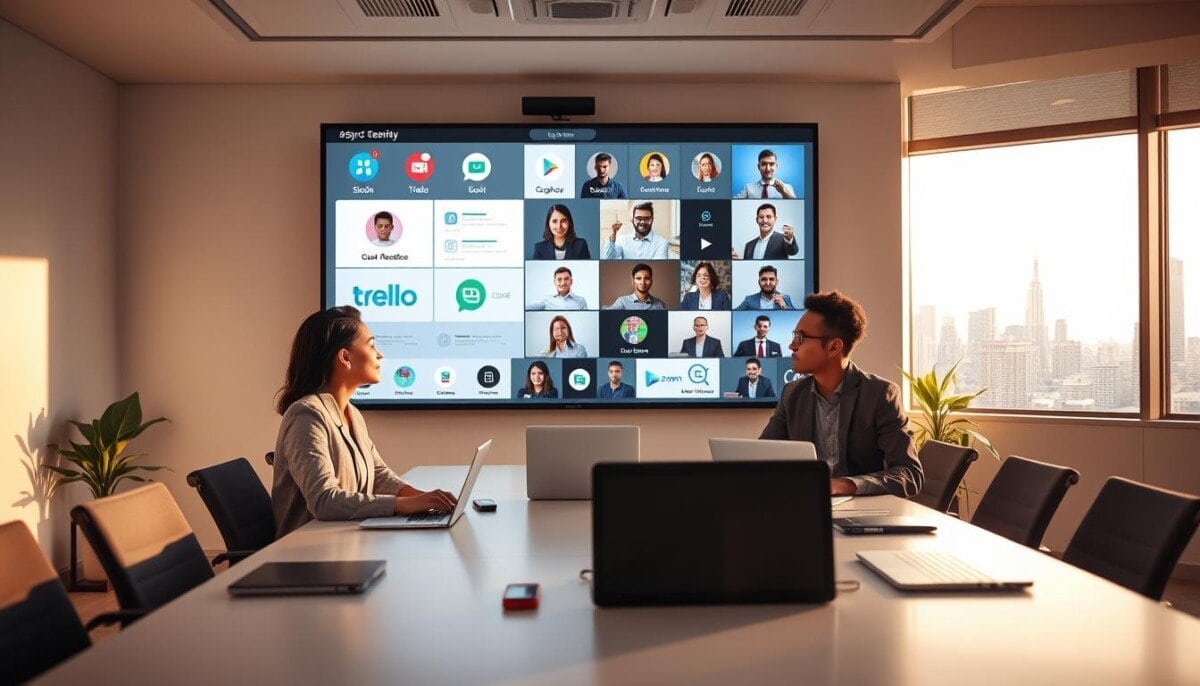
What if your team’s most productive hours are happening while you’re asleep?
This is the reality for modern, distributed organizations. Asynchronous communication is now a primary method for many, using platforms like Slack and Google Hangouts.
It allows members to contribute without the pressure of being online at the same moment. This method bridges time zones and maintains high productivity.
For hybrid teams, this transparency is essential. It offers clarity that a simple spreadsheet cannot provide for tracking projects.
Mastering how to use online tools is crucial for this strategy. The right approach keeps everyone aligned on goals, even from opposite sides of the world.
We will explore software solutions that streamline workflows and foster a culture of trust in a remote-first environment.
Key Takeaways
- Asynchronous interaction is a primary method for modern global teams.
- It eliminates the need for real-time presence, reducing pressure on colleagues.
- Effective digital platforms bridge time zone gaps and boost departmental productivity.
- This transparency for hybrid teams surpasses traditional methods like spreadsheets.
- Strategic implementation keeps globally dispersed teams aligned on objectives.
- It fosters a culture of trust in remote-first work environments.
- Prevents critical information from being lost across different work hours.
Understanding Asynchronous Communication in Modern Teams
Professional interaction has evolved from immediate, real-time exchanges to more deliberate, time-shifted methods. Synchronous communication, like live calls or video conferences, demands instant presence. Asynchronous communication allows for a delayed, more considered response.
The Evolution of Communication
Workplaces once depended on memos and bulletin boards. Digital platforms have replaced those physical systems. Your team now documents discussions effortlessly.
This evolution means you no longer need to record every meeting. Information lives in a shared, searchable space. It transforms how a modern workforce operates.
Key Benefits for Distributed Teams
This method accommodates vastly different schedules. It is a critical advantage for groups spread across time zones. Each person contributes during their peak hours.
Efficiency improves when updates are short messages or quick videos. Long, disruptive meetings become unnecessary. These platforms act as a central hub for ideas.
They separate topics into dedicated channels. This keeps conversations focused and preserves context. Your team members gain clarity without real-time pressure.
Top async communication tools for Global Teams
Innovative solutions have emerged to tackle the unique challenges of coordinating across multiple time zones. The right software empowers your group to share information without being online simultaneously.
For example, Hive centralizes tasks and offers a free plan for up to ten users. Loom simplifies complex explanations by letting you record your screen and camera for clear video updates.
Miro provides a digital whiteboard with over a thousand templates for visual brainstorming. These platforms transform how your team collaborates on projects.
Security is paramount for client work. Bondle delivers document encryption and a full audit history. Slack organizes discussions into channels and connects with other essential software.
Cody Miles, founder of Ashore, highlights how precise markup tools prevent miscommunication during feedback cycles. This level of detail saves valuable time.
Choosing the correct platform streamlines workflows and boosts overall productivity. Explore more specialized collaboration platforms to find the perfect fit for your international projects.
Choosing the Right Asynchronous Communication Software
With countless options available, identifying the right software requires a clear understanding of your team’s core needs. The ideal platform should enhance your workflow, not complicate it.
Must-Have Collaboration Features
Prioritize collaboration features that enable deep work. Contextual commenting and markup tools eliminate lengthy email chains.
A centralized workspace is essential. It lets your team access documents, share files, and track progress without app-switching.
Look for version control and flexible project views. Kanban boards and Gantt charts help users visualize tasks.
Security is non-negotiable. Robust access control and support for SAML-based single sign-on protect sensitive data.
Integration with Existing Tools
Seamless integration with your current tech stack is vital. It minimizes the learning curve and boosts immediate productivity.
For example, connecting to Google Drive keeps all information in one place. Links with third-party services, like learning management systems, can automate critical notifications.
This connectivity ensures nothing slips through the cracks during complex project management cycles. Choosing software that fits your ecosystem is a strategic advantage for any team using essential online collaboration tools.
Streamlining Workflows with Asynchronous Collaboration

Eliminating constant status meetings is the first step to unlocking your team’s true productive potential. Streamlining requires a shift toward asynchronous collaboration.
Centralized dashboards replace real-time check-ins. This method handles project management through visual progress tracking.
Simplifying Project Management
Simplify by using a platform that allows easy assignment of tasks. Clear documentation of feedback on specific milestones is crucial.
You create a permanent, searchable record of all project decisions. This record is invaluable for future reference and onboarding new team members.
Reducing Meeting Overload
Replace traditional 30-minute meetings with short video updates. This significant reduction allows your team to focus on deep, uninterrupted work.
Automated audit histories provide the transparency needed for governance. Managers can track every key activity without attending status meetings.
Fostering this culture empowers your teams to take ownership. They deliver results more efficiently than ever before.
Boosting Productivity Through Flexible Communication
The constraint of different time zones becomes a powerful asset when you stop fighting it and start designing for it. Flexible strategies let your team members contribute during their peak hours, regardless of location. This directly boosts overall productivity.
You move from a model of constant availability to one of deep, focused work. The right approach ensures critical information flows without requiring everyone to be online at once.
Maximizing Time Zone Advantages
This method enables a follow-the-sun workflow. A project can advance 24 hours a day as it passes between regions. Your handoff becomes a strategic advantage, not a bottleneck.
You ensure colleagues are not forced into late-night or early-morning meetings. Instead, they receive clear updates and tasks they can address on their schedule. This allows for more thoughtful feedback and higher-quality output.
Flexible options create an additive effect. The total output of your teams often exceeds the sum of individual efforts. People work at their preferred pace, reducing the stress of immediate replies.
Asynchronous communication is the engine for this high-performance model. It turns global dispersion into your greatest collaboration strength.
Leveraging Video, Messaging, and Async Updates

Imagine explaining a complex workflow without writing a single paragraph of text. Modern asynchronous communication empowers this through visual and text-based channels. These methods create a steady flow of information where participants contribute on their own schedules.
Using Video for Effective Updates
Video updates allow for clear explanations with visual breakdowns. This is far more effective than text for complex topics. Your team can share progress and gather feedback in a human-centric way.
Automatic transcription of audio is a must-have feature. It ensures access to information even in low-volume environments. You simply share a recording link, removing friction for recipients.
This integration builds trust and transparency within remote teams. It provides a rich history of project interactions for future reference.
| Method | Best For | Key Features | Limitations |
|---|---|---|---|
| Video Updates | Complex explanations, visual demonstrations | Automatic transcription, easy link sharing | Requires recording time |
| Text Messaging | Quick questions, brief status alerts | Searchable history, instant delivery | Lacks nuance for detailed topics |
| Live Meetings | Urgent decision-making, real-time brainstorming | Immediate feedback, high interactivity | Requires schedule alignment |
Effective updates provide enough detail for teams to act. This eliminates the need for follow-up meetings. Your collaboration becomes more efficient and focused.
Enhancing Transparency and Trust in Hybrid Teams
The greatest challenge for a distributed team isn’t distance, but the information gaps that erode trust between colleagues. When people work from different locations, they can’t simply glance over a desk to see progress.
Visibility is the solution. The right platform shows who is working on what at any given time. This clear overview directly increases engagement and trust within your team.
A centralized system acts as a single source of truth for all project details. It ensures every team member has access to the same information. This eliminates the ambiguity that breeds distrust and is why these core online communication tools are essential.
Documenting decisions and feedback in a shared space provides lasting clarity. Asynchronous communication creates a permanent record, unlike the ephemeral nature of real-time chat.
To build this culture, your software should offer:
- Real-time activity feeds that give a live pulse on tasks and progress.
- Unified workspaces where documents, conversations, and files coexist.
- Permission controls that maintain security while promoting open collaboration.
- Intuitive user interfaces that encourage spontaneous interaction and updates.
This visible, documented workflow is the foundation. It creates an environment where your hybrid teams feel informed and empowered to contribute their best work.
Integrating Async Tools with Your Existing Software

The true power of your digital ecosystem isn’t in any single app, but in how they work together. Strategic integration is non-negotiable for preventing the chaos of constant app-switching. It keeps your team focused on deep work instead of administrative juggling.
When you connect your project management platform with your essential async communication tools, you create a seamless flow of information. Notifications from third-party services are sent directly to relevant chat rooms. This automation keeps everyone aligned on their tasks without manual updates.
The result is a unified workspace. All relevant project data and contact details are available to teams at any time. This environment supports the creation of ad-hoc groups for specific documents. Users can discuss projects without manually scheduling new meetings.
Choose software with robust API features. This allows for deep connections with your existing stack. Effective collaboration hinges on this streamlined ecosystem.
It reduces cognitive load and lets your teams focus on valuable feedback and execution. Explore more specialized collaboration platforms to build this integrated advantage for your teams.
Exploring Innovative Features and Customization Options
Beyond basic functionality, the most powerful collaboration suites provide AI-driven insights and flexible views. Customization options are vital for modern platforms. They let you tailor the workspace to your team‘s unique structure.
This adaptability creates a more efficient collaboration environment. It meets the changing needs of global projects. Explore advanced asynchronous communication tools to see these features in action.
Examples of Unique Project Views
Unique project views like Gantt charts and Kanban boards let team members visualize their work best. Each view serves a different management style.
Gantt charts show timeline dependencies. Kanban boards illustrate workflow stages. This flexibility helps manage complex tasks across departments.
Your users can switch between views. They gain clarity on progress without extra meetings. These options are core to modern online collaborative tools.
| View Type | Best For | Key Feature | Customization Level |
|---|---|---|---|
| Gantt Chart | Timeline-based projects | Visual task dependencies | Adjustable timeframes & milestones |
| Kanban Board | Workflow management | Drag-and-drop stages | Custom columns, labels, & limits |
| List View | Simple task tracking | Linear priority listing | Filter, sort, & group options |
Automation and AI-Powered Summaries
Automation is a key feature that reduces manual effort. It keeps project documentation accurate for all teams.
AI-powered meeting summaries let users read video content quickly. They provide essential information without a full watch.
This is a game-changer for busy professionals. It saves time and ensures no critical updates are missed. The tools generate concise recaps for easy feedback.
These innovative features separate top-tier communication platforms from basic apps. They empower your teams to focus on high-value work.
Wrapping Up Global Team Success with Asynchronous Strategies
Building a high-performing global team is less about syncing calendars and more about designing workflows that thrive on flexibility. A deliberate shift toward asynchronous communication prioritizes clarity and documented updates for all members.
Selecting the right tools streamlines your processes. It keeps your team productive across any time zone. Mastering how to use online tools is key to this efficiency.
The ultimate goal is to foster a culture of trust and transparency. Every team member feels empowered to contribute their best work. This requires consistent collaboration and open channels.
Continue to refine your approach. Explore new features and integrations that enhance project outcomes. These methods build a more resilient and efficient organization ready for modern workplace challenges.



