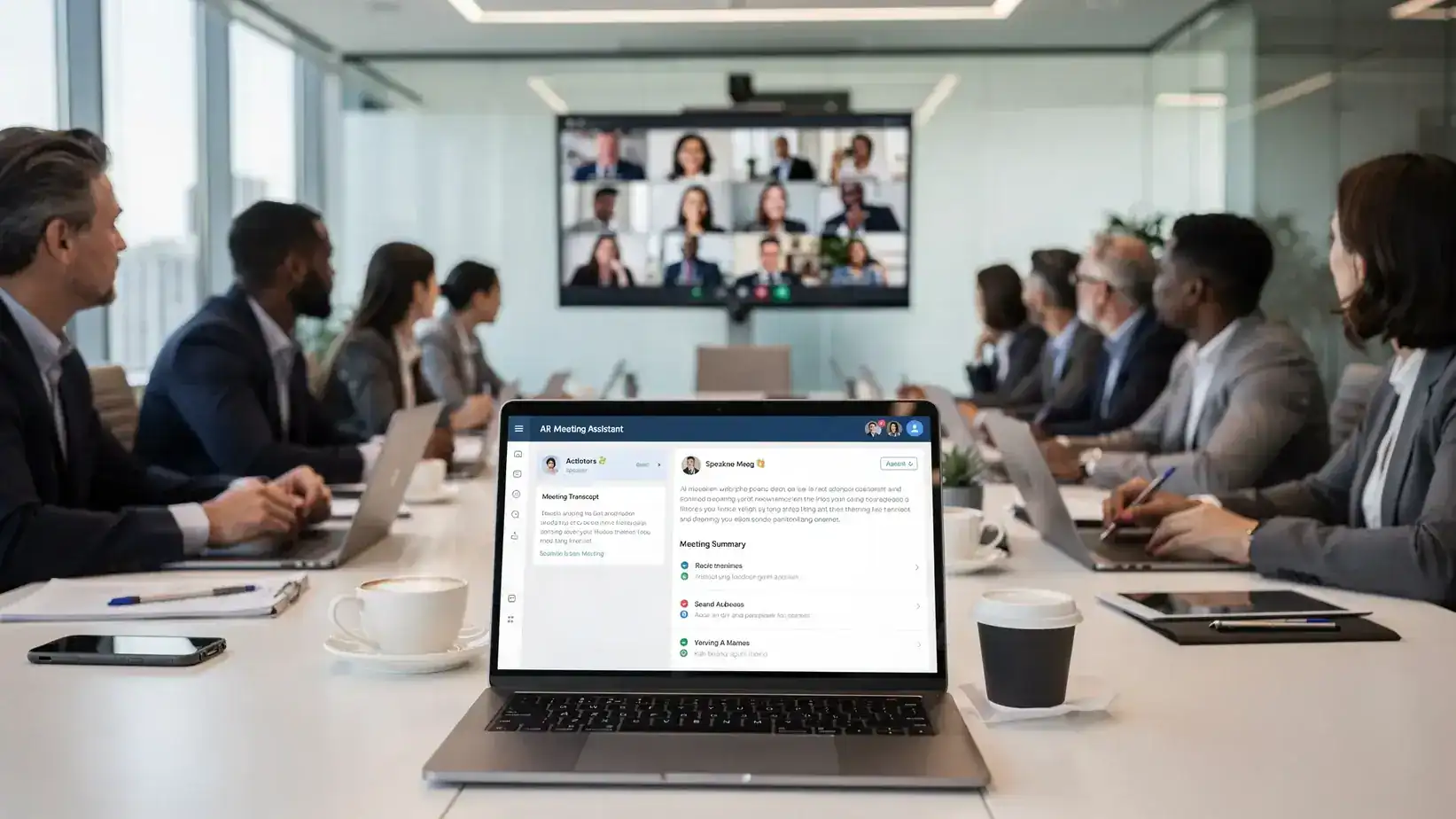
Meeting notes used to be a “whoever types fastest” problem. In 2026, the problem is different: teams have too many transcripts, summaries, and action items floating around, and not enough trust in what’s accurate, what’s safe to share, and what actually turns into execution.
This guide breaks down the best AI note-taking apps for meetings in 2026 by real buying criteria (accuracy, workflows, security, and integrations), with practical recommendations for different meeting stacks (Zoom, Microsoft Teams, Google Meet) and team types (product, ops, sales, and agencies).
What “best” means for AI meeting notes in 2026
Most AI meeting assistants can produce a transcript and a summary. The best ones do a lot more, while fitting into how your org actually works.
1) Capture quality: audio, speakers, and context
If capture quality is poor, everything downstream suffers.
Look for:
- Speaker separation (diarization) that can handle interruptions and cross-talk.
- Domain vocabulary handling (product names, acronyms, customer terms) via custom vocabulary, adaptive learning, or simple correction workflows.
- Multi-language support if you routinely meet with global teams.
Tip: If your meetings are in Microsoft Teams and you also care about accessibility, you may want live captions in addition to post-meeting notes. See our step-by-step guide on how to turn on live captions in Microsoft Teams meetings.
2) Output quality: decisions, action items, and owners
A useful summary is not a paragraph. It is a structured artifact your team can act on.
The best AI note-taking apps produce:
- Decisions (what was agreed)
- Action items (what to do next)
- Owners and due dates (who, by when)
- Risks and open questions (what is unresolved)
3) Workflow fit: where notes “live” after the meeting
You are choosing a workflow as much as you are choosing an AI model.
Common “homes” for meeting notes:
- A dedicated meeting assistant workspace (searchable history, clips, follow-ups)
- Your docs wiki (Notion, Confluence, Google Docs)
- Your task system (Asana, ClickUp, Jira)
- Your CRM (HubSpot, Salesforce) for customer calls
4) Governance and privacy: what gets recorded, stored, and shared
In 2026, meeting notes are a data governance topic.
You want clarity on:
- Whether the assistant joins as a bot (and how it is disclosed)
- Retention controls (delete policies, exports, admin controls)
- Data use for training (and opt-out options)
- Permissions (who can view, share, or export)
If you work in healthcare, finance, legal, HR, or handle customer PII, treat this like a vendor review, not a productivity add-on.
A fast evaluation checklist (use this before you trial anything)
| Evaluation area | What to test in a 1-week pilot | What “good” looks like |
|---|---|---|
| Accuracy | 2 meetings with cross-talk + jargon | Correct speakers most of the time, minimal “mystery” phrases |
| Summary usefulness | 5 random summaries reviewed by attendees | Decisions and next steps match human recollection |
| Task handoff | Convert action items to your task tool | 1-2 clicks, correct owners, minimal cleanup |
| Searchability | Find a past decision by keyword | Finds the exact moment (quote, timestamp, or clip) |
| Permissions | Restrict a sensitive meeting | Admin can limit access and sharing |
| Compliance posture | Review vendor policies with IT/security | Clear stance on retention, training, and deletion |
Best AI note-taking apps for meetings in 2026 (shortlist by use case)
There is no single winner for every team. The “best” app, or the optimal app solution, is the one that matches your meeting platform, note destination, and risk tolerance.
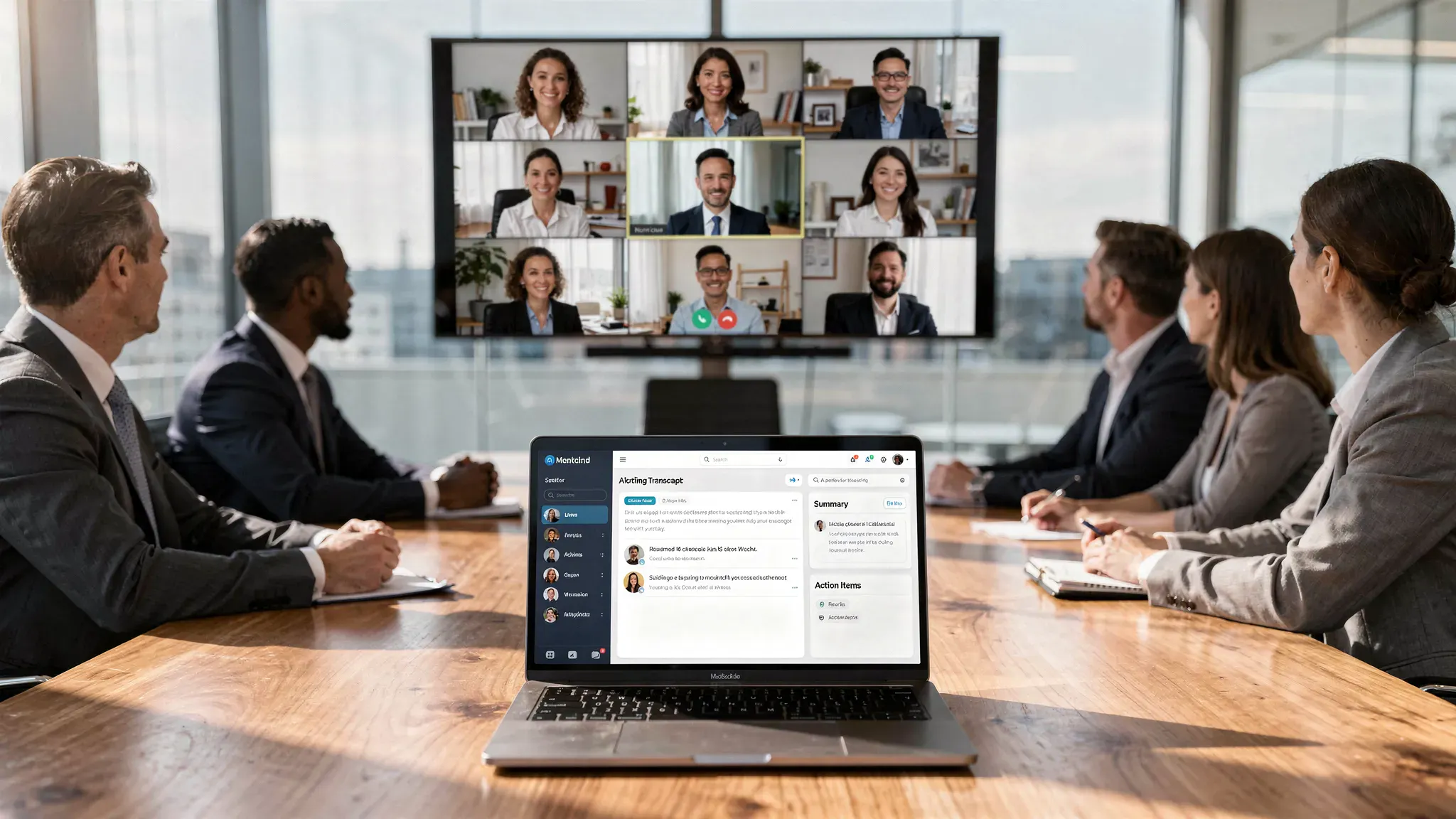
For cross-platform teams that meet everywhere: Otter.ai
Best for: Teams that use a mix of Zoom, Google Meet, and Microsoft Teams, and want a familiar, dedicated meeting notes hub.
Why it’s a strong 2026 pick: Otter is widely adopted, mature, and typically straightforward to roll out. It tends to work well when you want searchable meeting history and consistent summaries across many meeting types.
Watch-outs: Like most bot-based assistants, you must manage participant expectations, disclosure, and which meetings should be excluded.
For “capture everything, then automate follow-up”: Fireflies.ai
Best for: Ops and program teams that want meeting notes plus automation, tags, and integrations.
Why it’s a strong 2026 pick: Fireflies is often used as a meeting capture layer that pushes outcomes into other systems. If your real problem is “we talked about it, but nothing happens,” tools in this category can help standardize follow-up.
Watch-outs: Integration sprawl is real. In pilots, verify that your most important destinations (your task tool and docs tool) work the way your team needs.
For Zoom-first organizations: Zoom AI Companion (native) and Fathom
Best for: Teams that do most meetings in Zoom and want the simplest operational path.
Why native can win: A native assistant reduces friction: fewer bots, fewer accounts, fewer moving parts. Zoom documents its AI features and admin controls in its official help center, which can help your IT team evaluate settings and governance.
Why a dedicated assistant can still win: Dedicated note-taking apps often offer better post-meeting workflows (templates, clips, stronger search, richer export options) than native tools, depending on your needs.
Watch-outs: If you run external meetings (customers, partners), be extra careful about consent and recording notifications.
For Microsoft 365 heavy teams: Microsoft Teams transcription + Copilot workflows
Best for: Enterprises standardized on Microsoft 365 that want meeting notes tied tightly to their tenant policies.
Why it’s a strong 2026 pick: When your identity, files, and meetings already live in Microsoft, keeping meeting artifacts in the same ecosystem can simplify permissions, retention, and auditing.
Watch-outs: Capabilities vary by license and admin settings, and you should validate exactly what is available in your environment.
For Google Workspace teams: Google Meet transcription + Gemini-style assistance
Best for: Teams that live in Google Calendar, Google Meet, and Google Docs.
Why it’s a strong 2026 pick: Similar to Microsoft, a native-first path reduces friction, especially when the “home” for notes is Google Docs or a shared Drive location.
Watch-outs: As with any native transcription feature, test speaker labeling, noisy rooms, and how easy it is to turn transcripts into action items.
For product, research, and async-friendly teams: tl;dv
Best for: Teams that want lightweight meeting memory, video highlights, and easy sharing across time zones.
Why it’s a strong 2026 pick: In async cultures, the killer feature is often not the summary, it’s the ability to share the exact moment (clip or timestamp) where a decision or customer quote happened.
Watch-outs: If your org prefers text-only artifacts (no video sharing), validate whether the workflow still fits.
For sales and customer success (revenue workflows): Avoma (and similar “conversation intelligence” tools)
Best for: Teams that need meeting notes tied to pipeline, coaching, and customer outcomes.
Why it’s a strong 2026 pick: These tools are designed around recurring call types (discovery, demo, QBR), structured fields, and follow-up consistency.
Watch-outs: Revenue tools can be heavier to implement. Expect admin work for CRM mapping, permissions, and coaching workflows.
How to choose the right AI meeting notes tool (without overbuying)
Instead of asking “Which app is #1?”, ask three operational questions.
Question 1: Where do you want notes to land within 10 minutes?
Pick one primary destination and optimize for it.
Common choices:
- Notion or Confluence (knowledge base)
- Asana, ClickUp, or Jira (execution)
- Google Docs or Word (formal minutes)
- CRM (customer calls)
If you do not pick a destination, you will end up with a second, shadow knowledge base inside the note-taking app.
Question 2: Which meetings should never be recorded?
Define exclusions early. Examples often include:
- HR conversations (performance, compensation)
- Legal and contract negotiations
- Sensitive customer escalations
- Internal incident reviews (depending on policy)
A good tool is not just one that can record, it is one that makes it easy to not record.
Question 3: Do you need a bot to join, or can you stay native?
Bot-based tools are often more powerful, but native features are often simpler to govern.
A simple rule:
- If you are in a regulated environment, start by evaluating native transcription in your meeting platform.
- If you are optimizing speed and follow-through, dedicated assistants usually provide better action-item workflows.
A simple rollout playbook (teams that get value actually do this)
- Start with two meeting types only. For example: weekly team sync + customer calls. Avoid turning it on for every calendar event in week one.
- Create one standard notes template. Require the same headings every time: Decisions, Action items, Risks, Notes.
- Assign a human “note owner.” The AI drafts, a person approves and assigns owners. This prevents silent inaccuracies from becoming “truth.”
- Set a follow-up SLA. Example: action items must be pushed to the task tool within 24 hours.
- Review accuracy weekly for a month. Track: correction rate, missing action items, and whether tasks get completed faster.
If you also want to reduce meeting overload while improving documentation quality, consider adding one structural change like meeting-free time blocks. (Our guide on implementing meeting-free days pairs well with AI notes because it forces better async updates.)
Common failure modes (and how to fix them)
Most teams abandon AI meeting notes for predictable reasons.
| Failure mode | What it looks like | Fix |
|---|---|---|
| “The summary is wrong” | Decisions are subtly incorrect | Require a human approver, and standardize a Decisions section |
| “Nobody reads the notes” | Notes live in a tool no one opens | Push to the system of record (docs or tasks) automatically |
| “Too many recordings” | Search becomes messy, storage grows | Limit to defined meeting types, add naming conventions |
| “People feel surveilled” | Participation drops, cameras go off | Use explicit consent norms, exclusions, and transparency |
| “Action items don’t ship” | Tasks are vague or unowned | Enforce owner + due date fields, add follow-up reminders |
Privacy and consent: a practical checklist (not legal advice)
Laws and policies vary, but operationally you should treat AI note-taking as recording plus processing.
Ask these questions before enabling it by default:
- Do participants get clear notice? This matters for trust even when it’s technically allowed.
- Can you disable the assistant per meeting? Especially for sensitive topics.
- Who can access transcripts and recordings? Check default sharing settings.
- How long is data retained, and can admins delete it? Retention policies should match your org’s standards.
- Is any meeting data used to train models? Look for explicit vendor language and opt-out controls.
If you regularly turn meeting notes into external-facing deliverables (client recap emails, SOW notes, public summaries), plan a human editing step. Some teams also run AI-generated text through style-cleanup tools to make it read more naturally. A directory like this curated list of AI humanizer tools can be useful when you need client-ready language, but it should never replace accuracy checks or confidentiality reviews.
Putting AI meeting notes into your execution system
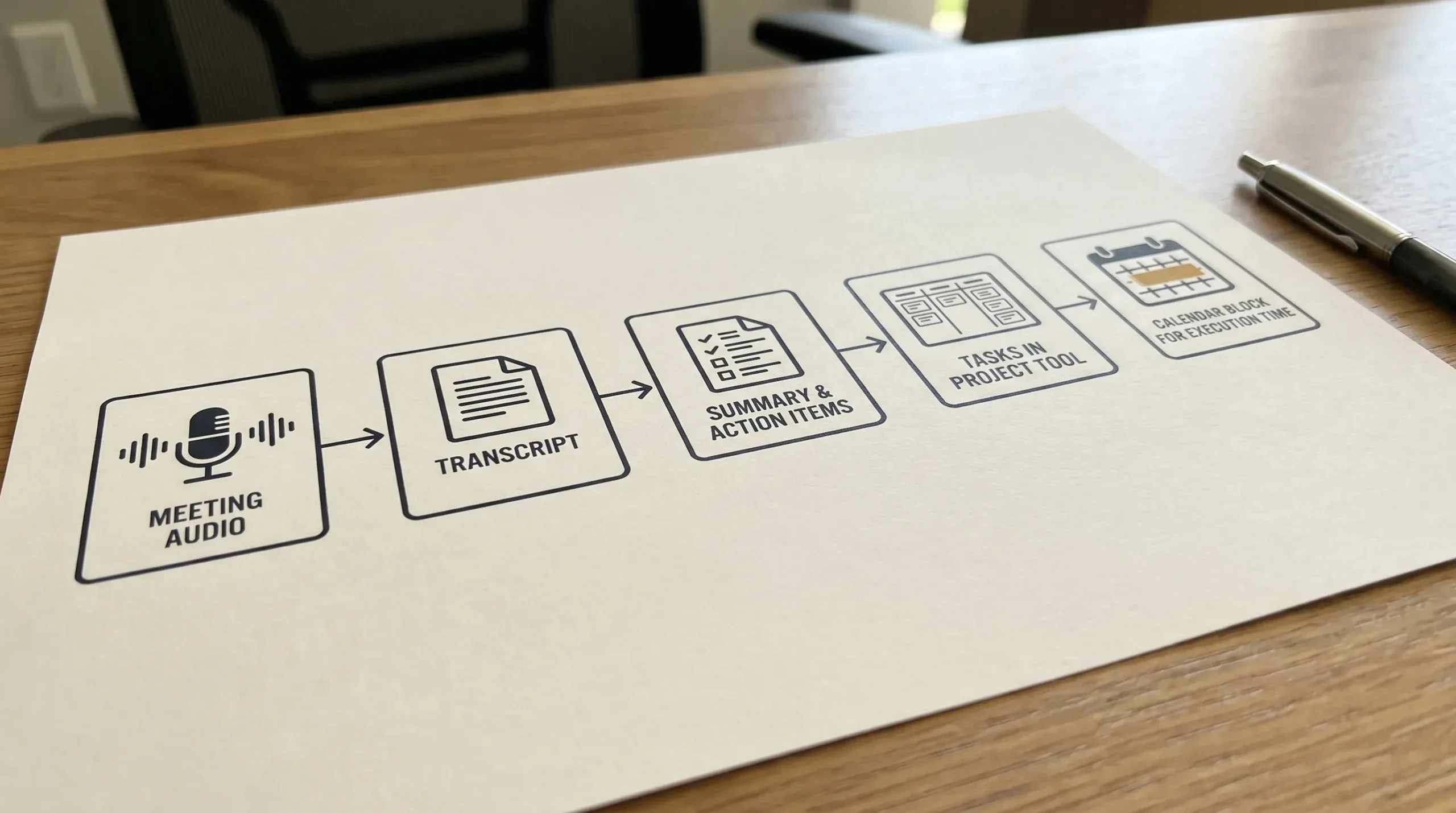
The fastest way to “feel” ROI is to close the loop from meeting to calendar to tasks.
A practical workflow many teams adopt:
- AI assistant creates summary and action items.
- Action items are pushed into your task manager with owners.
- The assignee blocks time to do the work.
If your calendar is already too dense, protect the follow-through time with buffers and prep blocks. For example, you can auto-block prep time before scheduled events so the action items created in the meeting actually get time on the calendar.
Frequently Asked Questions
Are AI note-taking apps allowed in client meetings? It depends on your contract terms, company policy, and applicable consent/recording rules. Operationally, always disclose clearly, offer an opt-out path, and avoid recording sensitive topics by default.
Should I use a bot that joins the meeting, or native transcription in Zoom/Teams/Meet? Native transcription is often easier for IT to govern and simpler for users. Bot-based assistants often provide richer summaries, templates, and integrations. Pilot both approaches for one meeting type comparison and compare workflow friction.
How do I improve transcription accuracy quickly? Use better audio (headsets, fewer room microphones), reduce cross-talk, and standardize speaker names. Also require a human reviewer for decisions and action items until the tool proves reliable for your team.
What’s the biggest mistake teams make with AI meeting notes? Treating the AI summary as the source of truth without review. The right model is “AI drafts, humans approve,” especially for decisions, customer commitments, and anything that affects scope or money.
Next step: build a meeting notes stack that actually sticks
If you want your meetings to produce consistent outcomes, treat AI note-taking as part of a broader workflow, not a standalone app. Start with one meeting type, define where notes live, and measure whether action items close faster.
For more tool comparisons and step-by-step workflows, explore the latest tutorials and reviews on Online Tool Guides.



