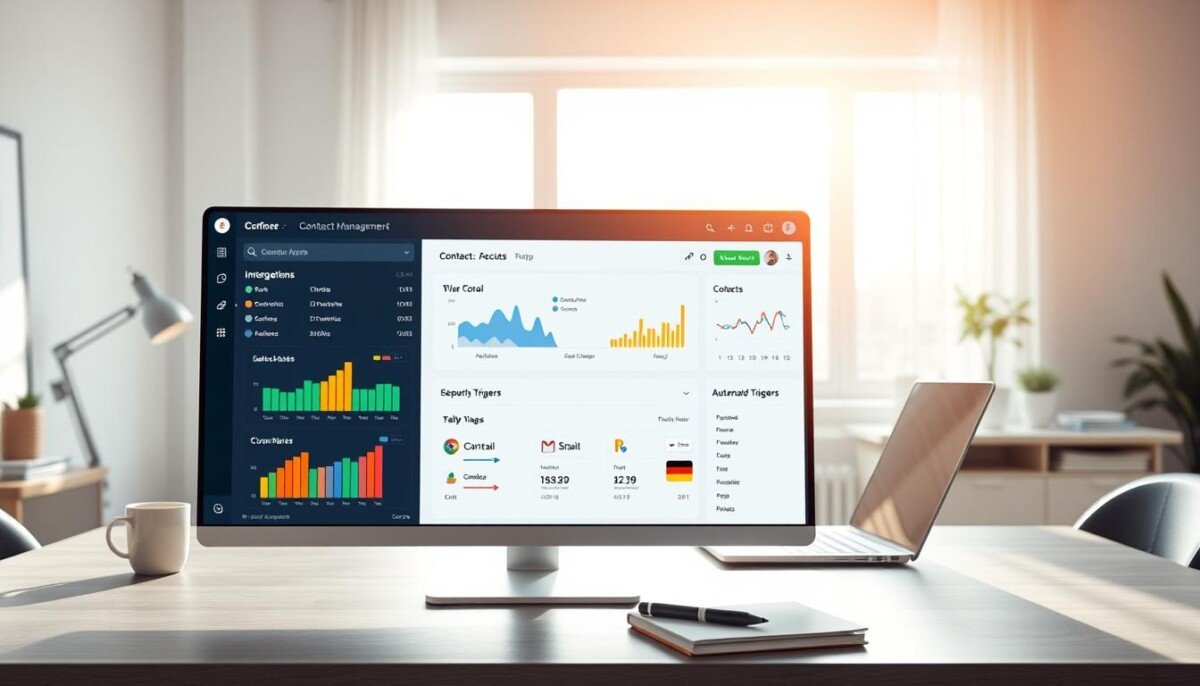
What if you could design the perfect customer management system, tailored exactly to your workflow, without ever touching a line of code?
The landscape of business software has fundamentally changed. Modern platforms empower you to create a powerful, custom CRM using intuitive visual tools. This shift moves complex data and pipeline management out of the realm of traditional software engineering.
You maintain full control over your customer information and sales processes. With deep integrations—like connections to over 8,000 other apps—you can automate tedious tasks and streamline entire workflows. This approach turns a generic software package into a dynamic solution that grows with your company.
Whether you lead a small team or a large enterprise, these platforms put the power of automation and customization directly in your hands. The result is a system that perfectly aligns with your business needs and boosts team performance.
Key Takeaways
- Create a fully-functional customer relationship management system without any programming knowledge.
- Utilize drag-and-drop visual builders to design a custom interface and data structure.
- Connect your system to thousands of other applications for seamless automation.
- Automate sales follow-ups, lead scoring, and data entry to save significant time.
- Ensure your CRM scales and adapts as your business requirements evolve.
- Retain complete ownership and control over your customer data and processes.
- Tailor every feature, from contact fields to reporting dashboards, to your specific workflow.
Understanding the No-Code Revolution
A new era of digital tooling allows professionals to craft applications through intuitive interfaces. This movement replaces complex programming with visual logic builders. It empowers teams to shape their own software solutions.
The Evolution of No-Code Tools
Business software creation has moved away from manual coding. Modern platforms provide drag-and-drop designers and pre-built modules. This evolution offers more stability than newer AI-driven “vibe coding” tools.
Traditional visual platforms have fewer database exploits. They give you reliable control over your app structure. You gain powerful features without deep technical knowledge.
The Impact on CRM Development
This shift directly transforms how you manage customer relationships. You can connect various data sources into a single, coherent system. Your workflows become consistent for all users.
The time to deploy a functional system is slashed. What once took months now takes weeks or days. These platforms are powerful enough to replace expensive custom software.
You achieve sophisticated automation and reporting. Your team operates from a unified data hub. This reliability is why modern solutions are trusted for critical apps and plans.
The Rise of No-Code Platforms for CRM Solutions
The accessibility of sophisticated customer relationship management has expanded dramatically, moving from exclusive corporate suites to everyday business tools. This democratization allows non-technical users to construct robust systems that were once reserved for large enterprises.
By utilizing these platforms, you can centralize your customer data and automate repetitive tasks. This is essential for maintaining a competitive edge.
These visual tools let you define your database schema and user interface without coding. You gain powerful features through drag-and-drop designers.
Many companies now choose to create their own app to avoid the limitations of one-size-fits-all software. Such generic packages often fail to meet specific operational needs.
With the right plan, your solution scales effectively. It grows as your user base expands and your data complexity increases over time. This approach supports advanced automation and streamlined workflows, connecting seamlessly with other apps.
Why Build No Code CRM?
Choosing a tailored solution over generic software transforms how your team interacts with customer information. It provides direct control and aligns perfectly with your unique processes.
Key Benefits for Businesses
You gain unparalleled flexibility to customize your sales pipeline. This matches your unique workflows and boosts team management.
Significant cost reduction is another major advantage. You avoid the high overhead of hiring developers for internal software. Direct integration of third-party tools keeps your data synchronized across all essential apps.
Scaling and Customization Advantages
Your platform scales operations as your business needs evolve. You can add new features without complex coding. This supports advanced automation and effective planning over time.
This approach empowers your users to work more efficiently. They focus on building customer relationships instead of managing disjointed data. Modern platforms offer reliable plans for growing teams.
How to Build No Code CRM: Tools and Techniques
Your journey to a custom customer management platform begins with a critical evaluation of available visual tools. The right selection of the best tools sets the foundation for a system that enhances team productivity and data integrity.
Essential Platform Comparisons
Selecting the best visual builder is a pivotal decision. Platforms like Softr provide a free plan for one published app and ten signed-in users, offering a risk-free starting point. This allows you to validate the platform’s core capabilities.
Assess each option based on its data management strengths and workflow automation potential. Your chosen solution must seamlessly integrate with other essential apps in your stack. Effective tools transform raw information into actionable insights.
Begin with a basic prototype to understand the platform’s interface. As your confidence grows, incorporate more sophisticated features and automation. The learning curve varies significantly; some tools are designed for immediate use, while others offer deeper customization for power users.
Testing multiple platforms reveals the ideal balance of functionality and usability. This proactive approach secures a scalable solution that evolves with your operational demands over time.
Top No-Code Tools for CRM Automation
The true power of a modern customer relationship platform lies in its ability to execute complex tasks automatically. This transforms manual processes into efficient, error-free workflows.
Selecting the best no-code automation tools is essential for maximizing team productivity. These platforms connect your entire tech stack.
Zapier’s Automation Capabilities
Zapier acts as a universal connector for your apps. It links over 8,000 different services to automate repetitive tasks.
You can create “Zaps” that trigger actions across platforms. For example, a new form submission can instantly create a contact record and notify your sales team.
This eliminates manual data entry and reduces errors. Your team reclaims valuable time for strategic work.
Integrating AI and Workflow Automation
Artificial intelligence elevates automation beyond simple triggers. Zoho CRM’s Zia AI analyzes historical data to predict sales outcomes.
It can also automate routine tasks like logging calls or prioritizing leads. This intelligent automation provides a significant competitive edge.
Setting up these workflow rules requires no coding. You use a visual builder to define conditions and actions.
| Tool | Key Automation Feature | Best For |
|---|---|---|
| Zapier | Connects 8,000+ apps with multi-step Zaps | Orchestrating actions across a diverse app stack |
| Zoho CRM | Zia AI for predictions and task automation | Teams wanting built-in, intelligent CRM automation |
| Make (Integromat) | Visual scenario builder for complex logic | Designing intricate, multi-path automation workflows |
| Airtable | Automations based on database record changes | Teams that centralize project and customer data |
These features ensure your information stays consistent everywhere. For more on connecting services, see this guide on API integration tools for non-developers.
As you refine your strategy, even complex processes become simple. The right plan supports your users and scales with your app.
Exploring Feature-Rich No-Code CRMs

Platforms like Pipedrive exemplify how deep customization empowers teams to track deals with precision. These feature-rich solutions provide the tools to manage sales leads without complex coding.
Your team gains access to specific data points critical for success. You can add custom fields and modules in minutes.
This high flexibility lets you adapt to changing market conditions. Your system evolves alongside customer requirements.
The advanced features in these platforms rival expensive enterprise software. You achieve powerful automation and reporting.
| Platform | Key Customization Feature | Ideal For |
|---|---|---|
| Pipedrive | Visual sales pipeline builder | Teams needing deal-stage tracking |
| HubSpot CRM | Custom property and object creation | Marketing-sales alignment |
| Salesforce Lightning Platform | Drag-and-drop app builder | Large-scale process workflows |
Comprehensive documentation and community support maximize your investment over time. These resources help all users leverage the best no-code capabilities.
Customizing Your CRM Without Coding
Customization transforms a standard interface into a powerful tool that mirrors your team’s exact workflow. This personalization is achieved through intuitive visual designers, putting control directly in your hands.
Drag-and-Drop Design Essentials
Platforms like Airtable demonstrate this with tools such as Cobuilder. You can create custom apps by simply dragging elements onto a canvas.
This lets you rearrange interface elements to prioritize critical data for your sales team. The result is higher adoption and satisfaction among your users.
These design tools enable a personalized experience for every user. You ensure the system is both intuitive and highly functional.
Focusing on these essentials creates a clean, professional look that reflects your brand. Performance remains high while aesthetics improve.
The ability to modify your layout instantly is a key advantage. You can respond to team feedback and optimize workflows in real-time.
| Platform | Key Design Feature | Best For |
|---|---|---|
| Airtable | Cobuilder for custom apps | Teams needing database-driven interfaces |
| Softr | Template-based visual editor | Rapid prototyping and client portals |
| Bubble | Pixel-perfect responsive designer | Fully custom web apps with complex automation |
These platforms save valuable time during your development plan. They connect seamlessly with other apps in your stack.
Your scaling plans become more straightforward with a tailored foundation. Each platform offers unique strengths for different project needs.
Integration Strategies for No-Code CRMs
Strategic integrations are the lifeline that ensures your customer data flows freely and accurately across all team tools. Solutions like Insightly provide customizable dashboards for tracking this information in real-time.
Connect your central platform to existing communication and project management apps. This creates seamless information transfer between departments.
You eliminate data silos by establishing a unified ecosystem. Your team then operates from a single source of truth for all customer interactions.
These integrations empower you to automate complex workflows that span multiple platforms. This saves your team hours of manual labor each week.
As your needs evolve, you can easily add new connections to your app. This keeps your tech stack agile and responsive. A solid plan for growth ensures your features and automation scale effectively over time.
Maximizing Efficiency with Automated Workflows
Automated workflows are the engine that drives modern sales efficiency, turning manual processes into seamless, error-free operations. They handle routine tasks like lead assignment and follow-up reminders, freeing your team for strategic work.
Streamlining Sales Processes
You can design workflows that automatically route new leads to the right salesperson. This eliminates manual sorting and speeds up response time.
These systems also send personalized follow-up emails based on customer behavior. Your team stays engaged without constant manual oversight.
This automation significantly reduces human error in data entry. Your business can scale operations without a proportional increase in staff.
Real-Time Data Synchronization
Your database updates instantly across all connected platforms. This ensures every team member sees the latest customer information.
Informed decisions rely on accurate, current data. Real-time sync provides this foundation for your sales and support users.
Integrating your crm with project management tools bridges the gap between sales and delivery. It creates a smooth experience for clients from quote to completion.
You can monitor performance with detailed reports on these workflow systems. Identify bottlenecks and optimize processes for better results continuously.
Pricing and Scalability of No-Code CRM Platforms
Your investment in a custom customer relationship solution must balance immediate costs with the platform’s ability to grow alongside your operations. A strategic approach to pricing ensures you get value without overpaying for unused capacity.
For example, monday CRM starts from $12 per seat monthly for its basic tier. This makes it an accessible entry point for many teams. Most platforms also offer a free plan for testing.
You can validate your core workflow and data needs before any financial commitment. This is a critical step in your selection process.
Scalability is the other crucial factor. Your chosen builder must handle more users and a larger database as your business expands. Carefully review each tier to pay only for the features and capacity you need.
Choosing a scalable platform protects your long-term investment. It ensures your system supports future growth. For a broader look at options, consult this comprehensive CRM tools guide.
The right plan supports advanced automation and connects all your essential apps. This saves time and improves team management from day one.
Mobile Capabilities in No-Code Solutions
The ability to manage customer relationships from anywhere is no longer a luxury but a core operational requirement. Modern solutions often include a native mobile app. This allows your team to access critical customer data and manage sales deals while on the go.
You can design responsive interfaces that adapt to different screen sizes. This ensures a consistent experience for your users on desktop or mobile devices.
These capabilities are essential for field sales teams. They need to update records and check lead status in real-time from smartphones. The platforms simplify deploying mobile-friendly apps, removing separate development cycles for iOS and Android.
| Platform | Key Mobile Feature | Best For |
|---|---|---|
| Airtable | Fully functional mobile app with record editing | Teams updating database entries in the field |
| Softr | Publish web apps that are mobile-responsive | Creating client portals accessible on any device |
| Glide | Turn spreadsheets into dedicated mobile apps | Rapid deployment of simple data-entry tools |
By providing mobile access, you empower your team to stay productive. They remain responsive regardless of location or device. This is a key consideration in any plan. For a wider view of options, see this guide to CRM tools.
Leveraging Templates and Pre-Built Modules

Starting with a pre-designed template accelerates your project timeline dramatically. These ready-made designs provide a proven framework for your application.
You save significant time during the initial setup and design phase. This lets you launch your app faster and start gathering valuable data.
Benefits of Ready-Made Designs
Ready-made designs ensure you follow industry best practices for data organization. Your users benefit from an intuitive interface layout from day one.
You can fully customize these templates to fit specific business needs. This gives you a head start while maintaining flexibility for future changes.
These modules are crafted by experts. You benefit from their experience in creating high-performing apps for various industries.
By using pre-built components, you focus energy on refining unique workflows. You avoid worrying about the foundational structure of your platform.
| Platform | Template Type | Ideal For |
|---|---|---|
| Airtable | Customer database templates | Teams organizing contact information |
| Softr | Client portal templates | Creating branded customer apps |
| Bubble | Sales pipeline templates | Designing custom workflow applications |
These tools offer powerful features within their template libraries. Your development plan becomes more efficient and predictable.
You can explore different plans to access advanced template collections. This supports sophisticated automation and scalable platforms.
The right builder provides a library of components. This approach turns a complex project into a manageable, step-by-step process.
Support, Documentation, and Community Engagement
High-quality documentation and an active user community are critical assets for navigating the complexities of any visual development environment.
Tutorials, Guides, and Forums
Official resources like Softr Academy provide extensive tutorials and beginner videos. These structured learning paths help new users master the platform quickly.
You should prioritize platforms with comprehensive video tutorials and interactive guides. These resources significantly accelerate your learning process for specific features and workflows.
Active community forums allow you to connect with other builders. You can share experiences and find solutions to common challenges.
Engaging with the community helps you stay updated on the latest tools and best practices. This ensures your app remains competitive and efficient over time.
When you encounter a roadblock, this support network is essential. It can be the difference between a successful project and a frustrating experience. For a wider selection of capable platforms, explore this guide on the best no-code web design tools.
Access to strong documentation is key for mastering your builder and managing customer data. It supports advanced automation within your chosen plan.
Real-World Success Stories with No-Code CRMs
Across industries, companies are achieving remarkable results by implementing tailored solutions built with visual tools. Many businesses have transformed operations by creating a custom system, often starting with a free plan available to test their initial project management ideas.
One enterprise company empowered its sales team with a custom mobile app. This solution provided real-time access to the customer database and lead information. The result was a significant increase in lead conversion rates and overall satisfaction.
By integrating various tools, these organizations automated their most complex tasks. This freed teams to focus on growth instead of manual data entry. Their workflows became more efficient and error-free.
These stories prove you don’t need a massive budget or developers for a powerful system. You can apply similar strategies to your own challenges. For instance, connecting your system to sales funnel plugins can streamline processes further.
The right platform offers the functionality and automation your business requires. Your team gains a better experience and improved performance.
Essential Tips for Getting Started with No-Code CRM Building

You can sidestep common errors and accelerate your timeline by adhering to a few proven principles. A methodical beginning ensures your solution is both powerful and adaptable.
Avoiding Common Pitfalls
Before any work begins, ensure a clear plan available for your project management needs. This outlines core workflows and prevents scope creep.
Resist the urge to add every feature at once. Starting with a simple mobile app for lead tracking is far more effective. You can iterate based on user feedback.
Always test your automations thoroughly. This guarantees data remains consistent across all connected apps and processes are reliable.
Optimizing Your Setup
Invest time in designing your database structure early. A solid foundation makes adding future integrations and features much simpler.
Choose a visual builder that matches your team’s skill level. Many platforms offer free plans or trials for evaluation. This helps you select the right tools.
Focus on the core functionality your business requires first. A detailed no-code CRM guide can provide further strategic insight.
| Common Pitfall | Consequence | Recommended Strategy |
|---|---|---|
| No clear project plan | Scope creep, wasted time | Define core workflows and key tasks first |
| Poor database design | Difficult future integrations | Map all customer data relationships early |
| Overly complex initial build | Low user adoption and confusion | Launch a simple minimum viable app |
| Untested automations | Inconsistent data across platforms | Run thorough tests on all workflow rules |
Following these tips creates a robust system that supports your management goals. Your team enjoys a superior experience and improved performance.
Bringing It All Together: Your Future in No-Code CRM
Embracing this methodology transforms you from a software user into an architect of your own operational efficiency. The future of customer relationship development clearly lies with visual builders.
By mastering these tools, you establish yourself as a leader capable of delivering innovative solutions. You now possess the knowledge to scale and optimize your system.
Your business gains a tailored app that secures customer data and streamlines processes. This ensures efficient sales management and team performance.
As the landscape evolves, expect even more powerful features and seamless integrations to emerge. This journey of continuous improvement keeps your workflows and automation ahead of the curve.
Remember, the best solution is one crafted to adapt to your unique needs. Your ability to shape this technology defines its ultimate success.



