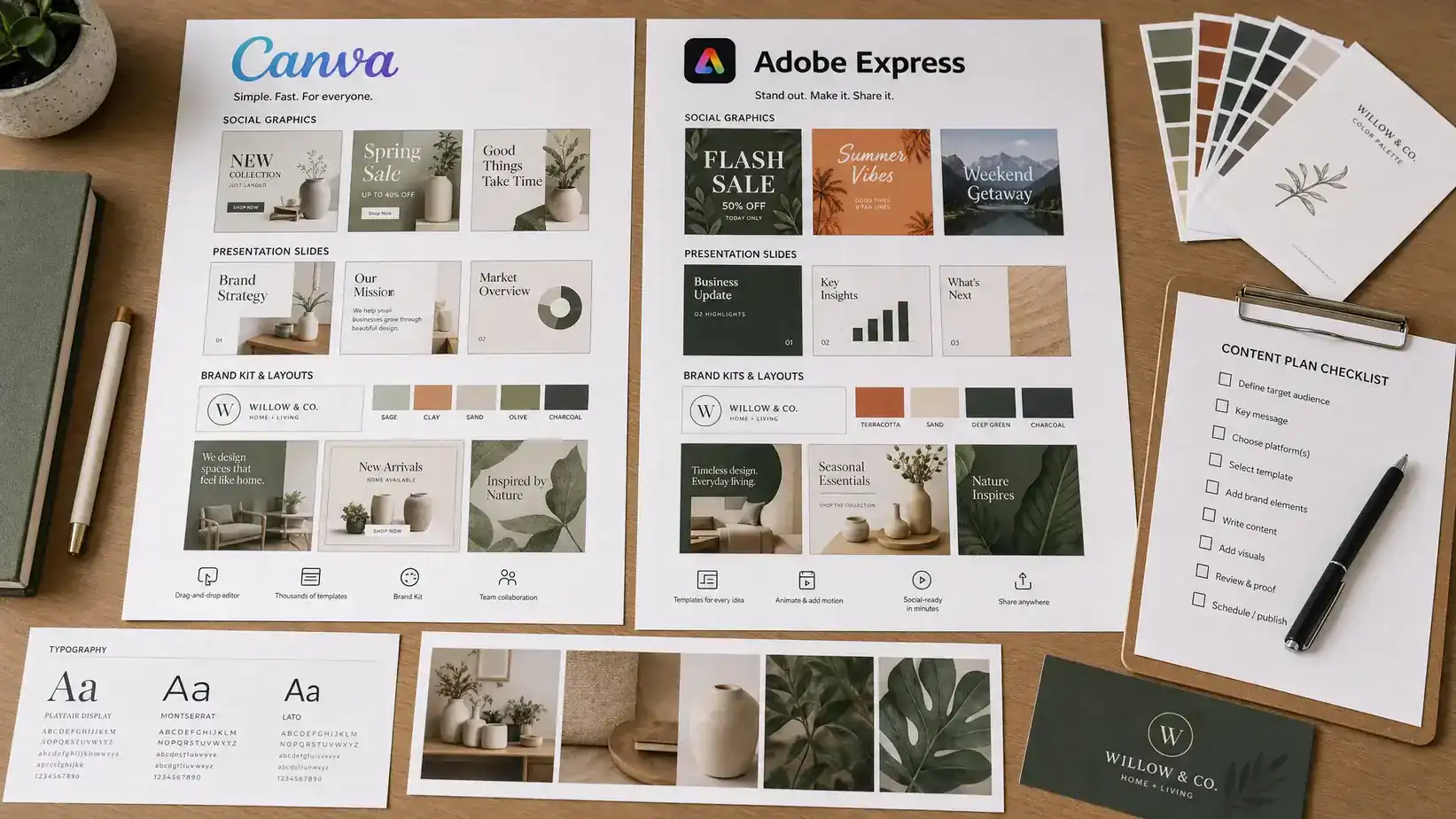
Canva and Adobe Express both promise the same outcome: polished graphics, presentations, videos, and marketing assets without the learning curve of professional design software. In 2026, that overlap is larger than ever. Both platforms now include templates, brand kits, AI image generation, background removal, video tools, social publishing, and team collaboration features.
The better choice depends on your workflow. Canva is usually the stronger all-in-one design workspace for non-designers, content teams, educators, creators, and small businesses. Adobe Express is the better fit if you already use Adobe apps, care deeply about Adobe Firefly-style generative AI, or want a lightweight companion to Photoshop, Illustrator, Premiere, and Acrobat.
This comparison breaks down Canva vs Adobe Express across usability, templates, AI, branding, video, collaboration, pricing value, and real-world use cases so you can choose the right tool for 2026.
Quick verdict: Canva is better for most, Adobe Express is better for Adobe-first workflows
If you want the safest recommendation, choose Canva. It has the most approachable interface, a huge template ecosystem, excellent brand workflow for non-designers, and enough formats to replace several small tools at once.
Choose Adobe Express if your design process already starts in Adobe Creative Cloud, if your team wants AI generation tied closely to Adobe's creative ecosystem, or if you need a simple way to repurpose assets made by professional designers.
| Priority | Better choice | Why |
|---|---|---|
| Fastest learning curve | Canva | The interface is extremely beginner-friendly and template-led. |
| Best all-in-one content workspace | Canva | It covers graphics, slides, docs, whiteboards, simple video, social posts, and more. |
| Best Adobe ecosystem fit | Adobe Express | It connects more naturally with Adobe creative workflows and assets. |
| Best AI image generation focus | Adobe Express | Firefly-based tools are a major advantage for AI-assisted visuals. |
| Best for non-designer teams | Canva | Brand kits, templates, and collaboration feel built for distributed marketing teams. |
| Best for PDF and Adobe asset workflows | Adobe Express | It benefits from Adobe's broader document and creative ecosystem. |
| Best if you are unsure | Canva | It gives most users more practical value with less setup. |
Canva vs Adobe Express at a glance
Both tools are web-based and support desktop and mobile workflows, but their design philosophies are different. Canva feels like a universal creative workspace. Adobe Express feels like a simplified creative production app that becomes more powerful when paired with other Adobe tools.
| Category | Canva | Adobe Express | 2026 winner |
|---|---|---|---|
| Ease of use | Very intuitive, especially for beginners | Easy, but slightly more Adobe-oriented | Canva |
| Templates | Massive variety across many categories | Strong, polished templates with Adobe styling | Canva |
| AI tools | Broad AI tools across design, writing, and layout | Strong Firefly-powered generative tools | Tie, depending on use case |
| Brand management | Excellent for teams creating repeatable assets | Strong if tied to Adobe assets and designers | Canva for most teams |
| Video creation | Good for short videos, social clips, and simple editing | Good for quick social video and Adobe-style edits | Tie |
| Presentations | Very strong for quick decks and visual storytelling | Useful, but less dominant | Canva |
| Collaboration | Simple for teams and clients | Good, especially in Adobe environments | Canva for non-designers |
| Professional design depth | Limited compared with pro tools | Better bridge to Adobe pro tools | Adobe Express |
| Overall value | Excellent if you use many content formats | Excellent if Adobe is already part of your stack | Canva for most users |
Ease of use: Canva is still the simpler tool to learn
Canva's biggest advantage is not any single feature. It is how quickly an average person can produce something usable. A beginner can open a template, swap images, change colors, add text, resize a post, and export it without understanding layers, artboards, masks, or typography systems.
That matters for small business owners, virtual assistants, social media managers, educators, and creators who need output more than creative control. Canva guides the user with templates and presets, so the blank page problem is much less intimidating.
Adobe Express is also beginner-friendly, especially compared with Photoshop or Illustrator. It has clean tools, quick actions, templates, and AI features that make design feel approachable. Still, users who have never touched an Adobe product may find Canva more immediately obvious. Adobe Express has more value when you understand the larger Adobe universe and want a simpler front end for assets, images, PDFs, and brand materials.
If your team includes people who do not identify as designers, Canva is the easier tool to standardize. For a wider shortlist of approachable creative apps, our guide to the best design tools for content creators covers additional options for non-designer workflows.
Templates and design assets: Canva wins on range, Adobe Express wins on polished creative direction
Templates are the main reason many people choose these tools in the first place. Canva has a huge template ecosystem across social media posts, presentations, resumes, posters, worksheets, invitations, infographics, whiteboards, documents, newsletters, simple websites, and more. If you need a design for a specific format, Canva probably has multiple starting points.
The strength of Canva's template library is variety. You can find minimalist templates, playful templates, corporate templates, creator-style templates, seasonal templates, and niche business templates. This makes it especially useful for teams that publish frequently and need fresh layouts without starting from scratch.
Adobe Express templates tend to feel more curated and visually polished. They often pair well with Adobe Stock-style imagery and a more editorial design sensibility. If you want a sleek campaign graphic, a modern promo layout, or a design that feels closer to the Adobe creative world, Adobe Express can be excellent.
The tradeoff is simple. Canva gives you more breadth. Adobe Express often gives you a more refined starting point, especially if your brand already leans professional, visual, and media-heavy.
AI features: Canva is broader, Adobe Express is stronger for Firefly-style generation
AI is now one of the biggest factors in the Canva vs Adobe Express debate. Both platforms use AI to speed up content creation, but they emphasize different outcomes.
Canva's AI features are built into the broader design workflow. You can generate ideas, create drafts, remove backgrounds, produce design variations, write copy, transform formats, and speed up repetitive production tasks. The advantage is convenience. Canva's AI tools are not just for creating images. They help users move from idea to finished asset inside the same workspace.
Adobe Express leans heavily on Adobe's Firefly ecosystem. That makes it especially interesting for text-to-image generation, text effects, generative edits, and AI-assisted visual creation. If you care about generating original visual concepts, creating stylized imagery, or building campaign assets from AI prompts, Adobe Express has a strong claim.
For most marketers and content creators, Canva's AI is more practical because it touches more everyday content tasks. For users who care most about generative visual quality and Adobe's creative pipeline, Adobe Express is often more compelling.
The realistic answer is that neither tool replaces professional creative judgment. AI can generate options, speed up revisions, and help non-designers get unstuck. It still needs a human to decide whether the result fits the brand, audience, offer, and channel.
Branding and consistency: Canva is easier to roll out across a team
Brand consistency is where Canva shines. A business can set up brand colors, fonts, logos, and reusable templates, then let the broader team create assets without reinventing the brand every time. This is valuable for companies where many people create content: sales teams, community managers, recruiters, educators, franchise operators, and content teams.
Adobe Express also supports brand assets and repeatable creative workflows. Its advantage appears when professional designers create the core assets in Adobe tools, then other team members adapt those assets in Express. In that setup, Adobe Express works as a lighter production layer on top of a professional design system.
Canva is better when non-designers own most day-to-day content creation. Adobe Express is better when professional designers own the brand foundation and need a simple tool for others to repurpose finished assets.
Video, social clips, and presentations: Canva is more versatile for everyday creators
For short-form content, both tools are capable. You can create social videos, animated graphics, simple promos, reels-style assets, and quick brand clips without opening advanced video editing software. Neither should be confused with a full professional editor, but both are more than enough for many social media and marketing needs.
Canva has the advantage if you want one place for social posts, short videos, carousels, presentations, documents, and simple landing-style visuals. Its presentation tools are especially useful for creators and small teams because you can move quickly from template to polished deck.
Adobe Express is strong for quick video edits, animated assets, and content that benefits from Adobe's visual ecosystem. If your team already creates video, images, and brand assets in Adobe apps, Express can help adapt that material into lightweight social formats.
If presentations are a major part of your workflow, Canva deserves extra consideration. You may also want to compare it with newer AI-first deck builders in our guide to the best AI presentation makers in 2026.
Collaboration and approvals: Canva feels built for fast-moving teams
Collaboration is not just about inviting someone to a file. It is about how easily a team can create, comment, reuse, approve, and publish without breaking the brand.
Canva is particularly strong for fast-moving marketing teams because the workflow is simple. A manager can build templates, a team member can adapt them, and another person can review or comment. This makes it useful for teams that publish frequently and need a repeatable process rather than one-off design files.
Adobe Express supports collaboration too, but its strongest team value often comes from its connection to the broader Adobe environment. If your creative team already uses Adobe libraries, cloud assets, stock imagery, Acrobat workflows, or professional Adobe tools, Express can fit neatly into that system.
For a team of non-designers, Canva is usually easier to govern. For a team led by designers who already use Adobe, Adobe Express can be the better operational fit.
Pricing and value: compare the full workflow, not just the monthly fee
Pricing changes, promotions, storage limits, and plan names can shift over time, so the smartest approach is to compare value by workflow rather than focusing only on the displayed monthly price.
Both Canva and Adobe Express usually offer free access with paid tiers for premium templates, assets, AI usage, branding, collaboration, and advanced export options. The key question is what the paid plan replaces in your stack.
Canva can be excellent value if it replaces multiple tools: a basic design app, a presentation tool, a social graphics tool, a simple video editor, a whiteboard app, and a lightweight content production workspace. Many small teams choose Canva because it reduces tool switching.
Adobe Express can be excellent value if it is included in, or complements, an Adobe subscription your team already uses. It also makes sense if your workflow depends on Adobe assets, PDF handling, image generation, and professional creative handoff.
| User type | Better value in most cases | Reason |
|---|---|---|
| Solo creator | Canva | More formats and templates in one place. |
| Small business owner | Canva | Easier day-to-day marketing production. |
| Adobe Creative Cloud user | Adobe Express | Better fit with existing Adobe workflows. |
| Social media team | Canva | Fast template reuse and collaboration. |
| Designer-led marketing team | Adobe Express | Stronger bridge between pro assets and simple edits. |
| Educator or trainer | Canva | Great for worksheets, slides, handouts, and visual lessons. |
| Brand with strict creative controls | Depends | Canva is easier to roll out, Adobe is better if assets live in Creative Cloud. |
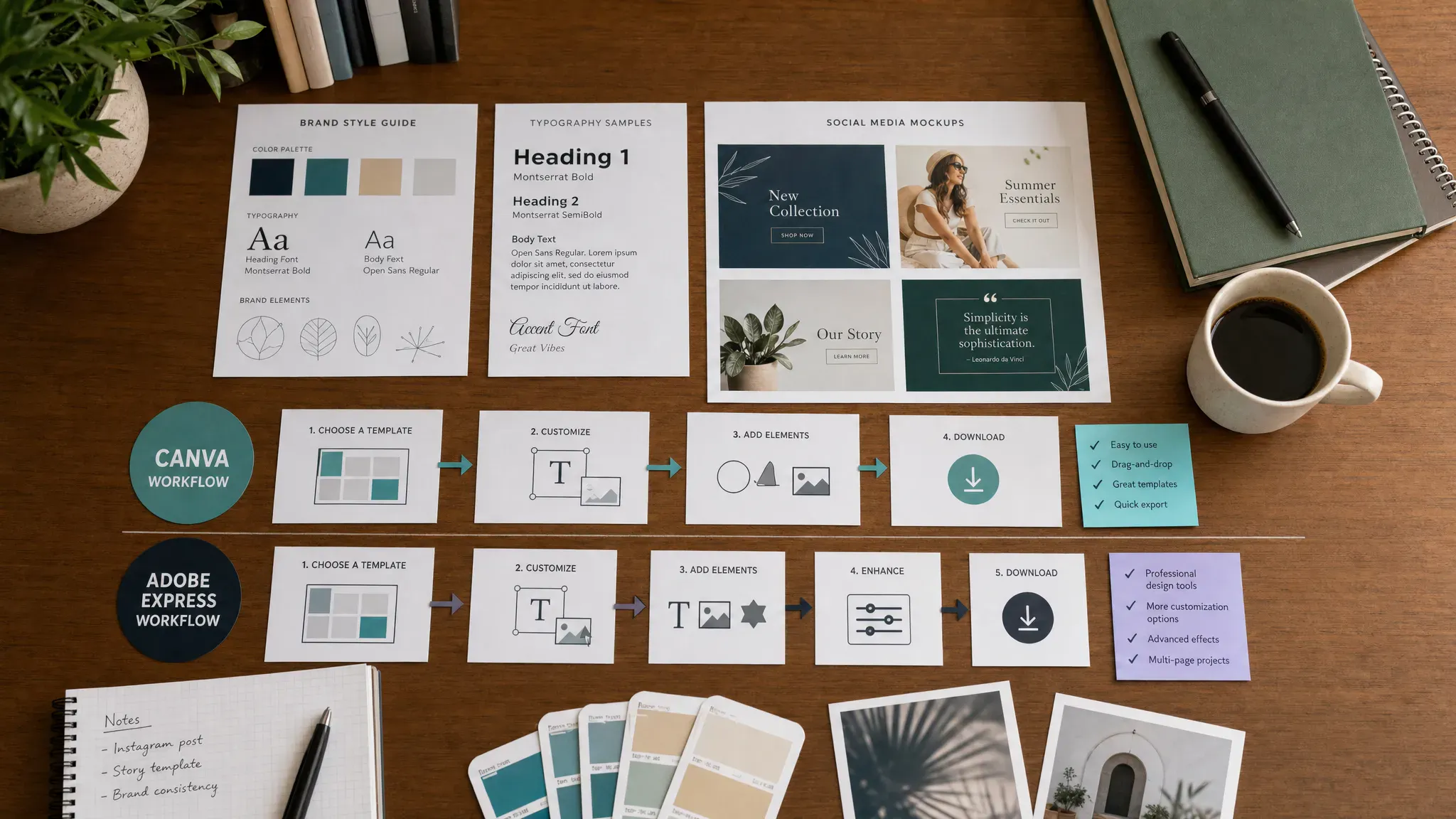
Best use cases for Canva in 2026
Canva is the better choice when speed, volume, and accessibility matter more than advanced creative control. It helps people create good-looking assets without needing a designer for every request.
Choose Canva if you regularly create social posts, thumbnails, presentations, lead magnets, worksheets, event graphics, newsletters, internal documents, simple videos, carousels, or branded templates. It is also the stronger choice if your team has many occasional creators who need guardrails.
Canva is especially useful for small businesses that do not have a full-time designer. It gives them enough structure to keep visuals consistent and enough flexibility to move quickly.
Best use cases for Adobe Express in 2026
Adobe Express is the better choice when your workflow already touches Adobe or when AI-generated visuals are a core part of your creative process. It is not just a Canva alternative. It is a simplified production tool inside the Adobe ecosystem.
Choose Adobe Express if you use Photoshop, Illustrator, Lightroom, Premiere, Acrobat, Adobe Stock, or Creative Cloud Libraries. It is also a strong option for teams where designers create core assets and marketers need to resize, adapt, and publish them quickly.
Adobe Express is particularly appealing for brand teams that want simple editing without leaving the Adobe environment. It gives non-specialists a way to make quick changes while keeping the professional creative pipeline intact.
Where both tools fall short
Canva and Adobe Express are powerful, but they are not replacements for every creative need. They are not full substitutes for advanced photo retouching, complex vector illustration, high-end motion design, professional video editing, UX prototyping, or custom web development.
They also do not replace strategy. A beautiful Instagram post will not fix weak positioning. A polished brochure will not compensate for poor messaging. A quick landing page graphic will not replace conversion research, SEO planning, or a proper website structure.
If your project involves a full brand launch, a conversion-focused website, SEO, and long-term digital growth, a specialist partner such as Digidatale's website creation and SEO agency can complement DIY design tools with deeper strategy and execution.
Should you use both Canva and Adobe Express?
Some teams benefit from using both, but most individuals do not need both paid plans. A hybrid workflow makes sense when designers use Adobe tools to create high-quality assets, while marketers use Canva to produce everyday content at scale.
For example, a designer might create logos, product visuals, or campaign artwork in Adobe apps. The marketing team might then use Canva templates to turn those assets into weekly social posts, sales decks, email graphics, and event materials.
The risk of using both is inconsistency. If the same team creates assets in two platforms without clear brand rules, colors, fonts, spacing, and messaging can drift. If you use both, create a simple brand system first and decide which tool owns which type of output.
Final recommendation: which is better in 2026?
For most users, Canva is better in 2026. It is easier to learn, broader in scope, stronger for non-designer collaboration, and more useful as an everyday content production hub. If you need one tool for social graphics, slides, simple videos, documents, and branded templates, Canva is the safer choice.
Adobe Express is better if you are already invested in Adobe or if Firefly-powered creation is central to your process. It is also the better companion tool for professional design teams that want marketers or clients to make quick, controlled edits without opening complex software.
The simplest decision rule is this: choose Canva if you want the best general-purpose design platform for fast content creation. Choose Adobe Express if you want a lightweight Adobe-native tool for AI visuals, asset adaptation, and Creative Cloud-friendly workflows.
Frequently Asked Questions
Is Canva better than Adobe Express in 2026? Canva is better for most users because it is easier to learn and works well across social media, presentations, documents, video, and branded templates. Adobe Express is better for users who already work inside Adobe's ecosystem.
Which tool has better AI features? Adobe Express is stronger for Firefly-style generative visuals, while Canva is stronger for broad AI assistance across everyday design, writing, layout, and content repurposing. The better AI tool depends on whether you need image generation or end-to-end content production.
Is Adobe Express good for beginners? Yes. Adobe Express is much easier than Photoshop or Illustrator and works well for quick graphics, social posts, and edits. However, Canva usually feels more intuitive for complete beginners.
Which is better for social media content? Canva is usually better for high-volume social media production because of its template variety, resizing workflows, and team-friendly brand controls. Adobe Express is also strong, especially when your assets come from Adobe tools.
Can Canva or Adobe Express replace a professional designer? They can replace many simple production tasks, but they cannot fully replace expert design strategy, advanced brand identity work, custom illustration, high-end photo editing, or complex campaign systems.
Do I need Canva Pro or Adobe Express Premium? Not always. Start with the free version and upgrade only if you need premium templates, brand kits, AI limits, collaboration features, or specific export options. Always check the current plan details before committing.
Keep comparing the right tools for your workflow
The best design platform is the one your team will actually use consistently. If you are still building your creative stack, explore our broader guide to modern design and creative tools to compare more options for visual content, branding, and digital workflow optimization.



