Why can a simple username update suddenly threaten your brand’s discoverability?
If you manage a business page, a blocked username can stop people from finding you. Your page URL — the part after facebook.com/ — ties to your username and affects search, clicks, and brand identity.
This guide explains what to check, where to edit the username in the 2025 interface, and why old links stop working after a switch.
You’ll get clear steps for New Page Experience and Classic paths, fixes for common errors, and a quick checklist to update your website and social media so traffic does not drop.
If you need a deeper walkthrough on username errors, see our username troubleshooting guide for exact paths and common blockers.
Key Takeaways
- Your page username controls the facebook url and affects search and shareability.
- New Page Experience and Classic use different settings paths to edit the username.
- Old links do not redirect after a username update — prepare to update assets sitewide.
- Mobile apps usually block Page username edits; use a desktop or desktop-mode browser.
- Follow the checklist: confirm admin rights, test availability, and track post-change traffic.
Why your Facebook URL matters and how it works today
The URL you choose for a page is a direct signal to search engines and visitors about who you are.
A clean, unique username improves search visibility and cuts typing errors when people try to reach your page.
What a page URL and username actually are
Your Page URL equals facebook.com/[username]. Periods and capitalization are cosmetic: johnsmith55, John.Smith55, and john.smith.55 are treated the same. Additionally, when sharing content or mentioning users, it’s crucial to ensure that you are using the correct username format to avoid confusion. If errors do arise, consider looking into facebook tagging issue solutions to rectify any mistakes efficiently. Being aware of these nuances can enhance your interactions and help maintain a seamless online presence. Furthermore, always keep your login information secure to prevent facebook account access issues that could hinder your ability to tag others or share content effectively. Regularly reviewing your privacy settings can also help you manage who can see your posts and tags, further optimizing your online engagement. By staying proactive, you can foster a more positive and interactive experience on the platform.
Usernames must be unique, at least 5 characters, and may use only A–Z, 0–9, and periods. A concise name helps your business stand out across social media and on your website.
Classic versus New Page Experience in 2025
Controls moved in 2025. For New Page Experience, click your avatar > Settings & privacy > Settings > Page setup > View > General Page Settings > Edit username.
Classic Pages still use: Page > Edit Page info > Username. Note: mobile apps do not support editing a Page username today. Use a desktop browser or request desktop view on a mobile browser.
- Your page URL is the public address people type or click to reach your page.
- Capitalization and periods don’t create distinct usernames.
- Usernames are unique; you cannot claim one already in use even if the other profile looks inactive.
- No official redirects exist from old addresses, so update links on your website, email signatures, and other pages.
| Item | Classic Pages (2025) | New Page Experience (2025) |
|---|---|---|
| Where to edit | Edit Page info → Username | Avatar → Settings & privacy → Settings → Page setup → General Page Settings → Edit username |
| Mobile app support | No | No |
| Redirect from old URL | No — links break | No — links break |
Facebook username rules you must meet before changing your URL
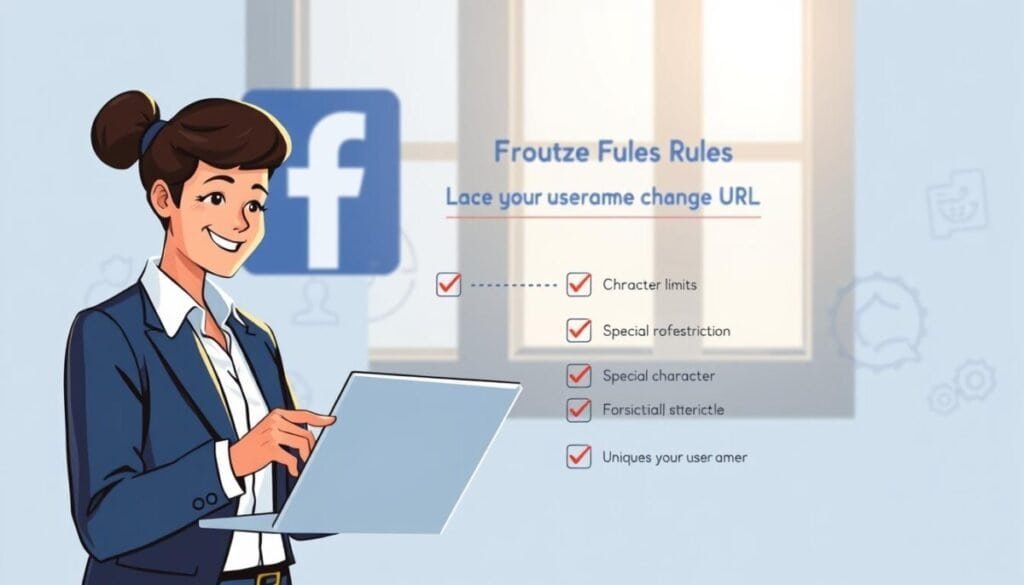
You need to meet specific naming requirements before a url update will be accepted. Follow these rules to avoid common rejections and wasted attempts.
Allowed characters, length, and uniqueness requirements
Use only letters A–Z, numbers 0–9, and periods. Any other symbols will trigger an error when you try to set a username.
The username must be at least five characters. It cannot contain extensions like .com or .net. Periods and capitalization do not make a username unique; john.smith and johnsmith are treated the same.
Admin permissions, inactivity risks, and policy compliance
Only an admin can create or edit a username for a page. Double-check your admin role on the admin page before you proceed.
Comply with platform terms: avoid misleading names, trademark misuse, or phrases that violate the site’s rules. Inactivity can cause a username to be released and claimed by others.
Limits, cooldowns, and when changes may be blocked
New or recently created pages may face temporary limits on username creation. Meta applies cooldowns after edits; many report multi-day waits. If you hit limits, follow our username troubleshooting guide for next steps.
Change your Facebook Page URL on desktop step by step

Desktop access gives you the clearest path to set a new page username and test it immediately.
New Page Experience: Settings and Page setup
Switch to your Page identity first. Click your avatar at the top right and select the Page. Then go to Settings & privacy > Settings.
Open Page setup in the left sidebar and click View next to the Page name. In General Page Settings, click Edit next to Username, type the handle, and look for “Username is available” with a green check.
Classic Pages: Edit Page info
On Classic Pages, open the Page, select Edit Page info from the left menu, and find the Username field. Type your preferred handle until the green check appears, then click outside the box to save.
Confirm availability and save without breaking links
Make sure you are an admin before you begin. If the username is not available, adjust and recheck until the green check appears.
- Keep a list of all places the current url appears so you can update them immediately after you save.
- Use a modern browser and try a refresh or another browser if the edit option does not load.
- After saving, test the new page url in a private browser window and share the updated link with your team.
For additional troubleshooting steps on username errors and availability, see our username troubleshooting guide.
Mobile reality check and safe workarounds
Mobile apps hide the Page username control in 2025. The native app and Meta Business Suite do not show an edit option for Pages, so you cannot complete the update there.
Why the app blocks username edits
The app interface removes that control for Pages. The old Messenger trick applied to personal profile edits only and is not available for pages now. Treat the app as read-only for username management.
Use a mobile browser to access the desktop flow
Open Chrome or Safari, request the desktop site, then log in and switch to your Page identity. Once the desktop layout loads, follow the desktop steps to find the username field and edit the url.
- If desktop elements fail to load, clear cache or try another browser.
- Avoid third-party tools; Meta Business Suite lacks a username feature for Pages.
- After saving, test the facebook url in a private window and update your website and profiles immediately.
facebook won’t let me change my url: common blockers and quick fixes
Blocked handles often appear as “not available” even when they look unused in search. This usually means the username is claimed, reserved, or tied to another entity. Periods and capitalization do not free a taken username.
“Username not available,” invalid characters, and length errors
Make sure the handle follows format rules. Usernames need at least five characters and only allow A–Z, 0–9, and periods. If the system reports not available, try a different variant.
Missing Edit option, role issues, and recent-change cooldowns
If you cannot see the Edit option, confirm you are an admin and have switched to the correct page identity in settings.
Meta may enforce a cooldown after recent edits. Give it some time before attempting another update.
Browser glitches, cache problems, and reporting to Meta
Clear cache or use another browser if the field won’t load or saves fail. Stale data often blocks the page flow.
If a previously used username does not release, document attempts and report via Pages support or contact your ad rep for help.
- Try alternative handles when “username available” fails.
- Validate length and allowed characters to avoid errors.
- Confirm admin role before you attempt to edit the page username.
| Issue | Likely cause | Quick fix |
|---|---|---|
| “Username not available” | Already claimed or reserved | Try a different handle; remove periods/caps from logic |
| Missing Edit option | Insufficient role or wrong identity | Verify admin status in settings and switch to page identity |
| Saves fail / field won’t load | Browser cache or session error | Clear cache, use another browser, or try private mode |
Best practices and precautions before and after you switch
Choosing the right username up front saves time and prevents broken links. Pick a short, brand-matching name that scales with new products or services. A concise handle improves recall and reduces typos when people type your page address.
Pick a short, brand-matching username that lasts
Use a clear name that matches your business and appears on other social media. Keep it under 15 characters if possible and avoid unnecessary symbols.
Pro tip: test the handle across your website, email, and profiles before you commit.
No redirects: update links, profiles, and printed assets
There is no automatic redirect from old to new addresses. Update every link fast: website header and footer, blog posts, widgets, email signature, and partner listings.
- Replace links on other social channels, YouTube descriptions, LinkedIn About, and bios.
- Change printed items — business cards, brochures, and signage — to avoid confused people.
- Track clicks from your site and social so you can spot lingering old links.
Google recrawl timing, removals, and staying active
Request removal of the obsolete address via the Google Removals tool and then ask for a recrawl. Search results update based on site authority and how fast Google revisits your pages.
Keep the page active with regular content to protect the username from inactivity risks and to help search and people find the correct page.
Switching or reusing usernames: expect uncertainty
There is no guaranteed release window for a freed handle. Some people see immediate availability; others wait weeks. A suspected 14-day cooling period exists but is not confirmed.
Post a heads-up before you edit and an announcement after. If you need extra guidance on the process, see the change facebook page url walk-through and our username troubleshooting guide. Additionally, if you encounter any challenges during the process, remember that help is available. For common problems related to page visibility and engagement, check out the section titled ‘facebook sharing issues explained‘ for insightful solutions. Staying informed can streamline the transition and improve your page’s performance. Additionally, if you’re looking to update your contact information, it’s crucial to know how to change facebook email to ensure your followers can reach you easily. Keeping your contact details current helps maintain engagement and trust with your audience. Regularly review your page settings to enhance your online presence and effectiveness.
Ready to make the change and keep growing
Finish the update with a clear plan so your audience finds the new address without friction.
Follow the exact steps for your Page type: for New Page Experience use the avatar at the top right > Settings & privacy > Settings > Page setup > View > General Page Settings > Edit Username. Classic Pages use Edit Page info > Username.
Confirm you are an admin, check availability, then save. Old links do not redirect, so update navigation, page settings, email signatures, and partner pages immediately.
Announce the update on your media channels and post a short note so people know the new address. Request Google remove the obsolete address and ask for a recrawl to speed search updates.
Need a step-by-step reference for post-change tasks and where to update links? See this guide on how to change facebook url. Additionally, it’s essential to ensure that all your previous posts and promotional materials reflect the updated URL to avoid confusion among your audience. For further insights on potential complications, refer to our section on ‘facebook link posting issues explained‘, which covers common pitfalls and best practices for maintaining your online presence after a URL change. Keeping these details in mind will help smooth out the transition and maintain your brand’s visibility.