Deploy a single credential vault to secure logins across every app and web service. Implement encryption by default — maintain unique credentials for each account. This reduces reuse and limits exposure after a breach.
Sync encrypted data across devices for instant access. Use a vetted password manager that supports browser and OS integration, passkeys, and secure storage. Verify encryption standards and audit logs before adopting a plan.
Follow a simple operational rule: centralize credentials, enable biometric or passkey options, and enforce unique passwords for each account. That approach raises security posture and simplifies administration for users and families.
Key Takeaways
- Centralize credentials in an encrypted vault to reduce reuse and exposure.
- Choose solutions with cross-platform sync and browser integration.
- Adopt passkeys and biometrics as modern authentication options.
- Verify encryption standards and storage policies before deployment.
- Enforce unique, complex credentials for every account to limit breach impact.
Why You Need a Mobile Password Manager
Reduce human error—reduce breach risk. Verizon found 60% of incidents involve human factors such as weak or reused credentials. Dashlane reports about one in seven saved entries has appeared in a data breach.
The Threat of Data Breaches
Treat every reused login as a contagion vector. Deploy a vetted vault with strong encryption and automated breach alerts. That approach isolates compromised accounts and prevents lateral exposure.
Managing Hundreds of Accounts
Manual management fails at scale. Use a centralized solution to generate unique, high-entropy credentials for each account.
- Audit capability: track compromised logins and force rotation.
- Secure storage: encrypted vault limits data exposure.
- Automated alerts: immediate remediation after a data breach.
| Risk | Symptom | Protection |
|---|---|---|
| Credential reuse | Multiple account takeovers | Unique, generated logins |
| Phishing | Stolen credentials | Auto-fill restrictions + passkeys |
| Unnoticed breach | Delayed response | Real-time breach alerts |
Understanding How Password Vaults Function
Encryption locks stored logins behind one strong key that only the authorized user controls.
Zero-knowledge architecture prevents the provider from decrypting stored data. The vault stores credentials and sensitive entries—secure notes, card details, and email logins—under cryptographic protection.
The password manager auto-fills login fields inside the browser and in supported apps. That removes typing errors and enforces use-one credentials per account.
Sync enables access across devices when cloud sync is enabled. The underlying encryption keeps vault storage unreadable if a device is lost or stolen.
- Master key: single secret—no access without it.
- Auto-fill: fast, consistent login entry across web and app services.
- Extended storage: secure notes and payment data alongside passwords.
Risks of Relying on Browser Password Storage
Rely on a dedicated vault; do not trust built-in browser storage as the primary credential store.
Storing logins inside a browser creates a single, fragile point of failure on a device. Attackers with physical access can often extract saved credentials from Chrome or Firefox with minimal effort.
Vulnerabilities in Desktop and Mobile Browsers
Avoid ecosystem lock-in. Browser storage ties users to one vendor and one sync service. A breach of that sync service can expose all saved passwords across devices.
- Built-in stores lack advanced encryption and strong MFA—use a dedicated password manager or vault for improved security.
- Independent browser extensions from vetted providers offer safer auto-fill and stronger encryption than native storage.
- Local decryption tools make browser-stored passwords trivial to extract after device compromise.
Adopt a cross-platform plan that prioritizes encryption, multi-factor controls, and passkeys. That reduces breach risk and frees users from browser-specific constraints.
The Role of Passkeys in Modern Authentication
Authentication now leverages public/private key pairs—removing the need for human-memorized secrets. Passkeys are cryptographic keys standardized by the FIDO Alliance. The public key lives on the web service; the private key remains on the device.
Adopt passkeys to strengthen security and reduce phishing risk. Users sign in with biometrics or a PIN. That approach cuts credential theft vectors tied to reused password entries.
- Passkeys use asymmetric crypto—no transferable secret across services.
- Major vendors back passkeys—improves cross-platform adoption and integration.
- A modern vault or manager can store and sync passkeys across devices for seamless access.
Outcome: Replace high-risk logins with hardware-backed keys to limit breach impact and unify protection for legacy passwords and new cryptographic credentials.
Bitwarden for Reliable Cross-Platform Security
Select a cross-platform vault that pairs open-source transparency with enterprise-grade controls.
Deploy a vetted option to unify credential storage across devices and browsers. Bitwarden offers audited code and clear cryptographic claims. Independent reviews in 2023 and 2024 validated its core security model.
Open Source Transparency
Publish code—enable audits. Open-source structure allows external verification of encryption and storage design. That transparency reduces hidden risk for users and teams.
Self-Hosting Capabilities
Full control of the vault. Organizations can run private infrastructure to keep data on-premises. Self-hosting supports compliance, custom policies, and isolated access.
- Bitwarden is a verified open-source password manager with recurring audits.
- Premium is available for $10 per year—includes 1 GB of encrypted storage and priority support.
- Supports passkeys, biometrics, and browser extensions for consistent web access.
- Cross-platform support covers Windows, macOS, and other devices—suitable for families and teams.
For a comparative view of the best password managers and device options, review this concise guide: best password managers.
Proton Pass for Integrated Privacy Features
Select Proton Pass for a privacy-first vault that pairs with Proton Mail and Proton Drive.
Deploy a free password manager that offers unlimited logins and seamless cross-device sync. Proton Pass uses zero-knowledge encryption and Swiss data jurisdiction to limit legal exposure and strengthen user confidentiality.
The Plus plan provides 10 GB of encrypted storage—ten times the typical 1 GB offering from comparable services. This option suits teams, families, and users who store large secure notes or file attachments.
- Integration: native links with Proton Mail and Proton Drive for consolidated privacy workflows.
- Identity protection: email aliasing reduces account linkability during service sign-ups.
- Modern auth: supports passkeys to reduce phishing and credential reuse.
- Architecture: zero-knowledge vault—the provider cannot decrypt stored data.
Assess Proton Pass as a contender for the best free password option. For a comparison of free vs paid solutions consult the free vs paid password managers guide.
Keeper for Advanced Sharing and Collaboration
Keeper centralizes team access with folder-level permissions and one-time share links that expire on use.
Enable granular control—assign read, edit, and admin rights at the folder level for structured access. Shared folders mirror enterprise file sharing. Teams manage credentials and passwords across accounts with audit trails.
One-time links deliver sensitive entries externally. Set links to self-destruct after opening. That limits exposure and simplifies external collaboration.
Keeper includes dark web monitoring and zero-knowledge encryption. Alerts surface exposed emails and logins after a breach. Zero-knowledge ensures vault data remains unreadable to the vendor.
- Collaborative sharing—folder permissions similar to Google Drive for teams and family use.
- Self-destructing records—automatic deletion after access for one-time secrets.
- Free plan available—limited personal use; paid plans unlock family and business features.
- Intuitive app—streamline multi-device access and cross-browser auto-fill for fast login workflows.
Outcome: Choose Keeper when controlled sharing, external one-time access, and active breach alerts are required for secure team operations.
1Password for Premium Security and Travel Mode
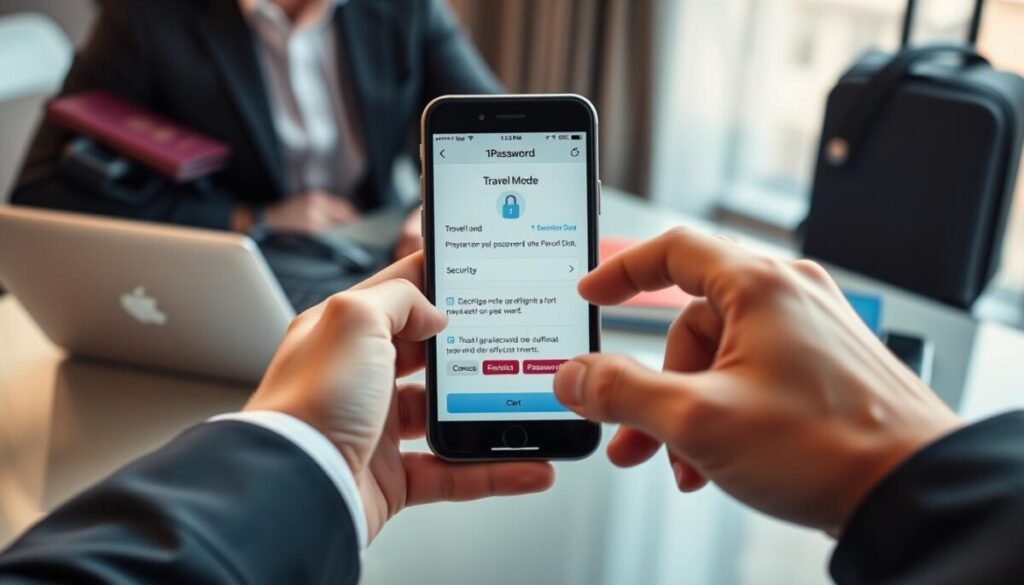
1Password pairs a generated secret key with a master passphrase to create a multi-layered unlock process. Require both elements to decrypt the vault—reduces risk from leaked credentials. The single-user plan costs $36 per year.
Travel Mode provides selective sync control. Remove sensitive vaults from devices before crossing borders. Restore entries after clearance to limit exposure during inspections.
Offer a family plan that supports up to five users and shared vaults. Integrate deep app autofill to cut clipboard copying and reduce manual entry errors.
Watchtower continuously audits stored entries. Alert users to weak entries, reused logins, and breached sites. Combine monitoring with strong encryption to strengthen overall password security.
- Unique secret key for account recovery and enhanced account lock.
- Travel Mode—temporary vault removal for secure travel.
- Family plan—shared vaults and centralized access control.
Compare free and paid options in the free vs paid password managers guide for plan selection and feature trade-offs.
Dashlane for Comprehensive Breach Monitoring
Dashlane pairs continuous web scanning with URL-based phishing protection to harden user access.
Enable full-breadth breach detection. Dashlane runs dark web monitoring and web monitoring to surface leaked emails and exposed account data. Alerts arrive when a credential or email appears in a compromise.
Encryption uses AES 256-bit—vault entries decrypt only on the user’s local device. That design reduces server-side exposure and preserves local control of sensitive entries.
Phishing Alert scans incoming URLs and blocks access to spoofed sites. That layer prevents users from entering credentials on fraudulent pages.
- Comprehensive dark web monitoring with active scan results and notification.
- Phishing Alert system that identifies spoofed URLs and blocks credential entry.
- Free plan for basic use; premium plans add a built-in VPN and expanded reports.
- One-click import simplifies migration from other password managers and vaults.
Consult the Dashlane review for a full feature comparison and plan recommendations.
NordPass for High-Speed Encryption Standards
Encryption throughput influences login speed—NordPass uses XChaCha20 to reduce latency during vault access.
Deploy fast ciphers to improve usability without weakening protection. NordPass applies the XChaCha20 encryption protocol to accelerate cryptographic operations. The cipher often outperforms AES-256 in real-world throughput.
Zero-knowledge architecture ensures no one at the provider can decrypt stored vault entries. Email masking generates unique aliases to shield the primary email from spam and breach exposure.
- High-speed encryption: XChaCha20 for faster unlocks and syncs across devices.
- Email masking: unique addresses protect account linkage and reduce spam.
- Password health: identifies weak or reused credentials and prompts rotation.
- Auto-lock control: customizable lock timers to enforce session security.
- Free plan: basic storage available; premium plans add dark web monitoring and extended features.
| Feature | Benefit | Use Case |
|---|---|---|
| XChaCha20 encryption | Faster vault access | Frequent logins on low-latency devices |
| Email masking | Reduced exposure | Sign-ups and form submissions |
| Password health report | Improved credential hygiene | Account audits for users and families |
RoboForm for Intuitive User Interface Design
RoboForm prioritizes an uncluttered interface to speed credential capture and retrieval.
Deploy straightforward workflows. The app surfaces saved logins and secure notes with minimal navigation. Users save entries and fill forms in two taps.
Independent tests scored RoboForm 9.8/10 for security. That score validates audited encryption and protocol controls.
Free plan note: the free plan permits one device at a time. Expect repeated sign-ins when switching devices.
- Browser extensions capture and autofill credentials across web and supported apps.
- Secure notes store bank data and sensitive information in encrypted storage.
- Built-in generator creates complex, unique passwords to replace weak entries.
| Feature | Benefit | Limit |
|---|---|---|
| UI simplicity | Faster access and lower user error | Universal—applies to all users |
| Security audit | Independent validation of protocols | Score 9.8/10 |
| Free plan | No-cost single-device access | One device at a time |
Total Password for Streamlined Management

Total Password targets users who need fast onboarding and a no-friction vault for daily logins.
Deploy core capabilities—store, autofill, sync. The service focuses on essentials. That reduces user error and speeds adoption.
The free plan presents a clear option for individuals. Use the free plan to organize accounts without enterprise complexity.
All login data is encrypted. Encryption protects credentials at rest and during sync. That lowers breach risk and preserves secure access across devices.
- Streamlined storage and autofill for common apps and web services.
- Cross-device synchronization—access the vault from multiple devices and browsers.
- No-frills interface—reduces onboarding time for non-technical users and families.
Outcome: Select Total Password as a practical option when the priority is fast, reliable credential control and straightforward security. It serves users who want a lean solution to manage passwords and vault entries without added complexity.
Aura for Enhanced Security Toolsets
Aura consolidates anti-fraud tools and credential storage into a unified defense suite.
Deploy Aura when identity protection must extend beyond simple vaulting.
Enable dark‑web monitoring, credit alerts, and identity restoration alongside credential encryption. That combination mitigates theft and simplifies incident response for users and families.
- Integrated vault: encrypted storage for logins and secure notes.
- Identity protection: theft detection, recovery workflows, and email alerts.
- User app: streamlined interface for managing complex passwords and sensitive data.
- Bundled plans: combine credential controls with anti‑fraud tools for lower total cost per month.
Require encryption at rest and in transit. Confirm passkeys and browser integration support before deploying across devices.
For guidance on shared accounts and family plans consult the family plans comparison.
Essential Best Practices for Password Hygiene
Establish a consistent hygiene routine to reduce credential exposure across services.
Implement a layered approach. Use a vetted password manager and a vault to store unique credentials. Enforce encryption and regular audits to limit breach impact.
Creating Complex Master Passwords
Create a master secret at least 20 characters long. Combine words, numbers, and symbols—avoid common phrases.
Store the master secret only in the vault. Use a secondary recovery method stored offline.
Enabling Multi-Factor Authentication
Enable MFA for all critical accounts. Use time-based codes or passkeys where supported.
Require MFA on admin access and shared team vaults. That step blocks access after credential exposure.
Avoiding Personal Information
Never base credentials on birthdays, pet names, or predictable data. Such entries appear in dark web dumps and raise guessing risk.
Run quarterly audits with the chosen tool to find weak or reused entries. Rotate compromised logins immediately.
- Generate unique credentials for every account.
- Keep recovery options offline and encrypted.
- Review breach alerts and rotate exposed entries.
| Practice | Benefit | Action |
|---|---|---|
| Complex master secret | Stronger vault protection | 20+ characters; mix types |
| Multi-factor auth | Reduces account takeover | Enable TOTP or passkeys |
| Regular audits | Faster remediation | Quarterly scans; rotate weak entries |
For alternative solutions and deployment recommendations consult password manager alternatives.
How We Evaluated These Security Services
Define objective criteria and execute controlled tests to measure security features across services.
Run cryptographic checks—verify encryption claims and key management. Test dark web monitoring and web monitoring for speed and accuracy.
Simulate a data breach. Confirm that alerts arrive and that each app provides tools to rotate compromised credentials and restore access.
Assess usability on multiple devices and in common browsers. Score consistency of vault access, auto-fill, and recovery workflows for users and families.
Require modern auth: validate passkeys support and MFA options. Prioritize services that publish audit reports and security features.
- Verify transparency—third-party audits and clear protocol documentation.
- Measure remediation workflows—alerts, rotation, and account recovery.
- Confirm free plan or trial—allow real-world evaluation before plan commitment.
For an independent comparison of the best options, consult this review of the best password managers.
Final Thoughts on Securing Your Digital Identity
Conclude every credential strategy with a single, enforceable plan that protects accounts across all apps. Standardize a vetted vault and operationalize rotation, audits, and incident playbooks to sustain enterprise-grade security.
Choose one of the best password managers for baseline control. Assess a free password manager as a starter—verify encryption, cross-device sync, and core features before adopting a paid plan.
Enforce unique passwords and strong MFA. Monitor for exposed data and act immediately after a data breach. The best password solution is the one applied consistently across apps, devices, and teams to preserve account integrity.