Question: Can one tool capture every meeting detail, surface key action items, and free teams from manual note-taking?
Present a systematic method. Describe the tool’s live transcription capability and its role in recording meetings and calls. Explain how audio converts to searchable transcripts and summaries.
Implement the platform to log conversations, flag action items, and index files for fast retrieval. Configure plans and permissions to match team workflows. Leverage features that extract insights and generate concise summaries.
Use recording and transcript review to assign tasks and shorten follow-up time. Integrate the app with calendars and chat to maintain a single source of truth for meeting information.
Key Takeaways
- Enable live recording to capture meeting audio and generate transcripts.
- Use automated summaries to identify action items and insights quickly.
- Organize transcripts into searchable files for team collaboration.
- Map plans and permissions to support varied team workflows.
- Combine recordings with chat and calendar integrations for continuity.
- Review transcripts to assign tasks and reduce follow-up time.
Explore related productivity tools and integrations at productivity enhancement apps.
Understanding the Role of Otter.ai in Modern Meetings
Clarify how the platform ingests live audio streams and produces searchable meeting text for immediate review. The core engine uses artificial intelligence to process voice data and stack words on a page for real-time access.
Use the system to automate documentation. Capture spoken exchanges across hybrid sessions. Generate readable transcripts that preserve speaker turns and timestamps.
The platform reduces manual note-taking. Teams retain alignment on project goals and strategic objectives. Records become a reliable source for audits and knowledge transfer.
- Integrate with calendars to trigger automatic recording and reduce setup friction.
- Leverage built-in features for indexing, search, and highlight extraction.
- Export searchable text to knowledge bases and content repositories.
Adopt this workflow to enforce documentation standards and shorten review cycles.
Getting Started with Otter.ai Transcription
Define a capture routine—mobile recording, file import, and automated summary generation.
Mobile App Recording
Install the mobile app. Tap the microphone to start and stop recording. Capture in-person meetings and impromptu conversations with one touch.
Free plan users receive 300 minutes per month and a 30-minute limit per conversation. Track usage in the app dashboard to avoid interruptions.
The app converts voice to searchable transcripts. Use voice notes to clarify ideas. Journalists and marketers can record interviews on the spot for later analysis.
Importing Audio Files
Upload audio or video files from device storage or cloud. Supported formats include common MP3 and MP4 files. The system processes files and returns a transcript and structured summary.
Organize imports into folders. Share transcripts with teams for review and task assignment. The summary feature highlights action items and timestamps for quick follow-up.
| Capture Method | Best Use | Key Limits |
|---|---|---|
| Mobile Recording | In-person meetings, interviews, voice notes | 30 min per conversation on free plan |
| File Import | Pre-recorded calls, webinars, audio files | Batch uploads; processing time varies by file size |
| Automated Summary | Review meeting outcomes and action items | One summary per transcript; editable highlights |
- Install app; enable microphone permissions.
- Record meetings; review the transcript after the call.
- Upload files; generate summaries to assign tasks.
Evaluating Transcription Accuracy and Language Support
Assess the accuracy and language coverage to set expectations before each meeting begins. Define acceptable error rates for compliance and downstream tasks.
Language support: the platform supports English, Spanish, and French. Users must select the language prior to recording to avoid detection errors.
Improving Transcription Quality
Control the environment. Hold meetings in rooms with minimal echo and background noise. Use directional microphones when possible.
Maintain a steady speaking pace. Clear enunciation reduces processing errors and shortens review time. If the tool makes mistakes, play back the audio and correct the transcript—the interface highlights words as they play.
- Manage custom vocabulary in the account dashboard to improve handling of domain jargon.
- Assign a moderator to note action items during the call—this speeds validation of the summary and transcript.
- Recognize accuracy ranges—expect 75%–90% under typical conditions; plan for manual review when high precision is required.
Leveraging OtterPilot for Automated Note Taking

Activate the digital scribe to capture sessions, extract insights, and log tasks. Configure the bot to join scheduled meeting links and preserve full recording and transcript artifacts.
Automatic Meeting Joins
Enable automatic joins on Zoom, Google Meet, and Microsoft Teams. The bot detects links via the Chrome extension and enters the call at start time.
The bot remains active during the call. It records audio and generates a summary with timestamps.
Sales Insights
Push insights directly to Salesforce and HubSpot. Sales teams receive CRM entries, identified action items, and priority leads without manual entry.
Chrome Extension Functionality
The extension scans calendar invites and meeting pages. It flags calls and triggers the bot to join. Late users still receive the summary and transcript after the meeting ends.
| Capability | Platforms | Output |
|---|---|---|
| Automatic Join | Zoom, Google Meet, Microsoft Teams | Full recording; searchable transcript; summary |
| Sales Push | Salesforce, HubSpot | CRM insight cards; action items; lead fields |
| Browser Detection | Chrome Extension | Link detection; auto-join; background logging |
- Trial on the free plan to validate core features and productivity gains.
- Rely on the bot to surface action and assign tasks faster.
- Integrate with existing workflows to centralize meeting information and intelligence.
Organizing Conversations with Channels and Folders
Structure channels and folders to mirror project workflows and eliminate lost meeting records. Create a clear channel per project, topic, or department—this replicates Slack-style organization and centralizes conversations.
Place every recording and its transcript into a dedicated folder. Group related files by sprint, client, or quarter to maintain a searchable library.
Enable fast retrieval. Use consistent naming conventions—date, call type, and project tag. Move audio and transcripts together to preserve context.
Share insights and summaries inside the channel so teams see action items in context. Assign tasks directly from the transcript view to reduce time between meeting and follow-up.
- Use folders to archive completed sprints and active folders for ongoing work.
- Tag transcripts with keywords to speed search across conversations.
- Grant folder access by plan and role—limit edits to maintain a single source of truth.
Result: Organized conversations reduce search time, preserve summaries and transcriptions, and make meeting insights actionable for all teams.
Enhancing Collaboration Through Comments and Chat
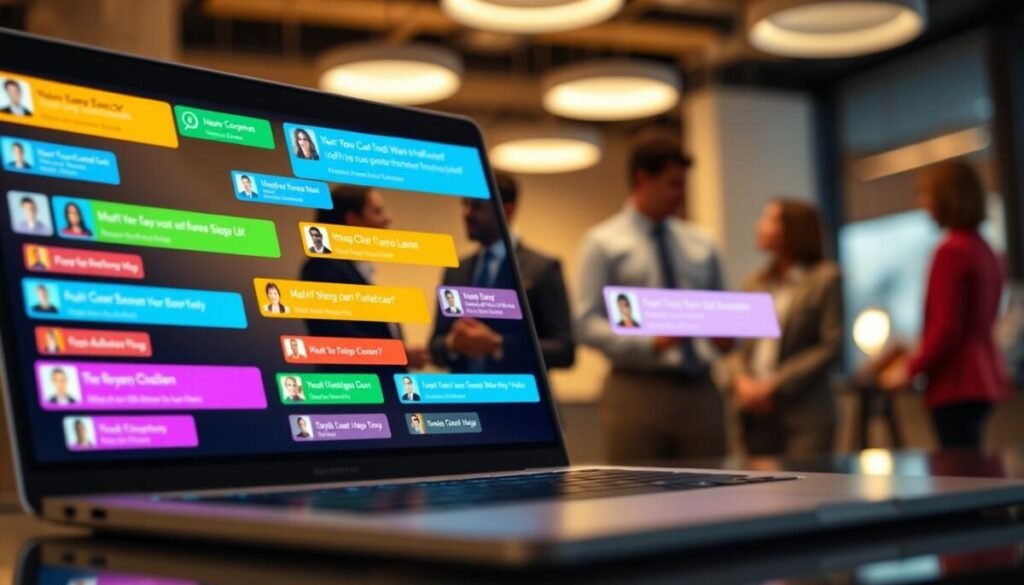
Convert passive transcripts into collaborative artifacts by attaching comments and assigning tasks. Add inline comments to a transcript to clarify points or flag follow-up items. Link each comment to a timestamp in the recording so context is preserved.
The integrated chat lets teams discuss a specific section of the transcript in real time. Share notes or transcripts within a private chat to keep conversations in one place. Assign an action item directly from the transcript view to a named user.
- Timestamped comments — map feedback to the exact moment in the call.
- In-app chat — discuss meeting details without external threads.
- Assign items — convert highlights into tasks with owners and due dates.
These features shorten the time from meeting to action. Teams gain clear insights and avoid fragmented conversations. Use comments and chat to keep summaries accurate and make every transcript a working document.
Integrating Otter.ai into Your Existing Workflows
Orchestrate event triggers so that every call generates a linked transcript and follow-up task across apps.
Automating Tasks with Zapier
Connect the tool to Zapier to move meeting outputs into other systems. Configure triggers that fire when a recording completes or when a transcript is available.
Examples:
- Create Google Docs summaries from meeting notes.
- Push action items into Asana or Notion automatically.
- Route meeting transcripts to shared folders for archiving.
The integration works with Google Meet, Zoom, and Microsoft Teams. Every call can be processed and stored in the right location. This reduces manual entry and saves time.
The free plan supports basic integrations. Small teams can validate workflows without added cost.
Configure automated triggers to ensure action items become assigned tasks. Users build custom workflows to move transcripts and tasks across apps. The result—more reliable documentation and more time for high-value work.
Analyzing Privacy and Security Considerations
Evaluate how compliance controls protect meeting content and limit exposure of sensitive data.
Maintain compliance: The platform holds SOC 2 Type 2, GDPR, CCPA, and VPAT certifications. These frameworks govern storage, access controls, and data processing for recordings and transcripts.
Enforce consent: The bot records all audio by design. Establish a consent policy before inviting the tool to a call. Notify participants and log consent where required by law.
Implement technical safeguards. Encrypt data at rest and in transit. Apply role-based access to limit who can view or export a transcript.
- Assess internal security needs before deployment—especially in all-party consent jurisdictions.
- Use audit logs to track who accessed meeting files and when.
- Adjust privacy settings to control sharing and retention of information.
Result: Adhere to international standards to document confidential discussions securely. Require informed participants and align deployment with corporate policy.
Comparing Otter.ai Pricing and Plan Options
Compare plan tiers by minutes, features, and cost to match meeting volume with budget.
Free plan—use to validate core capabilities. The free plan provides 300 minutes per month and caps each conversation at 30 minutes.
Paid plans start at $8.33 per month when billed annually. Upgrade to gain increased recording limits and advanced features for teams.
Select a plan that aligns expected meetings and recording time to avoid overages. Evaluate how many meetings occur weekly and estimate monthly minutes before committing.
| Tier | Monthly Minutes | Primary Benefit |
|---|---|---|
| Free | 300 min / month | Test core transcription and transcript export |
| Entry Paid | Higher minutes (scaled) | Team collaboration and advanced features |
| Enterprise | Custom limits | Compliance, admin controls, integrations |
- Choose by monthly meeting load and required features.
- Compare cost per minute to alternative providers—pricing is competitive.
- Scale plans as volume grows to preserve efficiency and budget predictability.
Weighing the Pros and Cons of the Platform
Balance real-time gains with known edge cases to set realistic expectations for users.
Key Strengths
Real-time transcription — captures spoken content during a meeting to reduce manual note-taking and save time.
Automated intelligence — extracts action items and generates a concise summary for fast follow-up.
- Mobile app — reliable way to record audio during in-person conversations.
- Chat and comments — enable discussion directly inside transcripts; assign tasks from highlights.
- Integrations — push insights into CRMs and task systems to keep workflows aligned.
Notable Limitations
Video absence on lower plans — limits visual context for complex meetings.
Monthly minute caps — the free plan can constrain high-volume use; upgrade may be required.
- Speaker recognition can fail in large meetings — manual correction required to preserve accurate summaries.
- Some recorded audio needs post-editing before exporting a definitive transcript or report.
- Feature parity varies by plans — evaluate plan level against team needs and compliance requirements.
Decision path: For teams that need rapid meeting capture and clear action items, validate via a pilot. For heavy recording demands, compare plan costs and alternatives in a detailed review and alternatives.
Final Thoughts on the Value of Otter.ai
Assess platform value: The solution streamlines meeting documentation and reduces manual workload. Capture every recording and index outputs for fast retrieval. Convert spoken content into searchable assets to speed review and action assignment.
Adopt for scale: Choose plans that match monthly volume and growth projections. Implement folder and channel structure to enforce consistency—this preserves context and accelerates audits.
Balance expectations: Expect reliable core functionality with room for refinements. Use the tool as a foundational layer for modern teams—maintain clarity, enforce accountability, and preserve institutional knowledge.