
Can a newer search approach really replace your day-to-day Google habits? This section starts by asking a simple but sharp question that matters to any busy professional.
You rely on fast, accurate answers for work. Over the last two years, perplexity transformed from a simple wrapper into a robust answer engine. We check how that change matters when you stack this tool into a heavy workflow.
In this short primer, we preview whether the platform can serve as a real alternative for professional research. We also touch on whether the perplexity pro subscription offers clear value for daily tasks.
Read on to see how the interface shifts your interaction with information and whether this ecosystem is ready to replace your main search habits in 2026.
Key Takeaways
- This perplexity ai review tests the platform as a Google alternative for professionals.
- We focus on accuracy, real-time data, and workflow fit.
- The interface changes how you scan and act on results.
- Value of the pro plan is debated for daily heavy use.
- Our analysis aims to clarify if you can switch primary search tools in 2026.
Understanding the Perplexity AI Review Landscape
Professionals need quick clarity when a tool claims to change how work gets done.
G2 data and real users back much of that clarity. The G2 Winter 2026 Grid Report gives the platform a 4.5/5 score, signaling strong satisfaction among core users.
Our hands-on testing was cross-checked with feedback from hundreds of G2 respondents.
Key adoption stats are notable: 95% report high ease of use and 97% call setup intuitive and fast. Those numbers matter when teams must onboard quickly and stay productive.
- We paired direct testing with crowdsourced feedback to keep this review objective.
- High ease-of-use scores explain why more professionals try specialized answer engines.
- This section frames how the product meets market expectations for reliable, fast search and workflow fit.
What is Perplexity AI and How Does It Work
This platform answers complex queries by blending live web search with large language models.
The answer engine concept
The platform functions as an answer engine that synthesizes information from multiple sources. It returns a concise answer with clear links so you can verify each claim.
By integrating different models, the system lets you pick the best engine for your research needs. That flexibility helps you tailor depth and speed for each task.
Real-Time Source Verification
Most answers include clickable citations so you can check the original source in one click. This makes validation fast and transparent.
Pro plan users gain access to advanced features for deeper queries and more reliable answers. The pro plan adds throughput, priority access, and model choices that suit heavy research use.
- The platform synthesizes multiple sources into a single, clear answer.
- Model selection lets you match results to the task at hand.
- Clickable links make source verification immediate and simple.
| Feature | What it does | Who benefits |
|---|---|---|
| Answer engine | Synthesizes web sources into concise answers | Researchers, analysts, busy pros |
| Model selection | Choose models for depth or speed | Teams with varied research needs |
| Real-time citations | Clickable links to verify claims | Anyone needing reliable sources |
| Pro plan features | Advanced queries, priority access, higher limits | Power users and heavy workflows |
Evaluating the Core Search Experience
A cleaner web search saves time and keeps you focused on tasks that matter.
The core web search experience is ad-free, so you see a direct answer without distraction.
We tested how the perplexity engine handles complex questions and found it often beats traditional searches for targeted tasks.
Clickable citations back each answer, so a user can jump to original links and verify results fast.
- Filter modes (academic, social) tune results to your context.
- Everyday tasks become quicker with fewer clicks and cleaner output.
- Consistent use for a month shows clear productivity gains.
Overall, the platform improves the user experience by removing sponsored clutter and focusing on useful links.
For teams building search workflows, consider how internal linking fits your process via an internal link strategy.
Deep Research Capabilities for Professionals

Deep research tools let you turn a complex brief into a clear, citable report fast.
Research mode is built for multi-step investigations that would usually take much more time.
The mode breaks big questions into smaller tasks and runs them across multiple models to cross-check facts. You get synthesized answers with clear citations so each claim links to a verifiable source.
Leveraging Research Mode
With pro access, you can queue complex threads and keep results organized by task. That saves hours and reduces manual checking.
The platform blends live web search with model output so reports arrive ready for use in briefs or slides.
- Multi-step probes that map tasks into clear steps.
- Cross-referencing across models for higher confidence in results.
- Pro features filter noise and highlight academic or industry sources.
In our testing, the setup proved essential for teams who must synthesize large volumes of data quickly. You keep control, trace every claim, and spend less time verifying facts.
Organization and Sharing Features
Good organization turns scattered searches into reusable project assets. The platform gives you spaces that act like project folders so threads stay grouped by topic or client.
You can turn any search thread into a publishable page. That makes it simple to share findings with colleagues or to hand off work to a stakeholder.
File and files management live inside the same hub. Upload documents, tag notes, and keep every file linked to its thread for quick retrieval.
- Spaces: project folders that hold threads, links, and drafts.
- Publish pages: one-click sharing for team review or distribution.
- File organization: central storage so work stays in context.
The platform bundles these tools so your research stays accessible and ready for collaboration. For a deeper look at storing and syncing project data, see cloud storage with AI-powered organization.
Creative Writing and Editing Performance
A strong creative brief still needs tools that can hit a brand voice on cue.
The platform cleans and tightens copy well. It fixes grammar, shortens lines, and improves clarity with few clicks.
Tone and Voice Limitations
When you need a specific brand voice, the default output can feel generic. Emotional nuance and subtle persuasion sometimes miss the mark.
Short, guided prompts help, but teams that demand a unique tone may need extra editing.
Model Switching Benefits
The ability to switch models is one of the biggest strengths for writers. You can pick a model that favors creativity or one that favors precision.
Pro plan access adds more model choices and higher throughput, which helps for recurring content tasks each month.
- Use a creative model for storytelling and a concise model for headlines.
- Switching models reduces the time you spend rewriting drafts.
- For mixed workflows, pro access makes model selection practical at scale.
Overall, the platform is strong at editing and solid for routine writing. For high-touch brand voice work, pair model switching with human editing for best results. For tools that speed content workflows, see best productivity tools.
File Analysis and Data Visualization
Turn stacks of files into interactive dashboards without writing complex code.
You can upload PDFs, spreadsheets, and mixed file types for instant analysis. The platform extracts tables, text, and numbers so you get clean data fast.
Labs features let you build interactive charts and images from that data. Drag-and-drop widgets create dashboards you can refine in minutes.
The system also parses code snippets and long content for structure and trends. That makes it simple to analyze logs, reports, or writing samples in one place.
- Quick extraction: pull tables and figures from PDFs and spreadsheets.
- Interactive visuals: dashboards and images you can share with teams.
- Code and content: inline analysis of scripts and documents.
For serious research, these features turn a lot of raw data into clear insights. Use the tools to visualize trends, export charts, and speed decision making with perplexity-grade source links. In our tests, the workflow saved hours on routine data work and made sharing results painless with the platform.
Exploring the Perplexity Computer System

Think of it as a control room that assigns the right model to the right job.
Launched on February 25, 2026 by CEO Aravind Srinivas, the perplexity Computer unites 19+ frontier models under one roof. The result is a platform that moves from brief to delivery without manual wiring.
Multi-Model Orchestration
The system routes research, design, code, and content to the model best suited for each step.
This orchestration saves you time and reduces handoffs across tools.
Persistent Memory
Persistent memory keeps context across a month of work so your threads stay coherent.
You return to projects and the system remembers past files and decisions.
End-to-End Project Execution
A cloud sandbox provides strong security for sensitive code and files while you run parallel searches and images.
With pro-level access, teams get higher throughput and dependable features for full project runs in a single day.
- Launch date: February 25, 2026 — a clear milestone.
- 19+ models for specialized tasks and robust results.
- Secure sandboxing for research and development work.
Analyzing the Pros and Cons of Perplexity AI
Every tool has trade-offs; this one shines in research but trips up on creative work.
Pros: The platform delivers fast, verifiable answers with clear citations and reliable sources. That builds trust and speeds up fact-checking for busy teams.
Cons: Creative writing can feel flat and the conversation depth sometimes ends before complex issues are fully explored. You may need follow-up questions to get the full picture.
- The code generation is useful for drafts but verify results manually before production.
- Users praise the links and source transparency that back each answer.
- Not every user will find it ideal for tone-driven content or advanced coding tasks.
| Strength | Weakness | Who benefits |
|---|---|---|
| Fast factual answers | Limited creative nuance | Researchers, analysts |
| Clear citations and links | Shallow conversation threads | Teams needing verifiable results |
| Quick code drafts | Requires manual verification | Developers for prototyping |
Bottom line: Weigh these things against your workflows to decide if this platform fits your professional goals.
Breaking Down Perplexity Pricing Plans
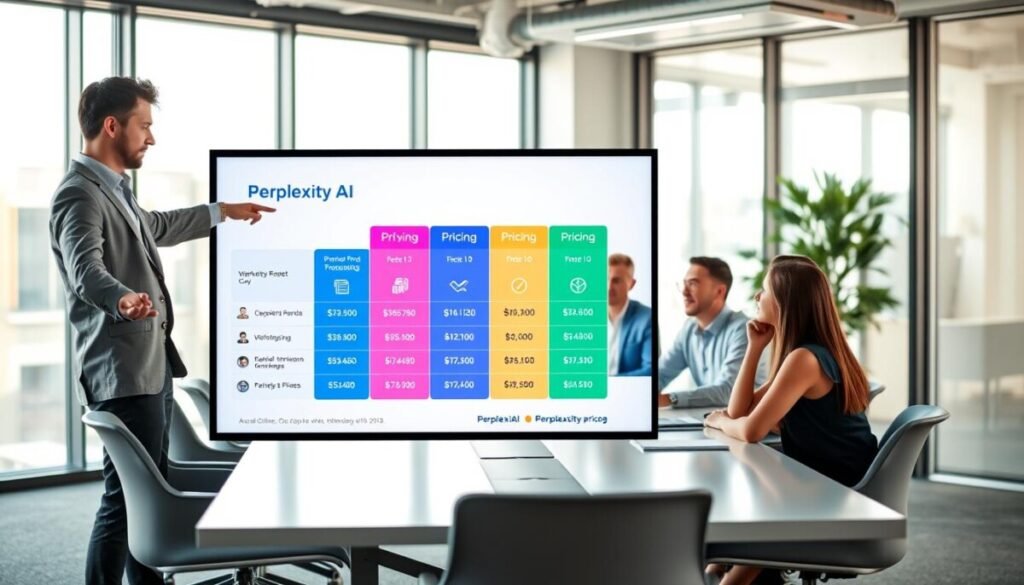
Choose a plan by matching limits to your daily research and file needs.
The core offer is simple. The pro plan runs $20 per month and gives power users 300+ Pro Searches each day and access to advanced models. That level of access fits consultants, researchers, and writers who need heavy search throughput without high cost.
Value Proposition for Power Users
Perplexity pro balances cost and capability. You get model choices, higher quotas, and more file handling for a modest fee per month. It speeds research and shortens time spent verifying sources.
For large teams, Enterprise Max costs $325 per month per seat. That plan adds top-tier security, unlimited features, and tailored support for sensitive files and scale.
- Pro: $20/month, 300+ searches/day, advanced models, file limits suitable for solo pros.
- Enterprise Max: $325/month per seat, full features, enhanced security, dedicated support.
- Plans scale from casual users to large teams needing strong security.
| Plan | Monthly Price | Daily Searches | Key Benefits |
|---|---|---|---|
| Free | $0 | Limited | Basic searches, trial access to features |
| Pro | $20 | 300+ | Advanced models, higher file limits, faster throughput |
| Enterprise Max | $325 / seat | Unlimited | Top security, unlimited features, priority support |
Decide by workload. If you run heavy research or file analysis each day, the perplexity pro plan often delivers the best value for time saved and results produced.
Comparing Perplexity Against Top Alternatives
When you line up top tools, you see clear trade-offs in speed, sources, and output quality.
Quick search and verifiable answers often make this platform the go-to for research teams. Other solutions like AIDetectPlus and DeepAI may win on creative writing or image generation.
Model handling is a core difference. The platform lets you switch models for targeted needs, while rivals sometimes lock you into one workflow.
- User experience: this platform focuses on clean search and clear links for fast validation.
- Pricing and access: monthly pro plans give higher searches and model choices for heavy users.
- Content and code: some tools generate richer creative content or images, but may lack source transparency.
| Tool | Strength | Best for |
|---|---|---|
| Perplexity platform | Fast search, clear citations, model switching | Research, fact-checking, teams |
| AIDetectPlus | Creative writing and image features | Marketing, design, storytelling |
| DeepAI | Image generation and experimental models | Visual projects, rapid prototyping |
Decide by your daily tasks. If you need verifiable answers and steady searches each month, the pro plan here often fits best.
Is Perplexity AI Really a Google Killer
A true Google killer would need to match broad web search habits, not just research depth.
You should judge by your daily work. If your tasks demand deep, sourced research, this tool shines by giving fast, concise answers with clear links.
For broad web search or casual browsing, the platform is not a full replacement. It is built as a research-first solution that focuses on verifiable results rather than surface-level discovery.
Source transparency is the biggest difference. Each answer links back so you can validate claims quickly. That makes the tool a strong complement to general search engines.
In short, add it to your toolkit for high-confidence research and faster fact-checking. It changes how you get answers, but it does not yet erase the need for a general web search in every workflow.
Conclusion
This tool earns its place when your work depends on fast, verifiable facts.
Our review concludes that the platform is highly effective for professionals who value research accuracy and speed.
It has limits in creative writing, but its ability to synthesize multiple sources into clear, citable answers sets it apart.
Try it for a week to see how it fits your workflow. For help automating research and small business tasks, check the best small business automation tools guide.
The platform is evolving, and its potential to change how teams work is significant. In practice, its real value is saving you time by delivering clear, verified answers every day.



