Twitter scheduling vs real time posting works best when you match the choice to your goal.
For reliable business content, scheduling is the better default; real-time posting fits moments that change what your audience needs now. Your social media plan may need both, especially when a busy workday leaves little time to publish each post by hand. The right choice depends on whether you need planned content delivered on time or a timely response. Engagement rate means the share of impressions that result in interactions with a post. You’ll find practical ways to plan posts, choose timing, and pick tools that fit your team’s work. Use the approach that lets you stay consistent without losing the ability to respond when the moment matters.
Key Takeaways
- Schedule planned business content for dependable delivery.
- Use real-time posting when a live moment changes the message.
- Compare similar posts with one steady measure of engagement.
- Leave room in your content calendar for timely responses.
- Review queued posts when a serious event changes the context.
Twitter Scheduling vs Real Time Posting: Which Fits Your Goals?
A business that needs a steady campaign presence should schedule its core posts and reserve live posting for moments that call for a response. For planned work, scheduling supports reliable delivery; real-time posting wins when current events shape the message.
X lets you publish a post right away or set it to go live later. Planned publishing suits campaigns and regular updates, while live posting suits a moment that matters now. Use scheduling as your default for business content with a known purpose. Save real-time posting for messages whose value depends on current context.
| Decision point | Scheduled posts | Real-time posts | Best fit |
|---|---|---|---|
| Timing | Chosen in advance | Close to a live moment | Known date or current event |
| Preparation | Drafted ahead | Composed in response | Planned or changing context |
| Strongest use | Campaign or regular updates | Timely reaction | Match the post’s purpose |
The table gives you a quick way to sort ideas before they enter a calendar. A product launch date, weekly service note, or event reminder can be ready early. A fast change in the news may call for a fresh message instead. The same account can use both approaches without giving every post the same job.
Think about what your business audience needs from each post. A scheduled post can keep a campaign visible while your team handles other work. A live post can respond to a moment that would make a prepared draft feel stale. Choose the method that fits the message, not just the tool you already use.
Scheduling can support a broader marketing strategy, but a full calendar alone does not guarantee engagement. A post still needs a clear point and a reason to matter to its audience. Treat scheduling as your baseline, not as a reason to leave the conversation.
What Counts as Engagement on X?
A like is only one of the ways an X post can earn engagement. Useful measures include actions tied to your goal, such as replies, reposts, link clicks, or follows.
Engagement rate is the share of impressions that result in interactions with a post. An impression counts a post being shown; an interaction records an action taken on it. Those numbers describe different things, so keep them separate in analytics.
Track the interactions that matter to your goal
X engagement can include reposts, replies, likes, link clicks, profile taps, and hashtag clicks. It can also include post expansions, embedded-media interactions, and follows from a post. The exact engagement total can differ across platforms and tools.
Retweeting is just reposting in the current X language: reposting means sharing another account’s post. “Retweet” is the older term, though many people still understand it. Likes were the most common form of engagement in a 2026 study of posts from 22 computer science conferences.
Choose actions that match the business goal behind each post. A link click may matter more than a like for a page visit campaign. Replies may give you a clearer view of customer questions or concerns.
Calculate an impressions-based engagement rate
Use total engagements divided by total impressions, then multiply the result by 100. For example, 40 engagements across 1,000 impressions gives a 4% rate. Keep the same set of interactions in each calculation.
This rate helps you compare posts that reached different numbers of people. It does not tell you whether those interactions helped a business goal, so review the actions too. A high rate from likes alone may not show whether a campaign earned visits or replies.
Pick a measurement rule before you compare posts. If one tool counts profile taps and another does not, their rates may not line up. Use the same engagement definition each time you compare results.
What Does Real-Time Marketing Evidence Show?
A March 2025 study found no significant engagement effect for real-time marketing messages overall. That result matters: real-time posting is not a sure way to lift engagement.
Real-time marketing ties a brand message to a temporary context, such as a holiday or news event. A planned message can connect to that context, while an improvised message is composed in response to it. The study found that planned messages marginally increased engagement, while improvised messages reduced it.
Planned messages and improvised messages differ
A holiday post written days ahead is still tied to a temporary moment. It is planned because the team had time to shape the words before publishing. An improvised post takes form as the moment unfolds, often with less time for review.
Speed can help a post feel current, but speed by itself does not make a message useful. A quick reaction may miss the tone your audience expects or the details your brand needs to get right. Give the message a clear reason to exist before you publish it.
Use care when reading an average result. The finding does not say every planned message will perform well or every live reaction will fail. It does show why you should not treat real-time posting as a guaranteed engagement lift.
Audience and product visuals can affect the result
The study found that targeting core audiences improved the engagement effect of improvised messages. Adding a product image also improved the effect. Those details can help connect a fast response to people who have a reason to care.
A product image can make a brand’s role in a timely post easier to grasp. It should fit the moment and support the words, not distract from them. Aim the post at people who already have a clear connection to the topic.
Plan a few likely responses when an event or holiday is coming. Then review the final wording against the moment before it goes live. Prepare a timely message when you can, rather than improvising only to appear fast.
Match Each Posting Mode to Its Job
A post with a fixed campaign date is easier to coordinate when you schedule it ahead. Known dates give you room to prepare the words, media, and timing.
Use scheduled posts for work with a set date and real-time posting when current events may change the message. A scheduled post can still connect to a future holiday or event. Planning it ahead does not make it less tied to that context.
| Situation | Better fit | Why | Example |
|---|---|---|---|
| Known campaign date | Scheduled | Coordinated release | Product announcement |
| Routine service update | Scheduled | Dependable delivery | Changed hours |
| Fast-changing public moment | Real-time | Message may need current context | Timely response |
Schedule content with a known purpose and date
Campaigns often need several posts to appear in a set order. Scheduling can help teams align those posts with a launch or promotion. It also gives a small business a way to share routine updates when staff are busy serving customers.
For example, a shop can prepare a notice about holiday hours and set it to publish before the change. A campaign team can also draft an announcement around a known release date. In each case, the post has a clear purpose before it enters the queue.
Go live when the context changes the message
A fast-changing public moment can make details in a prepared draft wrong or out of place. Real-time posting gives you room to respond to what people need now. The live context should shape the actual words, not just the time of publication.
Some events are known in advance, yet the message still depends on the moment. You can draft a post for a future holiday, then publish it near the event. Keep a live response for situations where the current context would change the words you publish.
Read the Timeline and Find Audience Windows
X calls the stream of posts a timeline, and the Following and For You timelines do not select posts in the same way. That difference can affect what your audience sees.
As of 2026, the Following timeline showed posts from accounts you follow in reverse chronological order. The For You timeline was algorithm-driven. Your audience may see posts through either timeline, so timing tests should use your account’s own results.
Understand the Following and For You timelines
The familiar X term is “timeline,” not “feed.” Following places newer posts from followed accounts ahead of older ones. For You selects posts with an algorithm, so a post’s position does not follow a simple time order.
These differences mean a posting time is not a promise that every follower will see a post right away. Still, timing can matter when people check the Following timeline or when early response helps a post find more viewers. Your own account data gives you a better guide than a broad rule.
To schedule a post around audience activity, compare a few time windows in analytics. Keep the post type and audience as consistent as possible across the test. This makes it easier to see whether timing, rather than content, changed the result.
Test posting times with your own results
Start with two or three time windows that fit your team’s workday. Compare similar posts across those windows, then record impressions and the same engagement measure. Avoid changing the format and topic at the same time.
Audience activity can vary by time zone and by account. A window that suits one business may not fit another. You can use this guide to finding a strong posting time as a starting point, then check your own analytics.
Give each test enough similar posts to make the comparison useful. A single post can reflect its topic or wording more than its time slot. Keep a time slot only when your own comparisons show that it serves your audience.
Use a Balanced Content Mix
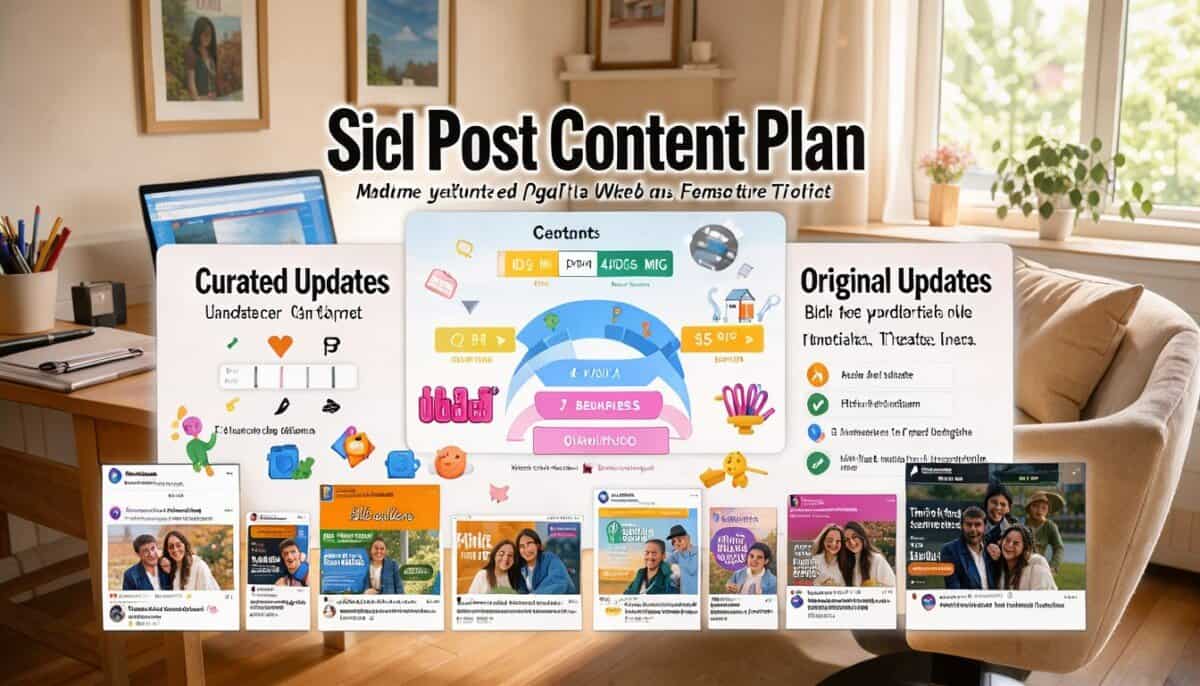
A content mix can keep your account useful without turning every post into a sales message. One planning model, called the 4-1-1 rule, balances curated, original, and promotional content.
The 4-1-1 rule uses four curated posts, one original post, and one promotional post for every six posts. It is a planning guide, not a rule set by X. Use it to sketch a calendar, then adjust it to your audience and business goal.
Here is one six-post mix:
- Post 1: Share a useful item from another trusted account.
- Post 2: Curate another helpful link or resource.
- Post 3: Share a third item your audience may value.
- Post 4: Add one more curated post to complete the four.
- Post 5: Publish one original post with your own view or advice.
- Post 6: Share one promotional post about an offer or service.
Curated posts can point people to helpful ideas beyond your own products. An original post can explain how your team works or answer a common customer question. A promotional post can then make a clear offer without crowding out the rest.
The mix can guide a draft calendar, but it should not block a timely post. If a useful live moment arises, make room for it instead of forcing the calendar to stay exact. You can review the balance across a group of posts after the immediate need has passed.
Choose curated posts that fit your brand and audience, rather than sharing links just to fill a slot. A promotional post should also make its value clear. Review the balance across a set of six posts before adding another promotion.
Schedule Posts With X’s Native Web Composer
X’s built-in scheduler is a free way to queue one post at a time from the desktop web composer. For a single post, it can automate publication at a date and time you choose.
As of 2026, you can schedule up to 18 months ahead. Native scheduling works through the desktop web composer, not the iOS or Android apps. The native tool does not schedule threads or posts with polls.
Schedule a single post in the desktop web composer
Use these steps to schedule a post:
- Open X in a desktop web browser.
- Compose the post you want to publish.
- Open the scheduling control in the composer.
- Choose the date and time for publication.
- Confirm the details and review the scheduled queue.
This is the native way to automate one post for a chosen time. You can add text, links, images, GIFs, or video. Check the post itself as well as its date and time before you confirm it.
You can edit, reschedule, or delete a scheduled post before it publishes. This helps when a link changes or a campaign date moves. It also gives you a chance to fix a draft without rebuilding the whole post.
Check native scheduling limits before planning
The one-at-a-time workflow may suit a small queue, but it takes longer when you prepare many posts. X’s native option also leaves out threads and polls, so those formats need another plan. Your phone app cannot replace the desktop composer for native scheduling.
If you need mobile access, team review, or a larger queue, compare scheduling tools before choosing one. This walkthrough of X post scheduling covers native and outside options. Choose a tool that fits your actual work, not a list of features you may never use.
Review the scheduled queue after making a change, since the saved time matters as much as the text. A post meant for a campaign launch can lose value if it goes out late. Check the scheduled date and time in the queue before you leave the composer.
When Does a Third-Party Scheduler Earn Its Place?
An outside scheduler earns its place when it removes a workflow limit that costs your team time. Useful tools can help with multiple accounts, team review, bulk work, or shared calendars.
Pick a third-party tool when its features solve a real work problem. Check how far ahead it can schedule, how many posts can wait at once, and how it sets time zones. These details shape a queue more than a long feature list does.
| Option | Scheduling horizon | Posts per profile at a time | Time-zone setting |
|---|---|---|---|
| X native web scheduling | Up to 18 months | One at a time | No time-zone detail |
| SocialDog Free | Up to 1 year and 6 months | 10 | Team settings |
| SocialDog Personal | Up to 1 year and 6 months | 30 | Team settings |
| SocialDog Professional, Business, or Enterprise | Up to 1 year and 6 months | Unlimited | Team settings |
Choose features that solve a real workflow problem
Multiple accounts can make one shared calendar easier to manage. A team may also need approval steps before posts go live. Bulk scheduling helps when you prepare many similar updates, while analytics can keep results close to the work.
SocialDog’s scheduled post caps depend on the plan: Free allows 10 per profile, Personal allows 30, and Professional, Business, and Enterprise allow unlimited posts per profile. Its scheduling horizon is up to 1 year and 6 months. SocialDog’s plan limits can help you compare that queue size with your team’s needs.
Outside tools can vary in their account support and review features. A tool only helps if it fits the way your team works each week. A useful test is whether it removes a repeated step or reduces a clear handoff problem.
Check scheduling limits and time-zone settings
SocialDog shows scheduled dates and times using the time zone set in Team settings. That setting matters when team members work in different places or support customers across regions. A queue can look correct while showing a time the team did not expect.
Compare the planned post count with the tool’s limit before moving a large queue. Check whether each account gets its own cap or shares one across profiles. Confirm the tool’s account limits and time-zone setting before loading a large queue.
You can also compare popular social media schedulers before making a choice. Focus on account needs, team review, and the calendar view you will use. A simpler tool may be the better fit when it solves the main task.
Build a Content Calendar You Can Maintain

A useful content calendar shows what will publish, when it will publish, and who owns the final check. Clear details make it easier for a team to work from the same plan.
Track at least five fields for each post: date, time, post text, format, and owner. A calendar without a named reviewer is only a draft list, not a complete publishing plan.
Plan around campaigns and recurring business updates
A weekly view can show what needs to publish over the next few days. A monthly view can make campaign dates and repeated updates easier to spot. Choose the view that fits how often your team plans and approves content.
Use this short checklist when adding a post:
- Date and time for publication.
- Post draft with the final wording.
- Post format, such as text, image, or video.
- Campaign or business goal the post supports.
- Person responsible for review.
A calendar helps reveal gaps before a campaign starts. It can also show when two posts compete for attention on the same day. A weekly or monthly view makes those clashes easier to fix while the drafts are still easy to change.
Keep drafts, dates, and owners clear
Use one place to store the final draft and its planned date time. The person assigned to review should know what the post aims to do. That context helps them catch unclear wording or a claim that does not fit the campaign.
Give the owner enough time to review images, links, and text together. A post can be ready in one field and still fail because its media is missing. Keep the record clear enough for someone else to take over if needed.
The practical mistake is treating the calendar as a publishing plan without assigning anyone to check it. A filled row does not show that the wording is approved or that the link works. Give every scheduled post a named owner before it enters the queue.
Keep Scheduled Content Sensitive to Current Events
A message that fit yesterday’s plan can feel wrong after a serious event changes the context. Review matters because scheduled content was prepared before its publishing moment.
A scheduled post should not go live automatically just because it appears on the calendar. A major event can make a once-suitable message seem insensitive or out of step. Give someone on the team the power to pause it.
Use this pause-and-review checklist when the news changes:
- Scan the queued posts that are due soon.
- Flag posts that could seem insensitive in the new context.
- Pause or remove posts that no longer fit.
- Decide whether your audience needs a timely response.
Not every serious event calls for a public statement from every business. A post can also be paused without being replaced by a response. Consider whether the message serves your audience or could pull focus from the event.
A routine promotion may feel jarring beside news of harm or loss. Even a cheerful image can carry a different meaning once the context shifts. The review should look at the words, image, timing, and audience together.
Use a clear handoff so the person checking the queue knows what to do. They should be able to pause an item without waiting for a long chain of approvals. Make a named team member responsible for pausing posts when a sensitive event calls for a review.
Measure Results Without Chasing Vanity Metrics
A useful review compares posts that had a similar job, not a high-performing post with an unrelated one. Matched comparisons make analytics easier to act on.
Compare scheduled and real-time posts with similar goals, formats, and time windows. Use one consistent definition of engagement across each comparison. Change one variable at a time when you test a timing or content adjustment.
Compare like with like
| Check | Compare | What it helps you decide | Next move |
|---|---|---|---|
| Timing | Same format at different time windows | Which window to test | Try the stronger window again |
| Content approach | Scheduled versus real-time posts with similar goals | Which approach fits the message | Use the better fit for that goal |
| Business response | Post results against the campaign goal | Whether to adjust the next post | Change one part of the next draft |
Keep the post format and audience as close as you can. Compare similar windows, not a weekday post with an unrelated weekend post. If the campaign goal is clicks, review clicks as well as engagement.
A guide to testing X posting times can help you form a first test. Then use your own account results to judge whether that window fits. Your audience and your business goal should shape the next step.
Turn the results into one useful change
Choose one thing to adjust, such as the time window, the opening line, or the image. Keep the other parts steady during the next test. That way, you can better connect a result to the change you made.
Record the test question, the posts included, and the result in your calendar or analytics notes. A small record helps the team avoid running the same test without learning from it. Skip changes that do not support a clear business goal.
Write down the next single change before you run another comparison.
Fix Habits That Weaken Your Posting Strategy

The biggest planning mistake is treating a full calendar as proof that the content will work. A packed queue can still miss your audience or business goal.
Check each post for a clear purpose before approving it. A planned X post and a real-time X post serve different publishing needs, so one method should not fill every slot.
Watch for these habits and use the fix beside each one:
- Scheduling every post leaves no room for live context. Keep open space in the calendar for timely needs.
- Filling the calendar with promotions can make the account feel like an ad stream. Add useful updates that serve the audience.
- Posting at random gives you little timing insight. Test a few time windows with similar posts.
- Failing to review queued drafts can leave old or unclear wording in place. Check the drafts before they enter the queue.
A content calendar should make decisions easier, not turn into a target to fill. A post without a clear goal may take time from a stronger update. Leave out an idea that adds little value.
Random timing also makes results harder to compare. A steady test gives your team a better basis for changing the plan. Keep the test small enough to fit the work you can maintain.
Review the next batch for a clear purpose before approving it.
Follow a Practical Weekly Workflow
A simple weekly workflow can keep planned content moving without taking your attention away from live conversations. A repeatable routine gives the team clear work at each stage.
Use five stages: plan, draft, review, schedule, and check results. Keep space for live updates, and adjust the routine to match your team’s workload.
| Stage | Action | Result |
|---|---|---|
| Plan | Set goals and choose topics | Clear priorities |
| Draft | Write posts and prepare media | Ready-to-review content |
| Review | Check wording and ownership | Approved drafts |
| Schedule | Queue planned posts and keep room for live updates | Dependable publishing |
| Check results | Record performance and choose one test | A focused next step |
Start by choosing the business goal and topics for the week. Draft the text and prepare the media in the same work block when possible. A clear draft makes review quicker and helps the team catch missing details.
Review each post before adding it to the queue. The reviewer checks the words and makes sure someone owns the final call. Then schedule the planned posts while leaving room for a live response if the moment changes.
At the end of the cycle, record the result that matters to the goal. Use that result to choose one small test for the next round. A weekly plan should fit the team’s workload, not become a fixed posting quota.
Some teams may need a monthly planning session and shorter weekly checks. Others may draft and review posts in one sitting. Reserve a short review block each week to choose one change for the next cycle.
Conclusion
A steady plan gives you more control, and a timely response keeps your brand present when the moment calls for it. Scheduling is a dependable base for planned business content. Real-time posting is valuable when a live moment changes the message.
Start with one business goal and plan a small set of posts around it. Review their results with the same measure, then use what you learn to shape the next cycle. Choose one goal for your next posting cycle and use the results to decide what to change.