Do you worry that setting your phone on a pad will make it too warm or damage the battery? That concern is common. Many users ask if a charger in your car or on your desk raises the device temperature and harms battery life.
Rajaraman Venkatachalam, an executive at GRL with 23 years in high-speed testing, notes that this method offers a tidy way to refill power without hunting for a cable.
Smartphones are built to handle energy transfer, but you still deserve clear answers about what actually causes overheating and how to avoid it.
This guide cuts through the noise. We explain how your phone, charger, and pad manage temperature so you can use modern features with confidence.
Key Takeaways
- Wireless pads and built-in car chargers add convenience without routine risk when used properly.
- Phone batteries are designed to handle controlled energy flow, but temperature management matters.
- Expert testing shows design and firmware play a key role in limiting overheating.
- Use certified chargers and place devices on flat, ventilated surfaces to reduce temperature rise.
- Understanding how chargers work helps you protect battery life over time.
Understanding the Mechanics of Wireless Charging
Contactless transfer uses paired coils to move energy to your device without a plug. This method relies on electromagnetic induction, where a magnetic field forms between a transmitter and a receiver to send power to the phone.
Electromagnetic Induction
Induction works when copper coils in the pad and the phone interact. The field induces current in the receiving coil, and that current becomes the battery’s input.
Tightly-Coupled Standards
Standards like MagSafe and Qi2 add magnets to lock the phone in place. That correct alignment keeps transfer efficiency high and reduces wasted energy that can cause extra heat.
- Good alignment keeps power flow steady and fast.
- Misalignment slows the charging process or stops it entirely.
- Design rules from groups such as GRL and WPC help manufacturers build reliable chargers for home and car use.
| Component | Role | Impact if Misaligned |
|---|---|---|
| Transmitter coil | Creates magnetic field | Lower efficiency, possible extra heat |
| Receiver coil | Converts field to current | Charging slows or stops |
| Magnetic guide | Ensures proper placement | Stable power transfer |
For more on how placement and temperature interact, see a practical guide to smartphone overheating causes and fixes.
Why Wireless Charging Heat Occurs
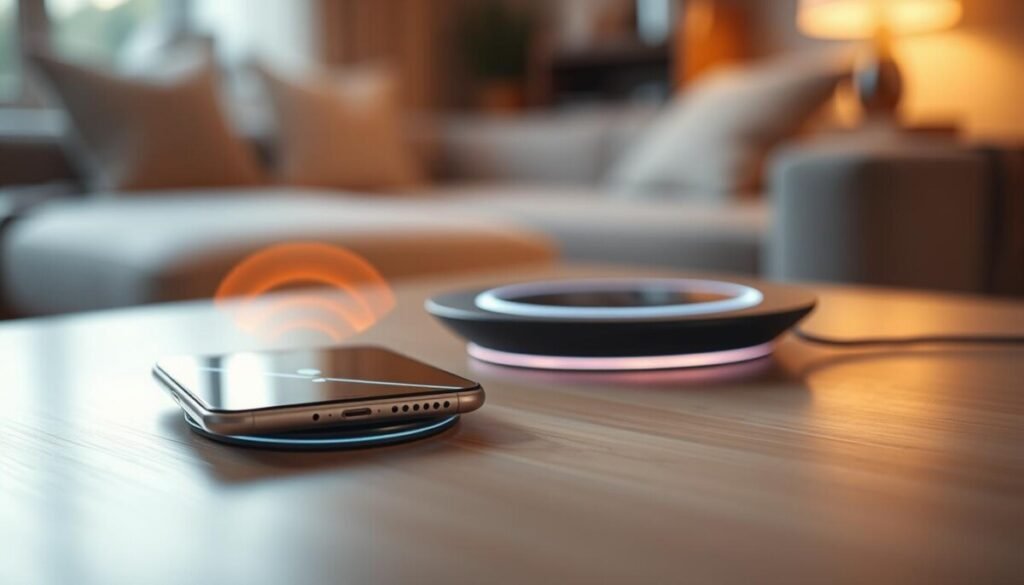
Induction power transfer is convenient, but it is less efficient than a direct plug. That inefficiency means some energy becomes heat as coils convert a magnetic field into usable power.
Manufacturers expect this and add safeguards. Qi-certified chargers monitor temperature and cut back output if the device gets too warm.
Phone makers also separate the copper coils from the battery with a layer of thermal insulation. This keeps the cell safer even when the pad runs a bit hot.
- Induction loses more energy than wired charging, so devices can generate heat during normal use.
- Quick warmth within five minutes often points to misalignment or a faulty charger rather than a failing battery.
- Correct placement and certified chargers reduce wasted energy and lower the chance of overheating.
Understanding these limits helps you spot a real issue versus expected temperature rise. Use certified chargers and good alignment to keep your phone and battery running well.
Is Wireless Charging Bad for Your Phone Battery
What really affects battery life is how often you fill and drain it, not whether you use a pad or a cable.
Battery charge cycles represent the total amount of energy moved in and out of a cell. Charging from 50% to 100% counts as half a cycle, so topping up often does not automatically shorten life.
Impact on Battery Charge Cycles
The chemistry matters most. Lithium ions shuttle between the graphite anode and the lithium cobalt oxide cathode during normal charging. This is a standard chemical process.
Modern phones include battery management that stops power once the battery is full. Overcharging is rare when you use a certified charger or cable.
- A cycle is about total energy used, so the method—pad or cable—does not inherently harm the battery more.
- Battery wear links to the number of cycles and sustained high temperature, not the mere act of topping up.
- Avoid constant top-ups all day; letting the device sit near 50% when possible reduces stress on cells.
| Factor | Effect on Battery | Practical Tip |
|---|---|---|
| Charge cycles | Primary driver of capacity loss | Limit full cycles; prefer partial fills |
| Device management | Prevents overcurrent and overcharge | Use certified charger and updates |
| Temperature | Speeds aging if sustained high | Avoid prolonged high-temp exposure |
In short, you can use wireless charging without undue worry if you follow best practices. Focus on cycle count, avoid constant full charges, and rely on certified gear to protect battery life.
The Role of Alignment and Efficiency
Alignment determines how well power moves from the pad to your phone. When coils line up, the transfer is fast and efficient. That reduces energy lost as heat and keeps battery stress low.
Misalignment makes the charger work harder. The transmitter and receiver need to be centered. If they are off, the system becomes less efficient and the device can run warmer than normal.
Many car pads and modern pad designs include guides or magnets to hold the device in place. This prevents shifts while you drive and keeps the coil distance stable.
- Proper alignment is the most important step to prevent excess temperature rise.
- Centering the phone improves efficiency and reduces energy lost as heat.
- Good product design maintains coil spacing for steady power delivery.
| Factor | Effect on Efficiency | Practical Result |
|---|---|---|
| Perfect coil alignment | High transfer efficiency | Faster top-ups, lower device temperature |
| Partial misalignment | Lower efficiency | Slower charge, warmer device |
| Secure pad design (car or desk) | Consistent coil placement | Stable power, less energy lost as heat |
Common Causes of Excessive Overheating

Your surroundings and accessories often explain why a phone gets hot while it tops up. A high ambient temperature or direct sun can push internal temperature up fast. That rise becomes worse if the device sits on a pad in a cramped spot.
Environmental Factors
Leaving your phone in a hot car or under direct sunlight is a frequent cause of overheating. Poor ventilation—like placing the device under a blanket—traps warm air and prevents cooling.
If your phone gets hot within five minutes of a session, check the surrounding temperature first.
The Impact of Phone Cases
Thick or metal-backed cases can block the magnetic field and force the charger to work harder. That extra work can make the phone and the pad run hotter than normal.
If your phone gets hot, remove the case and try the charge again. Many users see the temperature stabilize in minutes.
- Avoid charging in hot cars or direct sun.
- Use cases designed for contactless use or remove the case during a session.
- Keep the phone on a flat, ventilated surface while it charges.
| Cause | Why it raises temperature | Quick fix |
|---|---|---|
| Hot environment (car, sun) | Raises ambient temperature; reduces cooling | Move to shade or air-conditioned area |
| Thick or metallic case | Interferes with field; lowers efficiency | Remove case or use a compatible case |
| Poor ventilation | Traps warm air around device | Place on open surface; avoid covers |
Safety Hazards and Foreign Object Detection
A stray coin or credit card between your pad and phone can absorb energy and warm fast. That absorbed power can make metal get very hot and may damage the device or property.
Qi-certified wireless chargers include foreign object detection to stop power if an obstruction appears. The system senses a mismatch in the coil coupling and cuts output before a dangerous temperature is reached.
Reported hazards include fire, electric shock, and property damage. Manufacturers warn against placing a phone under a blanket or next to flammable items while charging.
- Foreign object detection prevents metal items from absorbing energy and causing overheating.
- If a coin or card sits on the pad, it can generate heat and harm your phone or battery.
- Use certified chargers and keep the area between the charger and device clear.
Keep the path for the magnetic field clear. Unlike wired charging with a cable, contactless power needs a clean alignment to work safely. That simple step reduces risk and keeps the charging process reliable.
Best Practices for Maintaining Battery Health
Simple daily choices about when and how you charge determine battery longevity more than the charger itself. Follow a few clean habits and your phone will keep strong capacity for longer.
The Impact of Battery Charge Cycles
Keep the battery near 50% when you can. This mid-level state places the least strain on lithium ions and slows capacity loss over time.
Many phones slow the final phase of charge around 90% to limit stress on internal parts. Let that feature work—avoid leaving your device at 100% for long stretches.
- Use trusted wireless chargers and a certified charger to support smart power management.
- Avoid extreme temperatures and long periods at full charge to protect battery health.
- Check battery health in settings now and then so you can change habits if capacity drops.
| Action | Why it helps | Quick tip |
|---|---|---|
| Maintain ~50% charge | Reduces chemical strain | Top up for short sessions |
| Avoid prolonged 100% | Limits aging | Unplug at night or use scheduled charge |
| Use high-quality chargers | Smart power management protects battery | Choose certified models from known brands |
Follow these steps and you can enjoy the convenience of contactless power while keeping battery health steady over time.
Choosing Certified Chargers for Optimal Performance
Pick certified gear to avoid surprises and keep your phone safe during top-ups.
Certification proves a charger met real safety and performance tests. GRL is an Authorized Test Lab for Qi and helps makers confirm their products meet global rules.
Uncertified hardware often lacks key protections. Those units may not detect foreign objects, may be less efficient at power transfer, and can let a device get hot or stop charging unexpectedly.
The risks of uncertified hardware
- Missing foreign object detection raises the chance of overheating and damage.
- Poor regulation of output makes the charger less efficient and can stress the battery.
- Lack of testing means inconsistent performance in cars and on desks.
Buying certified chargers is the most foolproof way to protect your phone and battery. If a charger makes your device warm or stops mid‑charge, swap it for a certified model and test again.
For a technical look at speed and safety factors, see this assessment of charger performance: assessing charger speeds and factors.
Conclusion
Use certified gear and proper alignment to get safe, reliable power without surprises.
Modern phones and certified pads manage temperature and protect the battery during normal use. When you follow basic steps—avoid hot environments and keep the device centered—you reduce stress on the cell and cut risk while charging.
Choose trusted products, remove thick or metal cases when needed, and place your phone on a flat, ventilated surface. Do that and you can enjoy easy top-ups with minimal impact on battery life.



