
Can one tool truly capture every important moment in your calls and free your team to focus?
In 2026 the stakes for meeting software are higher. Teams want accurate transcription, clear summaries, and tight data controls. Tools like Jamie, Otter.ai, and Fireflies.ai lead the pack with features that speed up work and cut time spent on manual notes.
Jamie supports 100+ languages and is fully GDPR compliant. Otter.ai covers English, Spanish, French, and Japanese. Fireflies gives 800 minutes of storage on its free plan.
We tested these apps across audio and video recording, speaker ID, integrations like Slack, and automated action items. This comparison highlights how each tool handles transcripts, summaries, and security so you can pick the right option for your workflow.
Key Takeaways
- Choose a tool that matches your language and compliance needs—Jamie excels on languages and GDPR.
- Otter.ai offers broad language support for global teams.
- Fireflies provides a generous free storage option for trials and light users.
- Prioritize transcription accuracy, speaker ID, and Slack integrations for smooth workflows.
- Look for automated action items and summaries to save time after each call.
The Evolution of Meeting Productivity in 2026
Knowledge workers now spend 21.5 hours per week in meetings. That load forces tools to do more than capture audio. They must convert recordings into clear tasks, insights, and searchable data that teams can act on fast.
Transcription accuracy exceeds 95% for modern systems, so quality is no longer the only differentiator. The core shift is toward automated action items, speaker identification, and conversation intelligence that surfaces key moments for sales and product workflows.
Integrations matter. Linking a meeting assistant to Slack, CRM, or calendar apps turns a transcript into immediate tasks and follow-ups. Fireflies and similar apps added sentiment analysis and deep search to speed post-call work.
- 21.5 hours/week — why automation is essential.
- Action extraction and transcript search reduce manual follow-up time.
- Multilingual support and speaker ID improve global team workflows.
| Trend | Impact on Teams | Typical Feature |
|---|---|---|
| High meeting load | Need to cut admin time | Automated action items |
| Better transcripts | Faster analysis and fewer errors | 95%+ accuracy transcript |
| Deeper integrations | Seamless workflows across apps | Slack and CRM integration |
Why Professionals Need the Best AI Meeting Note Takers
Converting conversation into action is the core value of modern tools. When a call ends, what matters most is that decisions, owners, and due dates are captured and routed into your workflow.
Capturing Action Items
Professionals rely on a high-quality meeting assistant to catch every decision and turn it into clear action items. These tools detect tasks, assign owners, and push them into project systems so nothing falls through the cracks.
Leading platforms now hit sub-500ms latency for near real-time transcript and action extraction. That speed reduces the gap between talk and action and cuts manual entry time.
Improving Meeting Focus
When you trust an app to record and summarize calls, people can engage without juggling notes. That reduces cognitive load and boosts the quality of discussion.
- Searchable transcripts let teams find past moments and data quickly.
- Integrations with Slack and PM tools make notes actionable in workflows.
- Sales teams gain better outcomes by listening more and missing less context.
| Problem | How tools help | Core benefit |
|---|---|---|
| Lost decisions | Auto-detect action items | Fewer missed follow-ups |
| Long review time | Searchable transcript | Faster analysis |
| Fragmented workflows | Integrations with Slack and PM apps | Notes become work |
Understanding the Difference Between Bot and Bot-Free Tools
Choosing between a bot that joins your calls and a bot-free recorder changes how your team runs meetings. This decision affects privacy, flow, and how people behave on camera.
Bot-free tools like Jamie and Bluedot record audio directly from your device, so no third-party participant joins private calls. That setup appeals to sales teams and anyone who needs a discreet experience.
Virtual bots, used by apps such as Fireflies, auto-join and provide live transcription and intelligence. They offer convenience but can interrupt guest speakers or trigger technical glitches.
- Privacy: Bot-free tools often process audio locally or delete files after summaries.
- Convenience: Bot-based apps auto-join calls and start recording without user action.
- Accuracy: Transcription quality is high in both groups; local audio settings sometimes favor bot-free recorders.
| Factor | Bot | Bot-free |
|---|---|---|
| Flow | Auto-joins, can be intrusive | Silent, device-based |
| Privacy | Third-party participant | Local processing or fast deletion |
| Setup | Easy auto-start | Manual start or system recording |
Assess whether convenience outweighs potential permission issues. If your security policy is strict, lean toward bot-free tools. For instant joins and deep integrations with Slack or CRM, a bot-based app may save time.
For more on organizing call data and choosing tools, see organization tools.
Otter.ai for Team Collaboration and Chat
Otter.ai focuses on making group conversations actionable through live transcription and chat.
Collaboration is its core. You can chat inside the app, search past transcripts, and pull summaries for fast follow-up. Live transcription works with Zoom, Google Meet, and Microsoft Teams so your team can capture audio and video without gaps.
Integration Capabilities
Otter.ai links to Slack, Salesforce, and HubSpot. That means meeting data flows into sales and comms systems with minimal setup.
- Auto-detects action items and assigns owners to cut manual work.
- AI chat lets you query past transcripts and surface specific items fast.
- Speaker ID sometimes needs manual tagging to keep transcripts accurate.
| Capability | What it enables | Practical impact |
|---|---|---|
| Live transcription | Zoom, Google Meet, MS Teams | Faster summaries and searchable transcripts |
| Integrations | Slack, Salesforce, HubSpot | Push meeting summaries to workflows and sales pipelines |
| Action extraction | Auto assign items | Reduces follow-up time and missed tasks |
| Language support | English, Spanish, French, Japanese | Good for regional teams; limited for global coverage |
Otter.ai suits teams that want clear summaries and tight integrations. Watch plan limits on free tiers if your group records a lot of calls or needs more transcription minutes.
Fireflies.ai for Meeting Analytics and Search
Fireflies focuses on turning raw call data into clear analytics that teams can act on fast. The platform pairs automated recording with deep search, so you find specific action items and quotes without replaying hours of audio.
Free users get 800 minutes of storage, which is generous for small teams testing recording and transcription. Fireflies also adds sentiment analysis and speaker identification to each transcript. That makes it easier to scan for tone and assign ownership after calls.
The bot-based approach auto-joins calls and creates searchable transcripts for audio and video. Its summarization condenses long discussions into clear, actionable summaries. You can also extract soundbites to share highlights with your team.
- Deep analytics: talk-time ratios, recurring topics, and sentiment trends across meetings.
- Smart search: jump to keywords and action items inside transcripts.
- Integrations: connects to CRM and project tools so data flows to workflows.
| Feature | Why it matters | Practical impact |
|---|---|---|
| 800 min free storage | Low-cost trials | Try recordings before scaling |
| Sentiment & speaker ID | Context and ownership | Faster follow-up and clarity |
| Bot-based recording | Hands-off capture | Consistent transcripts for every call |
Fathom for Privacy-Focused Meeting Summaries
Fathom centers on privacy-first recording and short, useful summaries that keep your team focused.
Why privacy matters: Fathom gives teams local processing options and a clean interface so sensitive calls stay secure. That design reduces data exposure and fits strict governance needs.
The tool emphasizes concise summaries over full transcripts. It extracts decisions, next steps, and action items so you spend less time sifting through audio or long transcripts.
- Automatic assignment of action items so owners get clear accountability.
- “Perfect Recall” search to pull specific moments from past meetings using natural language.
- CRM sync to push summaries and items into sales workflows without extra effort.
Fathom excels when teams want a distraction-free tool that surfaces key moments and saves time. If your priority is secure recording, clear summaries, and quick follow-up, this tool delivers reliable, privacy-first documentation.
For more on organizing call data and selecting tools, see organization tools.
Jamie and the Rise of Bot-Free Transcription
Jamie records directly from your device so calls stay private and natural.
Bot-free design. Jamie never joins as a third-party participant. It captures audio on your device, which keeps conversations natural and avoids guest interruptions.
Data Privacy Standards
As a German company, Jamie follows strict GDPR rules. Your audio is encrypted and stored on EU servers while processing occurs.
Files are permanently deleted immediately after transcripts and summaries are created. This limits exposure and supports strict governance for teams.
Multilingual Support
Jamie supports over 100 languages, making it a fit for global teams who run calls across multiple regions.
The platform delivers structured notes, full transcripts, and automated action items in about one to two minutes. A speaker memory feature maps voices to names to improve transcript clarity.
- Syncs to HubSpot and Salesforce for centralized workflow.
- Compatible with Mac, Windows, and iOS for flexible use across devices.
- Designed for fast transcription and quick follow-up action.
| Feature | Why it matters | Practical impact |
|---|---|---|
| Bot-free capture | Fewer interruptions | More natural conversations |
| GDPR compliance | Strict data control | Secure EU storage & deletion |
| 100+ languages | Global coverage | Works across multiple regions |
Krisp for Audio Enhancement and Clarity
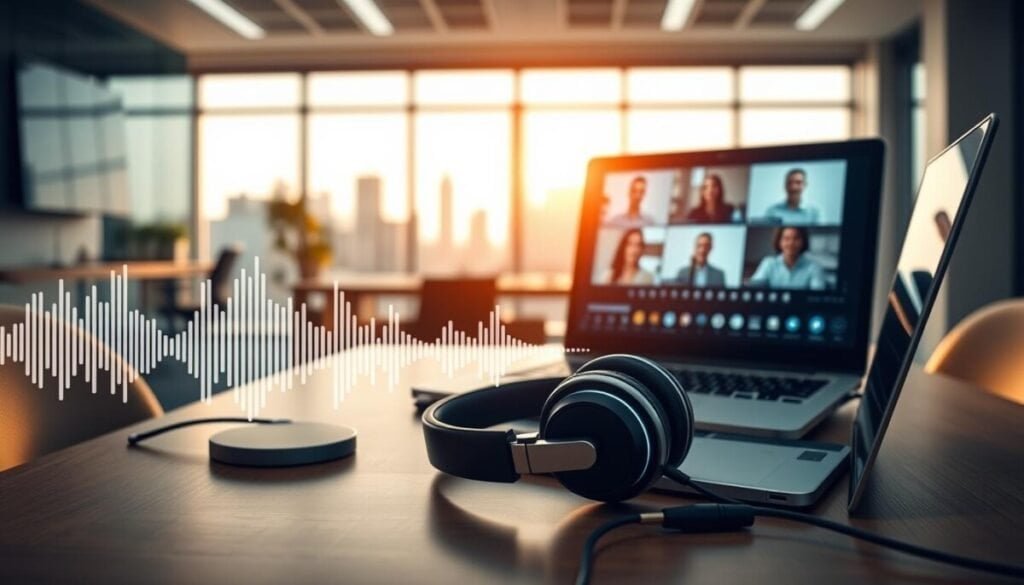
Clear audio is the foundation of useful transcripts; Krisp delivers that clarity across devices.
Krisp uses two-sided noise cancellation to remove background sounds for both you and participants. That makes calls and recordings far easier to transcribe accurately. When audio is clean, automated transcription and summaries pick up action items reliably.
The Core plan supports 16 languages, with 95+ languages in beta. Krisp also offers Accent AI to reduce accent-related misunderstandings — a real advantage for global teams that run video and audio calls across regions.
Krisp does not require a bot to join your meetings, so conversations stay natural and uninterrupted. You can also upload audio or video files from in-person sessions for processing on the dashboard.
- Two-sided noise cancellation: cleaner sound for all participants and better transcripts.
- Platform integrations: works with major communication apps so Krisp fits existing workflows.
- Security: GDPR compliance and robust controls protect meeting data and uploaded files.
| Feature | Benefit | Impact |
|---|---|---|
| Noise cancellation | Removes background chatter | More accurate transcripts and summaries |
| Accent AI | Reduces misheard words | Fewer follow-up clarifications |
| File uploads | Process in-person audio/video | Unified notes for hybrid teams |
If your team struggles with poor microphones or distracting environments, Krisp provides a practical layer that improves transcripts, boosts summary quality, and keeps your calls focused on action and items that matter.
Sonnet for CRM-Integrated Meeting Data
Sonnet connects client calls directly to your CRM so reps spend less time on data entry. It is a Mac-only tool that links audio and video from calls into structured CRM fields. That saves your team hours of manual updates after every client conversation.
Sonnet records without a visible bot, so calls stay professional and guests do not see a third-party participant. The platform supports every major conferencing app, making it simple to work across Zoom, Google Meet, and others.
The tool converts transcripts into clear CRM records, and it generates actionable items that assign owners automatically. Customizable templates let you tailor notes to sales and customer success workflows, so data lands where your pipeline expects it.
- Speaker analytics: see how much each participant spoke to measure engagement.
- Deep CRM sync: push summaries and items straight into account records.
- Mac-only: optimized for desktop users who rely on Apple devices.
| Feature | Why it matters | Practical impact |
|---|---|---|
| Bot-free recording | Less interruption | Cleaner client conversations |
| CRM integration | Reduced manual entry | Faster pipeline updates |
| Speaker analytics | Track participation | Better coaching and follow-up |
Supernormal for Visual and Formatted Summaries
Supernormal focuses on turning conversations into polished, visual summaries that teams actually want to share.
Designed for presentation and speed, Supernormal supports over 50 languages and holds SOC‑2 Type‑2 and GDPR compliance. It produces formatted summaries that need very little editing, so you spend less time polishing and more time on action.
The platform avoids using a bot to join calls, keeping recordings discreet and your meeting flow intact. Templates adapt to standups, strategy sessions, and other meeting types to surface the most relevant points for each format.
- Integrates with Slack, Notion, and Salesforce so summaries land where your teams work.
- “Memory” links insights across meetings with the same participants to keep context over time.
- Consistent web, mobile, and desktop experience for easy access to audio and video recaps.
| Capability | Why it matters | Practical impact |
|---|---|---|
| Formatted summaries | Ready-to-share output | Less editing, faster distribution |
| 50+ languages | Supports global teams | Accurate notes in multiple languages |
| Bot-free recording | Non-disruptive capture | Natural conversation flow |
| SOC‑2 Type‑2 & GDPR | High security standards | Meets compliance needs |
For a focused comparison of Supernormal versus other tools, see our Supernormal vs Otter analysis at Supernormal vs Otter.
Tactiq for Real-Time Chrome-Based Insights
For teams that live in the browser, Tactiq turns live Google Meet and Zoom audio into searchable text and action items.
How it works. Tactiq runs as a Chrome extension and captures live transcription for Google Meet, Zoom, and Teams. It shows transcripts and highlights in real time so you can tag important points as they happen.
The extension supports 25+ languages and is fully GDPR compliant. It identifies speakers during calls, which keeps transcripts clear and easy to review after the session ends.
Smart prompts and storage. Tactiq links to OpenAI so you can create custom prompts and generate tailored insights or summaries. Save frequent prompts as reusable actions to standardize how your teams capture notes and action items.
- Real-time transcription and AI analysis inside Chrome.
- Automatic saving of transcripts to Google Drive for organized archives.
- Free plan available; full features require a paid upgrade.
| Feature | Why it matters | Practical impact |
|---|---|---|
| Chrome extension | Works inside the browser | Instant access during calls for Chrome-based teams |
| OpenAI integration | Custom prompts and actions | Tailored summaries and faster follow-up |
| GDPR & speaker ID | Security and clarity | Compliant storage and accurate transcripts |
Fellow for Enterprise-Grade Security and Governance

When security and auditability matter, Fellow supplies controls that keep conversation records compliant.
Fellow positions itself as the secure, privacy-first meeting assistant for companies that require enterprise-grade governance. The platform is SOC 2 and HIPAA compliant, which makes it a trusted choice for regulated industries such as healthcare and finance.
It captures and summarizes conversations across Zoom, Google Meet, and Microsoft Teams. That gives your teams a consistent way to collect transcripts and summaries no matter which conferencing tool you use.
Fellow offers both a visible bot and a bot-free recording option. IT can enforce whichever method matches policy, reducing risk while keeping workflows smooth.
- Integrates with 50+ apps including Slack, HubSpot, and Salesforce to centralize decisions and action items.
- Granular admin controls let IT manage who can record and where data is stored.
- Designed to reduce tool fragmentation by making one controlled platform for meeting intelligence.
| Capability | Why it matters | Practical impact |
|---|---|---|
| SOC 2 & HIPAA | Enterprise compliance | Fits regulated teams and audit requirements |
| 50+ app integrations | Centralized workflows | Decisions and items flow into your systems |
| Bot or bot-free options | Policy flexibility | IT enforces recording rules across the team |
For mid-size to large organizations that prioritize security as much as productivity, Fellow offers a robust platform that keeps audio, transcription, and summaries governed and usable across the whole company.
Bluedot for Discreet Background Recording
Bluedot records in the background so your conversations stay natural and uninterrupted.
Quiet, accurate capture. Bluedot runs as a Chrome extension or desktop app and records audio without adding a visible participant. That keeps sessions professional and reduces guest friction.
The platform works across Google Meet, Zoom, Teams, and in-person calls via its mobile app. Over 50,000 companies use Bluedot, including Disney and Netflix, and it is backed by Google for reliability.
- Bot-free capture that transcribes and summarizes in the background.
- Supports 100+ languages and strong speaker identification for technical terms.
- Automatic CRM syncing with HubSpot, Salesforce, and Pipedrive.
- Customizable templates for tailored summaries and structured notes.
| Capability | Why it matters | Practical impact |
|---|---|---|
| Bot-free recording | No visible participant | More natural conversations and fewer interruptions |
| 100+ language support | Global coverage and technical term accuracy | Reliable transcription across regions |
| CRM sync | Automated record updates | Keeps your team’s CRM clean after each call |
tl;dv for AI-Powered Meeting Search and Clips
tl;dv focuses on pinpoint navigation, letting you jump to exact moments and extract actions fast. The platform uses timestamp-based navigation and search to help teams locate key moments across long recordings.
Search and clip-first workflow. Its AI chat and search tools surface context across many meetings so you don’t replay hours to find a single quote.
Generate daily or weekly AI reports that list action items or open bugs. Those summaries keep stakeholders aligned without manual compiling.
The smart clips feature auto-creates short, shareable video segments from AI-identified highlights. That is handy for product feedback, customer research, and sales handoffs.
- Integrations: syncs with Notion, HubSpot, and Slack so your meeting data flows into existing workflows.
- Multi-language transcription across 20+ languages supports global teams.
- Lightweight on resources — users note minimal impact on call performance.
| Capability | Why it helps | Practical use |
|---|---|---|
| Timestamp navigation | Jump to exact moments | Find decisions and quotes in seconds |
| AI reports & search | Automated summaries and cross-call search | Daily action items and weekly bug lists |
| HubSpot filtering | Sales context by deal stage | Prioritize follow-ups by pipeline |
If your teams need to mine hours of history for specific comments, tl;dv offers an efficient solution that turns long calls into focused clips, searchable insights, and actionable lists.
Key Factors for Selecting Your Ideal Meeting Assistant
A clear transcript is the foundation; everything else depends on it. Leading platforms reach 95%+ accuracy in ideal conditions, and that level makes automated summaries and action extraction reliable.
Transcription Accuracy
Start here. If speech recognition misses words, your action items and searchable notes will be wrong. Test tools with your accents, jargon, and noise levels.
Workflow Integration
Choose a tool that plugs into your calendar, CRM, and project systems so transcripts turn into work automatically. Check whether it records across multiple platforms and syncs to Slack or your PM app.
Budget Considerations
Evaluate free plans versus paid tiers for features you need. Pick a solution that fits current spend but scales without large migration costs.
- Verify speaker ID and multilingual support if your teams are global.
- Assess data privacy and storage policies when handling sensitive calls.
- Run 2–3 pilots with real calls to see how each tool handles your terminology and background noise.
| Factor | Why it matters | Quick check |
|---|---|---|
| Transcription | Accuracy drives usefulness | Test 3 sample calls |
| Workflow | Turns transcripts into action | Confirm integrations |
| Cost | Long-term value | Compare tiers and limits |
Tip: For a broader list of productivity tools and integrations, try the productivity apps guide to find options that work across multiple platforms and teams.
Final Thoughts on Streamlining Your Meeting Workflow
Reduce follow-up friction by routing decisions directly into the apps your team already uses. When calls feed your project tools, owners and due dates appear where work happens.
Pick a solution that balances accuracy with integrations. That mix ensures transcripts become searchable records and usable notes without extra admin.
Focus on tools that sync to CRM and PM systems, so summaries and action items move into pipelines automatically. Test how each option handles your accents and jargon before you roll it out.
For practical picks and setup tips, see this guide on bot-free capture and structured notes and this overview of planning platforms at online planning tools. Invest in reliable capture so your team spends time on high-value work, not manual documentation.



