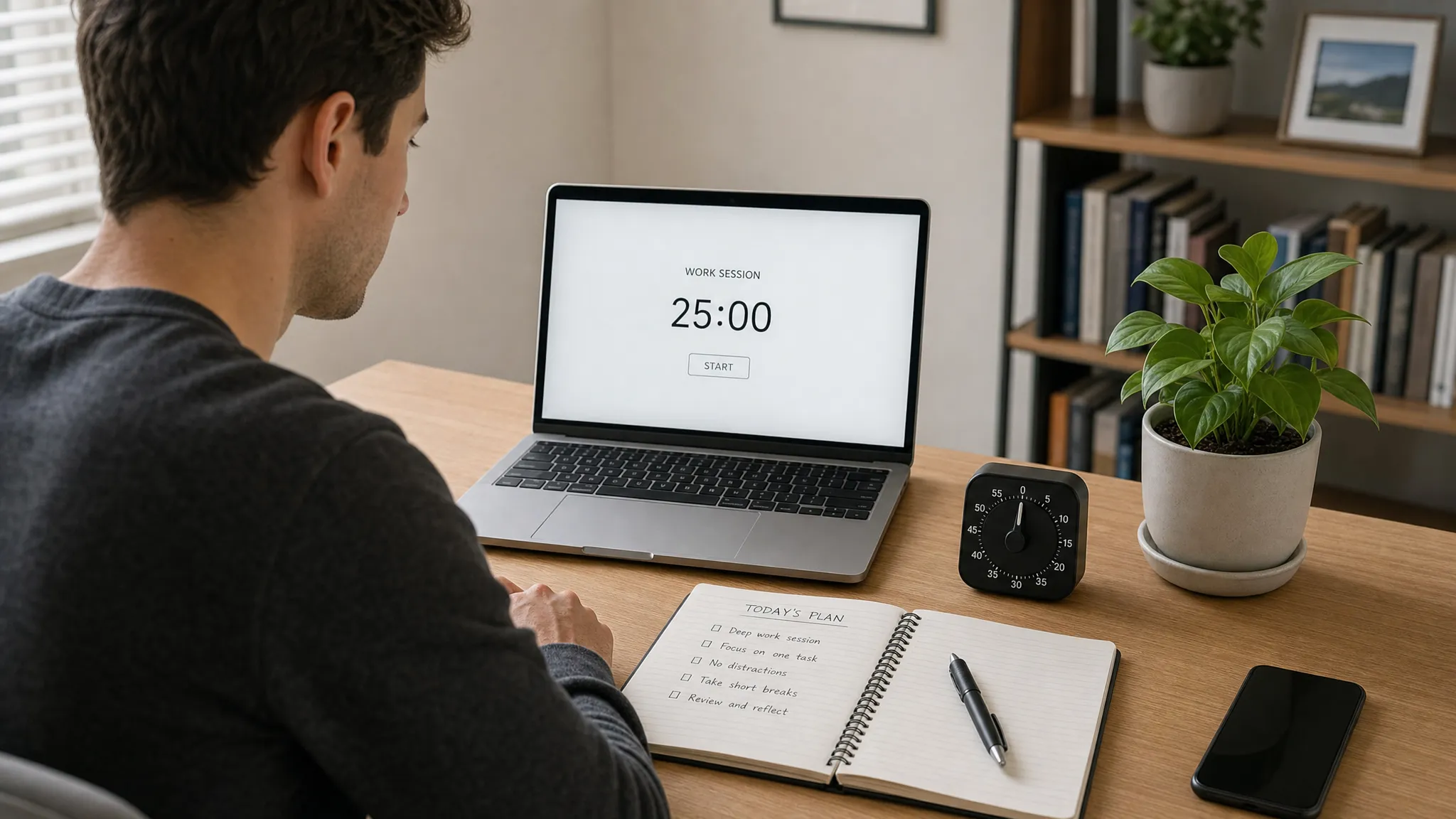
Digital distractions are no longer just a social media problem. They show up as chat pings, calendar alerts, endless browser tabs, news feeds, app badges, and the quiet habit of checking your phone whenever a task feels hard.
The best focus apps help by doing one or more of three things: they reduce triggers, add friction before distraction, and make your attention patterns visible. The right app depends less on which tool is most popular and more on where your focus actually breaks down.
This guide compares the best focus apps to reduce digital distractions in 2026, with practical recommendations for remote workers, students, creators, managers, and anyone trying to protect deeper work sessions.
What to look for in a focus app
A good focus app should not become another dashboard you obsessively check. Its job is to make focused work easier, not to add more digital housekeeping.
Before choosing, pay attention to these criteria:
- Device coverage: If your distractions move between phone, browser, and desktop, choose an app that works across more than one device.
- Blocking strength: Some tools gently remind you. Others make it extremely difficult to override a block.
- Scheduling: Recurring focus sessions are better than relying on daily willpower.
- App and website control: The best setup usually blocks both websites and native apps.
- Reporting: Time-tracking insights can reveal patterns, but too much data can become noise.
- Team compatibility: If coworkers interrupt you, look for integrations with calendars, Slack, or status tools.
- Privacy settings: Focus apps may see app usage, website activity, or calendar data, so review permissions before installing.
The main question is simple: do you need awareness, friction, blocking, or accountability? Most people need a mix.
Quick comparison of the best focus apps
Platform support and features can change, so treat this table as a practical starting point rather than a permanent specification.
| Focus app | Best for | Typical platforms | Core strength |
|---|---|---|---|
| Freedom | Cross-device distraction blocking | macOS, Windows, iOS, Android, browser extensions | Scheduled blocks across multiple devices |
| Cold Turkey Blocker | Strict desktop blocking | Windows, macOS | Hard-to-bypass website and app blocks |
| Opal | Reducing phone overuse | iOS, with Apple-focused workflows | App limits, focus sessions, and behavioral nudges |
| one sec | Breaking reflexive app opening | iOS, Android, browser extensions | Adds a pause before distracting apps or sites |
| Forest | Gamified focus sessions | iOS, Android, browser extension | Turns focus time into a simple visual reward |
| RescueTime | Understanding attention patterns | Desktop, mobile, browser support varies | Automatic time tracking and focus reports |
| Rize | Knowledge workers who want time insights | macOS, Windows | Automatic focus tracking and work pattern analysis |
| Focus To-Do | Pomodoro plus task planning | Desktop, mobile, browser support varies | Timed work sessions linked to tasks |
1. Freedom: best overall focus app for multi-device blocking
Freedom is one of the strongest all-around choices if your distractions are spread across your laptop, phone, and browser. It lets you create blocklists, schedule sessions, and apply them across devices, which is helpful if you tend to block a website on your computer only to open the same app on your phone.
It is especially useful for writers, students, founders, and remote workers who already know which websites or apps derail their day. Instead of depending on motivation, you can schedule recurring blocks for morning deep work, study sessions, or end-of-day shutdown time.
Freedom is not the best fit if you only need a light reminder. It is better for people who want a clear boundary between focus time and everything else.
Best setup: Create separate blocklists for work, study, and evening downtime. A work blocklist might include social media, video sites, news, and personal email, while an evening blocklist might focus on work apps and messaging.
2. Cold Turkey Blocker: best for strict website and app blocking
Cold Turkey Blocker is built for people who do not want easy escape routes. It is popular because it can be much harder to bypass than lightweight browser extensions or built-in app timers.
This makes it a strong option for deadline-driven work, exam preparation, writing sprints, coding sessions, or any situation where you want a real digital wall between you and distraction. You can block websites, applications, or even the entire internet during planned sessions.
The tradeoff is flexibility. If you frequently need to change plans, collaborate spontaneously, or access blocked tools for legitimate work reasons, strict blocking can become frustrating. Cold Turkey works best when your focus schedule is predictable.
If your main challenge is web browsing rather than native apps, you may also want to pair a focus app with a more targeted system for blocking distracting websites during work hours. That approach helps you separate genuinely useful work sites from habitual time sinks.
3. Opal: best focus app for phone distractions
For many people, the phone is the real attention leak. You sit down to work, hit a difficult moment, and suddenly you are checking messages, social feeds, sports scores, or shopping apps without making a conscious decision.
Opal is designed around that problem. It helps users set limits, create focus sessions, and put stronger boundaries around distracting mobile apps. The experience is more polished and behavioral than basic phone settings, which makes it appealing if you want structure without feeling like you are using an enterprise productivity tool.
Opal is a good choice for creators, students, and professionals who want to reclaim short pockets of attention throughout the day. It is also useful outside work hours, especially if your goal is to stop carrying work stress or social media habits into evenings.
For a broader phone-first strategy, combine an app like Opal with system-level limits. Our guide to setting smartphone screen time limits for work-life balance walks through practical ways to cap usage without turning your phone into a constant source of guilt.
4. one sec: best for stopping automatic app checking
Not every distraction needs a full block. Sometimes the problem is the automatic motion: open phone, tap app, scroll, repeat. one sec focuses on that exact moment.
Instead of preventing access entirely, it inserts a brief pause before selected apps or websites open. That pause gives you enough time to notice what you are doing and decide whether you actually want to continue.
This makes one sec especially useful for people who dislike strict blockers but still want help breaking habits. It is a friction tool, not a punishment tool. Over time, that small interruption can make unconscious checking feel less automatic.
one sec is best when paired with a clear intention. For example, you might allow social media after work but add a pause during business hours. That keeps the app usable while reducing impulsive use.
5. Forest: best gamified focus app
Forest uses a simple idea: when you focus, a virtual tree grows. If you leave the session early, the tree does not grow as planned. It is not the most advanced blocker, but it is one of the most approachable focus apps for people who respond well to visual progress.
The strength of Forest is emotional simplicity. It turns focus into something visible and slightly rewarding, which can be helpful for students, younger users, or anyone who finds traditional productivity tools too dry.
Forest is best for timed sessions such as reading, studying, writing, planning, or practicing a skill. It is less ideal if you need complex app blocking, detailed analytics, or team coordination.
This type of focus design also reflects a bigger principle: attention is a habit that can be taught, supported, and reinforced by environment. That is why personalized learning communities such as Pioneros Costa emphasize autonomy, reflection, and responsibility rather than relying only on pressure. The same idea applies to digital focus: the best tools help you build ownership, not just obedience.
6. RescueTime: best for understanding where your attention goes
If you are not sure where your time is disappearing, RescueTime can help. It automatically tracks time spent in apps and websites, then categorizes activity so you can see your real patterns.
This is valuable because digital distraction often feels vague. You might think email is the problem, then discover that short news checks, admin tools, and chat interruptions are fragmenting your day more than expected.
RescueTime is best for people who want awareness before intervention. It can help you identify which hours are most productive, which apps create the most context switching, and where to place your strongest focus blocks.
The caution is privacy and interpretation. Any automatic tracking tool should be configured thoughtfully. Review what it records, how data is stored, and whether you really need detailed tracking on every device.
7. Rize: best for knowledge workers who want focus analytics
Rize is another strong option for automatic time tracking, especially for knowledge workers who want insight into deep work, meetings, breaks, and context switching. While traditional blockers help you stop distractions, tools like Rize help you see the structure of your day.
This can be useful if your calendar looks reasonable but your actual workday feels scattered. You may find that your focus sessions are too short, your meetings are placed at the wrong times, or your breaks are happening only after your energy is already low.
Rize is better for reflection and optimization than for hard blocking. If you need to stop yourself from visiting distracting sites, pair it with Freedom, Cold Turkey, or another blocker.

8. Focus To-Do: best Pomodoro app with task management
Focus To-Do combines task lists with Pomodoro-style work sessions. That makes it a practical option if your distraction problem is partly caused by unclear priorities.
A timer alone cannot solve a messy task list. But when you connect a specific task to a 25-minute or 50-minute session, it becomes easier to start and easier to measure progress. This is especially useful for students, freelancers, and anyone juggling many small tasks.
Focus To-Do is not as strict as dedicated blockers, but it works well as a lightweight structure for daily execution. Use it when your main need is momentum, not lockdown.
How to choose the right focus app for your distraction pattern
The best focus app is the one that matches your most common failure point. Use the table below to narrow your choice.
| If your main problem is… | Choose… | Why it works |
|---|---|---|
| Opening blocked sites on multiple devices | Freedom | Cross-device sessions reduce loopholes |
| Ignoring soft limits | Cold Turkey Blocker | Stronger blocks make distraction harder |
| Checking your phone constantly | Opal | Mobile-first limits target the real source |
| Opening apps without thinking | one sec | A pause interrupts the habit loop |
| Losing motivation during study sessions | Forest | Visual progress makes focus feel rewarding |
| Not knowing where time goes | RescueTime | Tracking reveals patterns and attention leaks |
| Too much context switching | Rize | Analytics show fragmented work patterns |
| Struggling to start tasks | Focus To-Do | Timers create structure and momentum |
If you are choosing for a team, the decision changes slightly. The best app is not only the one that blocks distractions, but the one that communicates availability clearly. For example, if your team uses Slack heavily, pairing focus sessions with status updates can prevent well-meaning interruptions. You can build that workflow with our guide to integrating focus apps with Slack status.
The best focus app setup for most people
You do not need eight focus apps. In fact, using too many productivity tools can create the same context switching problem you are trying to solve.
A simple focus stack usually works better:
- One blocker: Use Freedom or Cold Turkey when you need hard boundaries.
- One phone tool: Use Opal, one sec, or built-in screen time settings to reduce mobile checking.
- One timer or tracker: Use Focus To-Do, RescueTime, or Rize to understand and structure your sessions.
For most professionals, a good starting setup is Freedom for scheduled blocking, one sec for reflexive phone checks, and a calendar block for daily deep work. For students, Forest or Focus To-Do may feel more motivating. For strict deadline work, Cold Turkey plus a clear task list is often more effective than a complex productivity system.
Common mistakes when using focus apps
The first mistake is blocking too much too soon. If you block every possible distraction for eight hours, you may end up fighting the system instead of using it. Start with your top three distractions and a realistic focus window.
The second mistake is relying on blocking without planning. A focus app can stop you from opening social media, but it cannot decide what matters. Before starting a session, write down the specific task you want to finish.
The third mistake is ignoring recovery. Deep work is demanding. If you schedule back-to-back focus sessions without breaks, your brain will look for escape. Add short recovery periods between intense blocks.
The fourth mistake is treating all distractions as personal failure. Sometimes the problem is your environment. If your team expects instant replies, if your calendar is full of scattered meetings, or if notifications are unmanaged, a focus app can help but not fully fix the workflow.
Privacy and security considerations
Focus apps often need permissions to monitor app usage, block websites, access accessibility settings, or read calendar information. That does not automatically make them unsafe, but it does mean you should be intentional.
Before installing any focus app, check what data it collects, whether tracking can be paused, whether data is stored locally or in the cloud, and whether you can delete your history. If you are using a work device, check your company policy before granting accessibility or monitoring permissions.
For students and families, privacy matters even more. Use the minimum level of tracking needed to support better habits. A gentle timer or app-opening delay may be enough without detailed activity logs.
Are focus apps worth it?
Yes, if you use them as part of a larger attention system. A focus app will not magically create discipline, but it can make the right behavior easier and the wrong behavior harder.
The biggest benefit is not just saving minutes. It is reducing context switching. Every unnecessary check breaks continuity, and continuity is what allows you to write, solve, design, learn, plan, and think deeply.
Start with the least complicated app that solves your real problem. If that is not enough, add stronger blocking or better analytics. The goal is not to control every second of your day. The goal is to create enough quiet space for meaningful work.
Frequently Asked Questions
What is the best focus app overall? Freedom is the best overall choice for many users because it can block distractions across multiple devices. If you need stricter desktop blocking, Cold Turkey Blocker may be a better fit.
Are focus apps better than built-in screen time settings? Focus apps are usually more flexible and harder to bypass, especially for scheduled work sessions. Built-in screen time settings are still useful for basic app limits and are often a good first step.
Can focus apps block both apps and websites? Yes, many focus apps can block websites, desktop apps, or mobile apps, but coverage varies by platform. Always check whether the tool supports the devices and apps you actually use.
Do focus apps help with ADHD? Focus apps may help some people reduce external distractions and create structure, but they are not medical treatment. If attention challenges significantly affect your life, consider speaking with a qualified professional.
Should I use a strict blocker or a gentle reminder app? Use a strict blocker if you repeatedly override soft limits. Use a gentle reminder app like one sec or Forest if your main goal is awareness, motivation, or habit change.
Build a focus system you will actually keep
The best focus apps to reduce digital distractions are not the ones with the longest feature lists. They are the ones that fit your work, your devices, and your habits.
If you are just getting started, choose one clear problem: social media, phone checking, scattered browsing, unclear tasks, or poor visibility into your time. Then pick the simplest app that addresses that problem. Once your focus improves, you can refine your setup instead of rebuilding it from scratch.
Digital focus is not about becoming unreachable. It is about being reachable on purpose, working with fewer interruptions, and giving your best attention to the tasks that deserve it.



