
Can a smarter workflow really cut review time and boost code quality? We asked that question when we started using the platform, and our daily operations changed fast. We use advanced AI agents to streamline tasks and free our engineers to focus on design and logic.
By integrating these tools, we reduced manual project management and sped up pull request handling across our workspace. Precision and speed now guide how we review changes and merge code.
Our use of the Model Context Protocol helps keep code quality high across repositories. This short guide shows how we improve collaboration and efficiency in our engineering teams based in the United States.
Key Takeaways
- We use AI-driven workflows to reduce manual management time.
- Pull request handling is faster and more consistent.
- Model Context Protocol supports higher code quality.
- Teams collaborate more smoothly across repositories.
- Our approach scales well for engineering groups in the U.S.
Understanding the Power of Bitbucket MCP with Claude
Our server acts as a secure gateway so intelligent agents can talk directly to the Server API. This connection gives us reliable access to repository data and exposes a protocol layer that supports automation.
We use specialized tools to automate repetitive tasks. That lets our engineers spend time on design and quality instead of routine admin work.
By implementing the Model Context Protocol, we unlock features that regular web UIs do not expose. We add custom HTTP headers via the BITBUCKET_CUSTOM_HEADERS environment variable for Zero Trust tokens.
- The server bridges AI agents and the Server API for smooth project management.
- Agents query repositories to keep access consistent and secure.
- These tools integrate into existing workflows and raise visibility across teams.
| Capability | Benefit | How We Use It |
|---|---|---|
| API Bridge | Direct agent access | Automate PR checks and labels |
| Custom Headers | Zero Trust tokens | Secure agent requests |
| Protocol Features | Advanced repo queries | Consistent audits and metrics |
Getting Started with Your MCP Server Installation
We begin by checking system requirements and choosing the best install method for our team. A short prep step saves time and prevents common errors.
To install manually, we confirm Node.js 16 or higher is present. Then we run npm install and follow with npm run build to compile the local tools.
Smithery Setup
For a faster path, we use the Smithery CLI to install the bitbucket mcp package automatically. This simplifies setup for every authenticated user and reduces config drift.
- Ensure Node.js 16+ and necessary network access.
- Use Smithery CLI for automated install to onboard each user quickly.
- Run npm install/npm run build for manual installs when needed.
| Step | Command / Action | Benefit |
|---|---|---|
| Prereq Check | Verify Node.js 16+ | Stable runtime for mcp server |
| Automated Install | Smithery CLI | Quick onboarding for authenticated user |
| Manual Build | npm install & npm run build | Custom local tools and debugging support |
The mcp server gives solid support for repository tasks. Every user can tailor settings and deploy the tools we need to manage projects efficiently.
Streamlining Repository Discovery and Navigation
We accelerate discovery by indexing every project and mapping repository paths fast.
Our list_projects tool helps us find project keys and metadata during daily operations. This makes project discovery simple and reliable.
Using the list_repositories tool, we explore repositories inside a project or across all accessible projects. We quickly get repository slugs needed for advanced actions.
- Project discovery: identify the right project keys and reduce lookup time.
- Path browsing: traverse directories and view file entries under any specified path.
- Repository audits: run regular checks to keep projects and repositories tidy.
| Tool | Purpose | Output |
|---|---|---|
| list_projects | Discover project keys and details | Project list for quick navigation |
| list_repositories | Explore repos across projects | Repository slugs and paths |
| Path queries | Traverse directory trees | File and directory entries |
These discovery tools let us move from high-level project views to specific file paths in seconds. That saves time and keeps our work focused.
Enhancing Code Review Efficiency
A fast, consistent diff check now acts as the first gate in our merge workflow. This keeps the team focused and reduces back-and-forth during review.
Analyzing Code Diffs
We use the get_diff tool to retrieve exact file differences. It shows what was added, removed, or modified so we can inspect implementation details quickly.
Tracking Review Progress
The get_reviews tool fetches history, approval status, and reviewer comments. That visibility helps us track pending feedback and move a review to completion.
Publishing Batch Reviews
We publish batch reviews to deliver consolidated feedback on many changes at once. This practice reduces context switching and ensures suggestions are addressed before merge.
- We analyze changes with get_diff to keep quality high during every code review.
- We track progress via get_reviews to see approvals and outstanding feedback.
- We use list commits to browse history and understand branch evolution.
- Batch reviews and truncation controls help us handle large files and limit context lines.
| Tool | Purpose | Benefit |
|---|---|---|
| get_diff | Show exact changes | Fast, focused inspections |
| get_reviews | Fetch review history | Clear approval tracking |
| list commits | Browse commits | Understand branch evolution |
Managing Pull Requests with Intelligent Automation
Our team uses targeted automation to keep every incoming request visible and correctly routed to reviewers.
We rely on the list_pull_requests tool to discover and filter pull requests by state, author, or direction. That helps us monitor open work and spot blocked items fast.
Every authenticated user can create a pull request to submit code changes. The create_pull_request tool handles branch refs and assigns reviewers automatically. This keeps our history clean and consistent.
- We use list_pull_requests to track all open requests so no critical changes get missed.
- Authenticated users submit pull requests quickly, and automation sets reviewers and labels.
- update_pull_request lets us edit titles or descriptions as feedback arrives during review.
- We decline requests that fail checks and give constructive notes so authors can improve.
- The get_pull_request tool returns full details so we understand the state before acting.
| Tool | Action | Benefit |
|---|---|---|
| list_pull_requests | Discover & filter requests | Clear visibility on open work |
| create_pull_request | Auto assign reviewers | Faster, consistent submissions |
| get_pull_request / update_pull_request | Inspect and update details | Accurate reviews and audit trails |
Improving Team Collaboration Through Commenting

Rapid, contextual commenting helps us move pull request discussions from uncertainty to action. Clear notes save time and make reviews easier to follow.
We use the add_comment tool to give targeted feedback on every change. Each comment can link to a specific line or to a larger idea, which keeps conversations focused.
How we keep threads tidy
- We set parentId to group replies. This ensures every pull request comment sits in the right thread.
- We use edit_comment to fix typos or update drafts before a final review.
- get_comments helps us pull all feedback, so we filter noise and act on real issues.
- resolve_pull_request_comment marks items done, so open issues do not block merges.
- delete_comment removes outdated notes and keeps threads relevant for the whole team.
Strong, short feedback and the right tools make our reviews faster. We keep comments actionable and close threads as soon as issues are resolved.
| Tool | Purpose | Benefit |
|---|---|---|
| add_comment | Create review notes | Clear, contextual feedback |
| edit_comment / delete_comment | Update or remove text | Accurate, relevant threads |
| get_comments / resolve_pull_request_comment | Track feedback | Faster merges with fewer surprises |
Searching Codebases Across Your Workspace
Our search tool turns a vague idea into a precise list of files and matches within moments. We use it to search code across the entire workspace so we can find patterns, functions, or TODOs fast.
By filtering by project or a single repository, we narrow results to what matters for the current task. That keeps noise down and makes every hit actionable.
The get_file_content tool reads file content with pagination. We open large files page by page to avoid overwhelming our terminal or IDE. This helps us verify implementation details without loading entire histories.
- Workspace search: find matches across repositories in seconds.
- Repository filters: limit results to a target repository or project.
- Paginated content: inspect file content safely and efficiently.
| Tool | Purpose | Benefit |
|---|---|---|
| search | Locate code and filenames | Faster troubleshooting and refactors |
| get_file_content | Read file content with pages | Safe inspection of large files |
| filter | Restrict by repository or project | Relevant, focused results |
Automating Branch Management Tasks
Smart branch automation helps us remove noise and find the right repository branch fast.
We use the list_branches tool to explore every repository and confirm which branch is the default. That gives us quick visibility into the latest commit and active lines of work.
Before we start new development, we verify branch existence so work begins on a stable base. Our scripts also automate common git tasks to keep branch pointers current and avoid accidental pushes to obsolete refs.
- Validate branch presence with list_branches before creating new work.
- Automate default branch checks so everyone knows the main integration point.
- Filter branches by name to find the correct branch for a pull request fast.
- Run delete_branch regularly to remove merged or stale branches and preserve repository hygiene.
| Task | Tool | Benefit |
|---|---|---|
| Discover active refs | list_branches | Know default branch and latest commit |
| Prune merged work | delete_branch | Keep repository clean and easy to navigate |
| Automate git checks | Scripts & hooks | Reduce human error and speed management |
Monitoring CI/CD Pipelines and Build Status
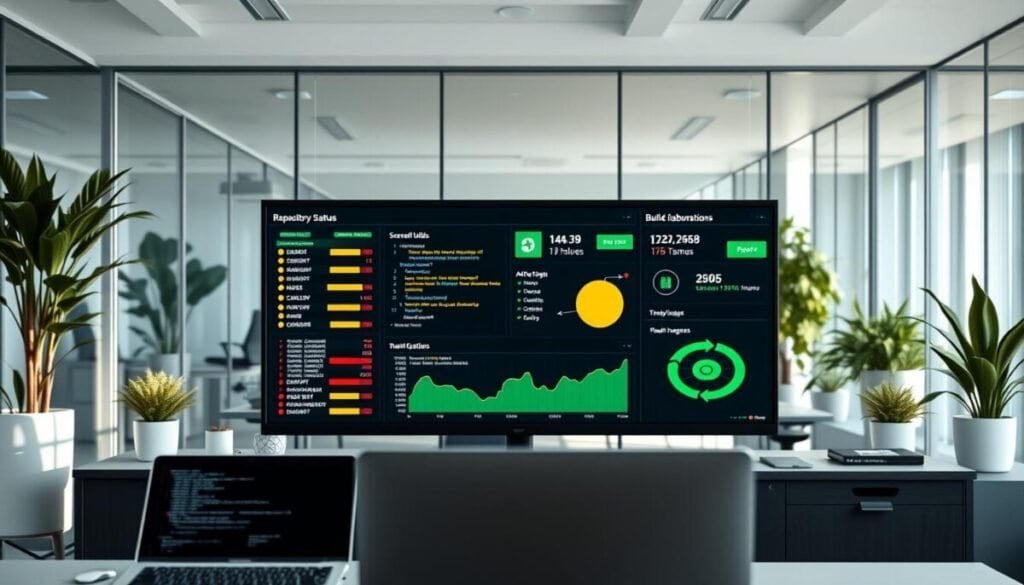
We track commit build outcomes so every change meets our deployment standard. Reliable checks help us stop integration regressions before they reach the main repository.
Checking Build Status
We use the get_commit_build_status tool to view the exact status for any commit. That makes it easy to confirm if a request is safe to merge.
Frequent status checks let us spot flaky tests or failing runners fast. This reduces blocked requests and speeds review cycles.
Managing Pipeline Variables
The create_team_pipeline_variable tool keeps environment values consistent across our team. We store secrets and keys via the api so automation uses the same variables everywhere.
- We call get_hook_events to list valid events and ensure webhooks trigger the right flows.
- We use the API to manage variables and provide deployment support for complex environments.
- Scheduled runs and runner configs give the integration control we need for high-performance builds.
| Action | Tool / API | Benefit | Applies To |
|---|---|---|---|
| Check commit build | get_commit_build_status | Validate CI before merge | Individual commit in repository |
| Manage variables | create_team_pipeline_variable / API | Consistent env across pipelines | Team pipelines and runners |
| Configure events | get_hook_events | Correct webhook triggers | Automation and merge requests |
Leveraging Insights for Better Project Visibility
Timely insights from CI tools and issue logs let us find risks before they block releases. We pull get_code_insights reports to review code quality and security scan results.
These reports give clear results and actionable details about vulnerabilities, coverage gaps, and maintainability. We read each entry and mark the state of findings so teams know what to fix first.
We also monitor the pull requests activity log to follow the timeline of events for every change. That log helps us see who approved a change, when checks passed, and which requests still need work.
Using list_issues keeps our backlog clear. We filter issues by state, priority, or assignee to keep the right work visible. This helps us link issues to a feature and track progress end to end.
- get_code_insights shows scan results and detailed code findings.
- Pull requests log reveals the timeline for every request and approval.
- list_issues helps us manage the backlog and track issue state.
| Tool | Output | Benefit |
|---|---|---|
| get_code_insights | Scan results & code details | Prioritize fixes and reduce risk |
| Activity log | Pull requests timeline | Full visibility on approvals |
| list_issues | Filtered issue lists | Clear backlog and task state tracking |
Maintaining Security and Access Permissions
We run quick access audits to ensure every authenticated user has only the rights they need for each repository.
We use the get_user_permissions_for_repositories tool to check who can read or write a repository. This makes every request traceable and keeps permissions aligned to roles.
Our team enforces Zero Trust tokens via the BITBUCKET_CUSTOM_HEADERS environment variable so every request carries a secure token. That token-based authentication protects repository data across our workspace in the United States.
We also call get_user_workspaces to verify workspace-level policies. These checks let us apply consistent access rules and confirm that each authenticated user follows our security guidelines.
- Audit repository permissions regularly with get_user_permissions_for_repositories.
- Protect every request using Zero Trust token headers for strong authentication.
- Use get_user_workspaces to enforce consistent access and role policies.
| Action | Tool | Benefit |
|---|---|---|
| Audit access | get_user_permissions_for_repositories | Correct permissions for each user |
| Secure requests | BITBUCKET_CUSTOM_HEADERS (token) | Strong authentication for repo calls |
| Manage workspace rules | get_user_workspaces | Consistent access and compliance |
Transforming Our Development Workflow for the Future
Bringing automation into everyday tasks changed how we plan, review, and finish development work.
We transformed our development workflow by folding advanced tools into daily routines. This shift makes pull requests faster to triage and clearer to act on.
Our team keeps refining how we handle pull requests so collaboration stays efficient and high quality. That focus helps everyone spend less time on admin and more time on meaningful development.
We believe this automated approach will boost long-term productivity and set a strong foundation for future projects across the United States. Our commitment to a modern workflow keeps our work competitive and sustainable.



