Is your phone’s connector feeling unusually warm when you plug it in? That small heat can be normal, but it can also warn of real problems. You should know the difference so you can act fast and protect your device.
Most chargers generate some warmth as they convert power. Mild warmth during use is common. Excessive heat around the charging port or cable can mean a bad charger, worn contacts, or a failing battery.
We will show you simple signs that point to overheating and when you must stop use. Follow clear steps to test your charger and decide if a replacement or repair is needed.
Key Takeaways
- Minor warmth is usually normal; extreme heat is a safety risk.
- Faulty chargers or damaged cables often cause overheating.
- Stop using the device if you see smoke, melting, or burning smells.
- Test with a known-good charger before replacing the device.
- Professional repair helps if port damage or battery faults appear.
- Regular checks extend battery life and keep your setup safe.
Understanding Why Your Charger Gets Warm
Most phone chargers produce some warmth while they run. This happens because internal transformers change AC from the outlet into DC that your phone needs. That energy conversion naturally creates heat as a byproduct.
The Role of Transformers
Every phone power adapter uses a transformer and other components to regulate power. These parts handle current flow and can make the case feel warm when they work hard.
Why Electricity Gets Hot
Electricity produces heat through resistance and small circulating currents inside metal parts. The more current the adapter supplies, the more noticeable the warmth becomes.
- High-power chargers push more current, so internal parts run hotter.
- A phone charger may get hot during heavy use, but it should never be uncomfortably hot.
- If your charger gets hot often, internal components may be stressed and need checking.
Watch the warmth and compare with manufacturer guidance. For a full troubleshooting walkthrough, see our smartphone overheating guide.
When a Charging Port Hot to Touch Becomes a Safety Hazard
Excessive heat from a phone power adapter should trigger immediate caution. A warm charger can be normal, but strong warmth often signals a bigger risk.
- A very hot charger can melt plastic and expose wires, creating a fire risk in many cases.
- Counterfeit chargers and cheap chargers lack safety features; this raises risk in real cases.
- Continuing use of an uncomfortably warm unit can cause battery damage, swelling, or leaks.
- Overheating can send unstable power to your phone and cause internal failures or sudden shutdowns.
- If a charger cable or adapter shows burn marks, unplug it immediately to avoid short circuits.
Act fast. If you ever see smoke, melting, or a burning smell, stop use and unplug the charger. Replace the unit and avoid continuing use until you have a known-good phone charger or professional inspection.
Distinguishing Between Normal Warmth and Overheating
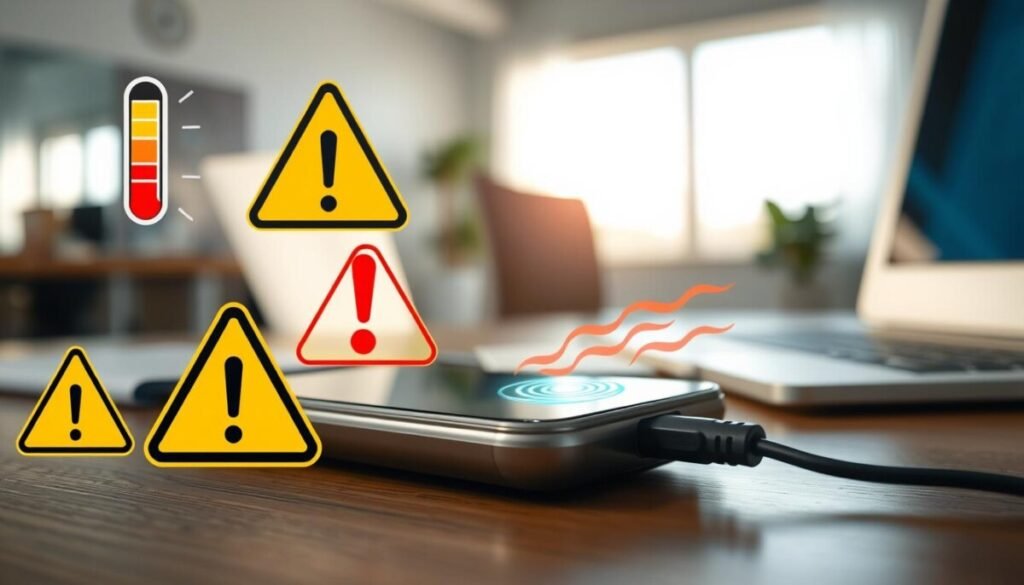
Quick checks can help you tell normal warmth from a real overheating risk. Look closely and act when you see clear warning signs.
Warning Signs of Melting or Discoloration
Watch for these five red flags:
- The charger get hot enough to cause pain or leave a mark.
- Any strange burning smell or visible melting on the plastic case.
- Unusual sounds such as buzzing or clicking while it runs.
- Sudden charging failures or the phone disconnecting repeatedly.
- Warping, swelling, or clear discoloration on the surface.
If you spot melting or a scorched mark on the metal near the port, treat that as a major sign. Stop using the unit and swap it for a known-good phone charger.
| Symptom | Likely Cause | Immediate Action |
|---|---|---|
| Too hot on touch | Internal fault or overload | Unplug and replace |
| Burn smell | Melting insulation | Do not use, discard safely |
| Buzzing sounds | Component stress | Stop use and test with spare charger |
| Charging stops | Overheating or bad contact | Inspect cable and battery |
Bottom line: A charger might feel slightly warm during normal use, but if it gets hot or shows damage, treat it as overheating. Early checks protect your battery and reduce fire risk. Keep an eye on warmth and replace faulty units without delay.
Troubleshooting External Factors Like Cables and Adapters
Start by isolating external parts like the adapter and cable to find what’s creating extra heat. This helps you pinpoint the problem fast and avoid needless repairs.
Testing Alternative Chargers
Try a known-good charger that matches your device’s power needs. If your device still gets warm, the issue may be internal.
If the problem stops with a different charger, the original adapter likely fails. Replace it with a certified model.
Identifying Faulty Cables
Inspect the cable for frays, kinks, or exposed wires. A damaged cable often causes overheating and inconsistent power delivery.
Swap the cable with a quality one that supports the correct power rating. Many problems clear up after a single change.
Quick checklist
- Test with another certified charger.
- Look for visible cable damage and bent connectors.
- Match cable specs to your device’s power output.
- Isolate cable and adapter to find the failing part.
| Component | Common Fault | Action |
|---|---|---|
| Adapter | Undersized or failing transformer | Test with a higher-rated, certified adapter |
| Cable | Frayed wires or bad contacts | Replace with a matched, high-quality cable |
| Connector | Loose or bent pins | Inspect and replace cable or seek repair |
Inspecting Your Device for Dirt and Debris
Tiny debris inside a phone inlet can block proper contact and push a charger to work harder. Dirt and lint raise resistance and can cause extra heat during the charge cycle.
Shine a light into the port on your phone to check for lint or dust. If the connector does not seat snugly, dirt is often the cause.
Use compressed air or a soft brush to clear out buildup. Compressed air is safest for USB-C since it avoids poking at delicate pins.
- Avoid metal tools. They can damage contacts and make the problem worse.
- If the cable still fits loosely after cleaning, test with a known-good cable or charger.
- Keep the opening clean; that helps your charger stay cool and your device run efficiently.
| Symptom | Likely Cause | Action |
|---|---|---|
| Loose connection | Dirt or lint blocking contact | Blow out with air, brush gently, retest |
| Excessive warmth | Higher resistance from debris | Clean inlet and try another charger |
| Poor fit with cable | Buildup at entrance | Remove debris, inspect cable ends |
| Intermittent power | Dirty contacts or bent pins | Clean carefully; seek repair if pins are bent |
The Dangers of Loose Connections and Physical Damage
A poor connection often concentrates current at a single point and creates serious damage quickly. That focused flow raises heat and wears down metal parts. You should act fast if your phone or charger shows any unusual signs.
Round Terminal Issues
Older round terminals can loosen with repeated use. A wobble lets electricity jump across a tiny gap and burns contacts.
That stress can harm internal components or the battery over time. If the surface looks discolored or warm, stop using the charger and replace the cable or adapter.
USB-C Port Instability
USB-C pins are compact and can bend or collect lint. Bent parts cause unstable power delivery and intermittent charge cycles.
Do not poke pins with metal tools. If a cable only works at one angle, test with a known-good charger and consider professional repair.
The Risks of Forcing Connections
Never force a plug into a socket that feels loose. Forcing can bend or break internal parts and make damage worse.
Using tape or paper to hold a plug in place is unsafe and can lead to overheating or fire. Instead, support the cable so it does not pull on the device and replace damaged parts promptly.
- Loose connection concentrates electricity and creates heat at one point.
- Continuing use at an angle increases risk of full failure.
- Proper support for a charger cable prevents mechanical wear.
| Issue | Likely harm | Action |
|---|---|---|
| Wobbly round terminal | Burned contacts, poor power flow | Replace adapter, inspect device |
| Bent USB-C pins | Unstable power, charging failures | Stop use, seek repair |
| Forced connection | Broken parts, overheating | Do not force; replace cable |
For user reports and community tips, see this discussion thread on common connector problems.
Best Practices for Safe Charging Habits
Smart habits around where and how you power devices help prevent overheating and extend battery life.
Place your charger on a hard, flat surface so air can flow under the adapter and stop trapped heat. Avoid pillows, blankets, or soft cases that block air and raise risk.
- Use trusted brands and certified chargers; they include safety features that reduce failure and overheating.
- Keep the area free of dirt and lint; a clean surface helps your charger cable and phone stay cool.
- Unplug a phone charger when idle to prevent needless heat buildup and save its lifespan.
Pro tip: High-capacity systems like the EcoFlow DELTA 3 Plus offer stable power and surge protection. Its X-Core 3.0 tech, 1800W continuous output, and
For actionable tips on safe use, see our phone charging tips.
When to Seek Professional Repair Services
Persistent warming after testing signals you should get professional service. If you swapped the charger cable and cleaned the port but the phone still gets warm, stop DIY checks and book an inspection.
A technician can spot internal issues that are easy to miss. A steady burning smell or visible discoloration on the phone port is a clear sign an expert should open the device and inspect wiring, connectors, and the battery.
If your phone fails to hold power or shuts down without warning, a trained repair shop can test the battery and confirm whether port damage is the root problem. Contact the manufacturer if the charger is under warranty for a safe replacement.
- Do not attempt internal repairs yourself; that risks electrical harm and further damage.
- Continuing to use a damaged connector often causes worse failures and higher repair bills.
- A qualified tech can tell if the overheating stems from a failing battery or a damaged charging contact.
| Symptom | Likely cause | Recommended action |
|---|---|---|
| Device keeps getting hot | Internal short or failing battery | Stop use; seek professional diagnostic |
| Burning smell or discoloration | Melted insulation or burned contacts | Unplug and have a technician inspect immediately |
| Phone won’t hold power | Battery degradation or port damage | Test battery and connectors with repair service |
| Intermittent connection | Loose or damaged cable contact | Replace cable; if issue continues get pro help |
Conclusion
Protect your phone and home by watching for clear warning signs, and act quickly if a charger or cable shows extreme heat or a burning smell.
Minor warmth during normal use is common, but serious heat and visible damage are not. Stop use at once when you see those signs and unplug the unit.
Inspect cables and the port regularly and choose quality chargers and certified power supplies. If problems persist after basic checks, seek professional help to avoid further damage.
Stay cool and stay safe. A small check now saves time and keeps your technology running longer.



