Frustrated? Have you tried to change a contact digit on your profile and hit a block that makes no sense?
You’re not alone. Many U.S. users find their account rejects a new phone number, or verification codes never arrive. This guide gives a clear plan with fast checks, safe workarounds, and escalation paths that cut wasted time.
We map how your facebook account stores a phone number and email, why recent password or settings changes can pause edits, and which page controls contact details. You’ll learn when to add phone versus replace an old facebook account entry, how to confirm via code, and what to do if texts never come.
Follow a simple checklist to verify format (+1 for U.S.), try web vs. app, and collect screenshots before contacting support. If basic steps fail, use this resource to escalate through the Help Center path and speed resolution.
Key Takeaways
- Check formatting and signal before repeating steps.
- Use Settings → Mobile to add phone or add phone number.
- Try web browser if the app blocks changes; clear cache first.
- Gather screenshots and account details before contacting support.
- Expect most changes to resolve within 24–48 hours; escalate if not.
Why your phone number won’t update right now
A mix of security rules and data conflicts usually causes failed edits to your contact details. Small mismatches can trigger automated blocks. Below are the common reasons and quick checks.
Number already linked to another facebook account
If the contact line is tied to a different profile, the system blocks reuse. Remove the entry there or reclaim that profile first.
Old number still on a linked account
An old line on an inactive or secondary profile can clash. Detach that entry before adding the new one.
Account security holds and verification
Recent password reset, unusual login, or account locked states can delay edits for 24–48 hours. Codes also expire or fail if carriers block SMS.
- Format: Use +1 and the 10-digit US sequence.
- Limits: Pause after several attempts to avoid temporary locks.
- VoIP/temporary lines: These often fail automated checks.
Document device, carrier, and exact messages before contacting the help center; that improves answer views and speeds resolution.
facebook won’t let me update my phone number: common reasons and quick checks
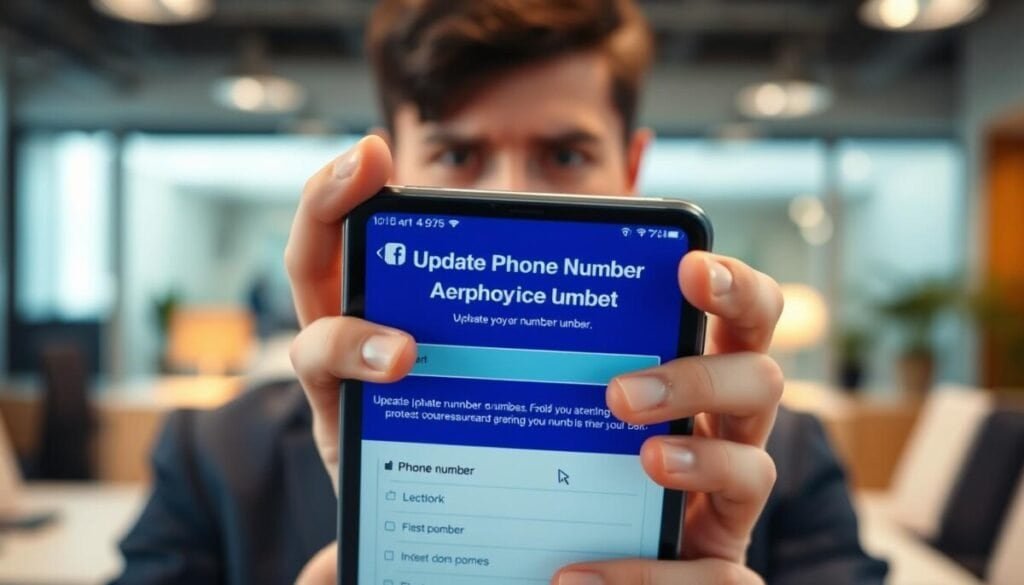
Begin with a targeted scan: see whether the mobile entry is already tied to another profile. A reused line causes immediate blocks and is simple to verify with a password reset check.
Old entries and linked accounts. Open Settings and remove any duplicate contact lines. An old facebook account or a secondary profile can lock edits until you clear that record.
Security holds and verification problems. Recent password changes, unusual login alerts, or an account locked state can pause edits for 24–48 hours. If confirmation codes do not arrive, reboot the device, toggle airplane mode, or try voice delivery.
- Use U.S. format: +1 and 10 digits; avoid punctuation.
- Pause after multiple attempts to avoid rate limits recorded in your facebook account log.
- Avoid VoIP or disposable lines; use a carrier plan that accepts short codes.
- Scan email for alerts that explain policy flags and next steps to confirm identity.
If quick checks fail, capture screenshots, timestamps, and the exact email messages. Those items speed any support review and make escalation via our account access issues guide more effective.
Step-by-step fixes to add a new phone number and confirm it
Follow these clear, ordered steps to add a new contact and confirm it in your account. Start in Settings and move methodically to avoid locks or conflicts.
Start from Settings: where to add or replace
Open Settings → Personal Details → Contact. Choose add phone or select the old entry to replace it.
Use the login page if you can’t sign in
If you lose access, use the facebook login page recovery flow. Try email, password reset, or the secure ID upload to regain control before changing contact data. If you encounter issues with your payouts, it’s crucial to address these promptly. To fix facebook payout method problems, check your payment settings and ensure that all information is up to date. Additionally, confirming your identity may help in resolving any discrepancies that could affect your payment processing.
Enter format and request the confirmation code
- Delete the old one if it conflicts, then choose add phone number.
- Enter +1 and the 10-digit sequence with no spaces or punctuation.
- Request the confirmation code and enter it immediately.
Did not receive the code?
Hit resend once, opt for a voice call, then check carrier blocks and short-code support. Move the SIM to another device to test delivery.
| Issue | Quick fix | When to escalate |
|---|---|---|
| Old line tied to another account | Recover that facebook account or remove the entry | If recovery fails after 24–48 hours |
| No confirmation code | Resend, request voice, test SIM on another device | After two failed attempts and carrier checks |
| Account locked or rate-limited | Pause actions, review account log, wait the cooldown | If locks persist beyond 48 hours |
| Identity required | Use clear ID scan and matching account info | If the secure upload repeatedly rejects files |
After success, update email, change your password, and enable two-factor. Document timestamps and error text for any future support request or the forgot password flow.
When Facebook still won’t accept your number: next actions
Still blocked? Focus first on recovering any old facebook account that may hold the phone number. Use known emails, past passwords, and an ID scan to detach the entry. That often resolves reuse conflicts fast.
Open a structured escalation: capture page screenshots, exact timestamps, and the account log entries. Submit an in‑product report, then follow the Help Center path and include your email, device, carrier, and whether you tried a new number or a new phone.
If you continue to not receive the confirmation code, contact your carrier to check short‑code routing. As a fallback, keep two verified recovery channels, rotate your password, and enable app‑based two‑factor until the risk flags clear.
Report the issue with full screenshots and timestamps to speed review.