
Can one scheduled block change the outcome of an entire sales day?
Command the calendar —set a recurring block in HubSpot to enforce focused prospecting and preserve daily execution.
Define the objective for the block. Allocate segments for research, outreach, and follow-up. Track contacts and leads during the session.
Configure the prospecting agent in under 30 minutes — automate repetitive messages and workflows. Use CRM data to stage eight touchpoints for each lead.
Prioritize high-value tasks—email drafts, calls, website analysis, and account review. Log every interaction to improve engagement metrics and results.
Key Takeaways
- Block a calendar slot to systematize daily outreach and tasks.
- Configure the prospecting agent quickly to enable automation of messages and workflows.
- Plan eight touchpoints per lead—measure engagement and follow-up cadence.
- Use CRM data to track contacts, accounts, and deal progression.
- Focus on personalization and high-value deals during the dedicated block.
The Strategic Importance of Dedicated Prospecting Time
Establish a disciplined schedule that converts outreach activity into predictable pipeline.
Commit to a daily block to focus on research, calls, and email sequences. One structured session reduces task switching and increases contact conversion.
Data-driven teams gain leverage. Seventy-eight percent of sales professionals report improved sales and marketing alignment when CRM is central to workflow. Use that alignment to prioritize high-intent leads and preserve deal velocity.
Schedule outreach around peak windows. A 2025 survey of 379 sales professionals finds Tuesday yields the highest cold-call connection rates. Balance calls with concise emails to maintain cadence and value.
- Manage contacts and company data—derive insights that shape daily tasks.
- Prioritize research before contact—quality research increases reply rates and deal value.
- Standardize the routine—consistent prospecting habits build pipeline stability.
Adopt automation where applicable. Learn how digital tools streamline outreach via a guide on digital marketing automation.
How to Block HubSpot Prospecting Time in Your CRM Calendar
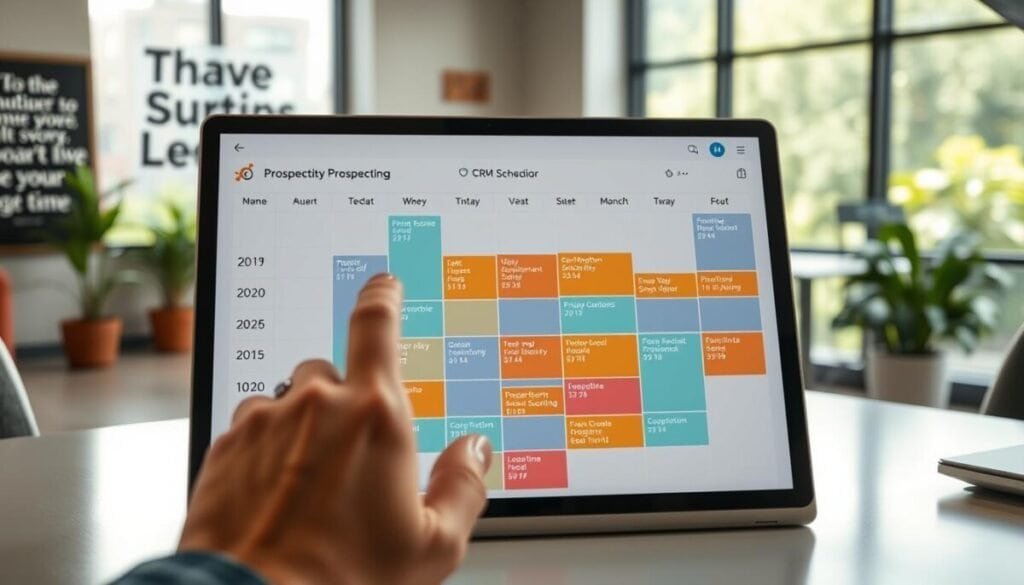
Create a protected calendar entry that prevents scheduling conflicts during core outreach sessions.
Configure calendar settings to mark the block as busy. Set recurrence for each day that requires dedicated sales focus. Reserve segments for research, calls, and follow-up tasks.
Configuring your calendar settings
Connect the company calendar and set visibility to busy for the chosen window. Restrict meeting links and automate declines for nonessential invites.
- Protect the block—prevent double-booking and preserve focus for high-priority leads.
- Associate tasks—link each lead and contact to a specific outreach task inside the event.
- Standardize the process—apply the same block across the sales team for consistent execution.
Syncing your email availability
Connect a personal email account to enable the hubspot prospecting agent to send messages. This step is mandatory for automated emails and avoids misaligned sender identity.
Sync availability so the CRM schedules sends when prospects are most likely to respond. Validate SMTP and deliverability settings to reduce spam classification.
| Step | Action | Outcome |
|---|---|---|
| 1 | Connect account | Agent can send messages |
| 2 | Set calendar busy | Protected prospecting window |
| 3 | Associate tasks | No lead forgotten |
Identifying the Optimal Windows for Sales Outreach

Pinpoint the daily windows that yield the highest contact conversions and schedule outreach accordingly.
Analyze peak connection times and align calendar blocks with observed patterns.
Analyzing peak connection times
Data shows late morning—10 AM to 12 PM—produces the highest connection rates for cold calls. Reserve core prospecting blocks in that window.
Fridays deliver the weakest results. Only 7%–12% of sales professionals report success on that day. Avoid heavy outreach on Fridays when possible.
- Test multiple windows—verify the optimal number of attempts per prospect across the day.
- Track results—use CRM tools and the hubspot prospecting feature to record outcomes and refine outreach strategy.
- Example—calling at 11:30 AM often outperforms early-morning attempts when buyers plan their day.
- Research contacts—prioritize windows when prospects have bandwidth for live conversation or to open emails.
| Window | Recommended action | Expected results |
|---|---|---|
| 10:00–11:00 AM | Calls and live outreach | Higher connection rate |
| 11:00–12:00 PM | Calls + follow-up emails | Peak conversions |
| Friday | Light follow-up only | Low response (7–12%) |
Consistently analyze outreach data. Adjust the number of attempts and sequence to increase success and improve long-term results. For automation best practices and sequencing, consult a practical guide like the LinkedIn automation guide.
Leveraging Automation to Enhance Your Prospecting Workflow
Use AI-driven sequences to adapt messages when a prospect signals engagement.
Automate routine tasks—send emails, schedule calls, and enroll new contacts into sequences without manual steps.
Configure the hubspot prospecting agent to monitor replies and adjust the outreach sequence automatically. This reduces repetitive work and preserves focus for high-value sales actions.
- Set enrollment rules—new leads enter the right workflow immediately.
- Enable adaptive pauses—suspend messages when a prospect responds.
- Route hot prospects to live follow-up—prioritize calls and personalized emails.
Data-driven teams gain measurable lift—teams using AI to map buyer stages are 52% more likely to exceed targets.
| Capability | Action | Benefit |
|---|---|---|
| Automated enrollment | Add contacts by rule | Immediate follow-up |
| Adaptive sequences | Pause or advance on reply | Higher engagement |
| Task automation | Auto-create calls and email tasks | More efficient day |
Integrate automation into daily workflows and consult implementation notes—see the community guide on how the prospecting agent delivers and an overview of digital marketing automation.
Essential Tools for Managing Your Daily Outreach Tasks
Select the software and workflows that consolidate daily outreach into a single, actionable dashboard.
Integrate CRM signals to convert raw contacts and account records into prioritized daily tasks.
Integrating CRM data
Connect contact fields, company records, and interaction logs. Use data to assign priority scores and schedule follow-up tasks.
Benefit: personalization improves reply rates. Use CRM insights to build relevant email and call sequences.
Using AI-powered assistants
Deploy AI to draft emails, suggest message variants, and surface high-value leads. 81% of sales professionals report AI reduces manual work; 82% report higher efficiency.
Example—trigger a tailored reply within the first hour to increase the chance of booking a meeting, per a 2025 CallHippo report.
Managing contact lists
Maintain segmented lists—by lead score, account, or industry. Automate list refreshes to keep daily tasks relevant.
- Sync lists with the platform; flag hot leads for immediate calls.
- Use the hubspot prospecting tool to merge research and outreach into one workflow.
- Prioritize high-value contacts to focus the rep on deals and measurable value.
| Capability | Action | Outcome |
|---|---|---|
| CRM integration | Auto-prioritize contacts | Clear daily task list |
| AI assistant | Drafts and templates | Faster responses |
| Contact management | Segment & refresh | Higher conversion |
Refining Your Approach Based on Performance Data
Measure conversion rates by campaign and isolate variables that influence outreach outcomes.
Record baseline metrics—conversion, engagement, calls, and reply rates. Compare cohorts across campaigns. Identify patterns tied to list segments and message variants.
Use data to benchmark performance. Note that 35% of sales teams convert at 2–5%. Top performers exceed 20% conversion. Set realistic targets and iterate toward upper-percentile results.
Track call frequency. Research shows most successful conversations occur by the third call attempt. Apply a disciplined cadence—document attempt number and outcome for each lead.
- Monitor every campaign—log engagement metrics and adjust sequencing.
- Personalize at scale—use research-driven variables to increase reply rates.
- Refine channels—compare calls versus email for each list segment.
Enable the hubspot prospecting agent to capture engagement signals. Use those insights to pause, advance, or reassign leads in real time.
For implementation guidance on automation sequences and best practices consult a practical automation guide. Continuous review of results yields systematic improvement and predictable pipeline growth.
Maximizing Your Sales Pipeline Through Consistent Habits
Build a repeatable daily routine that channels outreach into measurable pipeline growth.
Enforce consistent prospecting blocks and document each activity. Log calls, emails, and follow-ups to create a traceable workflow. This practice standardizes execution and reveals performance trends.
Reserve specific time slots for hubspot prospecting and focused follow-up. Align the calendar with priority lists to prevent task drift. Maintain a steady outreach rhythm to keep opportunities flowing.
Use CRM tools and a single analytics tool to merge activity and results. Drive decisions with data—adjust cadence, message variants, and target lists based on outcomes.
Commit to disciplined habits. Track performance and refine routines. Success in sales arrives from cumulative, repeatable actions—not isolated efforts.