
, Are you sure your current system stops oversells and wasted cash on slow movers?
You need clear visibility into what sells, what is low, and what to reorder. This guide shows how the right software gives that view and cuts refunds.
We focus on real options you can try today. You will learn about AI forecasting and automated replenishment, simple barcode scanning apps, and POS-linked systems that sync online and in-store sales.
EasyReplenish is strong on forecasting. Zoho Inventory has a free tier and shipping label support. inFlow makes mobile scanning easy. Square for Retail, QuickBooks Commerce, and Lightspeed each solve common stock and fulfillment gaps in different ways.
Connect channels, import products, and enable barcodes. Then match features to your daily workflows so you pick a lasting solution. If you want a practical comparison, check this financial management guide to see how systems link with accounting.
Key Takeaways
- Real-time visibility prevents oversells and frees up cash.
- Look for multi-channel sync, automated reordering, and barcode support.
- Entry-level and advanced options fit different growth stages.
- Choose software that matches your daily sales and fulfillment steps.
- Right-fit solutions reduce manual work and improve customer satisfaction.
Why inventory software matters now for small e-commerce brands in the United States
When sales span marketplaces and a retail counter, spreadsheets quickly fall short and errors multiply. You need a central system that keeps listings accurate across Shopify, Amazon, and your POS.
Modern inventory management replaces manual updates with real-time syncing. That prevents oversells and gives you a single view of stock and sales. Automation handles reorder alerts and reduces time spent fixing mistakes.
You gain better cash flow when forecasting tells you what to reorder. Forecasting cuts excess stock and stops cash from sitting in slow movers. Free apps work for micro sellers, but paid software scales as your channels and order volume grow.
- You prevent overselling across channels and keep availability accurate.
- Automation saves time by handling reorders and updates.
- Forecasting avoids stockouts and lowers excess stock.
- Real-time sync reduces manual reconciliation and delays.
- Better tracking improves fulfillment and customer experience.
Choose a solution that matches daily operations. The right system integrates with sales channels, gives actionable data, and scales so your business does not outgrow its tools. Evaluating various options is crucial, and conducting a nocode database tools comparison can help you identify which system best meets your unique requirements. Look for features that support not just current needs, but also future growth potential. Making an informed choice will empower your team and streamline processes, enhancing overall efficiency.
How to choose the right tool for your business needs and sales channels
Choose software that matches your sales channels and daily workflows. Start with a clear list of what you must support: online stores, marketplaces, and a POS. Then map those needs to pricing tiers and core features.
Budget and total cost of ownership. Compare free plans to paid tiers. Factor user seats, locations, order volume limits, and add-on fees. Forecasting and automation like EasyReplenish often justify higher pricing by cutting manual work.
Integrations that matter. Confirm native integration with Shopify, Amazon, QuickBooks, and your POS. Built-in shipping links and accounting sync prevent reconciliation headaches and keep your data clean.
Ease of use and mobile workflows. Choose a platform with simple setup and mobile barcode scanning so staff update stock on the floor. Role-based access lets you limit views and reduce errors.
- Compare features: batch/serial tracking, barcode tools, reorder points, and reporting.
- Check data portability and import options before you buy.
- Match platform depth with your current needs so you do not overpay.
Editor’s picks at a glance: best-in-class tools by use case
This quick lineup shows the best platforms by common use cases so you can match capabilities to your day-to-day needs.
Best overall automation for SMB e-commerce
EasyReplenish leads with AI-powered demand forecasting and automated replenishment. It creates dynamic reorder points and syncs across multiple channels to cut stockouts and wasted cash.
Best budget-friendly suite
Zoho Inventory supports Shopify, Amazon, and eBay and includes built-in shipping labels. A free tier makes it easy to start without large up-front costs while keeping multi-channel sales accurate.
Best for barcode workflows and ease of use
inFlow is simple to learn and strong on mobile barcode scanning. Small teams get fast setup, easy scanning, and a B2B showroom for quick order and invoicing flows.
Best for POS-driven retailers
Lightspeed Retail and Square for Retail focus on in-store speed. Lightspeed handles variants, bundles, and multi-location reporting. Square offers a free plan with POS-linked stock alerts and quick setup.
How to choose: match tracking and scanning strengths to your channel mix. Prioritize integrations so orders flow smoothly from sale to fulfillment. Weigh pricing against feature depth to fit your current stage and growth path.
Inventory Management Tools for Small E-commerce Businesses
Compare how leading platforms predict demand and keep stock balanced across sales channels. The short profiles below help you match features to daily operations and pricing limits.
EasyReplenish
AI demand forecasting with automated replenishment and dynamic reorder points. Syncs across channels so you reduce stockouts and excess stock.
Zoho Inventory
Multi-channel selling with built-in shipping labels, batch and serial tracking, and reorder alerts. A free tier helps low-volume sellers test workflows.
inFlow Inventory
Simple setup, mobile barcode scanning, and clear order and invoice workflows. Includes a B2B showroom and basic reporting for wholesale flows.
Square for Retail
Free and low-cost POS-linked platform with low-stock alerts and barcode support. Good if you need tight POS integration and fast setup.
QuickBooks Commerce
Real-time stock tied to accounting. Use this if you want unified books, multi-channel sales, and a B2B portal that keeps financials aligned.
Lightspeed Retail
Handles variants, bundles, purchase orders, and multi-location stock. Strong POS and ecommerce reporting for stores that need advanced fulfillment tracking.
- Compare demand forecasting and automated replenishment to avoid lost sales.
- Match barcode scanning and receiving workflows to your picking and packing steps.
- Evaluate pricing and plan limits so features fit your growth stage.
More strong contenders to compare before you buy
Review these contenders when your workflows need stronger automation, shipping discounts, or manufacturing features. Each platform brings distinct capabilities so you can match system depth to your growth needs.
Quick vendor highlights
BlueTally blends asset and stock tracking with custom fields and SOC 2 security. It supports kits, low-stock alerts, and a comprehensive free plan.
Cin7 / Cin7 Core offers end-to-end operations with forecasting, automation, and 700+ integrations for multi-location control.
Ordoro aggregates orders across channels, handles kitting and bundling, and delivers discounted carrier rates to lower fulfillment costs.
Katana is manufacturing-first. It manages MRP, BOMs, and order prioritization with real-time updates that keep production on schedule.
Veeqo provides free multichannel sync and strong shipping integrations, useful when you want real-time sales and shipping alignment.
Finale Inventory emphasizes a robust mobile barcode scanner app and proactive procurement to prevent stock gaps.
Fishbowl integrates deeply with QuickBooks and Xero and supports warehousing plus light manufacturing workflows. Additionally, Fishbowl offers robust inventory management features that streamline operations for businesses of all sizes. With the rise of e-commerce, companies can also leverage TikTok marketing tools for businesses to enhance their online presence and engage with a broader audience. This integration allows for seamless management of inventory while capitalizing on trending platforms for marketing effectiveness.
Unleashed lets you run unlimited warehouses and adds BI dashboards for clearer sales and stock analytics.
Odoo Inventory brings smart restocking and ERP-level customization. The Community edition offers a no-cost path to advanced workflows.
NocoBase is an open-source, no-code option. Use plugins to build bespoke workflows when you need flexible, homegrown systems.
- Compare forecasting, MRP, and BI so capabilities match your operations.
- Evaluate multi-warehouse support, barcode depth, and analytics as volume grows.
- Factor integrations with QuickBooks, Shopify, Amazon, and 3PLs so orders, stock, and shipping stay aligned.
- Consider pricing models and free plans like Veeqo and BlueTally to test before scaling.
- Prioritize security features such as SOC 2 when you handle sensitive data.
Pricing, plans, and scalability: aligning features with growth

Start by matching plan limits to your busiest months, not just today’s order counts. That keeps costs predictable and prevents sudden overages.
Free and entry-level options vs. mid-market capabilities
Free plans work when you run a single channel with low SKU counts. Zoho has a free tier; Square offers a free plan with a Plus tier from $60 per month per location.
Mid-market tiers add forecasting, multi-warehouse support, and advanced reporting. inFlow starts near $110 per month. Lightspeed begins around $89 per register. Cin7 and Finale target larger shops with higher starting fees.
User seats, order volume, locations, and hidden costs to watch
Check seat counts, order caps, and location limits. Hidden fees may include barcoding, advanced analytics, or extra integrations. Compare monthly and annual pricing and trial periods.
| Platform | Entry Price | Key paid features | When to upgrade |
|---|---|---|---|
| Zoho Inventory | $0 / paid from $59 | Multi-channel, labels, basic analytics | When orders or channels grow |
| Square for Retail | $0 / Plus $60 | POS sync, registers, stock alerts | If you add locations |
| inFlow | From $110 | Mobile barcode, order workflows | For barcode and packing speed |
| Lightspeed / Finale | $89 / $99+ | Multi-register, procurement, barcode tiers | When you need multi-warehouse control |
Tip: Estimate labor time saved by automation to justify upgrades. If you want a deeper look at accounting links and alternatives, compare with QuickBooks alternatives.
Free inventory tools vs. paid software: where each fits in your growth journey
Free plans can be a smart starting point when you run one sales channel and keep SKU counts low. Square for Retail and Odoo Community handle single-location tracking, basic stock control, and simple pick-and-pack tasks. Veeqo is a notable exception that supports multichannel sales and shipping at no cost.
When a free plan is enough
Choose free when you sell on one site, carry limited SKUs, and ship manually. Setup is fast and pricing is zero, so you avoid early costs. This approach is particularly beneficial for those just starting out or testing the waters in the digital marketplace. If you’re wondering where to sell ebooks, platforms that allow for easy listings and low overhead can be ideal choices. By focusing on a select range of products, you can streamline your efforts and maximize your chances for success.
Where free falls short
Free tiers often lack forecasting, limited automation, and real-time sync across channels. Support is usually minimal. That increases risk of stockouts and slow fulfillment as orders rise.
Calculating ROI
Compare pricing and costs against fewer stockouts, lower overstock, and saved team hours. Paid options like EasyReplenish and Zoho add forecasting and multi-channel sync that reduce errors and improve cash flow.
- Start free, move up: test workflows, then upgrade as channels and order volume grow.
- Measure impact: track fill rate, stock turns, and backorder rates to justify upgrades.
- Plan for consistency: pick systems that keep data aligned across sales, shipping, and fulfillment.
Implementation roadmap: fast setup tips for real-time inventory
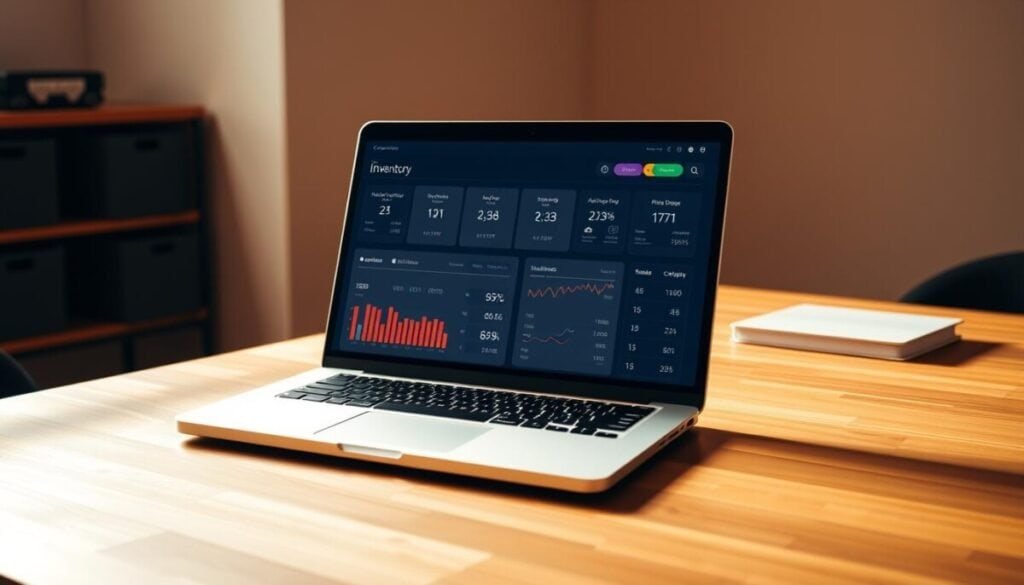
Start your rollout by cleaning product records so every SKU behaves predictably in sync. Fix SKU formats, standardize units, and collapse duplicate variants. Clean data makes imports and tracking reliable.
Import products and past orders in small batches. This seeds reorder logic and helps early reports stay useful. Use CSV templates the software provides and verify totals before you go live.
Data imports and barcoding best practices
Set clear label formats and enable mobile barcode scanning to speed counts. inFlow can generate barcodes and scan via phones. Finale adds location and sublocation scanning for cycle counts.
Zoho supports batch and serial tracking and easy imports. Test picks, packing, and returns so exceptions are caught early.
Integration sequencing: ecommerce → POS → accounting → shipping
Connect sales channels first, then link your POS, next sync accounting, and finally enable shipping integrations. This order keeps data flowing one way and avoids reconciliation loops.
- Enable low-stock alerts and automated reorder points.
- Train staff on mobile workflows and role permissions.
- Schedule cycle counts and audits with scanners.
| Step | Action | Example software | Benefit |
|---|---|---|---|
| 1 | Data cleanup & import | Zoho, QuickBooks Commerce | Accurate reports and seeded reorder logic |
| 2 | Barcode setup & testing | inFlow, Finale | Faster counts, fewer picking errors |
| 3 | Integration sequencing | Veeqo, QuickBooks Commerce | Reduced reconciliation and faster orders |
| 4 | Live tests & staff training | Any chosen software | Reliable operations and fewer exceptions |
Tip: If you need a quick comparison of online options versus spreadsheets, read this online tools vs Excel for restaurant to see how systems link with accounting and shipping.
Your next step to streamline operations and boost sales
, Pick two or three platforms and run hands-on tests with a live store. Connect EasyReplenish to see AI forecasting in action. Try Zoho’s free tier to validate basic sync. Test inFlow or Square to check barcode and POS flows that save time.
Measure saved hours, error reduction, and changes in fill rate. Compare pricing and how each software links to accounting and shipping. Favor solutions that offer demand forecasting and automation if growth matters to your business.
Quick wins: enable low-stock alerts, set barcodes, and run cycle counts. Track backorders, cycle count accuracy, and customer fill rates to judge ROI. Move forward when a platform proves it streamlines operations and protects the customer experience.