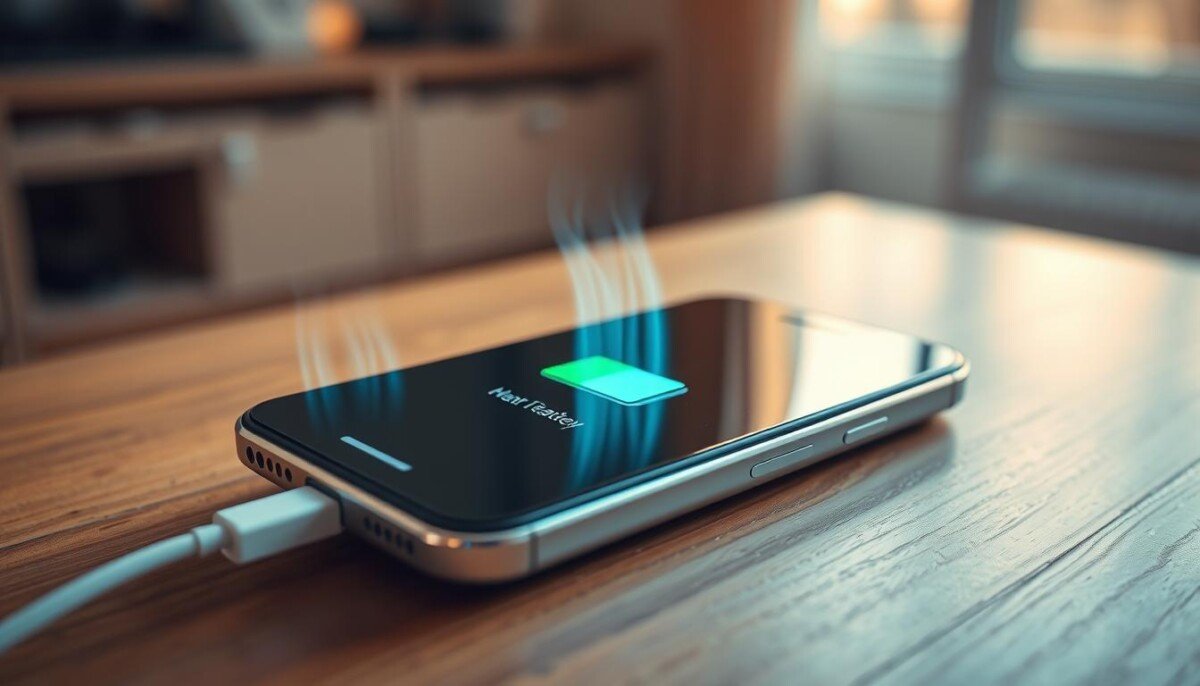
Does your phone feel like a small heater when it’s plugged in? That sudden warmth can make you pause and wonder if the battery or the device itself is at risk.
Some rise in temperature is normal during fast power top-ups. But an extreme spike can signal overheating, a software bug, or a failing charger that shortens battery life.
At iPhone Repair 4 Less in Lafayette, technicians diagnose most cases quickly. Many fixes take under an hour and include a 1-year parts warranty. Understanding causes helps you act fast and protect performance.
We will show clear steps to spot danger, manage temperature, and apply proven fixes. If you want a deeper troubleshooting checklist and practical tips, see our guide on smartphone overheating causes and fixes.
Key Takeaways
- Minor warmth can be normal; sharp spikes need attention.
- Software and charger faults often cause excessive heat.
- Quick diagnostics can fix most issues in under an hour.
- Follow habits that limit temperature to extend battery life.
- Professional repairs often include a parts warranty for peace of mind.
Understanding Why Your iPhone Gets Hot While Charging
All batteries produce warmth as they accept power, but notable temperature rises signal a deeper problem. A modest rise in heat is normal during a power fill. Excessive warmth, however, points to an issue you should check.
Heavy multitasking or running graphics apps while the phone is plugged in raises processor load. That extra work increases internal heat and speeds wear on the battery.
Environmental factors matter too. Direct sun or a hot car stops the device from shedding heat. Combined with a weak charger, this makes overheating more likely.
Software bugs or an outdated OS can force the processor to run hard, creating persistent problems with overheating during daily use. Identifying the root cause prevents long-term damage to internal parts and preserves battery health.
When your phone feels uncomfortably warm, stop charging and inspect usage and hardware. Understanding these basics helps you act quickly and keep the device safe for years.
The Science Behind Battery Heat Generation
Electric current flowing into a battery inevitably converts some power into heat inside the cell. That conversion explains why your phone sometimes gets warm during a refill.
Joule Heating and Energy Conversion
Joule heating means resistance inside cells and wiring turns electrical energy into thermal energy. This process generates heat whenever current flows, and higher current raises the rate of heating.
Demanding tasks like gaming or streaming push the processor and battery at the same time. The combined load can cause excessive heat and speed overheating if the system cannot shed that energy.
- Fast or wireless methods pass higher current, so more heat is produced than with slow charging.
- Built-in sensors monitor temperature and throttle current to protect the battery and device.
- Poor ventilation or a weak charger makes it harder for the phone to dissipate heat generated.
Common Culprits for Excessive Temperature Spikes
Using a stronger adapter speeds charging but often increases the heat the device must shed. That extra power helps refill the battery faster. It also raises the chance of overheating if the system cannot cool down.
Fast Charging and Adapter Quality
Adapters rated 30 watts or higher push more current than a typical 20-watt unit. That means faster fills, but more heat and a higher risk of overheating.
Non-certified cables or cheap chargers can deliver unstable voltage. This can cause your phone to get hot and create long-term battery issues.
Background App Activity
Apps that refresh constantly or use location services keep the processor busy. That background load adds to charging heat and shortens battery life.
Apple confirmed an iOS 26 bug that caused extra background work during setups and restores. If your phone spikes in temperature, check battery use to find the offending app.
- Quick fix: switch to a 20W adapter or MFi-certified accessories.
- Check: review battery settings for power-hungry apps.
- Prevent: avoid direct sunlight and thick cases during top-ups.
| Cause | Why it matters | Simple action |
|---|---|---|
| High-watt adapter | Increases current and heat | Use a lower-watt adapter for routine top-ups |
| Faulty cable | Delivers uneven voltage | Replace with MFi-certified cable |
| Background apps | Keeps CPU active during charging | Close or restrict apps in battery settings |
How to Tell If You Have a Software or Hardware Issue

If your phone warms oddly and won’t calm down after restarts, the cause may be more than a simple app bug.
Start with software checks. Update iOS, close background apps, and review Settings > Battery for any app that uses an outsized share of power.
Quick signs of a software issue:
- Overheating appears with specific apps and stops after you quit them.
- A restart or update temporarily restores normal performance.
- Battery drain spikes trace to one app in battery usage.
When hardware is likely: the phone stays hot after a factory reset, shuts down with a “needs to cool” message, or shows falling battery health under 80% in Settings > Battery > Battery Health & Charging.
| Symptom | Likely cause | Next step |
|---|---|---|
| Single app uses 40%+ | Software | Update or remove the app |
| Heat persists after reset | Hardware | Professional inspection |
| Device shows cool-down shutdown | Hardware protection | Stop use; seek repair |
A simple restart often clears glitches. If problems persist after these fixes, consult a technician to test the battery, charger port, and internal components.
Immediate Steps to Take When Your Device Overheats
If your device suddenly feels much warmer than normal, act immediately to limit damage. Swift action reduces the risk to the battery and internal components.
Stop Power and Remove Case
Unplug the charger at once if the phone is too hot to hold. Cutting power prevents further excessive heat and possible damage.
Take off any protective case. Many cases trap heat and slow cooling, so removing it helps the device shed heat faster.
Force Restart Procedures
Clear background processes with a force restart. Press Volume Up, then Volume Down, then hold the Side button until the Apple logo appears.
This step often stops runaway apps and reduces processor load that generates extra heat.
Cooling Down Safely
Place the phone in a shaded, well-ventilated spot and wait 20–30 minutes for it to cool naturally. Do not use cold packs or a freezer; condensation can cause serious damage.
If the device gets hot within minutes of plugging in, suspect a faulty cable or adapter and avoid charging until you test with known-good gear.
- If you smell burning or see swelling, stop using the phone and seek professional help right away.
- Avoid fast charging when temperature is already high; it raises the electrical load and worsens overheating.
Managing Settings to Reduce Thermal Load

A few quick setting tweaks stop apps from working overtime and lower the heat your phone must shed.
Lower screen brightness and pick a static wallpaper. These small moves cut GPU work and reduce processor strain as the device gains power.
Turn off Background App Refresh to prevent apps from updating constantly. That change keeps background tasks from adding unnecessary temperature and battery load.
Enable Optimized Battery Charging in Battery Health to avoid needless full cycles. Use Low Power Mode when you plug in; it limits background activity and trims heat from sustained CPU use.
If you use a wireless charger, align the phone and charger precisely. Misalignment wastes energy and shows up as extra heat rather than added battery power.
- Review app permissions so unwanted software cannot run in background.
- Remove thick cases during a top-up to help the phone shed temperature faster.
Manage these settings and you create a calmer charging environment. Your phone will run cooler, preserve battery health, and avoid common overheating triggers.
The Dangers of Ignoring Persistent Overheating
Consistent high operating temperatures wear parts faster than bursts of brief warmth. Letting this continue turns small issues into larger, costlier problems for your phone.
Long-Term Hardware Degradation
Persistent exposure to excessive heat can make the battery swell and lift the screen from the frame. That physical change often needs a full panel or battery replacement.
Repeated heat cycles loosen tiny solder joints on the logic board. Over time, these lead to failures that look like random crashes or permanent loss of function.
- Performance throttling may become permanent to prevent future overheating.
- Data corruption is a real risk for flash memory stored in a warm environment.
- Extended exposure can cause display discoloration and irreversible screen damage.
| Risk | Why it matters | Action |
|---|---|---|
| Battery swelling | Screen lift and safety risk | Stop use and seek replacement |
| Logic board wear | Permanent hardware failure | Professional diagnosis |
| Data loss | Unreadable files | Back up and repair |
If you keep using fast charging on a device that struggles with heat, you speed up loss of battery health. For help and a full checklist on safe repair options, see our guide to overheating when charging.
Best Practices for Safe Charging Habits

Choose the right place and gear. Always set your phone on a hard, flat surface so air flows under it. Soft surfaces trap heat and raise the risk of overheating.
Keep the device out of direct sunlight and avoid charging in a hot car. Interior temps can exceed 60°C and cause serious damage to the battery and components.
Use only Apple-certified cables and a reliable adapter. Certified gear gives steady power and lowers the chance of spikes that create extra heat.
- Enable Airplane Mode to reduce wireless activity and background app work during a top-up.
- Remove thick cases if you notice excess temperature; this helps heat dissipate faster.
- Clean the charging port with a soft brush to avoid dust-caused shorts and extra heat.
| Habit | Why it matters | Action |
|---|---|---|
| Hard, flat surface | Improves ventilation; lowers temperature | Place phone on table or desk while charging |
| Avoid direct sunlight or hot cars | Prevents thermal stress and battery damage | Charge indoors between 0°C–35°C (32°F–95°F) |
| Certified cables & adapters | Stable voltage reduces overheating charging risks | Buy MFi or manufacturer-approved accessories |
Follow these habits and you will extend battery health, avoid avoid charging in risky spots, and keep the device reliable for years.
When to Seek Professional Repair Services
If your phone keeps warming despite basic fixes, it’s time to get expert eyes on it. Prompt service prevents further damage and protects battery health.
Identifying Battery Swelling
Battery swelling is a clear safety signal. The most common sign is a lifting screen or a case that no longer sits flush.
Do not press on a swollen pack or try to puncture it. Swelling can lead to rupture and chemical damage.
If you spot bulging or separation, power the phone down and stop any charging attempts. Contact a technician immediately.
Utilizing Apple Support and Authorized Technicians
If the phone still shows repeating overheating despite resets and safe settings, call Apple Support or an authorized shop for diagnosis. Certified techs test real-time temperature spikes and inspect power circuits and connectors.
- Remote diagnostics can pinpoint software conflicts or a faulty cable without a visit.
- Technicians measure heat, check battery health, and confirm if a warranty covers repair or replacement.
- Do not open the device yourself; DIY repairs can void your warranty and make problems worse.
For local help, call iPhone Repair 4 Less at (337) 255-2898. Remote services like OneClick Technologies LLC can also run tests and advise next steps.
Conclusion
Small habits make a big difference in keeping your phone cool, extending battery life, and preserving performance.
Use certified chargers and avoid heavy app use during a top-up to cut excess heat. Remove thick cases and place the device on a hard, flat surface for better airflow.
Keep software up to date so you benefit from thermal fixes and power management improvements. Watch background activity and limit anything that spikes processor load.
If problems persist, seek professional fixes. Technicians can test the battery, inspect the charger port, and advise on warranty options before damage spreads.
Act quickly when you notice overheating. A little care now saves time and money and keeps your phone running reliably for years.



