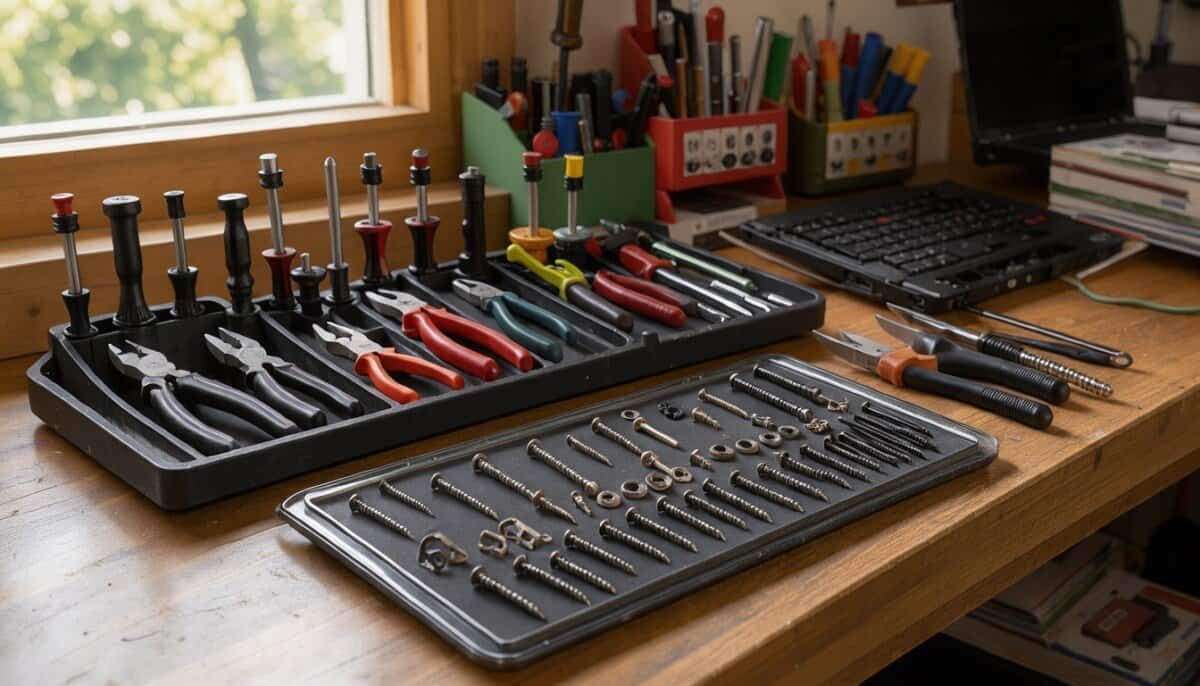
For most laptop repairs, a compact manual precision kit with the right Phillips, Torx, and tri-point sizes is the best starting point, and the iFixit Mako Driver Kit is the lead all-around pick here. A matching bit matters more than a large advertised bit count. A driver kit alone does not cover every case-opening task, so expect to need other tools for some repairs. This guide helps you choose a practical kit for laptop, computer, electronics, and phone work. Choose a kit for the screws you expect to meet, not for the biggest number printed on its box.
Key Takeaways
- Choose the iFixit Mako Driver Kit for broad manual electronics repair.
- Match each bit to the screw’s shape and size.
- Fixed drivers suit you when you want dedicated handles.
- Electric drivers can help with repeated screws, but need care.
- Some repairs also need tools for opening cases and handling parts.
Best Screwdriver Sets for Laptop Work
The iFixit Mako Driver Kit is the strongest all-around pick for laptop and electronics repair, while fixed-driver sets suit you better when you want fewer, dedicated tools. The right fit depends on how many device types you repair and how you like to work. In 2026, the Mako costs $39.95, includes 64 precision bits, and has a lifetime guarantee. Its broad bit coverage makes it a useful manual choice for varied electronics repair.
The Wiha seven-piece set keeps things simple with fixed drivers. It has Phillips #00, #0, and #1, plus slotted drivers in 1.5, 2.0, 2.5, and 3.0 mm. You do not swap bits, which suits you when those tip shapes cover your routine work. The Klein Tools Precision Screwdriver Set 85617 is another fixed-tip option, with eight pieces and slotted, Phillips, and TORX tips.
The BIBIVIS Blue 122-Piece Precision Computer Screwdriver Kit is a high-count kit with 101 magnetic bits. Home Depot lists it at $50.68 in 2026. The BIBIVIS 142-Piece Electronics Precision Screwdriver Set has 120 bits and lists at $69.75. A high count can give you more choices, but it does not prove that a kit fits your laptop.
For broad electronics work, the Mako includes Phillips, TORX, security TORX, Pentalobe, and Tri-point bits. You can compare the main differences below, then check which tip shapes match the device you plan to repair. A 64-bit precision set can cover varied jobs, but you still need to confirm the individual bit sizes.
| Product | Driver or bit count | Included tip coverage | Distinguishing feature |
|---|---|---|---|
| iFixit Mako Driver Kit | 64 bits | Phillips, TORX, security TORX, Pentalobe, Tri-point | Lifetime guarantee |
| Wiha Precision Set | 7 drivers | Phillips, slotted | Fixed drivers |
| Klein Tools 85617 | 8 pieces | Slotted, Phillips, TORX | Fixed-tip alternative |
| BIBIVIS Blue 122-Piece | 122 pieces, 101 magnetic bits | 101 magnetic bits | High-count kit |
| BIBIVIS 142-Piece | 142 pieces, 120 bits | 120 bits | High-count kit |
A fixed screwdriver set can feel straightforward when your work uses a few familiar tips. A precision screwdriver set with removable bits may suit you better when your computer and phone repairs call for more variety. Before ordering, compare the included tip shapes with the screws in the laptop you plan to service.
Choose a Kit by Fit, Bit Coverage, and Storage
A useful kit covers the devices and screw types you work on, with a case that keeps its small parts under control. The best tool kit is not always the one with the most pieces. Useful coverage means the needed tips are present and easy to find. Choose by device range, exact tip coverage, and storage, not by piece count alone.
Occasional laptop repair may call for a compact precision screwdriver set with a few common tips. Repeated repairs across laptops, phones, and other electronics can call for broader coverage. A larger tool kit can save you from switching between sets, but only if its bits fit the screws you meet.
Match the kit to the devices you repair
Start with the devices you expect to open, not every device you might repair someday. A tool kit for a home laptop repair can stay small. If you also service phones and other electronics, a wider set may make your repair work easier.
Think about the tasks you repeat, too. You may need only a few screwdriver bits for occasional work. More varied device repair can call for a broader set, especially when you often meet screws with different head shapes.
Check bit coverage before counting pieces
A piece count includes every item, not just the bits you need. Some kits add many tools yet still lack one needed bit. Check the listed tip shapes and sizes against the device’s screws before you choose a precision screwdriver set.
Look for exact details rather than a broad label such as “computer bits.” A high piece count does not tell you whether the right profile is there. The same rule applies to a magnetic repair tool kit: its small parts help only when they match your repair.
Keep small parts easy to find
An organized case can keep bits together between repairs. The BIBIVIS Blue 122-Piece kit includes a shockproof plastic storage box and a magnetic parts pad. The pad gives loose screws a place to stay while you work.
The BIBIVIS 142-Piece kit has a different feature: an ergonomic particle-grip handle. Its magnetic bits can enhance or reduce magnetism. These details may suit different work styles, so think about grip and small-part control separately.
- Device range: list the laptops, phones, and electronics you repair.
- Exact tip coverage: compare the listed shapes and sizes with your screws.
- Storage and small-part control: check for a case or parts pad.
Check the bit list for the exact tip profile you need before relying on a kit’s headline piece count.
What Driver Fits Laptop Screw Heads?
Match the driver to the screw head, because an M2 or M2.5 label describes thread size rather than the tool shape. For a PC, use a precision screwdriver with a tip that matches the screw head and fits its channel. The head decides which driver family you need. Do not choose a driver from the M2 or M2.5 label alone.
Thread diameter is the nominal width of a screw’s threaded shaft, measured in millimeters. An M2 screw has a nominal thread diameter of 2 millimeters. In a label such as M2x1.9, the number after the x gives the thread length in millimeters.
Laptop screws are typically Phillips, and sometimes Pozidriv or Torx. Slotted heads are very uncommon. Pozidriv has extra diagonal cuts around its cross, which can look like a larger Phillips cross at a glance.
A Pozidriv head’s extra cuts call for care: a Pozidriv driver can strip a Phillips screw, while a Phillips driver may fit poorly in a Pozidriv head. The wrong profile can harm the screw or make the tool slip.
| Head type | Visible cue | Matching driver family | Mismatch risk |
|---|---|---|---|
| Phillips | Cross-shaped channel | Phillips | Poor fit or stripped head |
| Pozidriv | Cross with extra diagonal cuts | Pozidriv | Phillips may fit poorly |
| Torx | Six-point star-shaped channel | Torx | Wrong tip may slip |
M2 laptop screws typically use PH0 or PZ0 heads. M2.5 and larger screws typically use PH1 or PZ1 heads. Those are useful starting points, but the head profile still decides which driver family fits.
Check the tip inside the screw head before turning. A correctly sized driver reaches the bottom of the channel and fits its width with little or no side-to-side play. Stop if the tip rocks from side to side or fails to reach the bottom of the head.
Manual and Electric Drivers Suit Different Repair Work

A manual driver is the safer default for occasional laptop work, while an electric driver can help when you handle many screws. The choice comes down to control and repeated effort. For small fasteners, hand pressure helps you feel when a screw loosens or seats. Do not use powered force to free a stuck laptop screw or finish tightening a tiny fastener.
A hand-powered precision screwdriver lets you stop as soon as the screw begins to move. That direct feel can help with small electronics repair, where a fast turn is not the main goal. A manual tool kit also keeps the work simple when you open only a few devices.
Manual drivers give you direct control
Use a manual driver when a screw needs a gentle touch or you want close control. You can ease off as the screw starts to loosen. You can also stop when its head sits in place, instead of relying on motor force.
That control is useful during a small repair, but it does not remove the need to choose the correct bit. A manual driver can still damage a screw if the tip does not fit. Take your time with each turn.
Electric drivers save effort on repeated screws
A precision electric screwdriver may help when you handle many screws in one repair session. One listed electric kit has three torque settings from 0.15-0.6 Nm. Its 260 mAh battery is rated for over 700 M4 screws per charge.
That kit charges by USB-C, with a stated charge time of 0.6 hours. It includes 26 magnetic bits and three LED lights. These are product specifications, not a promise that every electric driver will perform the same way.
The CS0702A and CS0801A options list a 230 rpm no-load speed. The supplied CS0702A package includes a flexible shaft, while the CS0801A package does not list one. A flexible shaft may help reach a tight spot, but it does not replace careful control.
An electric tool can make repeated work feel easier, yet speed should not be the goal on a stuck or tiny screw. Keep motor force low and stop if the screw resists. For a small or resistant screw, slow down and use controlled hand pressure rather than added motor force.
Core Bit Types for Laptop Repairs
Start with Phillips PH0 and PH1, then add the less common profiles your laptop actually uses. A good precision screwdriver set should include the common sizes and enough variety for your devices. Device fit matters more than collecting rare bits. Verify the screw profile before you count on any bit.
Phillips bits are a sound starting point for laptop repair. The iFixit Mako Driver Kit includes Phillips #000, #00, #0, #1, and #2 bits. This gives you several sizes, though it does not mean every laptop uses them all.
TORX and security TORX appear on some electronics. The Mako includes TORX T2, T3, T4, and T5, plus security TORX TR6, TR7, TR8, TR9, TR10, TR15, TR20, and TR25. Check your device before treating the full range as necessary.
Pentalobe and Tri-point are other profiles you may meet. The Mako includes Pentalobe P2, P5, and P6, plus Tri-point Y000, Y00, Y0, and Y1. A broad kit can cover more possible jobs, but your laptop may need only a few tips.
- Phillips: check for PH0 and PH1.
- TORX and security TORX: confirm the sizes your device uses.
- Pentalobe: include it when your device has that profile.
- Tri-point: check the device before you rely on this bit family.
A precision screwdriver set should include at least PH1 and PH0. Matching PZ sizes, such as PZ0 and PZ1, can also help when a screw is Pozidriv.
Use your laptop’s service details to confirm its actual screw profile. The list of bits in a kit is only useful when the tip shape and size match your repair. A rare bit is useful only when it matches a screw you need to remove.
Handles and Cases Make Small Repairs Easier

A controlled grip and clear tip markings can save time when you are working with tiny screws. Handle shape affects how easily you turn a precision screwdriver, while markings help you find the right bit. Small details help when a repair has many tiny parts. Choose a case that keeps each bit in place and lets you identify its size at a glance.
A knurled grip has a textured surface that can help your fingers hold the driver. A tapered handle offers a different shape for turning. A swivel top lets you press down with one finger while turning the handle with your other fingers.
Grip and control matter on tiny screws
A magnetized bit holder keeps a removable bit in the driver. The Mako has a 4 mm magnetized bit holder, a knurled grip, a swivel top, and a flexible extension. Each feature serves a different purpose: holding a bit, aiding grip, helping you turn, or reaching a tight spot.
Visible tip markings make it easier to choose the right driver without testing several. The Wiha set has tip-profile markings, a tapered handle, and a smooth-turning cap. The set is made in Poland and weighs 0.31 lb.
The Klein Tools 85617 uses cushion-grip handles. Its hot-stamped cap markings help you identify tip sizes. These marks are useful when you need to tell similar fixed drivers apart during a repair.
A compact case protects and organizes the kit
The Mako case measures 7″ x 4.3″ x 1.5″. Its ABS case and EVA foam insert hold the bits together. The case also helps protect small items between repairs, when loose bits could otherwise scatter in a drawer or bag.
The Mako bits use S2 steel, and its driver uses anodized aluminum. Those material details describe this product, not every precision screwdriver set. A compact case can also make it easier to bring a repair tool kit to another work area.
The Wiha set has a 12-month repair-or-replacement guarantee in 2026. That term belongs to the Wiha set, while the Mako has a lifetime guarantee. Compare the product’s stated warranty with the way you plan to use it. Choose a case that keeps each bit in place and lets you identify its size at a glance.
Add-On Tools Help With Case Opening and ESD Care
A precision driver will not safely replace the tools you need to open a laptop case or control loose parts. A pry tool is for opening a case, not turning a screw. Separate tasks call for separate tools. Use the right tool for opening, static care, and clear viewing.
The CS0702A electric kit package includes a metal pry tool and tweezers. Home Depot lists the iFixit Prying and Opening Tool Assortment at $9.95. It also lists the General Tools Cell Phone, Computer and Electronics Repair Kit as a 32-piece kit at $20.06.
Use opening tools for the case, not the screws
A case-opening tool helps separate parts that a screwdriver is not meant to pry apart. Use it for the case, and keep the screwdriver for the fasteners. Tweezers can help you handle small items in a repair, especially when fingers cannot reach them easily.
Choose add-ons based on the device and task. A repair tool kit may bundle useful items, but you do not need every extra in every package. Check what each item does before using it on a laptop or phone.
Protect parts from static and keep the work area clear
An anti-static strap helps reduce the risk of static discharge while you work on electronics. A magnifier can help you see small screw heads and parts. Home Depot’s electronics repair suggestions include an anti-static strap, prying tools, and a magnifier.
Keep loose screws together instead of leaving them on the work surface. A clear area makes small parts easier to spot and keeps your repair tool kit close at hand. Good cleaning habits also help prevent debris from mixing with the parts you removed.
If the problem goes beyond a loose part or simple case access, use a Chromebook troubleshooting guide for common battery, screen, keyboard, and performance issues. Try basic checks before moving to more involved repair steps.
- Case-opening tool: check whether the package includes a pry tool.
- Static-control item: consider an anti-static strap for electronics work.
- Magnifier or other visibility aid: make small parts easier to inspect.
Before opening a device, use the service instructions for that model and set aside a clear, static-aware work area.
Conclusion
If you want one versatile manual starting point, choose a kit with broad precision-bit coverage and a case that keeps the bits organized. The iFixit Mako Driver Kit suits broad manual electronics repair. For a narrower routine, fixed drivers may fit better, while an electric option can help with repeated work.
Think about the devices you repair and how you prefer to turn each screw. A larger kit is not automatically the better choice. Check the screw-head type and bit size in the laptop’s service instructions before buying. That simple step can help you avoid a kit that lacks the tip your repair needs.
Check your laptop’s service instructions, then confirm the matching bit is in the kit before you order.