Most Bosch oven problems start with checking power, settings, or the door. Internal faults and recurring error codes may need a technician. For troubleshooting Bosch oven problems, start with simple observations before you try anything else. The oven temperature sensor measures heat inside the oven and sends that reading to the control system.
A power outage can interrupt oven operation even when other appliances still work. Basic checks can reveal a setting or power issue, but recurring faults need model-specific service. Keep your model number and the exact display message nearby before you seek help.
Key Takeaways
- Check power and settings before suspecting an internal fault.
- Use your model’s manual for reset and control steps.
- Do not handle gas parts or internal wiring yourself.
- Record the model number and exact error message.
- Call for service when a breaker trips again or an error returns.
How to Start Troubleshooting Bosch Oven Problems
If the display is blank or the oven will not start, first check its circuit breaker or fuse and confirm a cooking mode and temperature are set. Start with the basics, since a setting or power issue can stop a working oven from heating.
A 5-10-minute power reset may clear a temporary control issue. Reset steps differ by model, so use the manual for your oven’s specific controls.
Check the Breaker and Settings
To troubleshoot an oven not turning on, separate a blank display from a lit display that will not start. A blank display may point to power, while a lit display may need a selected mode, temperature, or clock setting.
- Check the breaker or fuse in your home’s electrical panel.
- Confirm a cooking mode and temperature are selected.
- Set the clock if the display or controls call for it after an outage.
- Record the model number and any display message.
A Bosch oven may need its clock set again after power returns. A display can light up without the oven being ready to cook.
Reset a Bosch Oven Safely
To reset the oven, switch off its circuit breaker for 5-10 minutes. Restore power, then check the display and controls before selecting a cooking mode.
Some electric ovens have no reset button. Do not search for a universal reset button; follow the model manual instead. The manual shows which control steps fit your oven.
After a Power Outage
A power outage can interrupt the oven even when lights or other appliances still work. The oven may need its clock reset, or its controls may need a fresh start.
Check whether the display shows a message or asks for the time. Note the exact message and model number before trying further control steps.
If the breaker trips again after you reset it, leave it off and arrange a service visit.
Why Your Bosch Oven Is Not Heating
A lit display does not prove that your oven is receiving the full power or ignition it needs to heat. The display can work while the heat supply has a fault.
Do not open electrical panels or try to repair gas parts yourself. A licensed technician can test the power supply and gas system safely.
Electric Ovens and Heating Elements
An electric oven can lose one leg of its 240V supply if a double-pole breaker partly trips. The display may stay on, but the heating elements may not work.
A partly tripped double-pole breaker can leave the oven without full power. An element that does not glow red while heating may be faulty.
For an electric oven that won’t heat, confirm the selected temperature and watch the element during a normal heating cycle. Do not touch it, remove it, or test its wiring.
Gas Ovens and Igniters
A gas igniter is one possible cause when a gas oven will not heat. If it does not light the gas after 90 seconds, the oven needs professional diagnosis.
Do not replace an igniter or handle a gas valve. The owner’s manual can help identify the model, while a licensed technician should make the repair.
| Oven type | What you can observe | Safe next step |
|---|---|---|
| Electric | Display works, but elements stay dark | Arrange a power and element check |
| Gas | Igniter does not light gas after 90 seconds | Contact a licensed technician |
| Either type | Controls work, but oven stays cool | Record the model and request diagnosis |
When the oven is working but not heating, a live display shows only that some power reaches the controls. It does not confirm that the oven can safely make heat.
Stop using the oven if you smell gas, and contact a licensed technician.
Uneven Heat and Temperature Swings
If the oven reaches heat but food cooks unevenly, check the actual cavity temperature before replacing a part. Compare the reading with the set temperature using an oven thermometer.
A sensor position or technical fault can affect oven temperature readings. A Bosch oven that heats unevenly may need technical diagnosis.
Check the Temperature Reading
Place an oven thermometer on the middle rack and let the oven settle before checking it. Compare the thermometer’s reading with the setting on the control panel.
A mispositioned oven temperature sensor can send an inaccurate reading. The sensor should sit at a 90-degree angle, not rest against the oven wall.
| What you notice | What it may point to | First check |
|---|---|---|
| Food browns unevenly | Rack position or blocked airflow | Check rack level and cookware spacing |
| Oven temperature swings | Sensor position or a technical fault | Compare with a thermometer |
| Reading stays below set temperature | Sensor or control issue | Check the thermometer after settling |
Improve Even Baking
Rack position can change how food browns, especially when pans sit too close to the oven walls. Try a centered rack and cookware that leaves open space on each side.
Blocked airflow can also cause uneven results. A sensor that sits out of place may affect the oven’s temperature reading, while a technical fault needs service.
Bosch advises contacting customer service when an oven heats unevenly because a technical fault may be involved. A temperature check can help describe the issue clearly.
Leave space around cookware so air can move through the oven.
A Door That Will Not Close or Seal

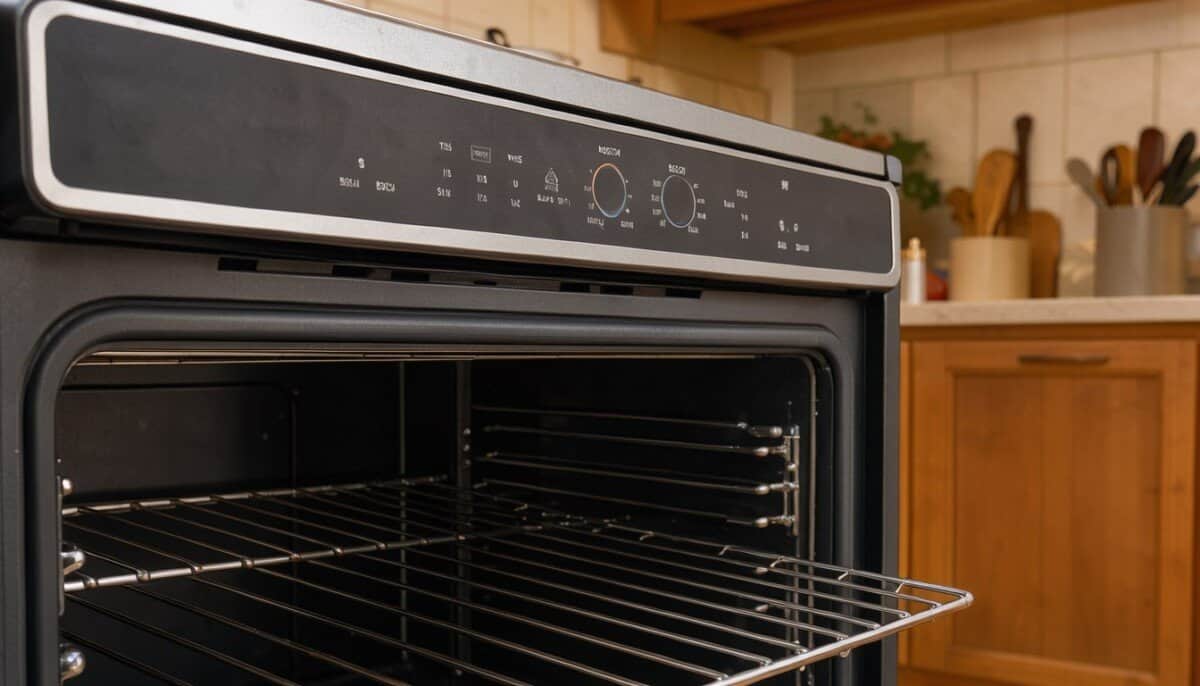
A door that does not close fully can let heat escape and leave food undercooked. Check the door first for a gap, loose seal, or visible debris.
Do not force a door that sits unevenly or will not close flush. A damaged door or latch needs service, not extra pressure.
Use this visual checklist while the oven is cool:
- Confirm the oven door closes fully.
- Look for an uneven gap around its edge.
- Check that the seal is in place.
- Look for visible damage or food debris around the seal.
A closed door and intact seal help keep heat inside the cavity. Food crumbs near the seal can stop the door from closing evenly.
Do not pull, bend, or force a door or latch that is stuck.
Control Panel Problems and Error Codes
A control-panel message is a clue to check, not proof that one specific part has failed. Read the exact code in the manual for your model before deciding what to do.
An error code alone does not prove the control board needs replacement. Buttons, sensors, wiring, door locks, and the board can all relate to error messages.
Bosch Oven Control Panel Not Working
If a Bosch oven control panel is not working, check for a stuck button and gently clean a dry panel. Use the model manual before trying a reset.
Moisture or dirt on the panel can affect touch controls. Wipe the surface gently with a soft, dry cloth, and do not spray cleaner into the controls.
A 5-10-minute power reset may clear a temporary control issue on some models. Follow the model instructions, since control steps can differ between ovens.
Bosch Series 8 Oven Touch Screen Not Working
The exact model determines the control steps for a Bosch Series 8 oven touch screen that is not working. Check its manual for the correct way to use the screen.
If the screen stays blank or unresponsive after the model’s recommended steps, arrange service. Do not guess at a control board fault based only on a dark screen.
A Key Symbol and Error Codes
A key symbol may mean the oven controls are locked. Check the model instructions for the lock setting and the steps to unlock the controls.
Record the exact error code and model number before contacting service. Error messages may relate to control buttons, the temperature sensor, wiring, a door lock, or the control board.
Those possible causes need different checks, so a code does not identify a failed part by itself. Keep the display message exactly as shown, including letters or punctuation.
If the same code returns after a reset, stop repeating the reset and request model-specific diagnosis.
When One Oven Function Stops Working

If only one function has stopped working, check that function’s setting before assuming the whole appliance has failed. A single fault can leave other oven features working.
Turn power off before changing an oven bulb, and let the cavity cool. Use these first checks for common range problems:
- Replace a burned-out bulb only after power is off and the cavity is cool.
- Check the power cord and outlet if the clock or timer is blank.
- Treat a broiler that will not heat as a possible element or gas-system fault.
- Check the selected cooking mode if convection alone does not heat.
A broiler problem can involve an element, igniter, or gas valve. A new bulb that still does not work may point to a socket or wiring issue.
Leave broiler gas parts and internal wiring to a qualified technician.
When to Call Bosch Service
Stop troubleshooting and arrange professional help if the oven trips its breaker, smells of burning or gas, or still fails to heat. Safety comes first when a fault involves power, gas, or repeat errors.
Call Bosch U.S. customer service at 1-800-944-2904, open 24 hours a day, 7 days a week. Bosch can direct you to its authorized service options for repairs.
- The breaker trips again.
- You smell burning or gas.
- The oven still does not heat or heats unevenly.
- An error code returns after a reset.
Switch off power before anyone removes a panel, and let hot parts cool first. Never defeat a self-clean door lock.
Have the model number, exact error message, and checks already completed ready when you call.
Conclusion
Start with the checks you can do safely, and stop when the next step would mean opening the appliance or handling gas or wiring. Simple checks can uncover a power, setting, or visible door issue.
Repeated electrical faults, gas concerns, and returning error codes call for professional help. Avoid testing parts when you are unsure whether the oven is safe to use.
Write down your Bosch model number and contact Bosch customer service at 1-800-944-2904 if the fault remains.