
Can a single photo become the human face of your brand overnight?
We think this is the turning point for content creation and marketing. Microsoft’s VASA-1 model now shows how a single image can spark incredibly realistic videos and reshape training and outreach.
We’ve seen demand rise for a top-tier avatar generator as companies seek faster, scalable video creation that keeps a consistent brand voice. By using these modern platforms, we save time and bolster audience engagement with a believable human presence.
Whether for external campaigns or internal learning, the right tool transforms static images into dynamic delivery that feels personal.
Key Takeaways
- Microsoft VASA-1 enables super-realistic videos from one photo.
- Modern platforms speed up video creation and content creation workflows.
- Realistic avatars expand reach and improve message delivery.
- These solutions save time versus traditional production for marketing and training.
- Explore options and pricing to find a tool that fits your scale, such as the recommendations at best video maker.
The Rise of AI Avatar Video Tools in Modern Marketing
Brands now turn single images into on-demand presenters that scale across channels. We see this change reshaping how teams handle marketing and sales.
Quick delivery and consistent tone let us publish news segments, podcasts, and videocasts without a full studio. That expands reach and keeps messaging steady across social media and email.
Customer service benefits too. Adding a human face to online help improves trust and enables 24/7 live-like support.
For content creation and video creation workflows, these platforms speed production so teams can focus on strategy instead of setup.
- Faster, personalized production that boosts engagement and sales.
- Use cases include news delivery, training, and customer service.
- Scales marketing efforts while keeping brand delivery consistent.
| Use Case | Benefit | Best Fit | Impact |
|---|---|---|---|
| News delivery / videocasts | Rapid, repeatable segments | Avatar generator with templates | Higher audience reach |
| Customer service | 24/7 humanlike presence | Real-time delivery systems | Improved customer satisfaction |
| Social media marketing | Consistent brand spokesperson | Content creation suites | Boosted engagement and sales |
We suggest testing platforms side-by-side. For a detailed comparison, see our guide on platform comparisons to find the right fit for your team.
Key Requirements for Selecting Your Video Generation Platform

Our selection starts with technical needs and creative goals. We look for services that let teams scale production while keeping a consistent brand voice.
API-Driven Automation
API access matters. Over 800,000+ marketers and creators rely on platforms that plug into existing workflows.
We favor solutions that let us swap images and text in templates automatically. That saves time and reduces manual errors.
Reliable api access enables batch generation and easier integration with CMS, LMS, or CRM systems.
Natural Text-to-Speech Capabilities
Natural audio is a must. The script must sound like a real person, not a robotic readout.
We test each option for pronunciation, pacing, and emotional range. Good text-to-speech turns a simple script into engaging content.
Flexible plans and deep customization options help us match tone and brand identity as we scale content creation and video creation for customers.
- Support for swapping images and text within templates
- Clear feature sets and sensible plans for scaling
- High-quality audio output and robust api access
Top Performing AI Avatar Video Tools for Professional Use
We compared platforms to find which best converts scripts and images into broadcast-ready content.
Below are our picks for teams that need reliable output, clear customization, and strong workflow support.
Elai.io for Workflow Automation
Elai.io stands out as the one best option for workflow automation. Their Story API lets us generate videos at scale and plug into CMS and LMS systems.
HeyGen for Custom Avatars
HeyGen excels when we need custom avatars and advanced voice cloning. It offers wide customization options and strong audio quality for polished scripts.
DeepBrain for Newscast Templates
DeepBrain is ideal for organizations that produce regular newscast-style content. Its templates speed production while keeping a professional look and consistent tone.
- Kreado AI: realistic avatars with full-body and cropped options for varied marketing use cases.
- Pipio: simple interface and strong multilingual dubbing for global reach.
- Colossyan: 30+ templates and deep customization to jumpstart projects.
| Platform | Key Strength | Best Use Case | Notable Feature |
|---|---|---|---|
| Elai.io | Workflow automation | Scale production across teams | Proprietary Story API for batch generation |
| HeyGen | Custom avatars & voice | Branded spokespeople and demos | Advanced voice cloning and editing options |
| DeepBrain | Newscast templates | News-style internal & external updates | Broadcast-ready templates and pacing controls |
| Colossyan | Template variety | Fast project starts | 30+ built-in templates and customization |
How we choose: we prioritize api access, facial expressions, and output quality to match professional levels.
For a deeper feature comparison, see our comparison guide to help pick the best option for your marketing and training needs.
Enhancing Training and Education with Virtual Presenters
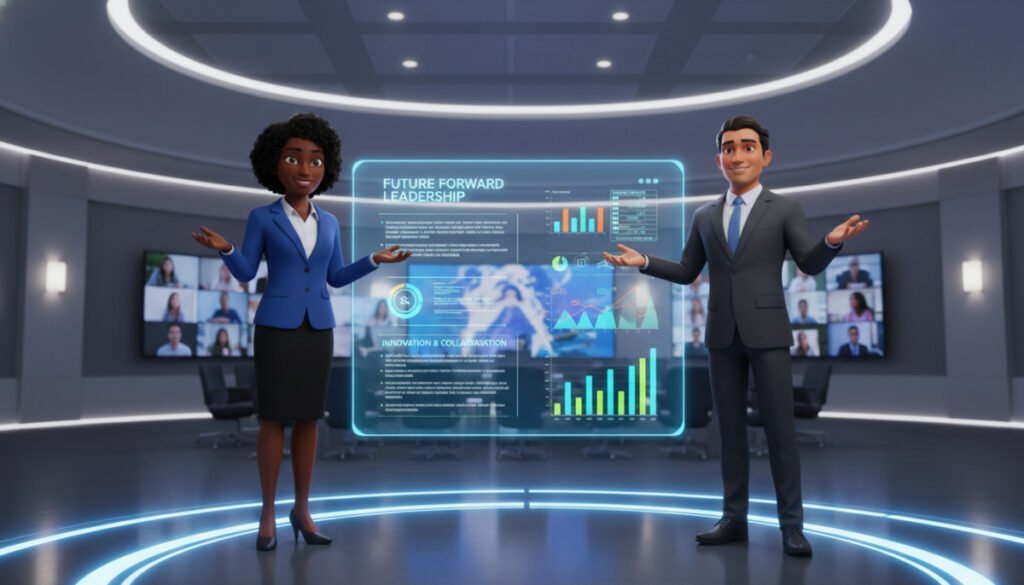
Virtual presenters turn lessons into short, engaging sessions that learners prefer over long documents.
We find that most people pick watching a short video over reading dense text. That preference saves hours of manual editing and speeds up course delivery.
By using an avatar generator, trainers cut production time and produce polished content that feels professional. Quick edits to a script let us regenerate videos so courses stay current.
Use cases include internal training, customer service onboarding, and social media educational series. A variety of realistic avatars keeps learners engaged across modules.
- Faster creation: less time spent on video editing and setup.
- Greater retention: humanlike presenters help people remember key points.
- Flexible updates: change text or script and regenerate content in minutes.
We recommend teams explore how to build online presenters and course content with step-by-step guides like how to create online tools. These workflows make professional-grade videos accessible even with small budgets.
Comparing Customization Options and Facial Expressions

When a face looks alive, viewers trust the message and watch longer. Realistic facial motion and body language are the top factors that separate a mediocre presentation from a professional one.
Why emotion matters: believable expressions and subtle gestures boost attention and improve recall. We look for platforms that provide a wide range of realistic avatars and deep customization to tune the face and movements to our brand.
The importance of fine-tuning
Adjustable levels let us match tone and context. The best options offer granular controls for eye contact, mouth movement, and posture.
- High-quality expressions increase customer trust and perceived professionalism.
- Customizable avatars help keep videos consistent across campaigns and courses.
- Test variety settings to see how each platform handles complex, natural gestures.
| Feature | Why it matters | What we test |
|---|---|---|
| Expression range | Authenticity | Smile, frown, surprise |
| Body language | Engagement | Gestures and posture |
| Customization depth | Brand fit | Face adjustments and timing |
For examples and platform picks that balance realism and workflow, see our guide to the best avatars for video creation.
Integrating AI Video Generation into Your Existing Workflow
Connecting generation to your CMS and scheduling systems unlocks steady content output. We have found this is the most effective way to scale content creation across teams.
Use api access to automate production. With programmatic calls we swap scripts and assets, then trigger batch generation. That saves hours of manual editing and frees the team to focus on strategy.
Pick a tool that fits your use cases. Whether your priority is sales, marketing, or customer service, choose a platform with the right customization options and plans. Start with a clear plan that maps script needs, output formats, and branding rules.
- Automate repetitive creation and scale social media posts and internal training.
- Match customization options to your brand tone and compliance needs.
- Use flexible plans to grow production as content demand rises.
| API Feature | Best Use Case | Primary Benefit |
|---|---|---|
| Batch generation | Social media campaigns | Time savings and consistency |
| Template swap | Training modules | Fast updates and reuse |
| Custom voices & faces | Sales demos | Brand alignment and trust |
For a quick starting point, review the best video generator guides to learn how automation works in practice. Implementing these workflows helped us produce more content with less overhead and faster turnaround.
Final Thoughts on Selecting the Right Solution for Your Needs
A practical choice balances technical fit, budget, and the specific use case you need to solve.
Start by listing must-have features and compare pricing plans against expected output. Run short trials to see how each option performs with real scripts and assets.
We believe the one best solution is the one that integrates smoothly with your team and systems. Prioritize platforms that let you keep brand control and fine-tune presentation.
If you need a place to start, review guidance on building and testing an online presenter like the step-by-step how to create an online tool. That will help you plan, prototype, and validate before committing.
We’re here to help. Try a trial, measure fit against your goals, and choose the plan that grows with your needs.



