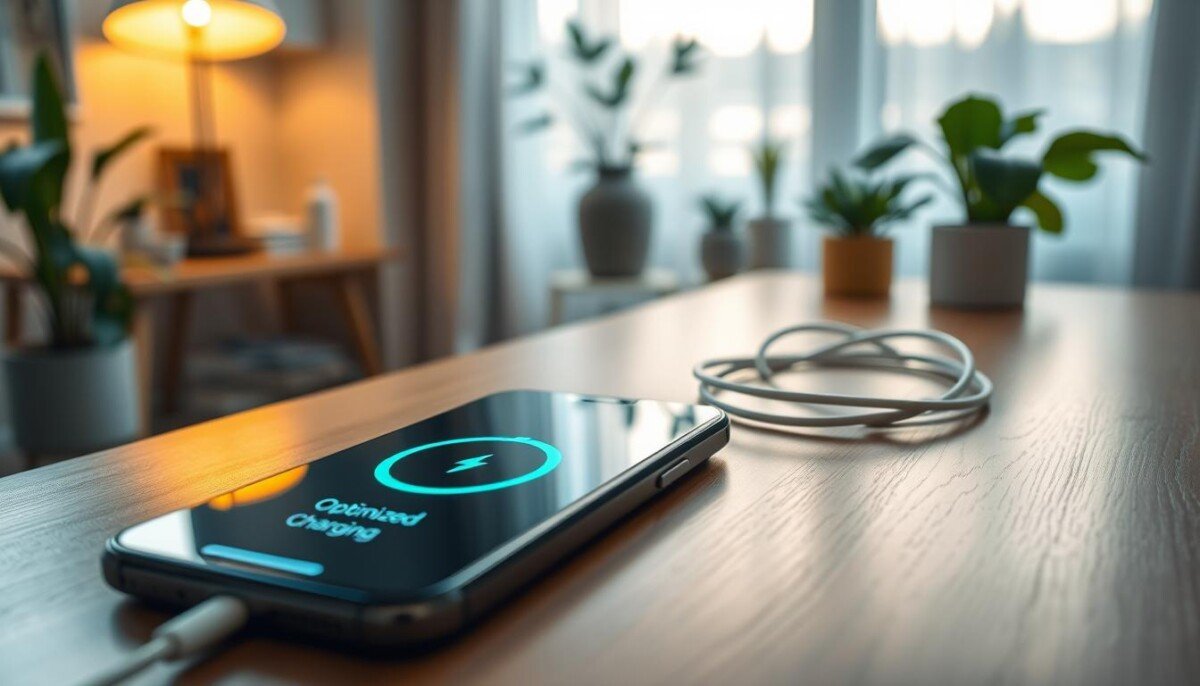
iPhone Optimized Battery Charging: Should You Keep It On?

Published:

Updated:

iphone optimized battery charging

Disclaimer

As an affiliate, we may earn a commission from qualifying purchases. We get commissions for purchases made through links on this website from Amazon and other third parties.

Can a small system setting really extend your device’s lifespan and change how you use power? This feature aims to slow wear by holding a high percentage of the battery at lower charge levels until you need full power.

It’s on by default when you set up your phone as of December 08, 2025. A clear notification on your lock screen will tell you the exact time your device will reach a full charge.

Understanding how your phone manages power matters if you rely on it for work. The setting learns your daily time patterns and delays topping up to 100 percent until needed. You can override the hold from the lock screen when you need a quick full charge.

This introduction previews a practical look at whether keeping the setting enabled suits your usage, and how it affects overall battery life and health.

Key Takeaways

  • The feature is enabled by default to protect long-term battery health.
  • You’ll see a lock screen notice showing when the device will finish charging.
  • It adapts to your routine to reduce wear and extend lifespan.
  • You can override the delay when you need a fast, full charge.
  • Deciding to keep it on depends on your daily needs and work habits.

Understanding Battery Health and Chemical Aging

Every rechargeable cell ages, and that slow decline shapes how your phone performs over time. Chemical changes inside the cell cut how much energy it can hold. This affects peak speed and runtime for daily tasks.

The Role of Chemical Age

Chemical age is more than clock time. It reflects temperature history and your charging patterns. Those factors speed or slow the loss of capacity.

Factors Affecting Battery Degradation

Key drivers include heat exposure, frequent top-ups, and long stays at high charge levels. All modern lithium-ion cells will lose some capacity with use.

  • Temperature spikes raise wear and shorten life.
  • Irregular charging cycles change chemical stress.
  • High state-of-charge held for long periods speeds decline.
Factor Effect on Capacity Practical Tip
High heat Rapid capacity loss Keep phone cool; avoid hot cars
Frequent full charges More wear over time Limit full cycles when possible
Long idle at 100% Increases chemical stress Use features that delay full charge

Monitor battery health so you know when phone performance may need a replacement or service. That keeps your device reliable and extends its useful lifespan.

How iPhone Optimized Battery Charging Works

A sleek, futuristic iPhone resting on a minimalist wooden desk, with the screen displaying a visually captivating animation of a battery charging. The foreground features a gently glowing battery icon, surrounded by subtle data animations representing energy flow and efficiency. In the middle ground, a wireless charging pad is prominently placed, showcasing its elegant design and technological prowess. The background has an ambient blur of a modern workspace with soft lighting, emphasizing a tranquil and productive atmosphere. The scene is lit with warm, soft lighting, creating a calm mood, while a subtle focus pull highlights the iPhone's design and charging details.

The feature learns when you usually unplug so it times the final charge to match your routine.

On-device machine learning watches your daily pattern. It needs at least 14 days of data before it will engage.

Your phone also requires at least nine charges of five hours or more in the same place for the algorithm to activate. That helps the system predict actual unplug times.

Once active, the feature holds the level near 80% and delays the last stretch. This reduces time spent at a high state of charge and lowers chemical stress on your cells.

  • The algorithm aims to finish charge by your predicted unplug time.
  • It limits the amount of energy added too early to preserve long-term health.
  • The system works locally on your device so data stays private.

Result: less wear, longer lifespan, and a phone ready when you need it for work or travel.

Managing Your Charging Settings and Preferences

A modern workspace featuring a sleek iPhone lying on a wooden desk, with the user’s hands interacting with the device, adjusting charging settings. In the foreground, the phone screen displays a clear interface of the battery settings menu, emphasizing options like "Optimized Battery Charging." The user, a person in smart casual attire, focuses on the screen with a thoughtful expression. In the middle background, there are subtle elements like a charging cable coiled neatly and a plant adding a touch of greenery. Soft natural light filters through a nearby window, creating a calm atmosphere. The angle is slightly tilted to capture both the phone and the user's engagement, evoking a sense of management and intention in the setting.

Small changes in settings let you balance daily power with long-term care.

Adjust limits on newer models by opening the Battery app on your device. On iPhone 15 models and later you can pick a charge limit between 80% and 100% in 5% steps.

How it behaves: if the charge level drops more than 5% while the phone stays plugged in, charging will resume to maintain the chosen limit. Your phone also may top up to 100% occasionally to keep state-of-charge estimates accurate.

Quick steps and notes

  • Open Settings > Battery Health & Charging to turn optimized battery charging on or off.
  • Use the Battery app to set your preferred charge limit on supported models.
  • Turning optimized battery charging off can increase wear and reduce long-term health.
Action Effect User tip
Set 85% limit Less time at high level Good for overnight charging
Keep feature on Slows chemical wear Best for routine use
Turn feature off Faster full charge Use only when needed for work or travel

Comparing Charging Limits and Device Performance

A close-up view of a sleek, modern smartphone, specifically an iPhone, placed on a wooden charging dock, with a digital display showing battery percentage and optimized charging settings. In the foreground, focus on the phone's screen, glowing with vibrant colors that indicate charging limits and battery health. The middle ground features a charging cable neatly arranged beside the dock, while in the background, a softly lit room with a minimalist desk setup conveys a professional atmosphere. Natural sunlight filters through a window, creating warm, inviting shadows. The mood is calm and informative, highlighting the essence of technology and battery efficiency in everyday life. Emphasize clean lines and a polished aesthetic with shallow depth of field for a sharp focus on the phone.

Choosing a charge limit trades some single-day run time for longer overall life.

The 80% limit on the iPhone 15 series sets a hard ceiling that keeps the cell out of full state-of-charge stress.

Keeping a phone between about 20% and 80% is a simple rule to slow wear on lithium cells. That range balances ion movement and lowers long-term chemical strain.

  • The 80% ceiling prevents the device from reaching full charge and reduces wear over years.
  • On supported models you toggle this option in the settings or pick between the feature and a hard limit.
  • Even at home, a set limit avoids prolonged high levels and improves lifespan.

Compare the trade-offs: you give up some daily runtime but gain better long-term performance and life for your phones. For more community discussion on whether limiting to 80% helps, see does limiting to 80%.

Final Thoughts on Battery Longevity

Using smart tools to manage charge patterns pays off more than chasing full run time each day. Keep the feature on if you want to extend the life of your phone and protect its overall battery health.

Know your habits and choose a hard limit only if your work needs predictable, full-day power. Small changes in settings give big gains in lifespan and long-term value.

For details, review the Optimized Battery Charging details and set the option that fits your routine. These simple steps keep your device reliable and ready for years of use.


FAQ

What is iPhone Optimized Battery Charging and should you keep it on?

Optimized Battery Charging is a feature that delays full charging to reduce wear on your device’s power cell. You should keep it on if you want longer service life and steadier performance, especially if you charge overnight or follow a regular routine.

How does chemical aging affect battery life?

Chemical aging reduces a cell’s ability to hold charge over time. Heat, frequent full cycles, and high charge levels speed up aging, which lowers overall runtime and can change peak power delivery.

What factors most affect battery degradation?

Temperature, charge cycles, high state of charge, and heavy, sustained use are the main causes. Using fast chargers often and keeping the device at very high or very low charge levels also shortens lifespan.

How does the optimized charging feature decide when to finish a charge?

The feature learns your daily routine with on‑device machine learning. It aims to keep the power cell at about 80% for most of the time and completes the last 20% just before you typically unplug.

Will optimized charging slow down my device or reduce performance?

No. The feature manages charge level without lowering day‑to‑day performance. It prevents unnecessary high‑state charging that can accelerate wear while keeping enough power for normal use.

How do I turn optimized charging on or off?

Go to Settings, then Battery, then Battery Health to toggle the feature. Leave it on for longer lifespan; turn it off only if you need a guaranteed full charge at unpredictable times.

Can I set custom charging limits on newer models?

Some recent models and updates let you set charge caps or schedule limits. Check your device’s battery or charging settings for options to adjust maximum charge or set time‑based behavior.

Does keeping the device plugged in all day harm the battery?

Continuous charging at 100% increases chemical stress. If you must keep it plugged in, use features that limit maximum charge or ensure the system minimizes time spent fully charged.

How does using different chargers affect lifespan?

High‑quality chargers with appropriate power delivery maintain steady voltage and temperature and are safer for long‑term health. Avoid cheap, unregulated adapters that can push excess heat or inconsistent current.

What practical habits extend battery longevity?

Keep charge between about 20% and 80% when possible, avoid extreme heat, use reputable chargers, and let optimized charging learn your routine. Small changes add months of useful life over years.

Will disabling optimized charging give me faster charging times?

No. Disabling the feature doesn’t increase raw charging speed. It simply removes the timing delay for the final portion of the charge, which may lead to faster wear over time.

How can I check my device’s current battery health?

Open Settings > Battery > Battery Health to see maximum capacity and any service recommendations. That view shows current wear level and whether performance management is active.

Is there a difference between overnight charging and top‑ups during the day?

Overnight charging often keeps the cell at high charge for hours, which raises stress. Short, frequent top‑ups avoid long periods at full charge and generally cause less wear.

Does software affect charging behavior and longevity?

Yes. System updates can refine learning algorithms and add charging controls. Keep your device updated to benefit from improved charging management and safety features.

About the author

Latest Posts

