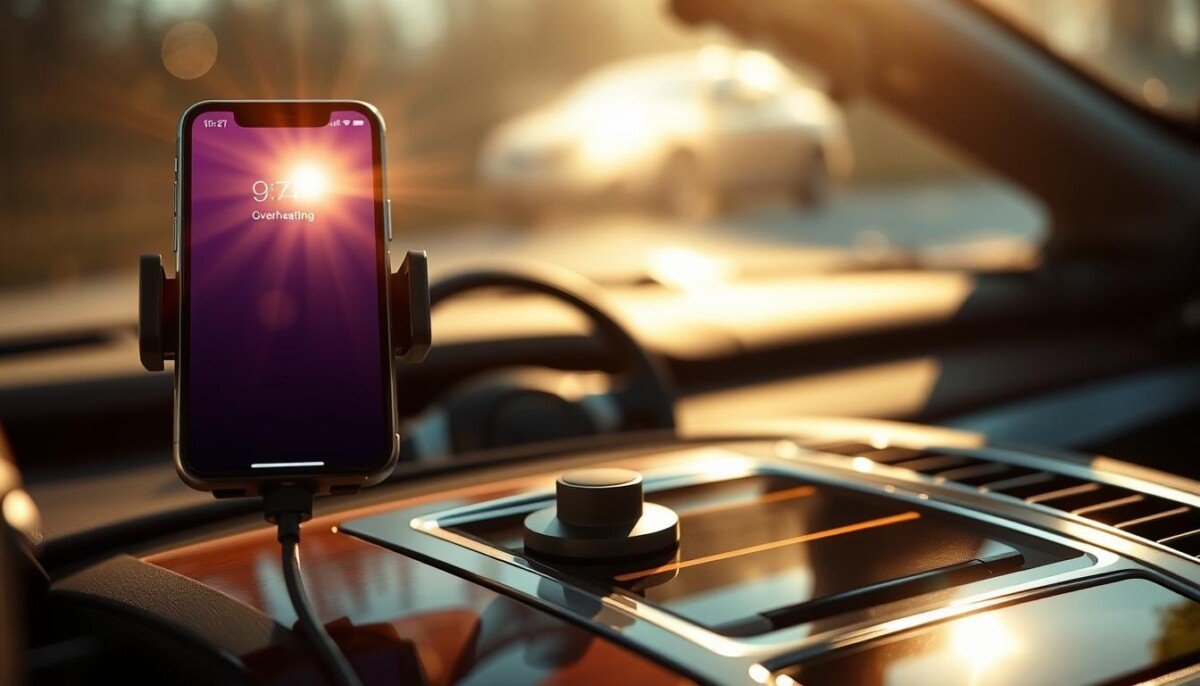
Could that quick turn-by-turn route or playlist be putting your device at real risk? Many drivers don’t realize how navigation and music streaming raise a phone’s temperature on the dashboard. This short guide shows clear, practical steps to cool phone temps and avoid damage.
When you use GPS apps like Google Maps while charging, the device works hard and creates extra energy that shows up as heat. If the mount sits in direct sunlight, the risk rises sharply. Experts warned on August 3, 2026, that a hot battery can enter thermal runaway, causing dangerous reactions.
You can lower temps by moving the mount, using active cooling like air vents, and limiting heavy tasks during long trips. For quick fixes and deeper causes, see this helpful guide on common causes and fixes: smartphone overheating causes & fixes.
Key Takeaways
- Keep the mount out of direct sunlight to cut ambient heat.
- Avoid heavy charging and navigation at the same time when possible.
- Use air conditioning or fans for active cooling on long drives.
- Close background apps and lower screen brightness to reduce CPU load.
- Watch battery signs — sudden shutdowns or rapid drain signal danger.
Understanding the Risks of iPhone Overheating in Car Environments
Many drivers underestimate how quickly a dashboard can trap heat and harm a device. Warm cabins push internal temperatures past safe limits and stress the battery and screen. You need clear steps to spot and avoid this risk.
The Dangers of Thermal Runaway
Thermal runaway is a severe failure mode where a battery can no longer shed heat. When that happens, temperature climbs uncontrolled and can cause fire or explosion.
Do not leave a phone on a hot dash or in a parked vehicle for long. Apple sets safe operating temps between 0º and 35º C; parked cars often exceed those limits quickly.
Why Cars Become Heat Traps
Cars act as metal heat traps that soak up sunlight and raise cabin temperatures fast. The dashboard is one of the hottest spots and can damage sensitive components.
- High temps can dim the screen and reduce battery life.
- Stored devices face even wider risks; parked temperatures may exceed safe storage ranges.
- Professional drivers keep the phone away from the dash to protect devices and maintain performance.
Bottom line: Treat the dashboard as risky real estate. Keep your phone and other devices shaded and off hot surfaces to avoid permanent damage and safety hazards.
Managing Ambient Heat and Direct Sunlight
Smart placement reduces damage and keeps your phone working longer. Move the mount so air from the vent blows on the back of the device. That small change helps active cooling and lowers internal temperatures quickly.
Strategic Placement Away from Vents and Sun
Position the mount off the dashboard where sunlight hits the glass directly. If you use navigation or GPS, keep the device shaded and angled away from bright sun.
- Direct vent airflow: Aim cooled air at the phone to pull heat away.
- Drop the case: Removing a protective shell helps heat away from the chassis.
- Avoid hot spots: Don’t mount on the dash under the sun; that raises temperatures fast.
- Active cooling matters: Use A/C to stop permanent damage and keep screen performance steady.
- Take it with you: Never leave the device when you exit; ambient heat can cause irreparable damage.
Quick tip: For long drives with apps like Google Maps, place the mount near a vent and check that the phone stays cool every 15 minutes.
Optimizing Your Device Settings for Cooler Performance

Small tweaks to your device settings will lower stress on the processor and reduce heat build-up. Lower screen brightness and close unused apps before you start navigation to cut background load and lessen heat from constant rendering.
Avoid charging when the phone already feels warm. Charging adds internal energy and raises temperature, which can force performance throttling and shorten battery life.
- Reduce screen brightness to save power and lower heat generation.
- Force-close background apps and turn off location services when not needed.
- Limit video or streaming tasks while using navigation to keep the device cool.
| Setting | Action | Result |
|---|---|---|
| Screen brightness | Reduce to 40–60% | Lower display heat and extend runtime |
| Background apps | Close nonessential apps | Reduce CPU load and heat |
| Charging | Avoid if device is warm | Prevent added thermal stress |
| High-intensity tasks | Limit while driving | Maintain smooth performance |
Manage these settings and you help move heat away from the processor and keep the phone responsive during trips. Professionals keep this checklist handy to ensure steady performance and smarter cooling.
The Impact of Wireless Charging on Thermal Regulation

Charging without a cable simplifies your setup, yet it can push temperatures higher during use. Wireless charging is less efficient than a cable, so more energy becomes heat. That extra heat can reduce performance and cause thermal throttling.
Wireless Charging Efficiency
Wireless systems waste more energy as heat versus wired charging. That means your phone may run hotter while navigation or streaming apps are active. Stop charging if the device feels noticeably hot to avoid screen dimming and damage.
The Role of MagSafe
MagSafe often delivers about 15W of power. That fast wireless charging can create substantial heat when the device lacks active cooling. Keep the mount shaded and aim cooled air at the back to help cooling.
Avoiding Fast Charging Heat
Manage charging setup while driving. Prefer cables for long routes, limit heavy apps, and use vent airflow or fans. These steps reduce thermal stress and keep device performance steady.
| Method | Effect on Heat | When to Use |
|---|---|---|
| Wireless charging | More heat loss, lower efficiency | Short top-ups, low-demand use |
| MagSafe (15W) | High power, higher temperature | With active cooling or shaded mounts |
| Wired charging | Lower heat, higher efficiency | Long trips, heavy navigation |
Leveraging Active Cooling Technology for Better Results

Active cooling gear can cut surface temps fast, keeping your phone working at peak speed. ESR lab tests show cooling dropped surface temperatures from 41.4°C to 29.1°C in 30 minutes. That change prevents thermal throttling and keeps apps responsive.
Using a cooler-equipped charger also speeds charging. Tests report a full charge in under 90 minutes while maintaining top charging rates. CryoBoost-style tech can lower device temperatures by up to 12°C, reducing the heat common with standard chargers.
- Invest in car chargers with built-in fans to move heat away from the dashboard and phone.
- Choose mounts that direct vent airflow at the back of the device for steady cooling.
- Prefer cooler-equipped wireless chargers when you need fast charging during long trips.
| Cooling Tech | Effect on Temperatures | Charge Time | Best Use Case |
|---|---|---|---|
| Built-in fan chargers | Reduce surface temps ~12°C | Full charge under 90 min | Long drives, heavy app use |
| CryoBoost systems | Lower device temps up to 12°C | Maintain top speed safely | High ambient heat, wireless charging |
| Standard wireless chargers | Higher heat buildup | Slower under thermal load | Short top-ups, light use |
| Vent-directed mounts | Steady airflow, modest cooling | Neutral to faster | Navigation and streaming |
Bottom line: active cooling gives the most reliable results for safe charging and steady device performance. For technical background on cooling advances, see the wireless charging cooling research.
Essential Habits for Protecting Your Battery Health
Small, consistent actions make a big difference for battery health on the road. Follow clear habits and you maintain steady performance while you drive.
Avoid heavy use while mounted near vents. Do not stream music or run high-load navigation and charging at the same time. That combo drives temperature up and speeds battery wear.
- Set screen brightness lower and close unused apps to cut processor load. (screen brightness)
- If you must leave phone devices in the vehicle, store them shaded and cool to prevent long-term battery damage. (leave phone)
- Choose mounts with active cooling to stop screen dimming and maintain smooth performance. (active cooling)
| Habit | Action | Benefit |
|---|---|---|
| Avoid heavy tasks | Limit music streaming and heavy apps while charging | Reduce heat and preserve battery life |
| Manage display | Lower screen brightness and close background apps | Lower power draw, keep device cool |
| Store smartly | Keep phones shaded if you must leave them | Prevent long-term capacity loss |
| Use cooling gear | Install vent-directed or active cooling mounts | Stop performance drops and screen dimming |
Make these steps routine. Consistent practice keeps the phone healthy and helps it hold charge for years.
Recognizing Warning Signs and Emergency Procedures
A sudden temperature alert is the device telling you it needs help right now.
If you see that message, stop charging immediately and move the phone to a shaded, cooler place away from direct sunlight and the dashboard. Turn the screen off or power the device down to cut load and let internal temperatures fall.
Interpreting Temperature Alerts
Warning signs like screen dimming or sluggish performance mean the phone is using thermal throttling to protect its battery and components. Navigation apps may mute visual features but keep audible GPS directions running so you can reach a safe stop.
- When you read “Temperature: iPhone needs to cool down,” do not ignore it — prolonged exposure to heat can cause permanent damage.
- To cool the device fast, power it off and place it in shade; avoid placing it under sunlight or on a hot dashboard.
- If you use wireless charging, stop charging and switch to passive cooling; fans or vent airflow help the device cool safely.
Acting fast prevents long-term harm and keeps performance steady. For official guidance on temperature alerts and safe operating temperatures, see Apple’s temperature support.
Conclusion
To close, practical steps protect performance and battery life on hot days.
Keep your device shaded and use vent airflow or active cooling when you drive. That single habit cuts stress and keeps apps running smoothly.
Be mindful of direct sunlight and adopt simple charging and placement solutions to limit thermal strain. These changes are easy and effective over time.
Stay proactive: make these tips routine to keep your device cool, safe, and ready for every commute.



