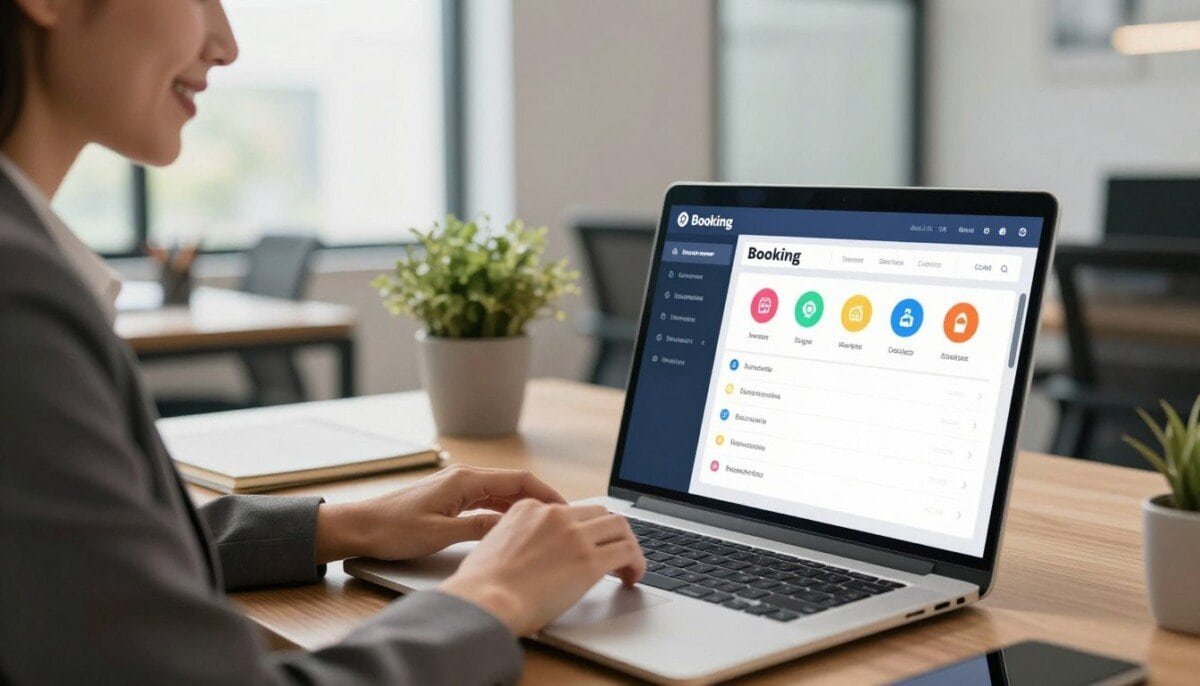
What if a single tool could cut hours of admin from your week and let your team focus on customers?
We’ve reviewed more than 200 vendors to help you choose the right platform. Our goal is to balance needs and monthly pricing so small businesses can scale with confidence.
Modern platforms centralize appointments, staff calendars, payment processing, and client data, all from one dashboard. That consolidation reduces manual work and lowers no-shows.
We highlight practical choices, including SuperSaaS, which begins at just $9 per month and offers a free tier for starters. Whether you run a salon or a tech repair team, the correct app can transform how you manage bookings and users.
Key Takeaways
- We compared 200+ vendors to find tools that fit different industries and size needs.
- Centralized platforms save time by unifying appointments, data, and payment flows.
- SuperSaaS offers a low-cost entry point at $9 per month and a free tier.
- Choosing the right plan affects how your team presents your business to customers.
- Our guide focuses on practical trade-offs between features, access, and pricing.
Understanding the Role of Modern Booking Tools
Digital schedulers act as a virtual assistant, handling many routine tasks so teams can focus on customers.
An appointment scheduler is a digital tool that lets people book, manage, and track appointments without phone tag. We see this cut administrative time dramatically across small businesses.
These tools automate confirmations, reminders, and cancellations. That keeps your calendar accurate and reduces no-shows. Staff spend less time on coordination and more time on revenue work.
- Clients view available slots in real time, which improves convenience.
- Integrating a calendar gives customers flexibility and lowers manual edits.
- Well-designed apps handle complex bookings and busy periods smoothly.
| Role | Benefit | Example Outcome |
|---|---|---|
| Scheduling | Saves staff time | Fewer phone transfers; faster confirmations |
| Automation | Reduces no-shows | Automated reminders and cancellations |
| Calendar Sync | Keeps availability accurate | Less double-booking during peak bookings |
To learn more about planning and productivity, check our guide to planning tools. We recommend assessing how each app fits your daily flow before switching systems.
Why Your Business Needs Online Booking Software for Service Businesses
A smart scheduling system saves hours each week and keeps daily operations steady.
Reducing Administrative Burden
Automated scheduling takes repetitive tasks off our plates. Reminders sent by email or SMS cut no-shows and lower last-minute cancellations.
That saves our team time and reduces frantic calendar edits. A central calendar means fewer double bookings and faster day-to-day management.
Improving Customer Satisfaction
Customers expect instant access and self-service. Letting people book appointments at any hour improves perception and boosts repeat visits.
We see higher engagement when clients can view availability, change slots, and receive confirmations without calling the front desk.
- Less admin work; more time delivering services.
- 24/7 access to bookings means we never miss a new client.
- Centralized records keep customers informed and staff aligned.
| Need | Benefit | Result |
|---|---|---|
| Reminders | Fewer no-shows | Higher revenue |
| Self-service | Better satisfaction | More repeat business |
| Central calendar | Clear schedules | Less double-booking |
Essential Features to Look for in a Scheduling Platform
Picking the right platform starts with knowing which features actually save us time and frustration.
Customization and form design matter first. A booking form should feel native to our brand and not redirect customers away. Deep customization of fields and automated email notifications keeps the process smooth.
Calendar and integrations are next. We want seamless sync with Google Calendar and other calendars to avoid double-bookings. Reliable integrations with payment processors and CRMs let our team manage users and payments in one place.
- Flexible pricing plans and per month tiers so a small business can scale as the team grows.
- Staff availability controls and multi-calendar support to handle varied appointments and services.
- Clear admin tools that let us assign users, adjust availability, and view bookings at a glance.
Look for a platform with robust capabilities so we can automate reminders, collect payments, and deliver a professional experience to our customers. Calendly, for example, offers a free tier and paid plans starting at $12 per month, making it a solid pick for many professionals.
Evaluating the User Experience for Your Clients
Your scheduling app often acts as the first handshake between our brand and new customers.
First impressions matter. A cluttered interface can frustrate users and stop them from finishing a booking. We prioritize clarity, predictable labels, and minimal screens that guide customers through each step.
First Impressions and Professionalism
Match design to your brand. Use consistent colors and messaging so visitors feel they are still within your business experience.
Reliability matters as much as looks. High uptime and fast load times keep appointments available when customers try to reserve them.
- Keep forms short to reduce friction and abandoned appointments.
- Show clear availability and confirmation details to build trust.
- Test the full appointment scheduling flow yourself on mobile and desktop.
| UX Element | Why it matters | Quick fix |
|---|---|---|
| Clear labels | Reduces confusion | Use plain language and step indicators |
| Short forms | Fewer drop-offs | Ask only essential questions |
| Branding | Builds trust | Match fonts and colors to site |
To explore mobile options that speed up scheduling, see our guide to mobile apps for scheduling.
Balancing Customization with Ease of Use
We want a scheduling platform that gives power when we need it and stays simple every day.
The best tools offer advanced features without clutter. They hide complexity behind sensible defaults. That keeps the app friendly for staff and customers.
Small businesses need a system that scales. SimplyBook.me, for example, lets us add logos and tweak colors so the booking page matches our brand. Yet setup stays straightforward.
Look for platforms that let you change pricing, plans, and payment options without code. That reduces admin time and avoids calls to support.
- Keep layouts clean so customers find services quickly.
- Offer optional advanced fields tucked behind toggles.
- Provide clear defaults so users can go live fast.
| Need | What to expect | Outcome |
|---|---|---|
| Customization | Branding, form fields | Consistent customer experience |
| Simplicity | Easy setup, sane defaults | Faster ROI and less training |
| Flexibility | Adjust pricing and payments | Better time management for staff |
By finding this balance we protect our time and deliver a smooth appointment scheduling experience to every client.
Integrating Payments and Financial Management

Handling money inside our scheduler keeps accounting tidy and protects our time.
Linking payment systems to scheduling reduces manual reconciliation and speeds cash flow. We want a setup that syncs charges with our calendar so revenue matches appointments automatically.
Payment Processing Integrations
Look for platforms that accept cards, digital wallets, and gift cards. That variety improves convenience for customers and cuts friction at checkout.
SimplyBook.me and Acuity Scheduling offer HIPAA options for healthcare teams that need extra compliance. Square Appointments lets us store cards on file and collect prepayments to secure slots.
No-Show Protection
Holding a card or charging a deposit is an easy way to protect time and revenue. Automated no-show rules let us apply fees or cancel unpaid appointments.
- Synchronized calendar and gateway for automated invoicing and real-time reports.
- Clear pricing plans that list payment features up front.
- Advanced processing options to accept wallets and gift cards.
| Need | Benefit | Example |
|---|---|---|
| No-show protection | Protects revenue | Card on file or deposit |
| Syncing | Faster reconciliation | Payments tied to calendar |
| Compliance | Data safety | HIPAA-capable platforms |
Deep Dive into Flexible Scheduling Solutions
Advanced scheduling systems handle complex rules so we can focus on clients, not conflicts.
SuperSaaS shows how multi-calendar logic works: a room and a therapist must both be free before an appointment can be confirmed. That prevents double allocation and saves staff time.
YouCanBookMe shines when real-time calendar sync matters. Its tight integrations with Google and Microsoft calendars keep team and individual availability accurate across devices.
Choose a platform that supports varied appointment types—one-off sessions, group classes, and recurring blocks—so your team avoids constant manual edits.
- Define custom slots and buffer periods to protect turnover time.
- Use reporting to spot peak hours and adjust staffing.
- Let users manage their calendars while the system enforces rules.
| Capability | Why it matters | Example |
|---|---|---|
| Multi-calendar logic | Prevents conflicts | Room + staff availability check |
| Real-time sync | Keeps schedules accurate | Google/Microsoft integration |
| Custom slots & buffers | Protects time between appointments | Defined prep and cleanup windows |
For planning strategies and tool selection, see our guide to planning tools. A flexible platform should grow with your needs and improve both staff efficiency and customer experience.
Professional and Feature-Rich Booking Platforms

For teams juggling many calendars, a feature-rich solution reduces conflicts and saves time.
SimplyBook.me and Acuity Scheduling show how mature platforms combine deep customization with practical controls. SimplyBook.me offers customer engagement tools such as add-ons for loyalty, memberships, and marketing that boost customer management.
Acuity pairs tightly with Squarespace, which makes integration seamless if our site already lives there. That reduces friction when customers move from browsing to booking.
We value reliable calendar sync and robust integrations. Choose a platform that keeps staff availability accurate across calendars and devices.
- Customization to match our brand and reduce abandoned appointments.
- Modules for memberships, gift cards, and loyalty that save admin time.
- Team management tools to assign staff and balance complex schedules.
| Need | Benefit | Example |
|---|---|---|
| Calendar sync | Fewer conflicts | Real-time updates across calendars |
| Marketing add-ons | Better retention | Loyalty and gift cards |
| Site integration | Smoother UX | Embedded booking on our pages |
Investing in a professional platform improves our appointment scheduling, saves time, and lifts the customer experience as our team grows.
Minimalist Tools for Streamlined Meeting Management
Minimalist scheduling apps strip away clutter so meetings get scheduled in seconds.
We favor lean apps when speed matters. Tools like Calendly focus on a clean interface that makes appointment scheduling fast for individuals and small teams. That reduces training and keeps our customer flows smooth.
Note that Calendly stopped supporting direct iCloud calendar integration for new users as of August 2024. We recommend checking calendar integrations before you commit.
Minimalist tools work best when you need simple meeting management without advanced resource rules. They let small businesses share a short link so clients can pick times in a few clicks.
- Fast setup and fewer settings to manage.
- Clean UI reduces user friction and errors.
- Essential integrations keep calendars synced and conflicts low.
| Need | Benefit | When to choose |
|---|---|---|
| Quick scheduling | Saves time | Individual pros and small teams |
| Low complexity | Faster adoption | Teams that want minimal admin |
| Core calendar sync | Fewer conflicts | Simple appointment workflows |
If your priorities are speed and clarity, these apps fit well. Try a lightweight option and compare it to fuller platforms before you scale. For a fast tryout, explore Calendly’s plans at Calendly.
Comprehensive Management for Service-Oriented Teams

A single system that ties staff assignments to each appointment reduces errors and saves us time.
Square Appointments shows how a unified platform helps teams. It handles staff scheduling, payroll, and real-time reporting through one dashboard.
We can assign specific services to team members so customers get the right person at the right slot. That prevents mismatches and lowers manual edits.
- Centralized management tools coordinate schedules, hours, and payment processing.
- Real-time insights help us make data-driven decisions and adjust staffing.
- Intake forms, automated reminders, and permissions live in the same interface.
| Capability | Benefit | When to use |
|---|---|---|
| Staff scheduling | Clear shifts and fewer conflicts | Multi-location teams |
| Payroll & reporting | Faster reconciliation and insight | Growth and planning |
| Service assignment | Right staff, right appointment | Complex calendars and bookings |
Bottom line: choose a platform that centralizes calendars, payments, and user access so our team spends less time on admin and more on customers.
Reliability and Security Considerations
Downtime and data leaks cost trust and revenue, so reliability must be non‑negotiable.
Uptime and Reliability
We choose platforms with strong uptime records. Outages mean missed appointments and unhappy customers.
Prioritize solutions with public status pages and a history of rapid incident response. That keeps our team on schedule and reduces surprises.
Data Security Standards
Protecting client data is core to our reputation. Look for encryption at rest and in transit, regular audits, and transparent privacy policies.
We review security docs and ask vendors about backups, access controls, and breach notification timelines.
HIPAA Compliance
Healthcare teams need platforms that meet HIPAA rules. SimplyBook.me and Acuity Scheduling are the two well-known options that support this level of compliance.
If we handle protected health information, we confirm a signed BAA and check technical safeguards before we migrate appointment data.
- Reliability and security protect revenue and trust.
- Review uptime history and incident response practices.
- Verify encryption, audits, and access controls.
| Consideration | What to check | Impact |
|---|---|---|
| Uptime | Public status, SLA, incident history | Fewer missed appointments |
| Security | Encryption, audits, role-based access | Protects customer data |
| Compliance | BAA availability, HIPAA support | Safe use in healthcare |
Bottom line: pick a reliable, secure scheduling tool that matches our compliance needs so our team can work without interruptions and our customers keep coming back.
Hidden Costs and Pricing Structures to Watch
Hidden fees can turn a cheap plan into an expensive monthly bill.
Advertised pricing often hides extra charges. Base plans may lack SMS credits, extra staff seats, or key integrations. SimplyBook.me, for example, frequently asks users to enable paid add-ons that raise monthly costs over time.
We recommend checking total cost of ownership before you switch. Ask vendors about fees for additional calendars, advanced management features, and third‑party integration. Confirm whether SMS reminders or payment tools are included in your chosen plan.
- Compare what each tier really includes.
- Ask about add-on fees and staff-seat charges.
- Look for a free trial or a free tier to test real value.
| Cost Item | What to Watch | Impact |
|---|---|---|
| Staff seats | Per-user fees not in base pricing | Monthly bill can double as team grows |
| SMS reminders | Often paid credits or higher plans | Higher churn or extra vendor charges |
| Integrations | Payment and calendar plugs may cost extra | Must budget for connectors and APIs |
| Add-ons | Marketing, loyalty, or advanced reports | Features you need may raise the cost |
Bottom line: we should map required features, then compare plans by real totals, not just the sticker price. Test a system with a trial and review payment-enabled options at systems with payment integration before committing to long-term plans.
Best Practices for Maximizing Your New Software
Start with clear habits and simple rules so the platform becomes a time‑saving tool, not extra work.
Keep availability current. Ask staff to update calendars daily so we avoid double bookings and angry customers. Real‑time availability prevents conflicts and reduces last‑minute shuffling.
Promote the change. Mention the new booking link during phone or face‑to‑face contact. When we highlight convenience, more users adopt the platform and the whole team saves time.
- Enable automated reminders to cut no‑shows and free up staff time.
- Use analytics and reporting to spot peak hours and improve services.
- Provide short, clear instructions so users feel confident using the tool.
- Connect the scheduling system with CRM and payment integration to reduce manual entries.
- Review settings monthly to refine features and adapt to changing needs.
| Action | Why it matters | Quick win |
|---|---|---|
| Update calendars | Prevents conflicts | Daily 5‑minute sync |
| Automated reminders | Lower no‑shows | Set SMS/email 24 hrs prior |
| Reporting | Improves services | Weekly peak‑hour review |
Bottom line: train the team, promote to customers, and tie the platform into our workflows. Small routines and regular reviews turn a good product into a productive solution.
Final Thoughts on Selecting Your Ideal Booking Partner
Choosing the right appointment partner shapes how smoothly our days run and how customers perceive us.
We must treat this as a strategic choice, not just a purchase. Evaluate features, pricing, and how each tool fits daily appointment scheduling. Prioritize options that ease management tasks and improve client experience.
Test two or three finalists with short trials. Measure time saved, error reduction, and changes in fill rates. If you want guidance on linked operations, see our inventory management guide to align workflows end to end.
Make a choice that grows with you. The best booking partner reduces admin, boosts professionalism, and helps us deliver exceptional service every day.



