
Can a non-technical team turn raw data into fast, confident decisions without hiring a full analytics staff?
Modern organizations are moving off manual spreadsheets and toward platforms that give clear dashboards and timely insights. ResearchGate shows 91% of users report improved decision-making when they use analytics software for planning.
Choosing between Power BI, Looker, and Metabase means balancing powerful analysis with ease of use. You must protect clean data sources, set consistent metrics, and integrate the platform into your current ecosystem.
We will compare core features such as data modeling, embedded analytics, natural language querying, and visualization options. You’ll see how each option handles access, reports, and secure metrics for teams across an organization.
Key Takeaways
- 91% of users see better decisions after adopting analytics software for financial planning.
- Pick a platform that balances deep capabilities with a friendly user experience.
- Prioritize clean sources, consistent metrics, and secure access for teams.
- Explore integrations and APIs to fit the platform into your ecosystem.
- Use natural language queries and visualizations to speed adoption for non-technical users.
- Read a practical comparison and database guidance at SQL tools for data analysis.
Why Modern Organizations Need Business Intelligence
Today’s organizations need a single, trusted view of performance to move faster and avoid conflicting metrics. Start with a short data strategy that names your KPIs and primary sources. That foundation prevents teams from working with different definitions.
Benefits of Data Visibility
Unified data turns scattered records into actionable insights. When analytics centralize sources, every user sees the same clean numbers for forecasting and trend work.
Improved visibility cuts reporting friction. Automated dashboards and scheduled reports free analysts from manual prep and let leaders focus on decisions.
Real-time monitoring helps you spot anomalies and react to market shifts fast. Centralized software reduces spreadsheet dependency and lowers reporting errors.
- Consistent definitions across teams stop misalignment.
- Automated dashboards save hours each week for analysts.
- Centralized analytics give reliable data for sales, marketing, and finance in one environment.
For a deeper look at how your data pipeline supports reporting and analytics, see top SQL tools for data analysis.
Understanding the Role of Data in Decision Making
Reliable data transforms vague assumptions into repeatable decisions across teams.
Data-driven decision making is no longer optional. Ninety-one percent of business intelligence users say these systems improve financial planning and reporting. That statistic shows the real impact of quality information.
When you rely on accurate analytics, you lower the risk of choices based on intuition. Clear metrics let teams diagnose root causes instead of just noting symptoms.
- Interactive dashboards help users explore trends and test hypotheses quickly.
- A single source of truth ensures consistent metrics across departments.
- Integrating intelligence into workflows speeds up routine decisions and frees time for strategy.
Make adoption practical: give every team access to the right software and simple training. When everyone trusts the numbers, your organization focuses energy on insights and long-term growth.
Evaluating the Best Business Intelligence Tools for Your Team
Map the decisions, users, and data sources first. That view makes it easier to compare platforms by real needs, not features lists.
Focus on fit: can your team connect data and build dashboards without heavy coding? Run short trials and measure setup time, report latency, and ease of sharing.
Balance capability and cost. Count license fees, training hours, and admin time. Include a proof of concept to confirm the platform delivers the insights you need.
| Evaluation Area | What to Test | Success Signal | Risk |
|---|---|---|---|
| Data connectivity | Connect common sources, sync speed | Live, reliable feeds | Broken ETL causes stale reports |
| User experience | Build a dashboard in 30–60 min | Non-technical users complete it | Steep learning curve |
| Governance & scale | Role-based access, row-level security | Consistent metrics across teams | Data sprawl and conflicting reports |
| Cost & support | Total cost of ownership, community size | Reasonable TCO and active forum | High run costs, limited help |
Gather input from all teams and check the vendor community for answers you will need later. For deeper SQL-focused guidance during evaluation, see SQL tools for data analysis.
Microsoft Power BI for Enterprise Integration
If your organization runs on Microsoft apps, Power BI can turn existing files and cloud services into shared analytics fast.
Microsoft ecosystem synergy makes integration simple. Power BI connects natively to Azure, Excel, Microsoft 365, and Dynamics. That reduces setup time and keeps your data sources aligned.
Semantic Modeling Capabilities
Robust semantic modeling helps you enforce consistent metrics across teams. Data modeling features let you clean, transform, and define measures without heavy coding.
User Accessibility
Non-technical users can build interactive dashboards with drag-and-drop visuals and natural language questions. Embedded analytics also let you surface insights inside Teams and internal apps.
| Capability | What it enables | Enterprise impact |
|---|---|---|
| Azure & Microsoft 365 integration | Direct connectors and single sign-on | Faster deployments, unified access |
| Semantic modeling | Consistent metrics and reusable models | Trusted reports and fewer conflicts |
| Cloud-native visualizations | Mobile and web dashboards, embedded analytics | Anywhere access and wider adoption |
Governance and scale remain central. Power BI balances self-service analytics with role-based controls and row-level security. That helps you protect sensitive metrics while empowering users to explore data.
Looker and the Power of Semantic Modeling
Looker shifts metric governance into code, making consistent analytics repeatable and auditable. That approach centers a single semantic layer so everyone uses the same definitions.
The Role of LookML
LookML defines metrics and logic centrally. You write models once and reuse them across dashboards and embedded visualizations.
The platform generates SQL dynamically, so queries stay performant and accurate against your warehouse. That keeps your data current and avoids duplicated logic in reports.
| Capability | What it enables | Impact |
|---|---|---|
| Central semantic layer | Single metric definitions | Consistent reports |
| Dynamic SQL | Warehouse-side queries | Real-time access |
| APIs & embedding | Custom integrations | Productized analytics |
LookML has a learning curve, but it gives governance, scalable data modeling, and control. For teams that need strict metrics and developer-driven integrations, Looker scales well and preserves a single source of truth.
Metabase for Accessible Open Source Analytics
Metabase puts open source simplicity at the center of analytics so non-technical users can ask questions of data without writing SQL.
The interface is clean and fast. A no-code query builder guides you through exploration. Dashboards render quickly thanks to a lightweight engine.
What teams gain: easy deployment, low cost, and wide data source support. Metabase avoids vendor lock-in and scales well for small and medium teams.
| Area | Metabase Strength | When to choose |
|---|---|---|
| Ease of use | No-code queries, intuitive UI | Non-technical users need quick answers |
| Deployment | Self-host or cloud | You want control and low ops cost |
| Cost | Open source core, paid add-ons | Budget-conscious teams avoiding lock-in |
| Visualizations | Charts, maps, and dashboards | Teams that value clear insights fast |
Use Metabase when you want accessible analytics that democratize data across your organization. It proves strong visualization capabilities do not require a heavy stack.
Comparing Key Features Across Top Platforms
A clear comparison focuses on data modeling, visualization options, and enterprise integration.
Power BI shines when you need deep integration with Microsoft apps, strong semantic modeling, and rich dashboards for broad user groups.
Looker forces governance into a central layer with LookML. That gives repeatable metrics and cleaner metric lineage for developer-led teams.
Metabase offers a lightweight, open approach for teams that want fast, no-code access to data and simple visualizations without heavy ops.
When you evaluate these platforms, check embedded analytics support, latency for real-time reports, and natural language query capabilities.
Match your choice to your data sources, the technical skill of your users, and long-term goals. Use a short pilot to measure setup time, sharing, and maintenance needs.
| Feature | Power BI | Looker | Metabase |
|---|---|---|---|
| Data modeling | Robust semantic models, familiar to Microsoft stacks | Centralized LookML for strict governance | Simple models, quick setup for basic needs |
| Visualization & dashboards | Wide visual library, strong interactive dashboards | Reusable explores and custom visual embedding | Clean charts and dashboards for fast insights |
| Integration & embedding | Native Azure, Microsoft 365 connectors, embed in Teams | APIs for deep product embedding and custom apps | Lightweight embeds, easy to self-host or cloud |
| Enterprise features | Row-level security, role controls, scale | Auditability, centralized metric governance | Lower TCO, fewer governance bells for smaller teams |
For a practical comparison focused on data analysis and platform fit, see our guide to best data analysis options. That resource helps you match platforms to your analytics and reporting needs.
How to Assess Your Data Maturity Level

Begin with a clear inventory of where data lives and who relies on it for decisions. That quick map shows gaps in ownership and highlights where you need governance before buying new software or a platform.
Identifying Data Silos
Look for places where information stops flowing. List systems, spreadsheets, and manual processes that hide metrics from other teams.
- Note which sources feed your reports and which do not.
- Track how often dashboards disagree and why.
- Prioritize fixes where the gap blocks key decisions.
Assessing Technical Readiness
Check if your sources are clean and if automation exists for routine imports. Test a sample report end-to-end to surface transformation errors.
Evaluate users’ skills and platform needs. If teams still rely on manual entry, invest in automation and data quality before adopting complex analytics or intelligence systems.
Assessing maturity helps you choose software that matches your organization’s capabilities and ensures insights are trusted and actionable.
Balancing Self Service Analytics with Data Governance
Give your teams room to explore data while you keep a tight grip on who can change metrics. Encourage hands-on analytics so users create dashboards and test ideas quickly. At the same time, require that core metrics and definitions come from a single, approved source.
Governance should be a guardrail, not a brake. Integrate security controls into daily workflows so the platform protects sensitive fields without slowing analysis. Role-based access limits who can view or edit critical data.
Define clear data ownership. Assign stewards for each source and set rules for metric calculations. That ensures every visualization and report links back to an accountable owner.
- Document standard metrics and publish them in a central catalog.
- Use role-based access and row-level controls to manage access.
- Embed approval workflows so new dashboards meet compliance before sharing.
| Focus | What it prevents | Outcome |
|---|---|---|
| Governed metrics | Conflicting reports | Trusted insights |
| Role access | Unauthorized changes | Safe collaboration |
| Integration with software | Shadow IT | Consistent platform use |
When you balance flexibility with control, you let teams innovate while keeping data reliable for long-term business growth.
The Importance of Data Lineage and Quality
Clear traces of where data begins and how it moves are the backbone of trustworthy analytics. Lineage shows the path from each source to your dashboards. That traceability prevents surprises and builds confidence in reports.
Ensuring Data Trustworthiness
Start by cataloging and mapping lineage. Platforms like OvalEdge help you record where fields originate and how they transform. That context reduces time spent chasing errors.
- Lineage links a metric back to its source so teams can validate numbers quickly.
- Quality management standardizes definitions and cleans records before analytics consumption.
- Automated lineage tracking lowers manual work and prevents corrupt values from reaching reports.
| Focus | Action | Outcome |
|---|---|---|
| Lineage | Map flows from source systems to dashboards | Faster validation and auditability |
| Quality | Standardize definitions and cleanse records | Accurate analytics and reliable insights |
| Access & management | Grant controlled access and document context | Safer sharing and confident decisions |
Trustworthy data is your most valuable asset. Commit to proactive source management and automated lineage so your platform and teams produce repeatable, reliable intelligence.
Strategies for Successful BI Implementation
Begin with one critical question. Identify a single, high-impact use case that the platform must solve this quarter. Delivering a quick win builds trust and shows how data and analytics turn into decisions.
Train toward tasks, not features. Give users short, role-focused sessions so they can build the dashboards they need. Hands-on practice reduces the learning curve for non-technical users and speeds adoption.
Integrate the platform with existing APIs and source systems. Smooth integration removes manual steps and makes dashboards reliable for every team. Connectors and simple ETL keep reports current and reduce friction.
Design dashboards for action. Show the metric, the trend, and the next step. Avoid complex visualizations that hide insight. Make reports repeatable and assign clear owners for every metric and dashboard.
- Use natural language features to let users ask questions and get instant answers.
- Track dashboard usage and gather feedback to measure success.
- Invest in data modeling and governance so reports stay accurate as sources grow.
| Phase | Focus | Success signal |
|---|---|---|
| Pilot | High-impact use case | Dashboards used daily by target team |
| Scale | Integration & training | Cross-team adoption and stable reports |
| Run | Governance & continuous improvement | Consistent metrics and measurable ROI |
Treat implementation as a long-term program, not a one-off rollout. For practical comparisons on data analysis and platform fit, see this guide to best data analysis options.
Overcoming Common Adoption Hurdles
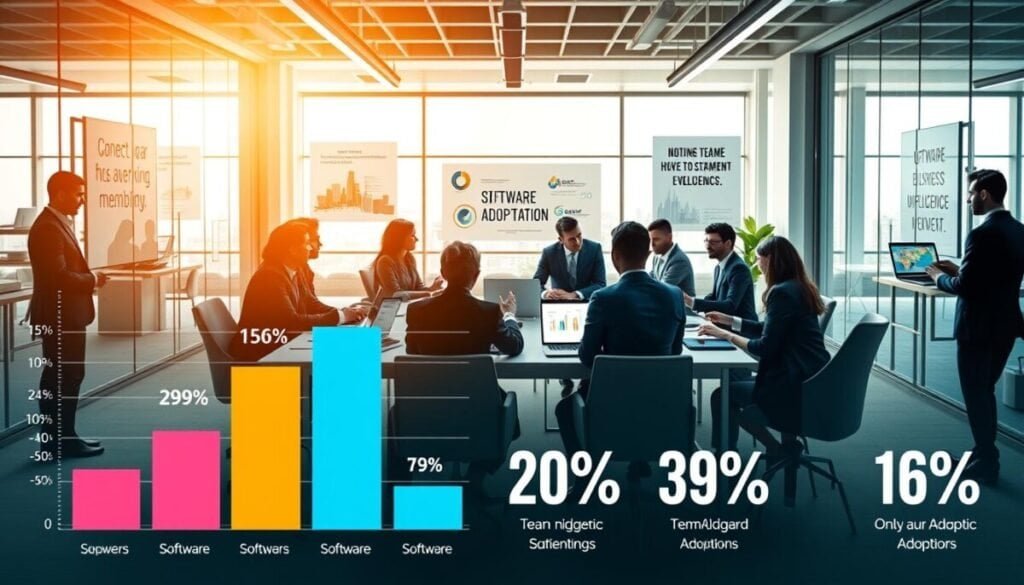
You win adoption by making early reports clearly more useful than old workflows. Start with one high-value data use case that delivers a visible gain in minutes or hours. Quick wins reduce resistance and prove the platform’s value.
Train for tasks, not features. Give short, hands-on sessions and dashboard templates so users build confidence fast. When the learning curve is shallow, teams stop reverting to spreadsheets and start trusting reports.
Keep integration smooth so people do not jump between systems to find data. Clean connectors and clear mappings let users access the correct source in one place.
- Solicit feedback weekly to spot stalled features or slow visualizations.
- Address UX issues quickly — a slow dashboard kills adoption.
- Celebrate early wins and share simple metrics that show improved productivity and insights.
Foster data literacy across teams and keep communication steady. For a detailed guide on common obstacles and fixes, see practical adoption strategies.
Integrating BI into Your Existing Tech Stack
Effective integration stitches analytics into daily workflows so teams find answers where they work.
Start by mapping where your data lives and who needs access. Connect the platform to your cloud warehouse and critical systems via robust apis. That reduces manual exports and keeps reports current.
Embed analytics inside applications to surface visualization and context at the point of decision. When users see insights in their apps, adoption rises and manual copying stops.
Protect data in transit. Build security and compliance checks into every integration. Use role-based access and encryption to keep sensitive records safe as they move across the ecosystem.
- Ensure the platform pulls from multiple sources to avoid silos.
- Choose cloud-native connectors that scale with usage.
- Keep a single source of truth so your reports remain consistent.
For guidance on selecting connectors and mapping requirements, read our guide to choosing analytics tools.
Scaling Your Analytics Infrastructure for Growth
Design your analytics stack so it grows with data volume and user demand without breaking performance.
Start with capacity planning. Match compute and storage to current workloads. Plan burst capacity for peak periods.
Use cloud software to gain elasticity. Scale resources up or down and pay only for what you need.
Choose platforms and tools that support high concurrency. That keeps dashboards responsive as more users query data.
- Prefer modular pricing and add-on features for predictable expansion.
- Monitor latency and query times to spot bottlenecks early.
- Automate scaling for heavy ETL and complex queries.
| Focus | What to verify | Scaling impact |
|---|---|---|
| Compute & Storage | Autoscaling, separation of compute from storage | Low latency under load |
| Concurrency | Session limits, query queuing | Fast dashboards for many users |
| Cost Model | Modular pricing, predictable TCO | Budget that grows with usage |
| Monitoring | Real-time metrics and alerts | Faster issue detection and remediation |
Future Trends in Business Intelligence Software
AI-driven features will redefine how teams ask questions and act on data. Platforms will automate routine analysis so users get instant insights without building complex queries.
Natural language querying will become more powerful. You will type—or speak—plain questions and receive accurate charts, explanations, and next-step suggestions.
Semantic engines will standardize metrics. That makes definitions reusable and auditable across platforms and dashboards.
Cloud-native analytics will continue to expand. The cloud speeds access, scales compute, and shortens time to insight for more users.
Advanced visualizations and AI forecasting will surface hidden patterns and predict outcomes. This shift moves your team from descriptive reports to predictive and prescriptive analysis.
- More automation: fewer manual steps, faster results.
- Deeper integration: analytics that live inside the apps your teams already use.
- Universal access: insights for every user, regardless of technical skill.
| Trend | Impact | What you should do |
|---|---|---|
| AI automation | Faster routine analysis | Pilot AI features on key metrics |
| Semantic engine | Consistent metrics | Define canonical models early |
| Cloud-native | Elastic scale and speed | Choose platforms with modular compute |
Selecting the Right Platform for Your Business Goals
Match the platform to the questions you ask every week and the systems that feed them.
Start with a clear use case and invite stakeholders to weigh in. Test each option with real data, short pilots, and sample dashboards so you see setup time and ongoing costs.
Evaluate power and flexibility to confirm the platform supports your reporting and self-service needs. Check total cost of ownership, adoption friction, and whether the software scales with growth.
For practical selection criteria and connector guidance, read our guide to choosing analytics tools. Choose a solution your team will use, and you’ll turn data into durable value for the organization.



