Have you noticed your portable charger warming up and wondered if it is safe to keep using it?
Stop and check before you plug back in. A common 10000mAh model like the Mi Power Bank 2 can feel warm during use, but steady or rising heat may signal stress in the internal circuits or ports.
Begin by assessing the output and the cable. A damaged or mismatched cable raises resistance and can make the unit get hot during a long charge time.
Professionals rely on portable units to keep a phone or laptop running. Yet ignoring signs of excessive temperature can harm the battery and connected devices.
If you see clear signs of overheating, cut the energy flow, move the device to a cool spot, and inspect the ports and charger for faults. For broader device heat tips, check this guide on smartphone heating causes and fixes.
Key Takeaways
- Stop charging if your unit becomes uncomfortably hot.
- Check output ratings and use a compatible cable to reduce resistance.
- Inspect ports and replace damaged cables promptly.
- Move the device to a cool, ventilated spot before charging again.
- Limit long, high-wattage charging sessions to protect the battery.
Understanding Why Your Power Bank Overheats
When a 10000mAh Mi unit discharges, internal components can become noticeably warm. Chemical reactions inside the lithium-ion battery create heat whenever energy moves out to a device. This is a normal result of energy conversion.
High-capacity units tend to run hotter when internal cable connections are not ideal. A worn or mismatched cable raises resistance and forces the cells to work harder.
Frequent heat or rising temperature is not normal. It often signals that the battery cells or the internal management system are struggling to balance voltage and current. If the device starts to get hot, unplug the cable and let it cool before using it again.
- Cause: Chemical discharge in cells.
- Sign: Continuous warmth during normal use.
- Action: Disconnect the cable and inspect connections.
| Cause | Common Sign | Quick Action |
|---|---|---|
| High discharge rate in a 10000mAh unit | Unit feels warm after short use | Stop charging; switch to lower current |
| Poor internal or cable connection | Fluctuating heat near ports | Replace cable; test another device |
| Failing cells or management system | Repeated warmth or unusual behavior | Retire the unit or seek service |
Immediate Safety Checks for Power Bank Overheating
If the charger starts to run warm, disconnect it and move it to a cool, ventilated spot. Do not reattach cables until the unit returns to a stable temperature.
Discontinuing use
If your 10000mAh power bank begins to get hot, stop using it immediately. Unplug the cable to protect your phone and other devices. Wait until the temperature drops before testing again.
Environmental factors
Avoid charging in direct sunlight or leaving the unit inside a hot car. High ambient temperatures trap heat and can cause faster battery stress.
- Do not charge in cramped, poorly ventilated areas.
- Check the cable for damage; a worn cable raises resistance and heat.
- Always verify temperature before and after long charging time to prevent overheating.
| Situation | Immediate Action | Why it matters |
|---|---|---|
| Unit feels hot | Disconnect and cool | Reduces fire and battery failure risk |
| Charging in sun or car | Move to shade or indoors | Prevents rapid temperature rise |
| Poor ventilation | Avoid charging until cool | Keeps internal temps within safe range |
Troubleshooting Common Charging Issues
Verify accessory compatibility before you blame the battery for a charging fault. Start with the cable and the charger that came with your 10000mAh Mi model. This step removes variables and prevents unnecessary damage.
Using Original Accessories
Original cables and chargers ensure correct input and output for the unit’s capacity. Low-quality adapters or worn usb-c cables raise resistance in the circuits. That extra resistance forces the cells to work harder and can cause heat or repeated stress to ports.
Inspect your cable for fraying. Make sure the connector fits snugly at both the wall and the device. A loose connection disrupts energy flow and can lead to unstable charging.
- Use the supplied charger: ensures stable output and safer charge cycles.
- Replace damaged cables: avoid cheap adapters that change voltage or current.
- Secure connections: steady flow reduces stress on the battery and ports.
| Problem | Common Sign | Quick Fix |
|---|---|---|
| High resistance from bad cable | Slow charge and extra heat | Swap to original cable |
| Unmatched adapter | Fluctuating output to device | Use certified adapter |
| Loose port or connector | Intermittent charging | Check ports and reconnect firmly |
Identifying Signs of Physical Damage
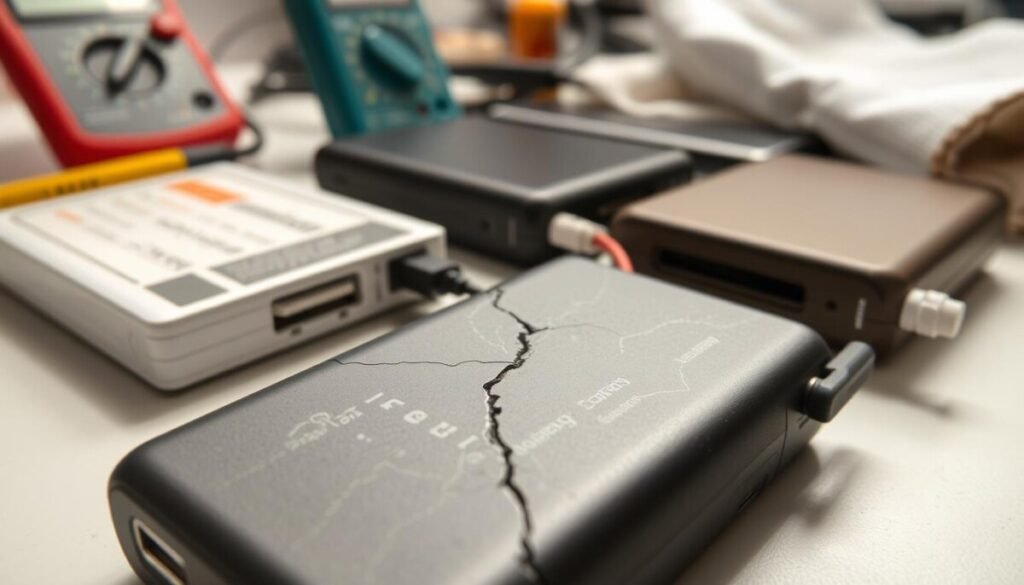
Look over the unit closely for any visible bulges, wet spots, or split seams before you try to charge it. A brief visual check can keep you safe and prevent larger problems.
Bulging and Leaking
Bulges or visible leaks are clear signs the battery cells are failing. If your 10000mAh Mi Power Bank 2 shows swelling or wet residue, you must avoid using the device.
Unusual Odors
A strong chemical or sweet smell means internal damage. Move the unit to a non-flammable area and do not plug in any charger or cable.
Casing Integrity
Cracks, gaps, or loose ports expose the battery to moisture and heat. Check the charging cable port carefully; a loose connector can cause extra heat during use.
- Inspect for bulges, leaks, and odor before charging.
- Keep damaged units away from cars and hot areas.
- Contact the manufacturer or an authorized service center for repair or replacement.
| Sign | What to do | Risk |
|---|---|---|
| Bulging case | Stop use; store safely; contact support | Cell rupture or fire |
| Leaking fluid | Do not touch; move to ventilated area | Chemical burn, device failure |
| Strong odor | Avoid charging; seek professional help | Battery venting, toxic fumes |
| Cracked casing or loose port | Do not charge; replace cable; service unit | Shorts, extra heat, device damage |
Awareness of Product Recalls and Safety Standards
Check recalls before you charge any portable device. In a major safety notice, Amazon recalled 260,000 AmazonBasics power bank units that can catch fire or ignite. Stop using any affected model immediately.
There were 53 reports in the U.S. of these units overheating, including one report of chemical burns from leaking battery acid. If your model is on the list — common sizes include the 10000mAh and 16,100 mAh versions — do not plug it in.
- How to act: Check the product ID on the back of your unit and compare it to the official recall list.
- Get a refund: Call Amazon at 855-215-5134 to register the recalled charger and receive a full refund.
- Manufacturer duty: Insist on higher safety standards for batteries, cables, and internal circuitry to cut fire and injury risks.
| Issue | What to do | Why it matters |
|---|---|---|
| Recalled unit | Stop using and register with the seller | Prevents fire, burns, and device damage |
| Visible leak or swelling | Keep away from people and property | Avoid chemical exposure and ignition |
| Unknown model ID | Compare ID to recall list or contact support | Confirms if the device meets safety standards |
Best Practices for Safe Charging
Use matched adapters and certified usb-c cables to keep input steady and lower stress on internal circuits. Good cables reduce resistance and help the battery hold capacity over time.
Charge only where air can move. Keep the unit out of direct sun and avoid leaving it in a hot car. A cool, ventilated spot prevents excess heat and reduces fire risk.
Monitor the temperature during the first charge time. If it starts to feel hot, unplug the charger and let it cool before testing again.
Inspect the casing and ports regularly. Remove debris and replace frayed cable ends to maintain stable energy flow to your phone or laptop.
For more usage guidance, see this short guide on using a power bank effectively.
- Charge on non-flammable, flat surfaces.
- Use original chargers when possible.
- Limit long, high-output sessions to reduce stress.
| Action | Why it helps | When to act |
|---|---|---|
| Use certified usb-c cables | Reduces resistance and excess heat | Every charge |
| Charge in ventilated area | Keeps temperatures stable | Always |
| Inspect casing and ports | Prevents shorts and flow issues | Monthly or after drops |
When to Seek Professional Assistance
Persistent heat, loss of capacity, or casing damage are clear reasons to escalate to professionals. If the unit still shows signs of overheating after basic checks, stop charging and get expert help.
Do not keep testing a device that repeats risky behavior. A trained technician can open the case safely, test the circuits and ports, and decide if the battery or output components are a fire risk.
If the unit will not hold capacity or the casing is swollen, contact the manufacturer or an authorized service center. For injury or property damage from a defective power bank, call the product liability lawyers at Wagner Reese at 888-204-8440 for a case review.
- Certified technicians evaluate batteries and replace unsafe parts.
- Manufacturers can check adapters, chargers, and cable compatibility.
- If you suffered burns or damage, legal help is available through Wagner Reese.
| Sign | Action | Who helps |
|---|---|---|
| Repeating heat or abnormal temperature | Stop use; get technical inspection | Service center |
| Loss of capacity or failed output | Test cells; replace if unsafe | Authorized technician |
| Cracked casing or leaks | Isolate device; seek repair or disposal | Manufacturer / lawyer |
Conclusion
C small signs of trouble often start as minor warmth; inspect promptly to avoid escalation. Check the unit and cable before you plug in and stop charging if you notice unusual heat or smell.
Monitor your devices and treat routine checks as part of normal upkeep. This simple habit extends lifespan and cuts risks with overheating.
Prefer original chargers and certified cables to keep temperature stable. If you see physical damage, swelling, or repeated heat, discontinue use and contact support right away.
Stay aware of product recalls and seek professional help when in doubt. These steps keep your power banks useful and safe for daily work.



