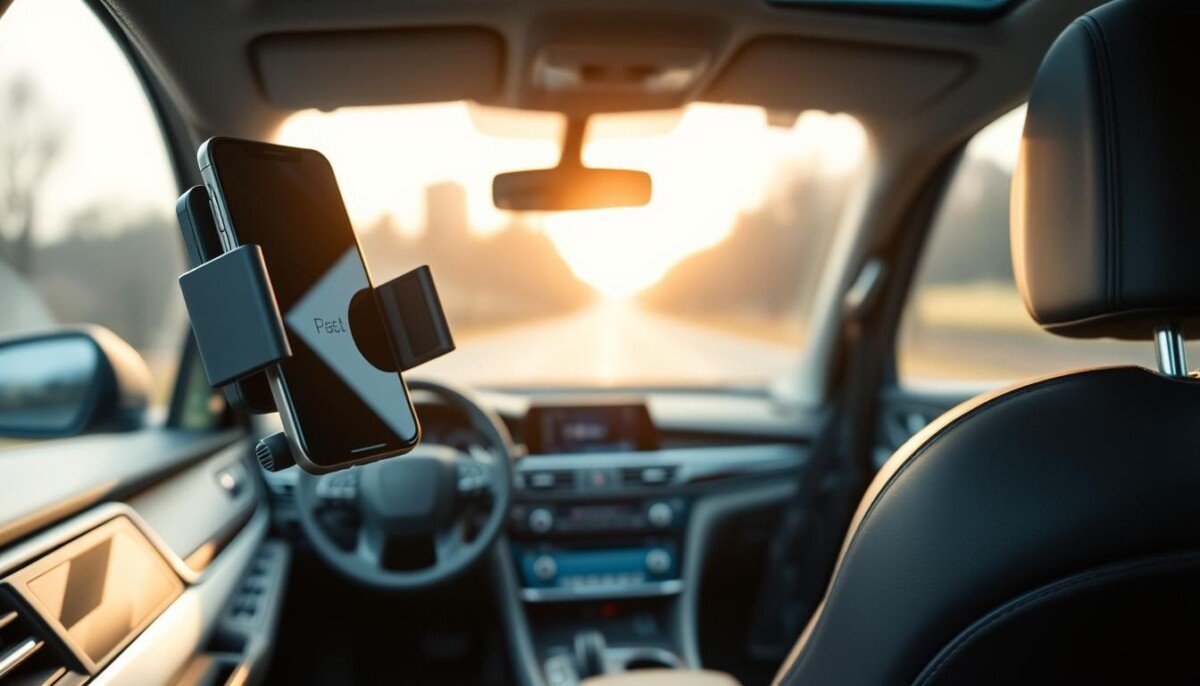
Ever wondered why a simple mount can ruin an expensive device on a hot day? You need a solution that keeps your device cool and your view clear. Our guide shows how to pick a reliable holder that balances visibility, stability, and airflow.
VICSEED designed a mount that resists -4°F to 194°F to avoid melting. Proper installation keeps your device secure during summer peaks. Many models now use high-density silicone to reduce wear and protect the screen.
We tested suction cups, clamps, dash and windshield options to find mounts that hold steady and let air circulate. Pay attention to base design and vent placement to prevent suction failure. This intro prepares you to choose a mount that protects navigation use and device safety on long drives.
Key Takeaways
- Pick a mount with heat-tested materials like high-density silicone or tested plastics.
- Proper mounting on the dashboard or windshield improves stability and view.
- Look for a secure clamp and a stable base to reduce shake on the road.
- Suction cups rated for high temps reduce the risk of failure in strong sun.
- Prioritize airflow and vent placement to keep devices cool during navigation.
Understanding the Impact of Heat on Car Phone Mounts
High cabin temperatures can weaken standard adhesives and make a mount fail when you least expect it.
The danger often starts quietly: adhesive softens, grip drops, and your holder can fall away from the dash or windshield.
The Danger of Melting Adhesives
When temperatures soar, common adhesive plates may melt or leave residue. This can harm the interior finish and ruin the base of a mount.
Check temperature ratings before you install any holder. A well-tested suction or gel solution will resist softening and keep stability on the road.
Protecting Your Device
Keep devices out of direct sunlight and allow airflow around the clamp or vent area. Air from vents helps cool a mounted device when the design does not block airflow.
- Choose mounts that use tested suction or nano-gel layers for reliable suction and long-term safety.
- Prepare the dash surface carefully to improve adhesion and reduce the chance of detachment.
- If a holder loses stability, inspect the suction cups or adhesive for signs of degradation.
| Issue | Risk | Fix |
|---|---|---|
| Adhesive softening | Loss of grip; device drops | Use high-temp rated base; clean surface |
| Direct sun exposure | Battery stress; screen damage | Position away from view; allow airflow |
| Blocked vents | Poor cooling; overheating | Choose vent-friendly design or vent mount |
| Residue on dash | Interior damage; sticky finish | Use removable adhesive plates or gel suckers |
VICSEED’s 3-layer nano gel sucker passed over 1,000 suction tests and shows how design can solve the issue.
For more on keeping devices cool and avoiding damage, read this guide on smartphone overheating causes and fixes.
How We Tested Car Phone Mounts for Heat Resistance
We set up real-world scenarios to see which holders keep a grip when conditions get tough.
Test setup: our team mounted each device using an iPhone 14 Pro Max in a case to mimic daily use. Every mount was installed for 24 hours in a single vehicle. That period included one hour with the engine off while the cabin reached high temperatures.
Gannon Burgett ran the full evaluation in a 2014 Hyundai Santa Fe Sport to keep conditions consistent. We focused on how the base, clamp, and suction behaved on both dash and windshield surfaces.
Stability and road tests: we drove over speed bumps, potholes, and made sharp turns to check for rattling and leaning. The tests measured whether a holder stayed put and kept the view steady during driving.
Adhesive and suction checks: mounts tested included adhesive and cup designs. The Qifutan holder underwent a full 24-hour run to confirm its adhesive did not lift or melt. We also inspected removal to ensure no dash damage.
- 24-hour install with one hour in high-heat conditions
- iPhone 14 Pro Max used to simulate modern device weight
- Dynamic driving tests for stability and safety
Key result: a reliable phone mount must keep suction and clamp strength, allow airflow near vents, and keep devices secure even when parked in direct sun.
Best Overall Car Phone Mounts Heat Tested
We focused on real-world performance to see which holders keep devices safe under stress.
Top pick: the Qifutan Car Phone Holder Mount led our testing for overall durability and stability. Its heat-resistant suction cup and a telescopic arm (6.5–8.1 inches) gave a clear viewing angle without blocking the road.
The Qifutan stayed firmly attached through our 24-hour test and showed no signs of melting or lifting from the dashboard surface. That reliability matters when you need steady mounting for navigation or hands-free calls.
Performance in Extreme Temperatures
The iOttie Auto Sense model adds wireless charging and motion-sensing clamping for quick placement. It works best on flat, prepped surfaces to get the most from its adhesive base.
- Stability: Qifutan kept clamp strength during bumps and turns.
- Suction and base: tested to resist softening and loss of grip.
- Viewing and mounting: adjustable arm and secure view on dash or windshield.
Top Picks for Dashboard and Windshield Mounting
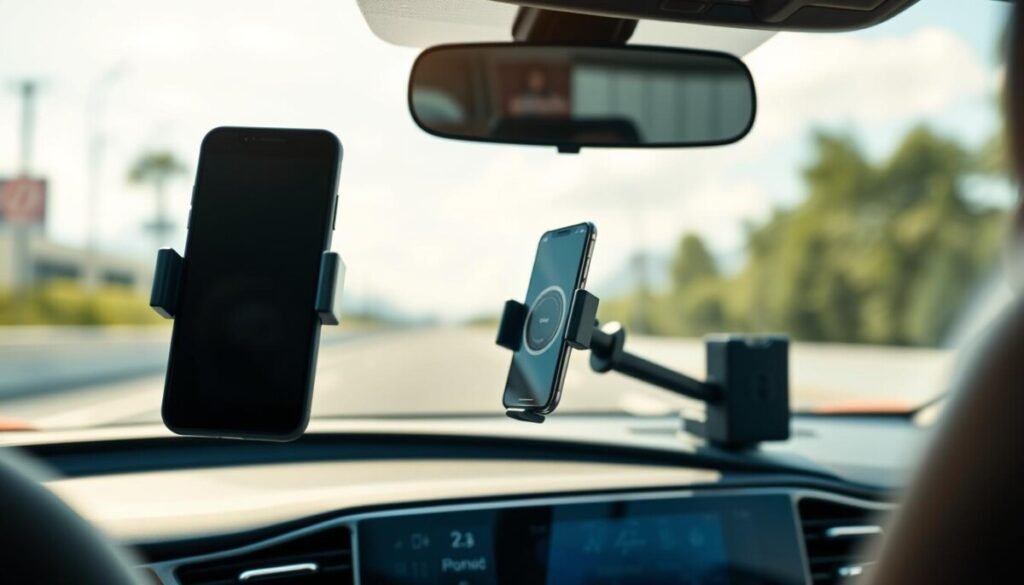
Good suction and a flexible arm keep your screen visible without sacrificing stability on rough roads.
Suction Cup Technology
Suction cups make the difference between a steady install and a surprise drop. The Qifutan system uses layered gel and a removable adapter for both dash and windshield mounting.
VANMASS proved reliable on windshields in our tests. Strong suction matters most when the cabin gets hot or the surface is uneven.
Telescopic Arm Adjustability
The Scosche MagicMount Pro2 Extendo brings your device closer for a safer view. A telescopic arm helps you set distance and angle quickly so you don’t take your eyes off the road.
Adhesive Durability
Clean the dash with a lint-free towel before installing any adhesive base. Proper prep extends lifespan and keeps the base from lifting in strong sun.
- Versatility: VANMASS fits most modern phones, including the iPhone 15 Pro Max.
- Reach: Scosche’s arm improves visibility and reduces glare.
- Multi-surface: Qifutan offers adapters for both dashboard and windshield installation.
| Feature | Best For | Key Benefit |
|---|---|---|
| Qifutan | Dash & windshield | Advanced suction cup grip |
| VANMASS | Wide compatibility | Reliable windshield hold |
| Scosche Pro2 Extendo | Reach & view | Telescopic arm for closer sightlines |
Reliable Air Vent Mounts for Better Airflow
Choosing a vent mount lets conditioned air reach the screen and battery while you drive.
The Lamicall Car Phone Mount is our top-rated air vent option. It uses a heat-resistant silicone panel and side clamps that align with the vent for added stability. The hook fits vent blades from 10.0 to 29.0 millimeters thick, so it works on most vents without blocking airflow.
The Miracase Phone Holder is ideal if you need flexible viewing. It offers 360-degree rotation and fits straight vent blades under 1.4 inches wide. Many users praise its clamp design; the model has over 30,000 reviews showing reliable performance.
Why pick a vent-mounted phone holder? Vent mounts keep devices cooler by using AC air. They also clear the dashboard and maintain a safe view of the road.
| Model | Key Fit | Rotation | Notable Feature |
|---|---|---|---|
| Lamicall | Vent blades 10–29 mm | Portrait/Landscape | Heat-resistant silicone; side clamps for stability |
| Miracase | Straight blades <1.4 in | 360° | High review count; reliable clamp |
| Generic Vent Mount | Varied vent styles | Limited | Best when airflow not fully blocked |
- Vent mounts keep the device cool without relying on suction or a base.
- Confirm the mount is compatible with your dash and vent layout before buying.
- Install so the vent still lets air pass; blocked vents reduce cooling and can strain the clamp.
Why Magnetic Mounts Are a Great Choice
Magnetic mounts speed up everyday use and keep your dash tidy. They remove bulky clamps and make one-handed placement simple.
MagSafe-ready options like the iOttie Velox Wireless Vent Mount attach directly to compatible phones for a firm, centered hold. If your case isn’t MagSafe, many models include a thin stick-on magnet that pairs well with cases.
The ESR Wireless-Charging Vent Mount adds power while the holder keeps a secure grip. The Scosche MagicMount Pro2 Extendo blends a strong magnetic face with an extendable arm for better reach and view.
Compatibility with Modern Cases
Modern devices use nonmagnetic components near their chips, so magnets won’t harm performance. For best stability, use a MagSafe-compatible case or the included adhesive magnet.
- Quick use: Mount and remove phones in seconds.
- Clean look: No clamping arms cluttering the dashboard.
- Charging ready: Select models provide wireless charging while mounted.
| Model | Best fit | Top benefit |
|---|---|---|
| iOttie Velox | MagSafe phones | Fast, centered magnetic hold |
| ESR Wireless | Cases that accept charging | Charging plus vent mount convenience |
| Scosche Pro2 Extendo | Varied cases | Magnetic hold with extended reach |
Benefits of Choosing Heat-Resistant Materials
Choose materials that stay stable in direct sun so your mount keeps a firm grip and won’t warp.
Heat-resistant silicone shields the clamp and the surface that touches your device. The Lamicall Car Phone Mount, a reliable car mount solution, uses a silicone blend that stays stable up to 194°F, so it won’t soften when parked on a hot day.
High-density resilience silicone like VICSEED’s formula adds scratch protection and long-term reliability. That material keeps its shape, preserves suction, and maintains stability over years of use.
Pick a holder rated for higher temperatures to avoid warped plastics and failed adhesive. A quality mount keeps air moving around vents and the dashboard area so devices stay cooler during long trips.
- Longevity: durable materials reduce replacements.
- Protection: silicone resists scratching and deformation.
- Performance: rated bases keep suction and charging reliable.
For practical guidance on choosing materials that actually work, see this concise guide on heat-proof case and material options.
Avoiding Common Installation Mistakes
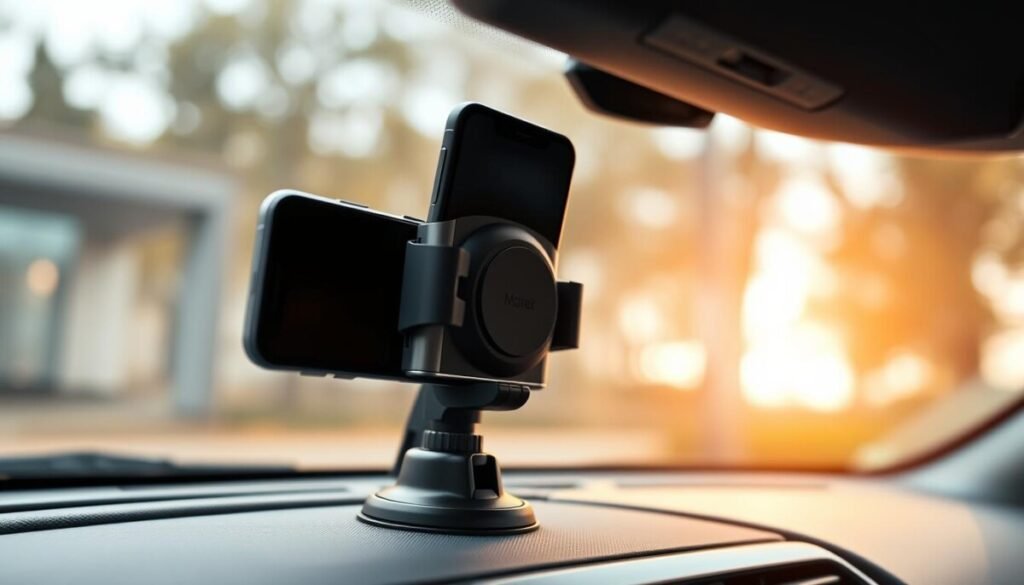
Most problems start during setup, not while you drive. A careful install protects your interior and keeps the holder stable. Follow simple steps and you reduce the risk of damage and failure.
Surface Preparation
Clean the dashboard or windshield with a glass or interior cleaner. Dry the area with a lint-free towel before you apply any adhesive or suction cup.
Tip: For the Qifutan, make sure the surface is flat and free of dust so the adhesive bonds correctly. Proper prep improves long-term stability and suction.
Proper Vent Blade Attachment
When using an air vent option, slide the hook onto the blade gently. If you feel resistance, stop and try another angle to avoid breaking the vent fin.
For a secure install, check the vehicle manual or the mount instructions. A safe holder prevents the unit from becoming a projectile and protects the device during sudden stops.
| Issue | Fix | Why it matters |
|---|---|---|
| Dirty surface | Clean & dry with lint-free towel | Improves suction and adhesive life |
| Forced vent install | Reposition; choose compatible hook | Prevents vent damage |
| Poor bond | Use flat area; follow brand steps | Maintains stability and safety |
Factors to Consider Before You Buy
Start by checking clamp width, charging needs, and the vehicle’s vent layout.
Device size matters. Some clamps do not fit larger models like the iPhone 15 Pro Max. Confirm the maximum width the holder accepts before you order.
Next, pick a mounting location that matches your driving habits. Air vent mounts deliver direct airflow but can block vent flow. Dashboard or windshield mounts give a clear view but may sit in your sightline.
Think about power. If you use navigation a lot, a mount with wireless charging, such as iOttie Auto Sense, keeps the battery steady on long trips.
Check compatibility with your interior. Some models need a flat dashboard, others clip into vents or cupholders. Choose one that fits your layout and installs easily if you plan to move it between vehicles.
- Confirm clamp size for larger phones.
- Decide between vent cooling and dashboard windshield visibility.
- Verify wireless charging if you rely on in‑route power.
- Pick a stable design — shaky holders hinder safe driving.
| Mount Type | Best For | Trade-off |
|---|---|---|
| Vent clip | Cooling and quick access | May block airflow or fit issues |
| Dashboard/windshield | Clear view and steady shot | Can obstruct sightline; needs flat surface |
| Magnetic / wireless | Fast use and charging | Needs case compatibility or adhesive |
Keep safety first. The right holder keeps your device within view without creating distractions. That means better focus and safer drives.
Maintaining Your Mount for Long-Term Use
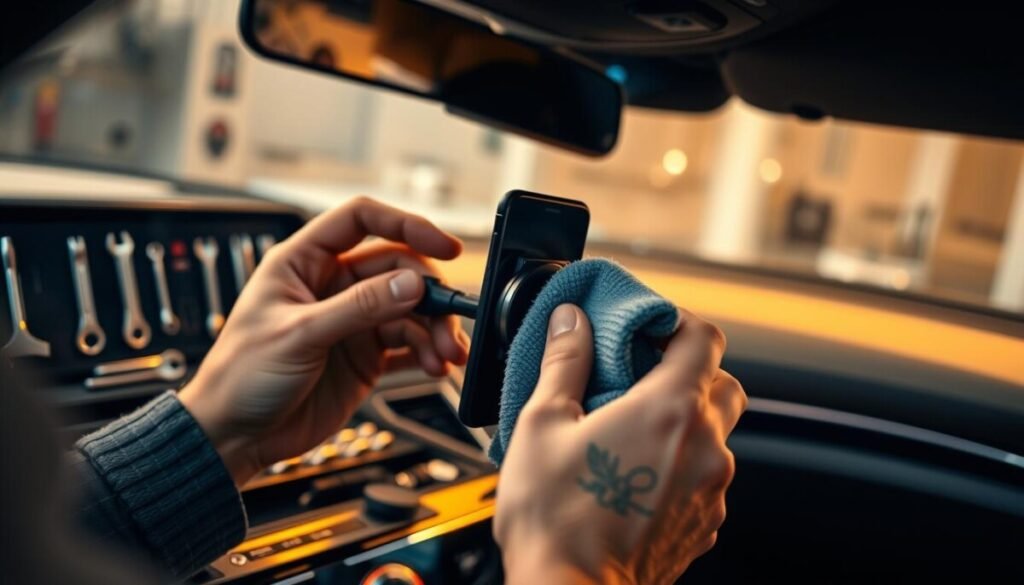
A little care each month keeps your holder steady and reliable. Regular checks are quick and prevent most failures. You will save time and avoid sudden drops.
Clean the suction cup with water or glass cleaner when it loses grip. Dry it before reattaching to the dashboard or windshield. This often restores original suction without replacement.
Check the ball joint and telescopic arm for tightness. Adjust tension so your device stays at the right angle while driving. For adhesive bases, expect to replace the sticky pad if you move the mount.
- Inspect vent clips for cracks to avoid slips off the air vent.
- Keep the clamping area free of dust so the arms close smoothly.
- Test stability after each reinstall and before long trips.
| Task | How Often | Why |
|---|---|---|
| Clean suction cup | Monthly | Restores grip and suction |
| Check joints/tension | Monthly | Maintains viewing angle and stability |
| Inspect vent clips | Every 3 months | Prevents mount from slipping off air vents |
| Replace adhesive pad | As needed | Keeps dashboard bond strong |
Proper care protects your investment. Small routines keep your mount working and your device safe in the car. Follow these steps and enjoy reliable performance season after season.
Comparing Charging Capabilities
Not all in-holder charging performs the same; efficiency varies by design and case thickness.
Wireless charging efficiency depends on alignment and case thickness. The iOttie Auto Sense Car Phone Mount is Qi-certified and delivers 7.5W for iPhones and 10W for Android devices. For best results, use a case under 6.0 mm thick.
Wired charging is more consistent on long trips. It avoids drops in output but needs cable routing so interiors stay tidy. Some mounts include a car outlet adapter to give you a reliable power source.
The ESR Wireless-Charging Vent Mount charges through most cases and keeps your device near the vent for added cooling. If you prefer an air vent setup, this model blends convenience with steady power delivery.
- Choose wireless for daily convenience and quick dock/undock.
- Choose wired for long navigation runs and maximum reliability.
- Check output specs so your device gains enough power while in use.
| Charging Type | Typical Output | Best Use |
|---|---|---|
| Qi wireless (iOttie) | 7.5W (iPhone), 10W (Android) | Daily driving; simple cable-free use |
| Wired USB | Varies by adapter (15W+ common) | Long trips; heavy navigation and streaming |
| Vent wireless (ESR) | 5–10W depending on case | Short trips; vent cooling helps efficiency |
Safety Considerations While Driving
Place the holder where a quick glance gives route info without turning your head from traffic.
Use devices only for navigation or hands-free calls. Do not scroll social feeds while moving. Keep interactions brief and voice‑controlled when possible.
A proper phone mount near your line of sight keeps directions visible and reduces distraction. Avoid any placement that blocks your view of the road or interferes with dashboard controls or airbags.
- Test placement while parked. Confirm the mount does not block sightlines or access to controls.
- Consider a cupholder mount if you prefer not to use dashboard windshield setups.
- Keep vent mounts positioned so AC flow reaches the device without blocking vent blades.
Always put road safety ahead of convenience. Even a secure mount cannot replace good judgment. Choose a setup that supports hands‑free use, stable suction or clip stability, and safe arrival.
Conclusion
Choose a stable holder that balances visibility, airflow, and secure charging. A clear view keeps you focused and air flow helps device longevity.
We reviewed the best car mount reviews and the mounts tested for real heat stress. Pick a vent, dashboard, or windshield option that suits your layout and driving style.
Prioritize safety: place the mount where a quick glance gives directions without distraction. Invest in a quality mount with reliable charging and firm grip to improve every commute.
Use this guide to make a confident choice and enjoy steadier, safer trips with better cooling and power.



