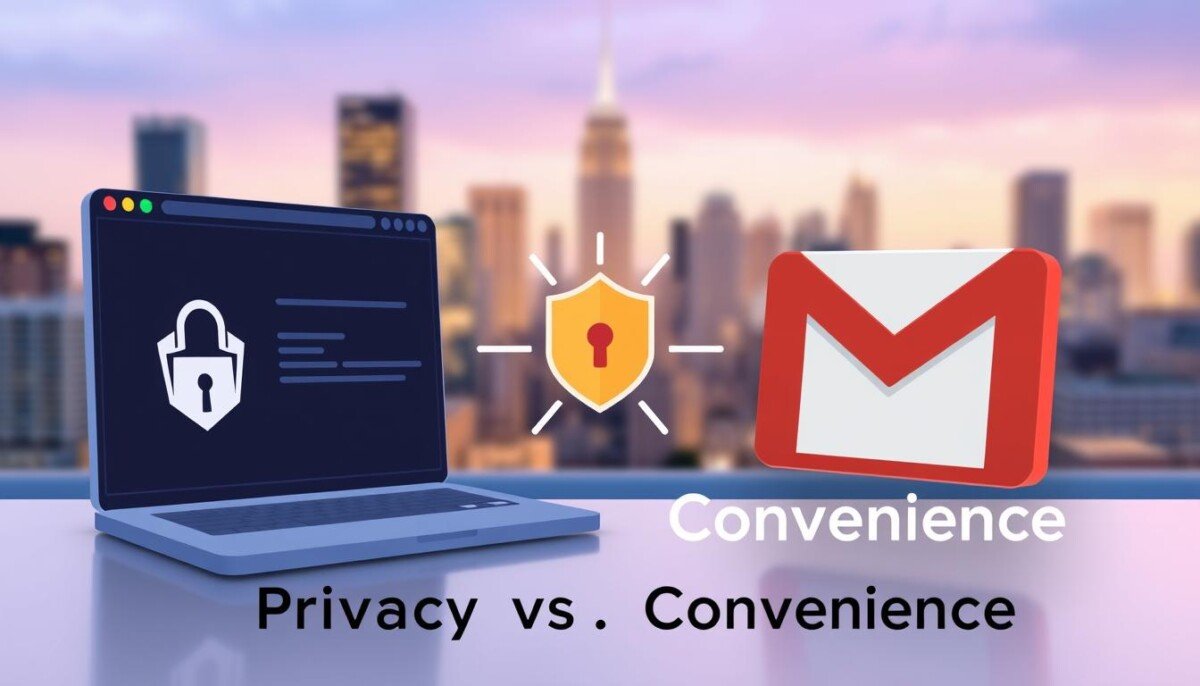
Which matters more to you — seamless daily tools or strict inbox privacy?
You use email for work and life, but each account shapes your digital footprint.
Choosing between a privacy-first service and a dominant productivity suite means weighing security, storage, and how companies handle your data.
One option focuses on zero-knowledge encryption and Swiss data rules. The other offers vast storage, tight integration with popular apps, and deep web tools.
Many professionals wrestle with this trade-off every month when they decide which address to use for sensitive messages and which to keep for routine updates.
This section lays out the core differences so you can match an email service to your priorities — whether that is ads-free privacy or a feature-rich inbox that syncs across your work suite.
Key Takeaways
- Decide if privacy or convenience fits your daily workflow.
- Encryption and data rules protect sensitive messages.
- Large storage and app integration boost productivity.
- Free plans may limit space; subscriptions add features.
- Switching accounts affects address continuity and apps.
Understanding the Core Differences in Proton Mail vs Gmail
https://www.youtube.com/watch?v=ddB741z3I_0
At their core, these two email platforms take opposite paths: one favors seamless tools and deep app links, the other limits the data it holds about you.
The practical result is a trade-off you can feel every day. The productivity-focused option gives large storage, search, and tight integration with calendars and docs. That makes routine work faster.
The privacy-first option minimizes collected data and uses end-to-end protection to keep your inbox private. This approach reduces third-party access and limits metadata exposure.
Below is a quick comparison to show where each side wins. Use it to match an account to your priorities.
| Area | Convenience-Focused Service | Privacy-Focused Service | Which to pick |
|---|---|---|---|
| Integration | Deep app links and calendar sync | Minimal external integrations | Choose integration for productivity |
| Data Handling | Server-side processing for features | Zero-access encryption of inbox | Choose privacy for sensitive info |
| Features | Advanced search and AI tools | Strong encryption and limited tracking | Choose features for daily efficiency |
| Account Use | Best as a daily work address | Best for confidential communications | You can keep both for separate roles |
For users who need large file sharing along with their account strategy, consider pairing an email choice with a robust cloud option like best cloud storage for large files.
Privacy Standards and Data Jurisdiction

Legal borders and physical servers shape how private your email really is. Where a provider stores servers affects who can request access to your messages and metadata.
Swiss Data Protection Laws
Switzerland gives strong legal shields. The service operates under Article 13 of the Swiss constitution and the Federal Data Protection Act. This keeps your account outside direct U.S. and U.K. reach without a Swiss court order.
The company also stores systems deep underground in a hardened facility. That physical separation adds a clear layer of security.
The Reality of Metadata
Even with end-to-end encryption, some metadata must exist. The platform logs items like IP addresses and timestamps so devices can sync and messages deliver.
Timing, frequency, and linked recovery addresses can reveal patterns about your inbox. If you use proton services, avoid linking an identity-linked recovery address when anonymity matters.
Quick contrasts:
| Topic | What is recorded | Privacy impact |
|---|---|---|
| Content | Encrypted end-to-end | High protection |
| Metadata | IP, timestamps, headers | Can expose habits |
| Legal reach | Swiss law required | Reduced foreign access |
Security Features and Encryption Protocols

Real inbox protection hinges on the encryption model and who controls the keys. This determines whether your messages remain private even if servers are seized or a court order arrives.
Zero-Knowledge Encryption Explained
Zero-knowledge means the provider cannot read your content. The service uses PGP-style encryption so only you and your recipient hold the decryption keys.
When both sides use the same secured platform, emails stay encrypted end-to-end. That keeps sensitive data private on transit and at rest.
- PGP backbone: The system relies on strong public-key cryptography to protect message content.
- Cross-platform limits: If you send to other providers, the message must be decrypted for delivery, reducing end-to-end benefits.
- Device risk: Encryption does not stop a compromised device; strong passwords and MFA still matter.
| Protocol | How it protects | Practical limit |
|---|---|---|
| Zero-knowledge PGP | Company cannot decrypt inbox | Only full when both users use same service |
| TLS & AES | Encrypts transit and server storage | Provider holds keys; legal access possible |
| Account protections | MFA and strong passwords | Doesn’t stop physical device compromise |
Bottom line: If privacy is critical, choose a model that keeps keys with you. For file-level protections that pair well with this setup, consider encrypted cloud options like end-to-end encrypted cloud storage.
User Experience and Mobile App Functionality

A clear interface speeds your work, but extra security often trims convenience. You notice the trade-off the moment you open the mobile app.
Interface and Navigation
The mobile experience feels utilitarian. The polished gestures and fast swipes found in major productivity apps are limited here. That makes inbox triage slower for heavy users.
Text Formatting Limitations
Formatting is basic on Android. The app lacks sender images and advanced text styling that many professionals expect. This limits rich signatures and formatted proposals in emails.
Email Client Compatibility
To link a proton mail account to third-party email clients like Outlook or Apple Mail you need Proton Bridge. That requirement puts a barrier in front of users who prefer native clients like Apple Mail.
- Pros: The web version added client-side search and keeps your data private.
- Cons: Third-party integration requires a paid bridge and labels work more manually than automated sorting.
If large attachments factor into your setup, pair your account strategy with recommended cloud options such as best cloud storage for large files.
Ecosystem Integration and Productivity Tools
Which ecosystem you join changes how emails, calendars, and files link together in daily tasks.
The dominant productivity suite connects email directly to docs, sheets, and slides. You can open and edit files from your inbox. That saves time on routine team work.
By contrast, the privacy-focused option builds its own apps. It now includes Proton Drive, Proton Calendar, and Proton Pass to keep your data under stronger encryption. These tools help you avoid sending sensitive content to third-party apps.
For complex workflows, the large suite still wins on integration. It links to many apps and automation platforms. That power speeds collaboration for teams.
Key integration trade-offs:
- Deep app links: faster editing and shared files inside email.
- Closed ecosystem: fewer third-party connectors, stronger control of data and encryption.
- Email client limits: external clients often need paid bridges or workarounds.
| Feature | Productivity Suite | Privacy-Focused Ecosystem |
|---|---|---|
| Real-time docs | Built-in, edit from inbox | Separate secure drive, encrypted |
| Third-party apps | Thousands via integrations | Limited by design to protect data |
| Account continuity | Seamless across services | Unified security across products |
Decide which matters more for your role. If speed and deep app links drive your day, choose the suite. If encryption and tighter control over your inbox and files matter most, the privacy-focused products provide a clear alternative.
Storage Capacity and Free Tier Limitations
Storage limits shape how you use an email account for archives, big attachments, and daily work.
The free offering here is modest: new users get 1GB of free space. By contrast, the large productivity suite gives 15GB at no cost.
That gap matters. If you store long-term threads or send big files, 1GB fills fast. Daily send limits on the free plan also restrict high-volume use.
Subscription Tiers and Value
Paid plans expand space and unlock product features. The Unlimited subscription costs $12.99 per month and includes 500GB, custom domains, and access to the full product set like VPN and encrypted cloud storage.
Why upgrade? More space, more labels, higher send limits, and cross-product access. These make the account viable for professionals who need reliable security without intrusive ads.
- Free tier: 1GB, limited daily sends, basic labels.
- Unlimited plan: 500GB, custom domains, full products, $12.99/month.
- Large-suite free tier: 15GB but data is processed for ad and analytics features.
| Plan | Free Space | Key Limits |
|---|---|---|
| Free | 1GB | Daily send caps; limited labels |
| Unlimited | 500GB | Custom domains; full product access |
| Productivity Suite Free | 15GB | Data processed for analytics/ads |
Decide by your priorities. Choose the larger free space if storage and convenience win. Choose the paid privacy-focused subscription if you value encryption and fewer data-processing trade-offs. For details on tiered features and pricing, read the service tier breakdown.
Advanced AI Capabilities and Data Handling
Today’s AI tools can turn long message chains into short action items in seconds.
Modern email AI splits along two paths. One offers cloud AI that drafts, summarizes, and sorts your inbox for speed. For example, Gemini-style tools inside large suites can generate entire replies with a click and surface key points from long threads.
The privacy path takes a different turn. Proton Scribe runs locally so your messages and draft data stay on your device. Because this approach uses zero-knowledge encryption, the provider never sees your content.
Pick based on risk and reward. If you value convenience, cloud AI speeds work. If you value privacy, local models and on-device tools keep sensitive data under your control.
- Convenience: Cloud assistants save time by auto-drafting and sorting messages.
- Privacy: Local AI and end-to-end encryption protect sensitive data and reduce surveillance risk.
- Practical note: Running models locally needs a strong computer and may affect subscription choices.
For secure file handling alongside AI, consider pairing your account with a trusted cloud option like best cloud storage for personal use to keep large attachments safe.
Professional Use Cases and Business Suitability
For teams that handle sensitive reports, choosing an email service shapes legal risk and daily workflow.
Journalists, activists, and leaders often pick a provider that minimizes data exposure and supports strong encryption. This choice protects sources and meeting notes from broad access.
Most businesses still use the large productivity suite for collaboration. Its deep apps and built-in tools speed project work and file sharing across teams.
You can run a professional mail account on the privacy-first service, but expect trade-offs. Out-of-the-box collaboration features are fewer, and linking to email clients like Apple Mail requires paid plans or a subscription.
Many companies pay for premium plans to get advanced security controls, team management, and extra space. If you need strict compliance, the Swiss-based infrastructure offers clear legal advantages for sensitive data.
- When to pick the privacy-first service: high-risk communications, compliance needs, and locked-down data handling.
- When to pick the productivity suite: broad team workflows, built-in collaboration, and deep app integrations.
| Business Need | Best Fit | Why it matters |
|---|---|---|
| Confidential reporting | Privacy-first service | End-to-end encryption and Swiss jurisdiction reduce legal exposure |
| Team collaboration | Productivity suite | Integrated apps, shared drives, and real-time editing speed work |
| Third-party clients | Productivity suite or paid bridge | Apple Mail and other email clients work best with paid support or native integration |
| Compliance & management | Privacy-first service with business plans | Advanced controls, audit features, and centralized account management |
For secure large-file workflows that accompany your business email choice, consider pairing your account with trusted cloud storage options like recommended cloud storage services.
Conclusion
The best choice matches your daily needs and risk tolerance. If you put privacy first, ProtonMail gives stronger controls and end-to-end protection. If you favor speed and expansive storage, choose the productivity suite for seamless app links and large free space.
This comparison shows trade-offs you can live with. Both services offer solid protection, but their philosophies differ. Switching to a ProtonMail account means you may change workflows and accept some feature limits for better privacy.
For a deeper look at why privacy matters, read why ProtonMail is better for privacy. For storage and cloud options that pair well with either choice, see recommended cloud storage services.



