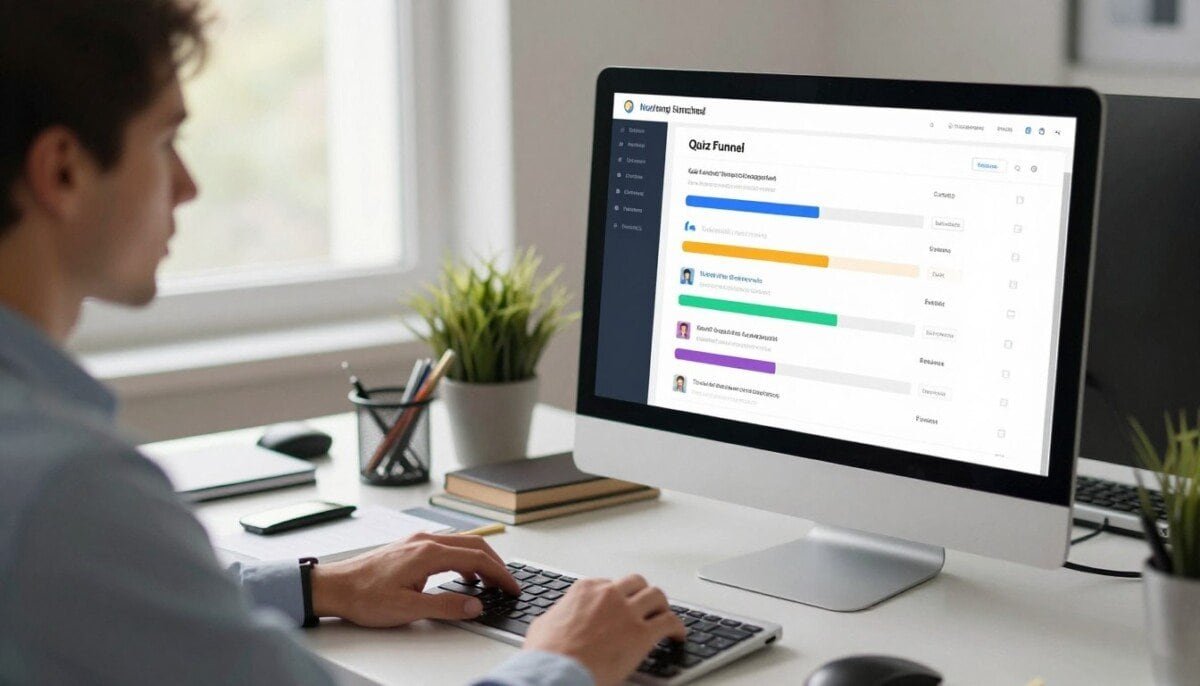
Can a single interactive path turn casual visitors into high-value leads? We think it can — when you use the right mix of questions, design, and data flow.
Statista shows that interactive content like quizzes drives engagement more than many static formats. A well-designed funnel guides users from a landing page through targeted questions to clear lead qualification.
We explore how top quiz builders and platforms help marketers collect zero-party data and improve lead capture. Effective tools let you map responses to personalized outcomes and connect pages, forms, and email integrations.
Whether you run small campaigns or enterprise programs, choosing the right platform is the first step in scaling lead generation. Our guide breaks down features, analytics, and integrations so you can pick the best option for your goals.
Key Takeaways
- Interactive paths increase engagement and boost lead capture rates.
- Good builders collect zero-party data for personalized experiences.
- Integrations and analytics ensure every response becomes actionable.
- Choose platforms that match your design and testing needs.
- Right setup turns site traffic into qualified leads efficiently.
Why Quiz Funnels Are Essential for Modern Marketing
Interactive assessments change how visitors experience a brand, shifting them from passive viewers to active participants.
We see these short interactive paths build trust quickly. They help brands collect first-hand preferences and act on them with relevant messaging.
- Interactive content captures attention and boosts time on page.
- Moving beyond static pages creates a more memorable brand experience.
- Modern marketing depends on direct data that informs better follow-up.
- Well-designed quizzes turn insights into targeted offers and higher conversions.
We recommend adding short interactive paths to early campaigns. They give fast feedback, improve lead quality, and help tailor next steps for each visitor.
| Approach | Engagement | Primary Benefit |
|---|---|---|
| Static Pages | Low | Broad awareness |
| Interactive Assessments | High | Personalized leads |
| Targeted Paths | Higher | Better conversion rates |
Understanding the Mechanics of a High-Converting Quiz Funnel
Before writing a single question, we map the visitor’s journey from landing page to qualified lead.
Defining the User Journey
We start by drawing the steps a user will take. Each step is a short interaction that nudges them toward the desired action.
Every question becomes a micro-decision that reveals intent. That helps us segment visitors and tailor follow-up messaging.
The Power of Zero-Party Data
Zero-party data is what customers willingly share — preferences, intent, and choices. This data is more accurate than inferred signals.
When we collect answers directly, we can send meaningful email offers and route leads to the right teams. Good builders let us map responses to tags, segments, and analytics so the data feeds into our marketing systems.
- Plan the user path first to reduce drop-off.
- Ask focused, value-driven questions to increase completion rates.
- Connect the experience to email and CRM integrations so captured data is actionable.
For a practical setup guide to lead capture, see our recommended lead capture setup.
Top Quiz Funnel Software for Paid Traffic and Lead Generation
Paid ads need landing experiences that turn clicks into qualified conversations. Perspective is built for teams running high-intent campaigns and social ads. It offers a 14-day free trial and annual plans from $62/month for the Base tier.
Why we recommend Perspective:
- It merges landing pages, lead capture, and CRM into one platform so teams manage responses and follow-up in one place.
- Optimized for paid traffic, the platform loads fast and preserves conversion rates across mobile pages.
- Built-in messaging and email features reduce reliance on extra tools during setup and scale.
Perspective includes advanced analytics and ad integrations like GA4 and Facebook Pixel. That visibility makes it easy to track each step and measure result by campaign.
The AI-driven setup and duplication tools let us launch high-converting quizzes and application funnels in hours, not days.
For teams that buy paid traffic and need faster lead velocity, Perspective is a practical option. It balances a clean builder, fast mobile experience, and the integrations we need to route leads into CRM workflows.
Evaluating Free Quiz Builders for Early Testing
Early testing with no-cost platforms helps us validate logic and measure real interest fast.
We start small so we can iterate. Free options let us test questions, branching, and result pages without financial risk.
Fillout for Flexible Forms
Fillout offers unlimited forms and up to 1,000 monthly responses on its free plan. That makes it ideal for initial lead capture experiments when we expect modest traffic.
Jotform for Simple Assessments
Jotform allows 100 submissions per month on the free tier and includes a large template library. It speeds creation for simple assessment quizzes and basic scoring setups.
Google Forms for Budget Experiments
Google Forms supports unlimited responses and exports to Google Sheets. It lacks advanced conditional logic, but it’s perfect for zero-budget testing and raw data collection.
- Consider response limits and branding on free tiers.
- Compare conditional logic, scoring, and integrations before scaling.
- Use these builders to validate funnel steps and improve conversion before moving to paid platforms.
| Tool | Free Limit | Key Strength | Best For |
|---|---|---|---|
| Fillout | 1,000 responses/month | Flexible forms, conditional logic | Early high-volume tests |
| Jotform | 100 submissions/month | Template library, speed of setup | Small business assessments |
| Google Forms | Unlimited responses | Free, simple data export | Budget experiments |
Leveraging Interactive Content for Better Engagement
Well-crafted interactive paths shift casual clicks into meaningful responses by offering instant value.
Interactive content can boost lead generation by up to 150% and increase social shares twofold. When we design a short quiz or assessment with clear value, visitors spend more time on pages and give thoughtful answers.
High engagement rates—often 60% to 80%—show users prefer a guided experience. We use visual choices and interactive answer types to make the experience memorable and easy to finish.
Brands like Obvi nearly doubled completion rates after optimizing their assessment experience. That improvement translates into better data and stronger follow-up via email and CRM integrations.
- Turn passive visitors into participants by asking one good question at a time.
- Collect zero-party data naturally to improve personalization and nurture leads.
- Balance fun and usefulness so results feel both entertaining and actionable.
When responses lead to instant, tailored recommendations, users complete more steps and convert at higher rates. That makes interactive campaigns a practical tool in our marketing toolkit.
How to Choose the Right Quiz Funnel Software for Your Brand

Choosing the right platform starts with clear goals and a short list of must-have capabilities. We map current needs first: what leads we want to capture, which pages will host forms, and how responses move into our CRM.
Usability matters. Pick a builder your team can edit without developer help. That reduces delays and keeps content fresh.
Check integrations next. A platform that syncs with email tools, analytics, and CRM saves time and keeps data accurate.
Look for customization, conditional logic, and clear analytics so we can optimize questions and answers. AI-assisted features speed setup but should not replace control.
- Ensure scalability: Can the platform handle more traffic and leads as campaigns grow?
- Prioritize integrations: CRM and email links make captured data actionable.
- Demand analytics: Detailed reports help us A/B test pages and questions.
For a practical walkthrough of connecting lead flows and landing pages, see our lead capture setup. That guide helps us pick a balanced tool that supports short-term wins and long-term growth.
The Role of Personalization in Your Marketing Strategy
When we use answers to craft offers, every interaction becomes a chance to build trust.
Personalization lets us move beyond one-size-fits-all messaging.
It allows us to deliver custom bundles, educational content, and exclusive offers that match real interests.
Segmenting Audiences for Targeted Follow-up
Every answer collected in a quiz acts as a signpost.
We map responses to tags so we can build hyper-focused lists for email and ad targeting.
Personalized result pages make users feel understood.
That feeling raises the chance they will engage with future marketing and convert into leads.
- Personalization is the cornerstone of modern marketing and drives higher relevance.
- Segment by response type to send follow-up messages that match each visitor’s needs.
- Use zero-party data to build targeted ad audiences and reduce wasted spend.
We set up automated flows so personalization scales as the audience grows.
That means tailored content reaches the right people at the right time without manual work.
| Use Case | What We Capture | Follow-up Action |
|---|---|---|
| Product recommendations | Preference answers, style choices | Custom bundles + targeted email |
| Educational nurture | Knowledge gaps reported | Personalized content series |
| High-value leads | Intent signals, readiness | Sales outreach + CRM tagging |
Essential Features to Look for in Your Quiz Builder
The right builder combines simple design controls with clear reporting so we can launch, measure, and iterate fast.
Drag-and-drop editing gives us control. We can move questions, images, and result pages without touching code. That speeds setup and reduces developer bottlenecks.
Smart branching and conditional logic keep the experience relevant. When questions adapt to answers, engagement climbs and drop rates fall.
- Built-in A/B testing to compare headlines, paths, and result pages.
- Robust integrations so responses flow to CRM, email, and analytics platforms.
- Mobile-first design to preserve completion rates on phones and tablets.
- Flexible email and SMS capture forms that gate results smoothly.
- Revenue analytics and reporting dashboards to link outcomes to sales.
| Feature | Why it matters | What to check |
|---|---|---|
| Drag-and-drop editor | Faster edits, less dev time | Live preview, media support |
| Conditional branching | Higher relevance and engagement | Multi-step logic, skip paths |
| Integrations & analytics | Data flows into marketing systems | Native CRM, webhooks, GA support |
| Mobile-first forms | Improves completion rates | Responsive layouts, touch-friendly UI |
By choosing a builder with these features, we create a scalable quiz funnel software option that supports lead capture, testing, and long-term growth.
Driving Conversions Through Smart Question Branching
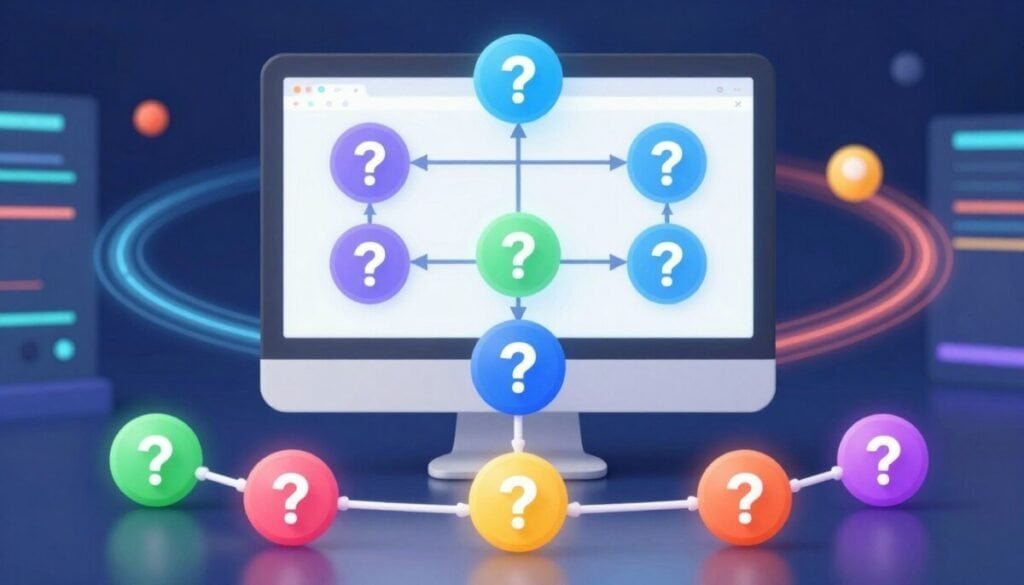
Adaptive question flows cut friction by showing only what matters to each user.
Smart branching keeps the experience short and relevant, which lifts completion rates and drives more qualified lead capture. When someone identifies as a beginner, we skip advanced questions automatically so the path feels natural.
Conditional logic lets us route users to tailored recommendations and appropriate result pages. That makes every step feel like a helpful conversation rather than a long form.
- Map branching logic before building so each answer leads to a clear result.
- Use conditional rules to remove irrelevant steps and reduce drop-off.
- Test every path to avoid dead ends and ensure smooth responses and page transitions.
- Collect targeted data from tailored questions to refine our marketing and email follow-up.
We recommend a simple test plan: run traffic to a few paths, review analytics, and iterate. For a practical walkthrough on social distribution and engagement setup, see our guide on how to make a quiz for.
Integrating Quiz Data with Your Existing Tech Stack
When answers sync instantly, follow-up becomes timely and far more effective. Seamless connections between your builder and core systems keep lead records accurate and reduce manual work.
We focus on two integration points: CRM platforms and email marketing tools. Both must receive responses cleanly so teams can act fast.
Connecting to CRM Platforms
Syncing responses with HubSpot, Salesforce, or other CRMs ensures sales sees intent and context. We map fields like name, score, and choice tags so every lead arrives enriched.
Use native integrations when possible and add webhooks for custom data flows. This reduces errors and keeps profiles current.
Syncing with Email Marketing Tools
We set up automated email sequences that trigger after a user completes your quiz. Immediate follow-up increases engagement and keeps your brand top of mind.
Segmenting lists by result lets us send tailored messages. Tools like Klaviyo and Mailchimp accept tags and properties for precise targeting.
- Automate tagging so leads move into the right nurture stream.
- Verify webhooks and native links to avoid lost responses.
- Test the full flow from pages to CRM and email before launching.
| Integration Type | Primary Benefit | Key Setup Step |
|---|---|---|
| CRM (HubSpot, Salesforce) | Enriched lead profiles for sales outreach | Map fields and enable real-time webhooks |
| Email Tools (Klaviyo, Mailchimp) | Automated, segmented nurturing | Sync tags and test transactional sequences |
| Analytics & Webhooks | Single source of truth for reporting | Validate payloads and monitor for errors |
Pro tip: Use the Perspective integration guide to compare connection options and plan your flow: best setup for connected lead capture.
Using AI to Speed Up Your Quiz Creation Process
AI now drafts targeted questions from product pages, customer notes, or blog posts in minutes. That ability shortens our setup time and helps us launch a lead campaign much faster.
AI-assisted generation creates question banks, answer choices, and suggested result copy from topics we provide. We then refine tone and brand voice so every result feels authentic.
These tools also help build logic paths and conditional rules inside the builder. That means we spend less time on technical setup and more time on strategy and testing.
- Generate multiple versions to A/B test headlines, questions, and result pages.
- Scale across product categories without rewriting every form.
- Keep quality by editing AI drafts and checking integrations and analytics.
| Capability | Benefit | When to Use |
|---|---|---|
| Question generation | Saves drafting time | New campaign ideas |
| Auto logic setup | Faster path creation | Complex branching needs |
| Variant creation | Better testing | Optimization and engagement |
For guidance on connecting AI tools to your site and optimizing setup, see our guide on setting up AI tools on WordPress.
Best Practices for Designing Mobile-First Quiz Experiences
Mobile visitors expect a smooth, thumb-friendly path that answers one question at a time.
We build every page to auto-adjust layouts, font sizes, and buttons so the experience looks great on any device.
If a form doesn’t feel slick on a phone, you risk losing many users during the funnel process.
Keep questions concise. Short questions and clear choices reduce cognitive load and boost completion rates.
- Design large, tappable buttons that are easy to hit on touchscreens.
- Use a drag-and-drop builder with responsive previews to speed design and testing.
- Optimize landing pages and steps to minimize scrolling and highlight the next action.
- Test on multiple devices and networks to confirm fast load time and smooth logic transitions.
| Focus Area | Why it matters | Quick fix |
|---|---|---|
| Buttons | Touch accuracy improves engagement | Increase size, add spacing |
| Questions | Clarity reduces drop-off | Keep to one idea per step |
| Pages & speed | Load time affects conversion | Compress images, lazy-load assets |
We balance visual appeal with fast performance. That keeps users focused, increases responses, and makes your marketing paths more effective.
Analyzing Performance Metrics to Optimize Your Funnel
Live analytics expose the exact steps where visitors drop so we can fix them fast.
We use dashboards that flag completion, drop-off, and segment performance in real time. That visibility helps us tighten questions and adjust logic without guesswork.
Conversion tracking ties responses to revenue. When we see which pages and steps convert, we can assign value to each result and prioritize fixes that move the needle.
Compare versions side-by-side to learn which question phrasing, page layout, or email sequence lifts engagement and time on page. Segment reports show which audiences respond best to each path.
- Monitor step-level drop-off to spot problem questions and forms quickly.
- Use real-time analytics to A/B test pages and messaging during live campaigns.
- Segment by source, device, and answer tags to tailor follow-up and integrations.
We track a concise set of key performance indicators, including completion rate, conversion rate, revenue per response, and time to convert, and review them weekly. For a deeper guide on tools to optimize your marketing funnel, see optimize your marketing funnel.
Common Pitfalls to Avoid When Building Your First Quiz
Too often teams build long paths that frustrate users and sharply reduce lead capture rates.
Keep each step short and focused. Long pages and too many questions increase abandonment and lower overall capture.
Define a clear goal before you build. If we don’t know which leads we need, the builder will produce noisy data instead of useful segments.
- Make the experience mobile-first — a poor mobile layout kills conversion.
- Integrate with email and CRM tools so collected data turns into timely follow-up.
- Avoid overly complex logic that confuses users and feels like busywork.
- Test every path thoroughly to ensure results and integrations work as expected.
- Offer clear value up front so visitors are willing to share contact details.
By watching for these mistakes we improve lead capture, protect our data quality, and launch marketing paths that actually convert. For practical tips on distribution and engagement, see how to make a quiz.
Scaling Your Lead Capture Efforts with Advanced Tools

When traffic grows, our capture strategy must shift to tools that process unlimited responses and preserve speed.
Advanced quiz funnel software lets us handle high-volume traffic, keep pages responsive, and segment audiences with precision.
We rely on proven names like Digioh and Perspective to manage spikes and route leads automatically. These platforms let us create multiple paths and test different questions without slowing down the site.
Scaling successfully means more than raw capacity. We must ensure our tech stack, integrations, and email flows move data cleanly so growth doesn’t break follow-up.
- Move from basic forms to advanced tools that support unlimited responses and complex segments.
- Create separate funnels per campaign so messaging stays relevant to each audience.
- Automate tagging, routing, and nurture sequences so teams can focus on conversion.
By investing in the right tools and a flexible builder, we turn a one-off test into a sustainable lead capture engine that grows with our goals.
Taking the Next Step Toward Better Customer Insights
Let’s focus on actionable steps that move your pages from curiosity drivers to reliable lead sources.
We start by aligning a simple quiz and funnel with our brand goals. Use a clear builder and the right features to test one path on a high-traffic page.
Begin small: pick two pages, run short experiments, and use the tools you trust to capture responses. As we refine questions and pages, our ability to capture high-quality leads improves.
Practical tip: review recommended sales funnel plugins to find tools that fit your stack and scale.
Iterate often, measure results, and let real customer data shape your marketing and product choices.



