
A good CRM should feel like a reliable assistant, not another admin chore. For freelancers and consultants, the goal is simple: capture every lead, remember every follow-up, keep proposals moving, and turn client relationships into repeatable revenue.
The best CRM tools for freelancers and consultants are not always the biggest enterprise platforms. In many cases, the right choice is a lightweight system that matches how you already work, whether that is Gmail, proposals and invoices, a visual sales pipeline, or a custom database.
This guide compares practical CRM options for solo professionals, small consultancies, coaches, creatives, and service providers who need better client management without a full sales department.
What freelancers and consultants actually need from a CRM
A freelancer CRM has a different job than a corporate sales CRM. You may be the salesperson, project manager, account manager, bookkeeper, and delivery team at the same time. That means your CRM needs to reduce context switching, not create more data entry.
At minimum, a good CRM for independent professionals should help you track who contacted you, where each opportunity stands, what you promised, when to follow up, and what happens after the sale. If your leads are currently scattered across email, LinkedIn, spreadsheets, calendar notes, and DMs, a CRM can quickly pay for itself by preventing missed opportunities.
Look for these core capabilities before choosing a tool:
- Contact and company records with notes, files, tags, and conversation history
- Deal or pipeline tracking for inquiries, discovery calls, proposals, negotiations, and won clients
- Email and calendar integration so follow-ups do not live only in your memory
- Task reminders for next steps, renewals, check-ins, and unpaid invoices
- Forms, scheduling, proposals, contracts, or invoicing if you want a client-facing workflow
- Automation for repetitive steps like assigning follow-up tasks or sending intake forms
- Data export, permissions, and security settings so your client information stays portable and protected
If you take client calls regularly, your CRM should also work smoothly with your scheduling habits. For example, pairing a CRM with smart appointment rules and Calendly buffer times can stop your sales calls from taking over your delivery hours.
Quick comparison: best CRM tools for freelancers and consultants
| CRM tool | Best for | Main strength | Watch out for |
|---|---|---|---|
| HubSpot CRM | Most solo consultants starting from scratch | Generous free CRM, contact records, deals, email tools, forms, meeting links | Paid hubs can become expensive as you add advanced features |
| Pipedrive | Sales-focused consultants | Clear visual pipeline, activity reminders, deal tracking | Not a full proposal, contract, or accounting suite |
| Zoho CRM | Budget-conscious consultants who want customization | Custom fields, automation, Zoho ecosystem | Setup can feel dense for a very simple solo workflow |
| Capsule CRM | Simple relationship management | Clean interface, contacts, tasks, opportunities, lightweight projects | Less advanced marketing automation than larger platforms |
| Streak | Gmail-first freelancers | CRM pipelines inside Gmail | Best only if your client workflow already lives in Google Workspace |
| Freshsales | Consultants who want built-in communication tools | Email, phone, pipeline, scoring, Freshworks ecosystem | Some advanced features depend on paid tiers |
| Bonsai | Freelancers who need CRM plus business admin | Proposals, contracts, invoices, time tracking, client records | Less suited to complex sales teams or multi-stage enterprise deals |
| HoneyBook | Creatives and service providers | Inquiries, proposals, contracts, scheduling, invoices, payments | More clientflow-focused than traditional B2B pipeline-focused |
| Dubsado | High-touch onboarding workflows | Forms, client portals, contracts, invoices, automated workflows | Requires setup time to get the most value |
| Airtable or Notion | Custom DIY CRM systems | Flexible databases and views | You must design and maintain the process yourself |
1. HubSpot CRM: best overall starting point for solo consultants
HubSpot CRM is often the safest first CRM for consultants who want a professional system without committing to a complex setup. The free CRM includes contact records, companies, deals, tasks, forms, email integrations, and pipeline management, which is enough for many solo professionals to organize their sales process.
The biggest advantage is that HubSpot can grow with you. If you later need marketing email, service tickets, sales automation, reporting, or website chat, you can add more HubSpot tools instead of migrating to a new platform. For a consultant who wants a simple CRM today but may build a small team later, that scalability matters.
HubSpot works especially well if your sales process is built around discovery calls, proposals, follow-ups, and long-term relationship nurturing. You can create a pipeline for new business, assign tasks after every call, save notes on each contact, and see at a glance which prospects need attention.
The trade-off is cost creep. HubSpot’s free tools are useful, but advanced automation, deeper reporting, and higher limits usually require paid plans. If you only need a very small relationship database, HubSpot may feel bigger than necessary. Still, for most freelancers and consultants who want a polished CRM that is easy to start, it is one of the strongest choices.
Best fit: Independent consultants, coaches, small agencies, B2B freelancers, and anyone who wants a free CRM with room to grow.
2. Pipedrive: best CRM for consultants with an active sales pipeline
Pipedrive is built around one idea: keep deals moving. If your consulting business depends on discovery calls, proposals, negotiations, and repeat follow-ups, Pipedrive’s visual pipeline makes it very easy to see what needs action today.
Instead of burying your work in contact records, Pipedrive puts deals and activities front and center. You can create stages like “New Inquiry,” “Qualified,” “Discovery Scheduled,” “Proposal Sent,” “Negotiation,” and “Won.” Each deal can have a next activity, which helps prevent the classic freelancer problem of sending one proposal and forgetting to follow up.
Pipedrive is a strong option for consultants who sell higher-ticket services, retainers, or advisory packages. It is also useful if you have multiple opportunities in progress and need a clear forecast of potential revenue.
The limitation is that Pipedrive is not primarily a freelancer admin suite. It is excellent for sales tracking, but you may still need separate tools for contracts, invoices, project management, or time tracking. If you bill by the hour or need delivery analytics, pair it with a dedicated system like the tools covered in our ClickUp time tracking guide.
Best fit: Sales-driven consultants, fractional executives, agencies, business coaches, and freelancers with several open opportunities at once.
3. Zoho CRM: best value CRM for customization
Zoho CRM is a strong option if you want more customization than a basic CRM but do not want to pay enterprise-level prices. It is part of the larger Zoho ecosystem, which includes tools for email, accounting, projects, forms, analytics, and customer support.
For consultants, the appeal is flexibility. You can customize fields, pipeline stages, layouts, workflows, and reporting around your exact process. A management consultant might track industry, contract value, referral source, and renewal date. A marketing consultant might track lead source, niche, current website platform, ad spend, and proposal status.
Zoho is also worth considering if you already use or plan to use other Zoho tools. Keeping CRM, finance, forms, and project work in one ecosystem can reduce integration headaches.
The downside is that Zoho CRM can feel more technical than simpler options. If your only goal is to remember follow-ups and store notes, Capsule or Streak may be faster to adopt. But if you want a configurable CRM at a reasonable cost, Zoho is one of the best long-term choices.
Best fit: Consultants who want custom fields, automations, structured reporting, and a broader business software ecosystem.
4. Capsule CRM: best simple CRM for relationship-focused freelancers
Capsule CRM is ideal for freelancers who want a clean, straightforward system for contacts, tasks, notes, opportunities, and lightweight projects. It does not try to be everything. That simplicity is exactly why many independent professionals like it.
Capsule is useful when your business depends on relationships rather than aggressive sales automation. You can track people, organizations, opportunities, tasks, and communication history without building a complex workflow. It is also easier to maintain than a heavily customized CRM because the interface stays focused.
A consultant who works mostly through referrals might use Capsule to track past clients, warm leads, partners, journalists, accountants, designers, or agency collaborators. Instead of only managing active deals, you can build a long-term relationship database that supports future opportunities.
Capsule may not be the best fit if you need robust marketing automation, advanced lead scoring, or deeply customized dashboards. But for consultants who want a dependable CRM they will actually keep updated, it is a strong contender.
Best fit: Relationship-led consultants, referral-based freelancers, solo professionals, and small teams that value simplicity.
5. Streak: best CRM for freelancers who live in Gmail
Streak turns Gmail into a CRM. If most of your client communication already happens in Google Workspace, this can be the fastest way to start tracking leads without changing your daily workflow.
With Streak, you can organize email threads into pipelines, add notes, assign stages, set reminders, use snippets, and track client conversations directly inside your inbox. This is particularly helpful for freelancers who resist opening a separate CRM every day.
A common setup is to create pipelines for new leads, proposals, active clients, partnerships, or content opportunities. Because the CRM is embedded in Gmail, it can feel more natural than switching between email, a spreadsheet, and a sales platform.
The main limitation is that Streak is closely tied to Gmail. If you use Outlook, Apple Mail, or multiple inbox systems, it may not be the best choice. It is also less suitable if you want a standalone CRM with advanced reporting, complex automations, or a client portal.
Best fit: Gmail-based freelancers, writers, consultants, recruiters, designers, and solo operators who want CRM features inside their inbox.
6. Freshsales: best CRM with built-in communication features
Freshsales, part of Freshworks, is a good option for consultants who want CRM, communication tracking, and sales organization in one platform. Depending on the plan and configuration, it can support email, phone, chat-style engagement, deal pipelines, contact scoring, and workflow automation.
Freshsales is especially useful if you handle a steady stream of inbound leads and want to prioritize follow-up. Lead scoring and lifecycle stages can help you identify which prospects are engaged and which ones need nurturing.
The platform is more sales-oriented than tools like Bonsai or HoneyBook, so it works well for consultants selling B2B services, software implementation, training, or retainers. It can also fit small consultancies that expect to add team members later.
The main thing to check is plan fit. Some of the most valuable features may sit behind paid tiers, so compare the current feature limits before migrating your client records.
Best fit: Consultants who want a modern sales CRM with communication tools, scoring, and room for a small team.
7. Bonsai: best CRM-style business suite for freelancers
Bonsai is not just a CRM. It is a freelancer business management platform that includes client records alongside proposals, contracts, invoices, time tracking, forms, and project-related tools.
That makes Bonsai a strong fit for freelancers who do not want separate tools for every stage of the client journey. You can manage a lead, send a proposal, create a contract, invoice the client, and track work in one place. For many solo professionals, that is more valuable than having a traditional sales CRM with advanced reporting.
Bonsai is particularly attractive for consultants, writers, designers, developers, marketers, and other service providers who sell defined packages or hourly work. It helps standardize the business side of freelancing, which is often where independent professionals lose time.
The trade-off is that Bonsai is not designed to replace a deep sales CRM for large teams or complicated enterprise pipelines. If your main challenge is managing many opportunities across a sales team, Pipedrive, HubSpot, Zoho, or Freshsales may fit better.
Best fit: Solo freelancers who want client management, proposals, contracts, invoices, and time tracking in one system.
8. HoneyBook: best CRM for creatives and service businesses
HoneyBook is built around clientflow, which means it focuses on the journey from inquiry to booking, project communication, contracts, invoices, and payments. It is popular with photographers, event professionals, designers, coaches, and other service providers who need a polished client experience.
For freelancers and consultants, HoneyBook is strongest when the sales process includes a clear inquiry form, consultation call, proposal, agreement, invoice, and onboarding sequence. Instead of only tracking a deal stage, you can create a smooth front-end experience for the client.
HoneyBook can be especially useful if your prospects expect fast, professional communication. The system helps you respond consistently, collect information, send documents, and move clients toward booking.
It is less ideal if you need a traditional B2B CRM focused on account hierarchies, complex reporting, or long enterprise sales cycles. But if your work is service-based and client-facing, HoneyBook can replace several disconnected tools.
Best fit: Creative freelancers, coaches, event service providers, consultants with packaged services, and client-experience-focused businesses.
9. Dubsado: best for custom onboarding and workflow automation
Dubsado is another clientflow platform, but it stands out for customizable workflows, forms, client portals, contracts, invoices, and onboarding sequences. It is often a good fit for service providers who have repeatable client processes and want to automate much of the admin.
A consultant might use Dubsado to send an inquiry form, automatically reply with scheduling details, collect discovery information, send a proposal, generate a contract, issue an invoice, and trigger onboarding steps after payment. Once configured, this can save hours every month.
The biggest advantage is flexibility. You can design a polished workflow around your exact process. The biggest disadvantage is also flexibility: setup takes time. If you want something you can use in 20 minutes, Dubsado may feel heavy at first.
Choose Dubsado if your client process is repeatable and high-touch. If your work is mostly informal referrals and occasional follow-ups, a simpler CRM may be easier to maintain.
Best fit: Consultants, coaches, designers, photographers, and agencies with repeatable onboarding workflows.
10. Airtable or Notion: best DIY CRM for custom workflows
Airtable and Notion are not traditional CRMs, but they can work very well as lightweight client databases if you like building your own system. They are especially useful when your client workflow does not match standard CRM templates.
In Airtable, you can create tables for contacts, companies, opportunities, projects, deliverables, invoices, and referrals. You can use views to see open leads, active clients, overdue follow-ups, or renewal dates. Airtable also has forms and automations that can support simple intake workflows.
In Notion, you can create a CRM dashboard with databases for leads, clients, projects, notes, and tasks. This works well if you already organize your work in Notion or use dashboards for planning. If you like building structured workspaces, our guide to a Notion time-blocking dashboard can give you ideas for combining client work with planning.
The risk with DIY CRMs is maintenance. Because you are building the system yourself, you must define the rules and keep the database clean. If you want built-in email tracking, sales reporting, or client documents, a dedicated CRM will be easier.
Best fit: Freelancers who want maximum flexibility, custom databases, and a workspace they can adapt over time.
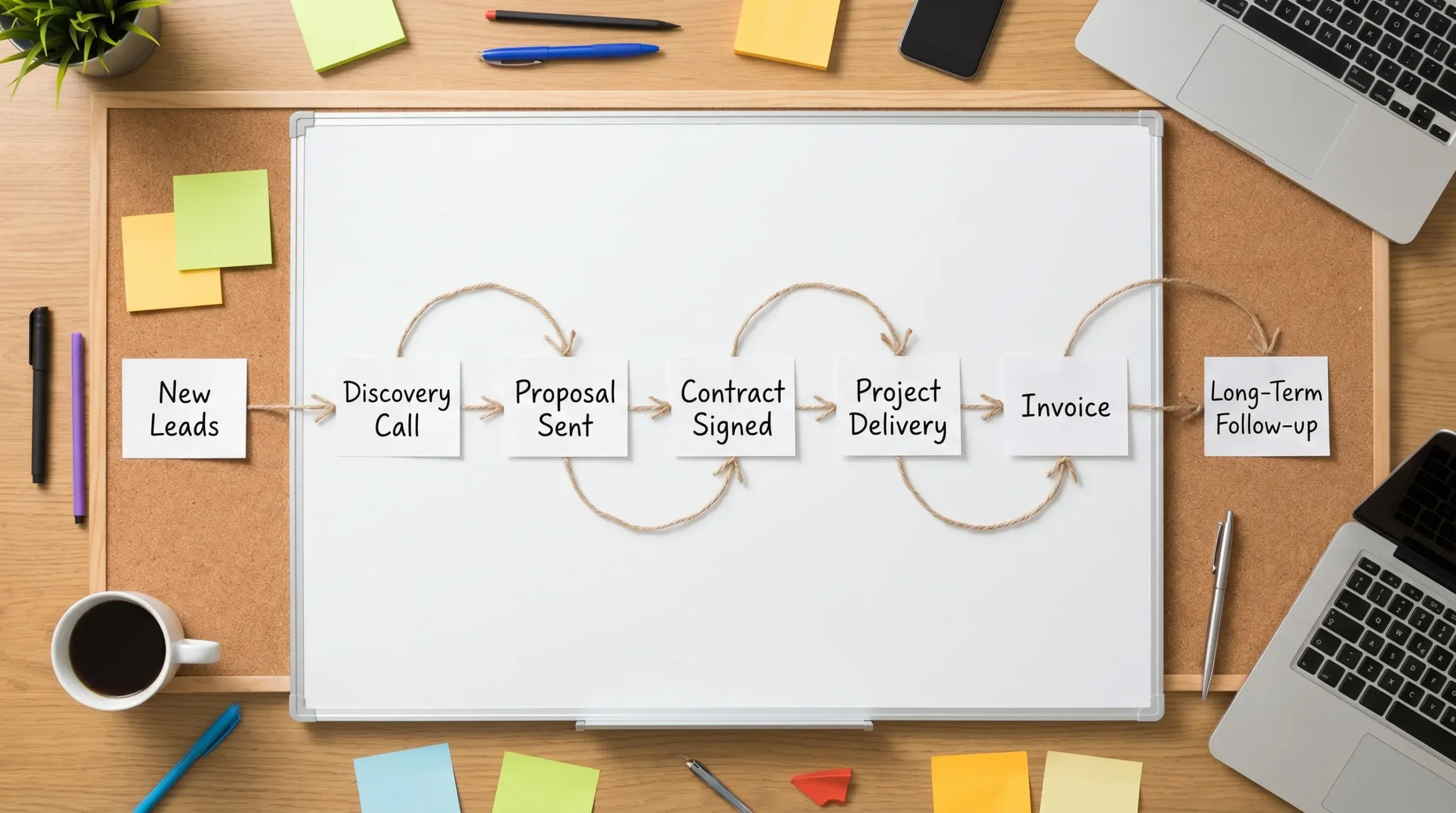
Best CRM by freelancer workflow
The “best” CRM depends less on features and more on how you win and manage clients. Use this table as a shortcut if you are stuck between several options.
| Your workflow | Best CRM choices | Why |
|---|---|---|
| You mostly need a free place to track leads and contacts | HubSpot CRM, Zoho CRM, Capsule | Easy entry point with contact and pipeline basics |
| You sell higher-ticket consulting packages | Pipedrive, HubSpot CRM, Freshsales | Strong deal tracking and follow-up discipline |
| You work mostly inside Gmail | Streak | Minimal context switching because CRM lives in the inbox |
| You need proposals, contracts, and invoices | Bonsai, HoneyBook, Dubsado | Better client administration than a pure sales CRM |
| You rely on referrals and long-term relationships | Capsule, HubSpot CRM, Notion | Good for notes, history, reminders, and relationship nurturing |
| You want a custom operating system | Airtable, Notion, Zoho CRM | Flexible fields, databases, and views |
| You plan to grow from solo to small team | HubSpot CRM, Pipedrive, Zoho CRM, Freshsales | Scales better as roles and reporting needs increase |
If your leads come from multiple sources, a CRM becomes even more important. For example, a local service provider might receive inquiries from a website form, referrals, social media, and niche marketplaces such as My Driving Instructor. Without a central system, it is easy to lose track of who asked for availability, who needs a quote, and who should receive a follow-up.
A simple CRM pipeline freelancers can copy
Most freelancers make CRM setup too complicated. Start with a pipeline that reflects the real client journey, then refine it after a few weeks.
| Pipeline stage | What it means | Next action to track |
|---|---|---|
| New inquiry | Someone contacted you but is not qualified yet | Reply, collect context, or book a call |
| Qualified lead | The prospect fits your services and budget range | Send discovery questions or schedule a call |
| Discovery scheduled | A call is booked | Prepare notes and confirm the meeting |
| Proposal sent | You sent pricing, scope, or a formal proposal | Follow up by a specific date |
| Negotiation | Scope, timeline, or price is being discussed | Confirm final terms |
| Won | Client accepted and is ready to start | Send contract, invoice, and onboarding details |
| Lost or nurture | Not ready, not a fit, or delayed | Add a future check-in reminder |
This pipeline works in almost every CRM listed above. The key is to make sure every open opportunity has a next step. A CRM without next actions becomes a prettier spreadsheet.
For follow-up emails, you can also combine your CRM with scheduled sending. If Gmail is part of your workflow, our guide on scheduling emails in Gmail can help you time proposals, reminders, and check-ins more intentionally.
Free CRM vs paid CRM: when should freelancers upgrade?
A free CRM is usually enough when you are just trying to replace a spreadsheet. If you need contact records, basic deal stages, tasks, and notes, start free. The real test is whether you use it consistently for 30 days.
Upgrade when the CRM starts saving measurable time or protecting revenue. Common upgrade triggers include automation limits, email sequence needs, advanced reporting, team collaboration, client portals, payments, or higher contact limits.
A simple rule: if one saved deal or one recovered invoice would pay for the annual plan, the upgrade may be justified. If the paid features only look impressive but do not change your daily workflow, wait.
Also consider switching costs. Before committing to a paid plan, check whether the CRM supports CSV export, contact ownership, integrations, and cancellation without losing access to essential records.
How to set up your CRM in one afternoon
You do not need a perfect system to get value from a CRM. You need a usable system that captures leads and forces a next action.
- Choose one primary CRM instead of splitting contacts across several tools.
- Import your current leads, clients, past clients, referral partners, and warm contacts.
- Create a simple pipeline with no more than seven stages.
- Add custom fields only for information you will actually use, such as service interest, budget range, lead source, and renewal date.
- Connect your email and calendar so calls and follow-ups stay visible.
- Create three task types: follow up, send proposal, and check in after project delivery.
- Review your pipeline every Friday and archive dead deals so your active list stays trustworthy.
After your CRM is stable, you can add automation. For example, you might send a form after a discovery call, create a task when a proposal is sent, or move a client to onboarding after a contract is signed. If you want to go deeper into automation logic, our Airtable automations guide is useful even if you use a different platform, because the same trigger-action thinking applies.
Our top recommendations
If you want the most balanced starting point, choose HubSpot CRM. It is approachable, professional, and flexible enough for many solo consultants.
If your biggest problem is sales follow-up, choose Pipedrive. Its visual pipeline and activity-first approach make it harder to let opportunities go cold.
If you want one freelancer business suite, choose Bonsai. It is especially practical when proposals, contracts, invoices, and time tracking matter as much as lead tracking.
If you are a creative service provider who cares about client experience, choose HoneyBook or Dubsado. HoneyBook is often faster to adopt, while Dubsado is powerful for custom workflows.
If you live in Gmail, choose Streak. The best CRM is the one you will actually use, and Streak removes the friction of opening another app.
Frequently Asked Questions
What is the best free CRM for freelancers? HubSpot CRM is one of the best free starting points for freelancers because it includes contact management, deal tracking, tasks, forms, and email integrations. Zoho CRM and Capsule may also be worth comparing depending on your contact limits and workflow needs.
Do freelancers really need a CRM? Freelancers need a CRM when leads, follow-ups, proposals, and client notes become too difficult to manage from memory or email alone. If missed follow-ups cost you money, a CRM is worth using.
Is a spreadsheet enough as a freelance CRM? A spreadsheet can work at the beginning, but it usually breaks down when you need reminders, email history, pipeline views, automation, or client documents. A CRM is better once you have recurring inquiries or multiple active opportunities.
What is the simplest CRM for consultants? Capsule and Streak are two of the simplest options. Capsule is better as a standalone relationship CRM, while Streak is best if you want to manage leads directly inside Gmail.
Which CRM is best for proposals and invoices? Bonsai, HoneyBook, and Dubsado are stronger than traditional CRMs for proposals, contracts, invoices, and client onboarding. They are ideal if you want to manage the full client journey, not just sales stages.
Should consultants use HubSpot or Pipedrive? Choose HubSpot if you want a broad CRM with free tools and room to add marketing or service features later. Choose Pipedrive if your priority is managing deals, next actions, and sales pipeline visibility.
Can Notion be used as a CRM? Yes, Notion can work as a lightweight CRM if you build databases for leads, clients, projects, and follow-ups. It is best for freelancers who enjoy custom dashboards and do not need built-in sales automation.
Build a cleaner freelance workflow
Your CRM should help you win better clients, follow up on time, and spend less mental energy remembering details. Start simple, use it every day for a month, then add automation only where it removes real friction.
For more practical software recommendations, tutorials, and workflow tips, explore the latest guides at Online Tool Guides.



