
Have you ever logged in and found your profile locked with no clear reason? We know how upsetting that feels, and we wrote this guide to help you regain access step by step.
Millions of people have faced this issue; this guide has been read 5,606,160 times by users seeking help with locked profiles. We outline the appeal form, identity checks, and contact paths that improve the chance of a positive review.
Our friendly, plain-language walkthrough explains what to do next, how to prepare documents, and when to contact support. We show the best way to handle temporary suspensions and cases that seem permanent.
Key Takeaways
- Follow each step carefully to strengthen your appeal.
- Prepare clear identity documents before submitting the form.
- Use the official support channels and track your message.
- Keep copies of your data and profile details for proof.
- Act promptly — timely actions often lead to faster recovery.
Understanding Why Your Facebook Account Was Suspended
Many people wake up to find their profile locked after an automated flag, and that sudden loss of access can feel bewildering. We want to help you spot common causes so you can respond quickly.
Common Reasons for Disabling
Automated checks often flag profiles that look like bots. New accounts, or those with rapid friend requests and repetitive posts, trigger this system.
Content that resembles spam, harassment, or impersonation can lead to an account disabled status. Real users, like Richard from Dennis Port, MA, have reported getting blocked with no prior warning.
The Importance of Community Standards
Community standards exist to protect users and keep the platform safe. Violations—even unintentional ones—can cause your account to lose access.
Facebook may give you up to 180 days to appeal before an account becomes permanently disabled. Review the specific reason listed by the platform and follow the steps we share later in this guide. For password issues and login help, try this helpful walkthrough: forgot password guide.
How to Recover a Disabled or Suspended Facebook Account
We offer a short, practical guide to get profile access back and pass the identity check.
First, confirm you can file an official appeal. Check the message shown at login to see your eligibility. If the profile was hacked, visit the dedicated recovery page before filing a standard appeal.
Most reviews require identity verification. That often means confirming a phone number or submitting a selfie. In many cases, clear documentation is the only way to prove you own the profile.
- Follow the help center path for your specific case.
- Use concise, factual language when you contact support.
- Be patient: reviews can take several days.
| Method | What to Submit | Typical Timeframe |
|---|---|---|
| Phone verification | Active phone number for SMS code | Minutes to 24 hours |
| Selfie check | Clear facial photo matching ID | 1–5 days |
| Document upload | Government ID, utility bill | 2–7 days |
Tip: If you need login help first, follow this forgot password guide to regain access before submitting an appeal.
Preparing Your Documentation for a Successful Appeal

Start by collecting clear ID and account details so the support team can confirm your identity fast.
Gathering Necessary Identity Verification
Before you submit the form, make sure you have a valid driver license or passport ready. We also recommend downloading your profile data so you can list your username, profile link, and email address phone details.
Provide your full name exactly as it appears on your profile. That small step helps support match records quickly. Include any content that shows the account was compromised or wrongly flagged.
- Ensure ID scans are clear and match the address phone information on your profile.
- Save screenshots of login messages, emails, and any unusual activity related to the case.
- Remember: you have 30 days from the follow-up email to send requested documents.
| Document | Why It Helps | Expected Review Time |
|---|---|---|
| Driver license or passport | Confirms full name and photo identity | 2–7 days |
| Downloaded account data | Shows profile link, username, email address phone | 1–3 days |
| Login screenshots & email logs | Proves unusual access or flagging | 1–5 days |
| Clear ID scan matching profile info | Speeds verification and reduces follow-ups | 2–7 days |
We organize your documents and account history to build a strong case for review. Doing this promptly gives you the best chance of timely recovery and restored access.
Utilizing Meta Verified for Priority Support

With Meta Verified, you can reach real people who treat urgent issues faster than automated forms. We recommend this option when normal help channels stall.
Subscribing grants priority support and a live chat with trained agents. This often shortens wait times and gives clearer next steps for account problems.
Many users find the service helpful for complex cases that standard forms cannot resolve. If you are subscribed, use the chat to explain your situation and share any requested documents securely.
- Priority handling routes reviews to human agents.
- Live chat offers personalized troubleshooting and status updates.
- The service often resolves issues faster than automated paths.
| Feature | Benefit | Expected Result |
|---|---|---|
| Real support agents | Direct human review | Faster, clearer responses |
| Priority routing | Higher review placement | Shorter wait times |
| Support chat | Instant conversation | Actionable guidance |
Submitting the Official Review Request Form
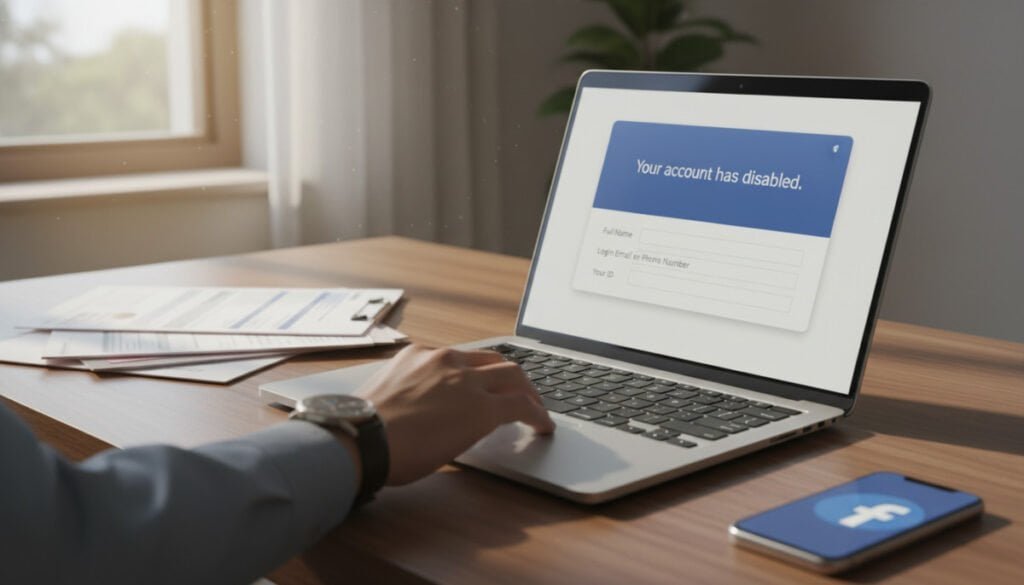
The proper appeal starts with the right form in the Help Center and careful, factual entries.
Navigating the Help Center
Visit the facebook official help center and find the specific appeal form for a disabled account review.
Make sure you use only the official pages to avoid phishing. We advise checking the URL and support contact details before submitting any data.
Tips for Writing Your Appeal
Keep your message concise. State your full name, email address, and the profile link. Mention any relevant data that shows the case was an error.
Be factual, not emotional. Describe steps you took, include the requested identity copy, and avoid multiple submissions. Submit within 180 days of the initial notice to preserve your chance for recovery.
- Include clear scans that match your profile info, such as driver license.
- One clean submission speeds review and reduces follow-ups.
- Expect several days for a response message from support.
| Field | Required | Why it matters |
|---|---|---|
| Full name | Yes | Matches identity records for review |
| Email address | Yes | Where support sends the review result |
| Government ID (driver license) | If requested | Proves identity and speeds recovery |
Managing Your Data and Privacy During the Process
While your profile is under review, protecting personal files and login details should be our top priority.
Start by downloading your account information immediately. That backup keeps messages, photos, and contact details safe if you lose access for days.
Limit the sites you visit while searching for help. Avoid third-party recovery tools and any page that asks for full credentials. We recommend using official channels such as our account appeal guide and reputable resources like this method to regain access without email.
- Share only required files: send clear ID scans when asked, but never post them publicly.
- Protect your email: use two-factor auth and check for phishing attempts.
- Keep local copies: store an offline copy of critical data until your case closes.
Our goal is to keep your privacy intact and reduce further risk while support reviews your case.
Monitoring Your Inbox for Official Communication
After you submit the appeal, check email and spam daily. Official updates about your facebook account usually arrive by message. Quick replies speed the review and can shorten total time.
Keep your phone nearby. Texts may include a verification code tied to your profile. If the phone number on file changed, note that early so you can tell the support team.
Only open links from verified domains. Scammers mimic support messages, so confirm the sender before you click. When in doubt, log in directly through the official site or follow our login tips in the login error guide.
- Check spam and promotions for missed messages.
- Respond quickly to follow-up questions to speed recovery.
- Expect requests for extra ID or screenshots in some cases.
| Follow-up type | Typical time | What to provide |
|---|---|---|
| Verification code | Minutes to hours | SMS code sent to number |
| Document request | 1–5 days | Clear ID scan or profile screenshot |
| Clarifying questions | 2–7 days | Short factual replies |
Final Thoughts on Maintaining Your Account Security
We recommend small, steady security habits to keep your profile safe for everyone. Enable two-factor authentication, update passwords regularly, and review privacy settings now and then. These steps help prevent many common problems that affect accounts.
Stay informed about community standards so your content and interactions follow the rules. That reduces flags and keeps users connected without interruptions.
Protect your data, respond quickly to official messages, and keep local backups of important info. We hope this guide gave people confidence to manage their accounts and secure their online life.



