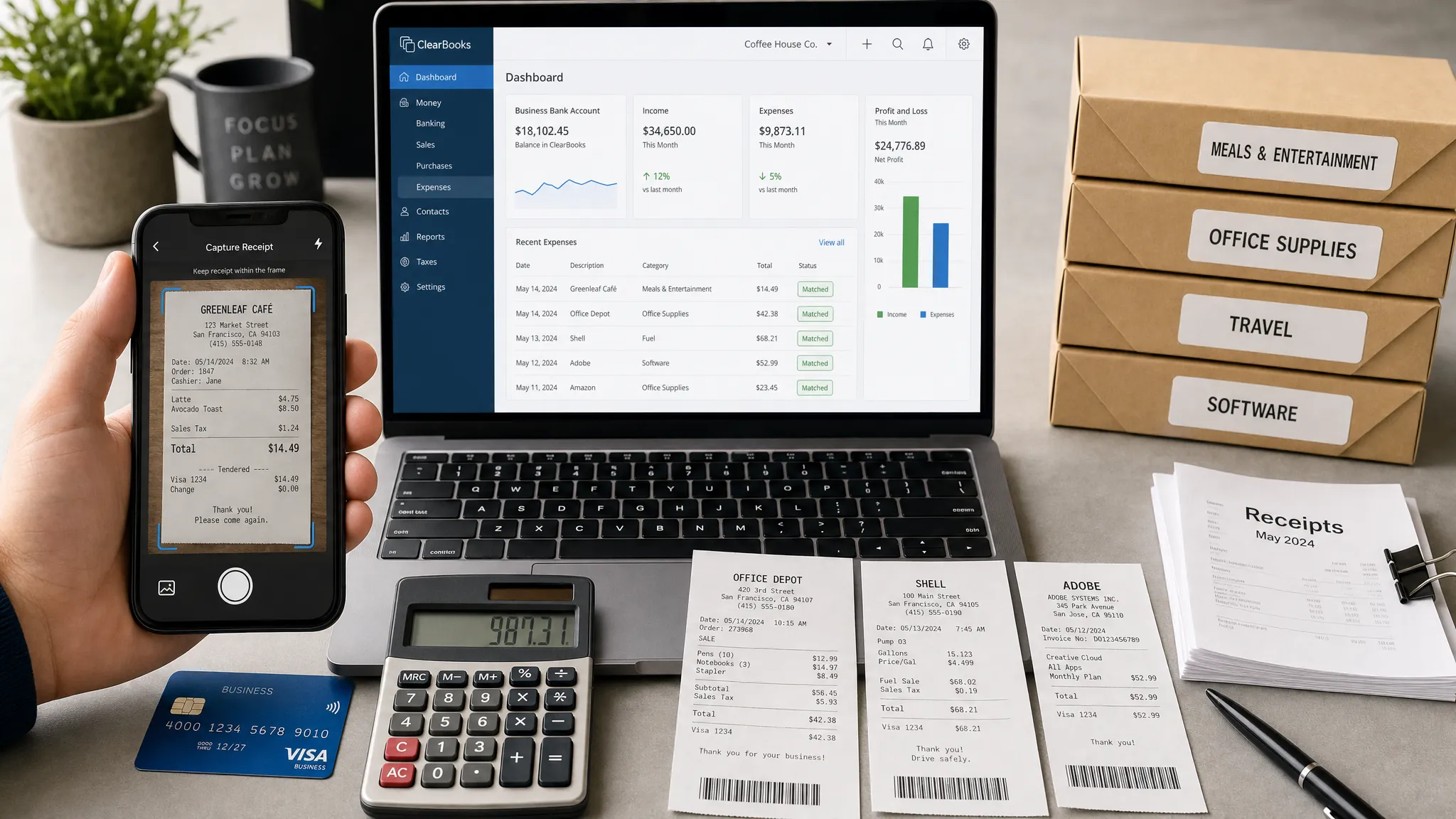
Receipts are tiny pieces of paper with oversized consequences. For a small business, they affect tax deductions, reimbursements, cash flow, job costing, client billing, and audit readiness. The problem is that paper receipts fade, get lost in glove compartments, or sit in a shoebox until tax season becomes painful.
The best receipt scanning apps for small business are indeed the top scanning solutions that solve more than storage. They capture a receipt, read the merchant, date, amount, tax, and payment method, then help you categorize the expense and sync it with accounting software. The right app can turn a messy admin task into a repeatable workflow your bookkeeper actually trusts.
Below is a practical comparison of the top options for 2026, including which app fits which type of business, what to watch for, and how to build a receipt workflow that does not collapse after the first busy month.
Quick picks: the best receipt scanning apps by use case
If you already know your main pain point, start here:
- Best for QuickBooks users: QuickBooks Online mobile app, because receipt capture connects directly to your books.
- Best for bookkeepers and high-volume document capture: Dext Prepare, because it is built around extracting and publishing receipt and invoice data.
- Best for employee expense reports: Expensify, because it combines receipt scanning, approvals, reimbursements, and policy controls.
- Best budget-friendly expense management: Zoho Expense, especially if your team already uses Zoho apps.
- Best for Xero users: Xero with Hubdoc, because source documents can flow into your Xero accounting workflow.
- Best for paper-heavy businesses: Shoeboxed, because it supports mail-in receipt scanning as well as digital capture.
- Best for freelancers and service businesses: FreshBooks, because receipt capture connects naturally to expenses, invoices, and client billing.
- Best for mileage-heavy owners: Everlance, because it combines mileage tracking with expense and receipt capture.
No single receipt scanning app is perfect for every business. A solo consultant who needs clean client expense records has different needs from a five-person construction team with fuel, materials, subcontractors, and job costing. The best choice is the one that fits your accounting system, submission habits, approval process, and record retention needs.
Comparison table: best receipt scanning apps for small business
| App | Best for | Main strengths | Watch out for |
|---|---|---|---|
| QuickBooks Online mobile app | Businesses already using QuickBooks Online | Direct accounting sync, receipt capture, transaction matching, mobile uploads | Less useful as a standalone receipt app if you do not use QuickBooks |
| Dext Prepare | Bookkeepers, accountants, and high-volume receipt capture | Strong data extraction, supplier rules, publishing to accounting tools | Can feel more advanced than a very small solo business needs |
| Expensify | Teams with employee expenses, travel, and reimbursements | Smart receipt scanning, approval workflows, reports, cards, reimbursements | Policy and workflow options may be overkill for simple bookkeeping |
| Zoho Expense | Small teams that need approvals on a budget | Receipt scanning, mileage, expense policies, approvals, Zoho ecosystem | Best value if your team likes Zoho or needs expense management beyond scanning |
| Xero + Hubdoc | Xero users who want source document management | Uploads, extraction, storage, and publishing into Xero | Not the best fit if you use another accounting platform |
| Shoeboxed | Paper-heavy businesses and owners with backlogged receipts | Mail-in scanning, digital archive, receipt organization | Not as instant as a fully mobile-first workflow |
| FreshBooks | Freelancers, consultants, and service providers | Simple mobile expense capture, invoicing connection, client-friendly workflow | Not built for complex multi-level approval systems |
| Everlance | Drivers, real estate pros, contractors, and mobile workers | Mileage tracking plus expense and receipt capture | Not a full accounting system by itself |
1. QuickBooks Online mobile app: best for businesses already using QuickBooks
If QuickBooks Online is your accounting home base, its built-in receipt capture is often the simplest answer. You can upload receipts from the mobile app, forward receipts by email, or add them from your computer. QuickBooks uses OCR to extract receipt details and can help match the receipt to transactions pulled from your bank feed.
That tight connection is the biggest advantage. A separate receipt app may be powerful, but it can also create another place for data to get stuck. QuickBooks keeps the source document close to the transaction, which is helpful when you or your bookkeeper review categories, vendors, tax treatment, and missing documentation.
QuickBooks receipt capture is best for owners who already pay for QuickBooks Online and want a low-friction way to attach proof to expenses. It is especially useful for restaurants, retail stores, small agencies, trades businesses, and service providers that want fewer loose documents at month-end.
The tradeoff is that QuickBooks is not primarily an employee expense management platform. If you need advanced approvals, per diem rules, corporate card controls, or complex reimbursement workflows, Expensify or Zoho Expense may be a better fit.
2. Dext Prepare: best for bookkeepers and high-volume receipt processing
Dext Prepare, formerly known as Receipt Bank, is built for businesses and accounting professionals that handle a steady stream of receipts, invoices, and supplier documents. It focuses on extracting key data, applying rules, and publishing clean entries into accounting systems such as QuickBooks, Xero, and Sage.
Dext is especially strong when the problem is not just capturing receipts, but processing them consistently. For example, a business with many recurring vendors can use supplier rules to reduce manual coding. A bookkeeping firm can standardize how clients submit documents and reduce the back-and-forth that usually happens when records are incomplete.
Dext is a smart choice if your receipt volume is high, your accountant recommends it, or you need a stronger document intake system than your accounting app provides on its own. It is also helpful for businesses with invoices and bills, not just quick point-of-sale receipts.
For a very small business with only a few receipts per month, Dext may be more system than you need. But if you are already losing time cleaning up transactions, chasing employees, or sorting through attachments, it can pay for itself in saved bookkeeping hours.
3. Expensify: best for employee expense reports and reimbursements
Expensify is one of the most recognizable names in expense management. Its receipt scanning feature, often associated with SmartScan, is designed to reduce manual entry by reading receipt details and turning them into expense records. But the bigger value is the full expense workflow around the scan.
For teams, Expensify can handle expense reports, approvals, reimbursements, expense policies, corporate card connections, and travel-related spending. That makes it a strong option for businesses where the owner is no longer the only person making purchases.
Expensify works well for agencies, consultants, sales teams, event teams, nonprofits, and small companies with frequent travel or employee reimbursements. Instead of asking staff to email photos to an office manager, you can create a more structured process for submitting and approving expenses.
The main downside is that Expensify can feel like too much if your only goal is to store receipts for tax season. It is at its best when you need accountability, approvals, and reimbursements, not just OCR.
4. Zoho Expense: best budget-friendly option for small teams
Zoho Expense is a strong fit for small businesses that want receipt scanning plus practical expense management without jumping straight into enterprise-level complexity. It includes features such as receipt capture, expense reports, approval flows, mileage tracking, policies, and integrations with accounting systems.
The biggest advantage is the broader Zoho ecosystem. If your company already uses Zoho Books, Zoho CRM, Zoho Projects, or Zoho Mail, Zoho Expense may fit neatly into your existing stack. That can reduce tool sprawl and make implementation easier for a small team.
Zoho Expense is well suited to companies with a handful of employees, contractors, or managers who need a clear approval process. It can also work well for remote teams that use collaborative work tools to buy software, travel, meals, materials, or office supplies from different locations.
Before choosing it, test the accounting integration you care about most. A receipt app is only as useful as the workflow it supports after the scan. If your accounting sync or export format creates cleanup work, the initial price advantage may not matter as much.
5. Xero with Hubdoc: best for Xero-based accounting workflows
For small businesses using Xero, Hubdoc is often the natural receipt and document capture companion. Hubdoc can collect bills, receipts, and statements, extract key data, and publish documents into Xero so your source records stay connected to your bookkeeping.
This setup is particularly useful for businesses that want a cleaner audit trail. Instead of storing receipts in random folders, text messages, or email threads, the supporting document can be attached to the relevant transaction or bill in your accounting workflow.
Xero with Hubdoc is a good fit for ecommerce sellers, professional services firms, trades businesses, and any company whose accountant already works in Xero. It also helps when you want to reduce the amount of manual document chasing that happens before reconciliation.
The limitation is obvious: it makes the most sense if you are already committed to Xero. If your business runs on QuickBooks, FreshBooks, or another platform, choose receipt scanning solutions that support that system directly.
6. Shoeboxed: best for paper-heavy businesses and backlogged receipts
Shoeboxed is built for business owners who still deal with lots of paper. Its standout feature is the option to mail receipts and documents for scanning, which can be a lifesaver if you have months of physical receipts sitting in envelopes, folders, trucks, or desk drawers.
That makes Shoeboxed useful for contractors, field service businesses, restaurant owners, retail operators, real estate professionals, and anyone who collects a lot of small paper receipts. You can also use digital capture, but the mail-in scanning option is what separates it from many mobile-only tools.
Shoeboxed is not necessarily the fastest option for real-time approvals or same-day expense reporting. If your priority is instant employee reimbursement, Expensify or Zoho Expense may be stronger. But if your priority is converting paper chaos into a searchable archive, Shoeboxed is worth considering.
For tax documentation, remember that the tool is only part of the process. The IRS expects businesses to keep records that support income, deductions, and credits. You can review the general IRS recordkeeping guidance and confirm specific retention rules with your tax professional.
7. FreshBooks: best for freelancers and client-service businesses
FreshBooks is a strong option for freelancers, consultants, agencies, and service-based businesses that want receipt capture connected to invoicing and expense tracking. If you already use FreshBooks to send invoices, track payments, and manage clients, using its mobile app for receipts can keep your financial workflow simple.
The key benefit is context. A receipt is not just a receipt when it belongs to a client project. FreshBooks makes it easier to record expenses and connect them to the client or job they relate to. That is helpful when you need to rebill expenses or understand whether a project is actually profitable.
FreshBooks is best for solo owners and small service teams that value ease of use over complex accounting configuration. It is not the deepest tool for multi-entity accounting or layered approvals, but it is approachable and practical.
If your receipt workflow is tied to client billing, FreshBooks deserves a close look. If your workflow is tied to employee policy enforcement, choose an expense management tool instead.
8. Everlance: best for mileage-heavy small business owners
Everlance is a useful option when receipts are only half the story. Many mobile professionals need to track mileage and vehicle-related expenses as much as meals, supplies, and subscriptions. Everlance focuses on mileage tracking, expense tracking, and documentation for self-employed workers and small business owners.
It is a good fit for real estate agents, consultants, delivery drivers, home service providers, mobile notaries, photographers, and contractors who spend a lot of time on the road. Pairing mileage logs with receipt capture gives you a more complete view of deductible business activity.
Everlance is not a replacement for a complete accounting platform. Think of it as a specialized tracking layer for business travel, driving, and mobile expenses. If you already use QuickBooks, Xero, or FreshBooks, check how exports or integrations would fit into your monthly bookkeeping process.
How to choose the right receipt scanning app
The best app is not always the one with the longest feature list. For a small business, the right app is the one people will actually use consistently. When you compare tools, focus on workflow fit instead of shiny extras.
Start with your accounting system. If your bookkeeper closes the books in QuickBooks, Xero, FreshBooks, or Zoho Books, your receipt app should connect cleanly to that system. A beautiful receipt archive is not enough if someone still has to retype every amount later.
Then look at who submits receipts. A solo owner can tolerate a simpler app. A team with employees needs approvals, reimbursement rules, reminders, and permissions. A business with field workers may need mobile-first capture and mileage tracking. A bookkeeping firm may need batch processing and client portals.
Security also matters. Receipts can reveal vendor relationships, card details, client names, locations, and purchasing habits. Look for multi-factor authentication, role-based access, secure cloud storage, export options, and clear data retention controls. If you want a broader refresher on cloud file storage and security tradeoffs, our guide to what it means when data is stored online is a useful companion.
If your business operates in the Antilles-Guyane region or has local cloud and cybersecurity requirements, working with a regional provider for IT management and cloud support can also help you protect financial documents and keep receipt workflows reliable.
Use this checklist before committing to a receipt scanning app:
| Decision factor | Why it matters | What to ask before buying |
|---|---|---|
| Accounting integration | Prevents duplicate data entry | Does it sync with my accounting software and preserve receipt attachments? |
| OCR accuracy | Reduces manual corrections | How well does it read faded, crumpled, emailed, and foreign-currency receipts? |
| Approval workflow | Keeps spending controlled | Can managers approve, reject, comment, and enforce policies? |
| Mobile experience | Drives adoption | Can employees scan in seconds from iOS and Android? |
| Export and backup | Protects long-term access | Can I export receipts, reports, and categories if I switch tools? |
| Permissions | Protects sensitive data | Can I restrict who sees financial records, cards, clients, and reports? |
| Pricing model | Controls software costs | Am I paying by user, scan volume, company, card, or feature tier? |
For teams that already run multiple online tools, it is also worth documenting where receipt data enters, who reviews it, where it is stored, and when it is reconciled. The same principles from data collection and preparation best practices apply here: clean inputs make every later step easier.
A simple receipt scanning workflow for small businesses
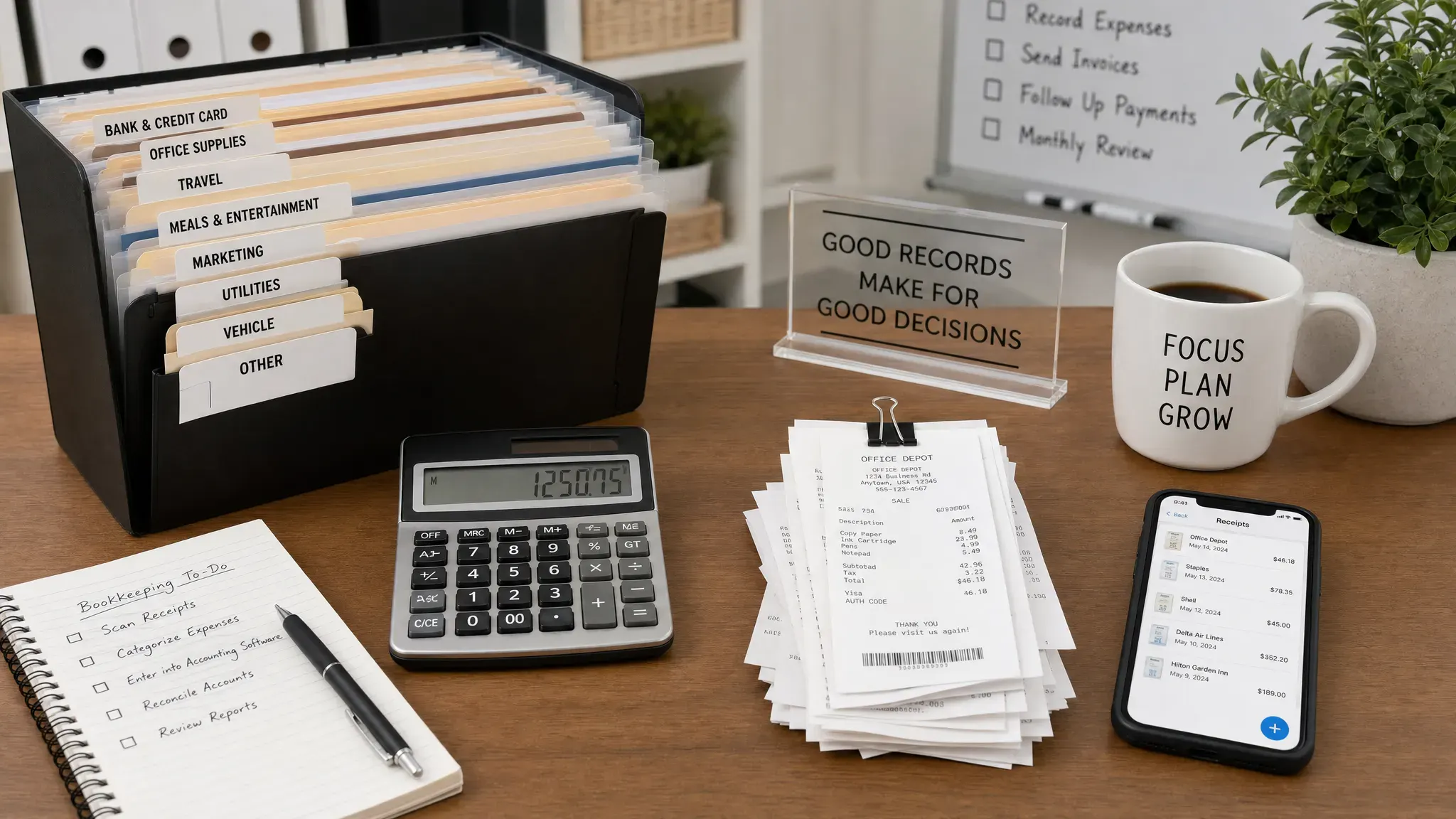
Buying the app is easy. Building the habit is where most businesses fail. Use a lightweight workflow that your team can follow even during busy weeks.
- Scan receipts the same day: The longer a receipt stays in a pocket, bag, or vehicle, the more likely it is to disappear or become unreadable.
- Use consistent categories: Keep expense categories aligned with your chart of accounts so your bookkeeper does not need to recode everything.
- Add context immediately: Include the client, project, job, attendee, or reason for the expense while the purchase is still fresh.
- Attach receipts to transactions: During reconciliation, match scanned receipts to bank or card transactions instead of leaving them in a separate archive.
- Review exceptions weekly: Set a recurring time to fix missing receipts, unreadable scans, duplicates, and uncategorized expenses.
- Export before tax season: Do not wait until year-end to discover that your app settings, permissions, or reports are incomplete.
This workflow is intentionally simple. A two-person business does not need the same expense governance as a 50-person company. But every business needs a repeatable capture, review, and storage process.
Common mistakes to avoid
The most common mistake is choosing a receipt scanning app without involving the person who closes the books. If your accountant or bookkeeper dislikes the export, category mapping, or attachment handling, the app may create more work than it saves.
Another mistake is letting employees submit receipts only at month-end. By then, details are forgotten and missing documentation becomes normal. A better rule is to submit receipts within 24 to 48 hours, especially for meals, travel, client purchases, and reimbursable expenses.
Small businesses also underestimate the importance of permissions. Not every employee needs access to every receipt, report, bank feed, or reimbursement setting. Even a small team should separate submitter, approver, and administrator roles when possible.
Finally, do not assume OCR is perfect. Receipt scanning apps are much better than manual entry, but they can still misread taxes, tips, totals, currencies, dates, and vendor names. Build in a review step before syncing or reimbursing expenses.
Which app should you choose?
If you want the shortest path, choose the receipt scanning solution that matches the financial system you already trust. QuickBooks users should start with QuickBooks receipt capture. Xero users should evaluate Hubdoc. FreshBooks users should test FreshBooks mobile expenses. Zoho users should look at Zoho Expense. QuickBooks users should start with QuickBooks receipt capture. Xero users should evaluate Hubdoc. FreshBooks users should test FreshBooks mobile expenses. Zoho users should look at Zoho Expense.
If your main issue is employee spending, approvals, travel, and reimbursements, start with Expensify or Zoho Expense. If your main issue is document processing volume, accountant collaboration, and cleaner bookkeeping inputs, start with Dext Prepare. If your main issue is a mountain of paper, Shoeboxed is the specialist. If you drive for work constantly, Everlance may give you the best combination of mileage and receipt documentation.
For many small businesses, the best answer is not a separate receipt app at all. It is the receipt feature inside the accounting tool you already use. Only add a standalone platform when you have a clear reason: more users, more receipts, more approvals, more paper, more mileage, or more bookkeeping complexity.
Frequently Asked Questions
Do I still need to keep paper receipts after scanning them? Many businesses use digital records successfully, but requirements can vary by country, industry, and tax situation. Keep scans readable, complete, backed up, and connected to the underlying transaction. Ask your tax professional before destroying paper records.
What is the best free receipt scanning app for small business? Free plans and trials change often, so the best free option depends on your accounting software and receipt volume. If you already pay for QuickBooks, Xero, FreshBooks, or Zoho, start by testing the receipt tools included in your current plan before adding another subscription.
Which receipt scanning app is best for QuickBooks? QuickBooks Online receipt capture is usually the first choice because it keeps receipts close to your accounting data. Dext Prepare is also strong if you need higher-volume document processing before publishing transactions into QuickBooks.
Can receipt scanning apps read handwritten receipts? Some can read parts of handwritten receipts, but accuracy varies. Typed receipts, emailed receipts, and clear printed invoices work best. If you deal with many handwritten or damaged receipts, choose an app with strong review tools or a service that includes human verification.
Are receipt scanning apps safe for business financial records? They can be safe if you use strong passwords, multi-factor authentication, limited user permissions, and secure exports. Review each vendor's security documentation, privacy policy, and data retention options before uploading sensitive financial records.
How often should I scan receipts? Ideally, scan receipts the same day you make a purchase. For teams, set a policy requiring submission within 24 to 48 hours so managers and bookkeepers are not chasing missing details weeks later.
Build a cleaner small business tool stack
Receipt scanning is one of the easiest admin upgrades a small business can make, but it works best when it fits into a larger digital workflow. Choose the app that connects to your accounting process, train your team on a simple submission routine, and review exceptions weekly.
For more practical comparisons, tutorials, and workflow advice, explore Online Tool Guides and build a tool stack that saves time instead of creating another inbox to manage.



