
Ever wonder why your feed feels limited, even when you follow many people? The platform now personalizes content based on your interactions and interests. Meta confirmed in early 2026 that this tailoring shapes which posts reach your screen.
The algorithm favors content from accounts you engage with most. If your app seems to miss updates from connections, it usually reflects past behavior—likes, comments, and time spent on a post. That pattern helps the system predict what you value.
Understanding this logic saves you time and gives control. You can adjust settings, add people to favorites, and shift what appears in feeds. This guide breaks down practical steps so your social media experience matches the connections you care about.
Key Takeaways
- The feed is personalized based on interaction history.
- Low engagement makes certain posts rarer on your screen.
- Adding key people to favorites boosts visibility.
- Adjusting app settings can restore desired content flow.
- Understanding the algorithm helps you reclaim control.
Understanding Why Your Facebook Feed Feels Limited
Your feed narrows because the system learns to repeat what keeps you engaged. The platform tracks clicks, comments, and how long you view a post. Over time, this creates a loop where the same people and types of content dominate your timeline.
The Role of Personalization
Personalization aims to make your experience relevant. If you often visit one profile or interact with certain pages, the algorithm treats them as high priority. That boosts their visibility and reduces chances you will see less-engaged contacts.
How Engagement Signals Work
- Long video watches and reactions tell the system what you value.
- Frequent visits to a friend profile increase that person’s reach in your feed.
- Low interaction with other connections makes their updates rarer.
| Signal | What It Measures | Effect on Feed |
|---|---|---|
| Time Spent | How long you view a post or video | Higher priority for similar content |
| Reactions & Comments | Active engagement level | Boosts posts from those people/pages |
| Profile Visits | Frequency of visiting a profile | Prioritizes that friend’s posts |
| Page Interactions | Likes, follows, shares on pages | Makes page content appear more often |
If you have questions about why you don’t see certain posts, the answer usually lies in these signals. To change what appears, you must change how you interact.
Immediate Facebook Not Showing Friends Posts Fix
Start with a fast, practical step: open the app or browser, tap the menu icon, choose Feeds, then select the Friends tab to view posts in a simple, chronological way.
Add 10–30 people to your favorites list. Doing so forces the platform to prioritize their content on your home feed for several days.
If updates still seem missing, check account settings and reinstall the app to rule out temporary glitches or internet issues. You can also verify platform status on Downdetector if you suspect a wider outage. Another important step is to adjust your facebook notification settings on iPhone to ensure you’re receiving the alerts you want. If notifications are still not coming through, consider checking the app permissions on your device. Additionally, reviewing your account privacy settings may help clarify what notifications you can access.
- Use the Friends feed to bypass recommended content and see posts from your network.
- Turn on notifications for key people so you get alerts when they share new content.
- If you have extra questions about search or visibility, check this guide: why can’t I search on Facebook.
Managing Your Favorites and Feed Preferences
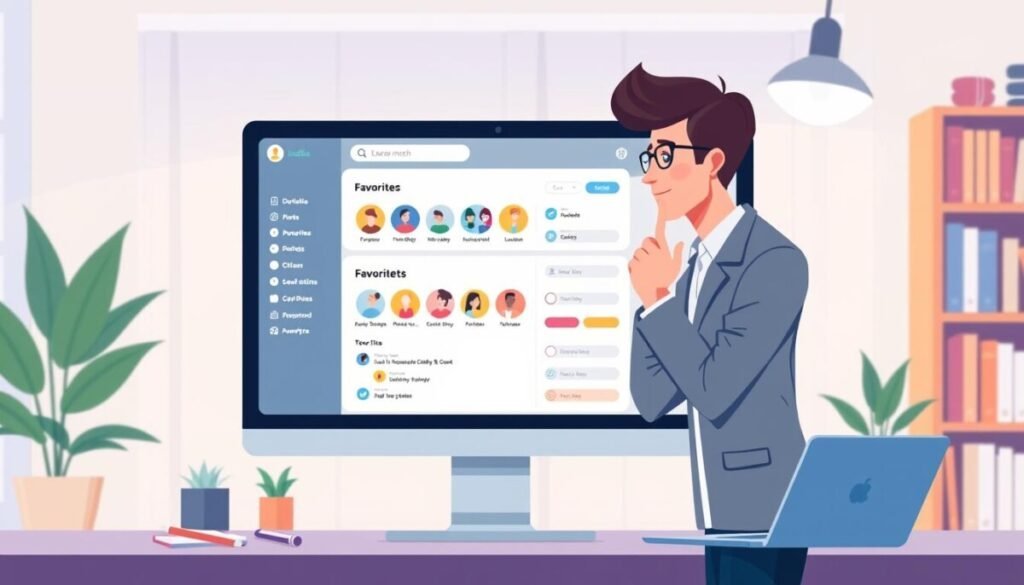
You can reshape your feed in minutes by tweaking a few simple settings. Start with a quick review of who appears most on your timeline and decide which people or pages deserve priority.
Customizing Your Feed Settings
Open the menu in the app or browser and choose the option to manage your feed preferences. This area lets you add or remove favorites, hide specific content, and tune what you view.
- Limit your favorites to a clear number — aim for 10–30 people so the algorithm can prioritize effectively.
- Use the three-dot menu on a page or account to hide or snooze content for 30 days when it overwhelms your experience.
- Choose the Friends or Feeds tab in the menu to view posts chronologically and confirm you can see posts you expect.
- Regularly review these settings so your timeline reflects the people and content you value, not just the most active accounts.
These steps help you curate a balanced feed and make it simple to view posts from the people who matter most.
Retraining the Algorithm Through Intentional Interaction
Small, deliberate actions every day tell the system which people and content deserve priority. Start with a clear plan and commit to a short routine for 7–14 days. This gives the model time to learn new signals from your account.
The Daily Reset Routine
Set aside 5–10 minutes each day. Visit 5–10 different profiles and leave a comment or reaction. Comments and direct profile visits send stronger signals than passive likes.
Avoiding Accidental Engagement
Be mindful when you scroll. Long video watches and accidental clicks tell the system you want similar content.
Close or skip content you do not want to influence your feed. If you need more guidance, read a targeted walkthrough on how to manage visibility: how to restore friend updates.
Why Consistency Matters
Do this routine daily for 7–14 days to retrain the recommendation model. Sporadic action will yield weak or temporary change.
- Interact with 5–10 different people each day for 7–14 days.
- Prefer comments and profile visits over passive likes.
- Diversify interactions to broaden the circle your feed prioritizes.
- Use notifications selectively for people whose updates you truly want see.
| Action | Signal Strength | Recommended Days | Expected Result |
|---|---|---|---|
| Profile visit + comment | High | 7–14 | Increases visibility of that person’s updates |
| Short reaction or like | Medium | 7–14 | Modest boost for similar content |
| Long video watch | High (but risky) | Avoid if undesired | Signals preference for similar video content |
| Adding to favorites | Very high | Immediate | Forces higher priority in the facebook feed |
If you have questions about tagging or account behavior while retraining, see this quick guide: troubleshooting tag issues.
Troubleshooting Technical Glitches and Privacy Settings
Start by checking account-level privacy rules that can silently hide specific updates from your feed.
If you cannot see a friend’s post, they may have added you to a restricted list or set visibility to Only Me. Visit the person’s profile to confirm whether their recent content is visible to you.
Follow these quick steps to rule out common causes:
- Review your settings and the profile’s privacy options via the menu.
- Clear your browser cache or update the app to the latest version to remove local glitches.
- Check if you still follow the account and whether pages or people have limited audiences.
| Problem | What to check | Expected result |
|---|---|---|
| Restricted visibility | Profile privacy and friend lists | Confirm if you can see recent posts |
| Local glitch | Clear cache / update app | Restore normal feed behavior |
| Platform outage | Check status pages and try later | Temporary delay; items reappear in days |
If these steps still leave gaps in your facebook feed, use the browser menu to inspect account-level restrictions. For additional troubleshooting about search or visibility, see this guide: why can’t I search on Facebook. Many users are experiencing facebook reels visibility issues, which can further complicate your social media engagement. It’s important to ensure that your content is set to public and that you adhere to community guidelines to maximize your visibility. Additionally, consider regularly checking for updates or changes within the platform that may affect how your reels are displayed.
Achieving a Balanced Social Media Experience
A balanced social media experience starts with intentional choices about who and how you engage. Use feed tools, manage favorites, and spend a few minutes each day interacting with the people you want to see.
There is no single switch that solves everything. Follow the steps in this post visibility guide and the sharing troubleshooting walkthrough at sharing troubleshooting to check audiences and restore reach.
Consistency matters. Prioritize meaningful comments and profile visits, set clear preferences, and you’ll see more posts from key contacts. Over time, this approach improves your feed and keeps your time on the platform more productive and enjoyable.