Have you ever listed an item and found the shipping toggle missing at the worst moment?
This guide explains why the shipping option disappears and how you can restore it quickly on the platform. Many sellers see shipping disabled on desktop listings; the remedy is simple: switch to the mobile app or a mobile browser on Android, iPhone, or iPad.
Identity verification, cancellations, and policy flags are the top culprits. If your identity is pending or rejected, you cannot enable shipping until you upload ID in Marketplace > Selling > Your payouts. Excessive order cancellations can remove the Buy Now button; appeal via Marketplace > Profile > Insights > Cancellations.
Shipping is also limited by location and category. Follow the in-app steps to contact support from Order Details if verification completes but the option stays hidden. Ship within three business days and add tracking to avoid auto-cancelled orders.
For related account troubleshooting and connection tips, see this quick how-to on account limits and linking.
Key Takeaways
- Switch to the mobile app if the shipping option is missing on desktop.
- Verify your identity in Marketplace > Selling > Your payouts to enable shipping.
- Appeal cancellations via Profile > Insights to restore Buy Now and shipping.
- Confirm shipping availability for your location and category before listing.
- Mark items shipped with tracking within three business days to prevent auto-cancels.
- If problems persist, contact support from Order Details and follow identity prompts.
- Use this guide and linked resources to shorten downtime and protect your payouts: account troubleshooting and limits.
Understand the ‘facebook won’t let me ship’ problem and intent today
Many sellers and buyers now see the delivery toggle missing or grayed out when they try to list an item. This affects your ability to offer delivery on the marketplace and can stop remote purchases.
What buyers and sellers experience on Marketplace right now
Some users see no shipping option at all. Others lose it after cancellations or identity prompts. Buyers may only get local-only listings as a result.
Quick diagnosis: account, listing, device, or location?
Start with account checks. If identity verification appears, finish it first. If you have cancellations, review Insights > Cancellations.
Next, confirm the listing category supports delivery. Some categories and prohibited items block offering shipping.
Finally, test the app and device: the feature is often present in the mobile app but hidden on desktop. Update, clear cache, or reinstall if it behaves oddly.
Check availability: shipping features by location and eligibility
Shipping isn’t available everywhere. New or low-activity sellers may need a few clean transactions before delivery is unlocked.
Complete payouts and meet age or regional restrictions to make the option available in your account. If a platform bug persists, gather screenshots and contact facebook support via the in‑app path. Additionally, ensure that all personal information is accurate and up to date to avoid any further issues with eligibility. If you’re unsure about making changes, you can easily search for guides on how to update facebook birthday. Keeping your account information current not only helps with functionality but also enhances your overall user experience.
Quick steps
- Complete identity verification and payouts.
- Review category eligibility and policy flags.
- Use the mobile app, update it, or clear cache.
- Confirm your available location supports delivery.
| Cause | What you see | Immediate step | When to contact support |
|---|---|---|---|
| Identity pending/rejected | Delivery toggle missing | Upload ID in Selling > Payouts | If verification fails after correct documents |
| Category restrictions | No option to offer delivery | Change to eligible category or list local | If listing category seems allowed but blocked |
| Device/app issue | Toggle appears on mobile only | Update or reinstall facebook app | After troubleshooting with screenshots |
facebook won’t let me ship: common causes at a glance

Several account flags and regional limits are the usual reasons delivery is disabled. Below are the main issues to check so you can act quickly and restore the option when possible.
Commerce policy violations and order cancellations
Policy strikes or too many canceled orders can remove the shipping option. Track cancellations in Marketplace > Profile > Insights > Cancellations and appeal any incorrect strikes.
Identity verification holds
If your identity verification is pending or rejected, you cannot offer delivery. Upload ID in Marketplace > Selling > Your payouts to clear the hold and restore payouts.
Location, account age, and category limits
Shipping may not be available in your region or for specific categories. New or low-activity sellers often lack the feature until they complete clean sales.
Underage users face years-based restrictions and may need additional verification to access delivery.
| Cause | Visible result | Next step |
|---|---|---|
| Policy strike / cancellations | Shipping option removed | Appeal via Insights |
| Verification pending/rejected | Delivery disabled | Upload ID in Selling > Payouts |
| Location or category limits | Only local listings | Change category or list local |
For a focused recovery path, follow this fix guide and monitor Marketplace alerts for the exact reason the feature is disabled.
Fix shipping issues on the Facebook app and your device
Begin troubleshooting with the mobile app and a stable connection to save time. Use an Android, iPhone, iPad, or a mobile browser—desktop and laptop listings often hide delivery controls.
Update and reset the app first. Make sure the app version is current. Clear cache to remove corrupted data. If problems persist, reinstall the app and sign in again.
Use a supported device
Manage listings and delivery only from the mobile app or a mobile browser. Desktop does not show the shipping toggle, so try the app before changing listing details.
Update, clear cache, or reinstall the app
Outdated builds can hide toggles. Clear cached data and test a new draft listing after reinstalling. Follow these steps:
- Update the app from your store.
- Clear cache (Settings > Apps > Clear cache) or uninstall then reinstall.
- Log in, re-check permissions, and open a draft to confirm the toggle appears.
Stabilize your internet connection
Unstable Wi‑Fi can interrupt the setup process and fail saves. Switch to reliable mobile data or a stronger network when you enable delivery.
When issues persist: follow the in‑app Contact Facebook Support path
Open Marketplace > Order Details > Contact Facebook Support. Choose Identity Verification or “I’m having trouble verifying my Identity” then select “My Issue is Different” and follow steps. If you are experiencing difficulties during this process, it may be beneficial to check if there are any known issues regarding facebook profile picture upload issues. Additionally, providing any error messages you encounter can help expedite the resolution. Having clear and concise information will assist support in addressing your concerns effectively. If you’re encountering facebook email update issues, make sure to provide any relevant information that can assist the support team in resolving your problem. Be detailed about the specific challenges you’re facing, as this will help expedite the process. After submitting your request, keep an eye on your email for any responses from Facebook regarding your issue. In addition to the steps mentioned, you might also want to explore various forums or support communities where other users share their experiences and effective solutions for similar issues. Checking these resources can provide insights and even specific ‘facebook unrestrict issue solutions‘ that have worked for others in overcoming account restrictions. Be proactive in gathering as much information as possible to enhance your chances of a quick resolution. Moreover, if your concerns relate to interactions on posts or comments, you may want to investigate resources that cover facebook tagging issues explained. Familiarizing yourself with common mistakes or restrictions can also save you time and streamline communication with support. Remember, clarity and detail in your queries will yield quicker and more satisfactory responses.
| Fix | Symptom | When to escalate |
|---|---|---|
| Use mobile app or mobile browser | Shipping toggle missing on desktop | If toggle still missing on mobile after updates |
| Update / clear cache / reinstall | App shows incorrect UI or errors | After reinstall with screenshots and app version |
| Switch network | Saves fail or settings revert during setup | When errors persist on multiple networks |
Document everything: capture screenshots, listing IDs, device model, OS and app version, and timestamps. If you need extra help, use the in-text support path or follow this quick troubleshooting guide for related app-notification fixes.
Enable shipping and set up compliant listings
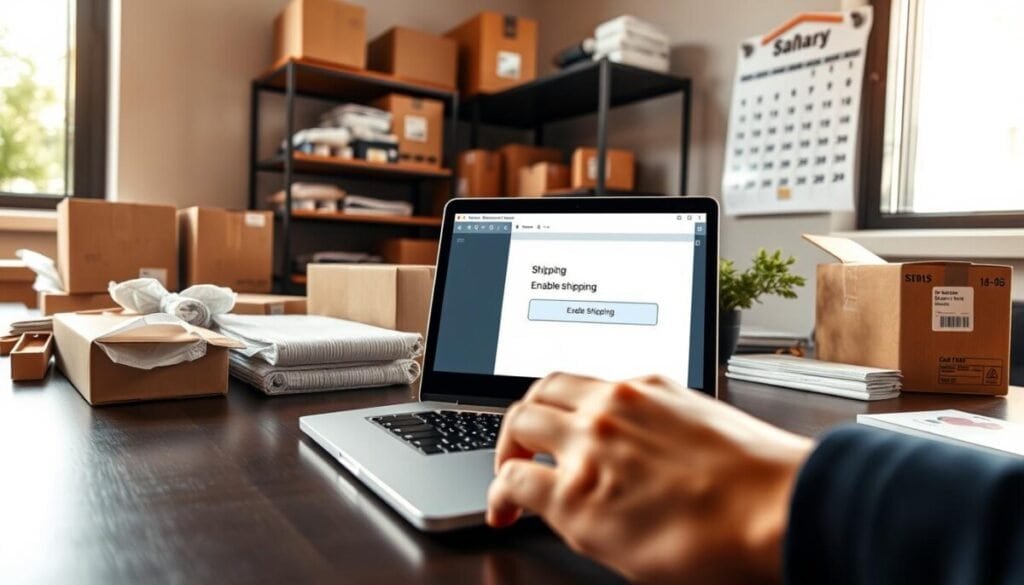
To enable shipping, finish payouts and identity verification first. Complete Marketplace > Selling > Your payouts with your legal name, mailing address, and date of birth. Verification unlocks the delivery controls so you can offer shipping to buyers.
Use the mobile app or a mobile browser to create listings. Desktop does not support the full shipping setup. Create Listing, pick a category, then choose Delivery method and select Offer shipping to make the shipping option visible for the item.
Key steps to list and price items correctly
- Enter package data: add accurate weight and dimensions so carriers price shipping reliably.
- Set price and delivery cost: choose whether you or buyers pay shipping and test carriers to find the best total price.
- Commit to SLAs: ship items within three business days and add tracking to avoid auto-cancelled orders.
- Duplicate for multiple items: copy a compliant listing and adjust only item details to save time.
| Action | What to enter | Why it matters |
|---|---|---|
| Enable shipping | Complete payouts & verify ID | Unlocks delivery features |
| Offer shipping | Dimensions, weight, courier | Accurate cost and tracking |
| Fulfill orders | Mark shipped with tracking | Prevents auto-cancel after three business days |
If the shipping option disappears mid-process, recheck category eligibility and active account strikes. For a focused recovery path use this fix guide to verify steps and restore delivery on facebook marketplace.
Next steps for smooth selling and delivery on Facebook Marketplace
If shipping stays blocked, pivot quickly to local pickup and keep sales moving.
Offer nearby collection while you resolve account restrictions. Use clear pickup windows, choose safe public locations, and list “local pickup” in the post so buyers find the option fast. If you prefer to resume delivery later, mirror listing details across channels to avoid confusion.
Follow FTC guidance: confirm shipping dates in your listings; if none is shown you have 30 days to ship. Use tracking, encourage credit card payments for dispute protection, and secure parcels to reduce theft and refunds.
Document errors and escalate via the in‑app path. When you need step-by-step help, consult this guide on enabling delivery and troubleshooting or review how to create and post listings: why delivery may be unavailable and how to post on Marketplace.
Final steps: keep cancellations low, mark items shipped with tracking, and standardize packing and drop‑off routines. Do this and you’ll protect payouts, preserve the feature, and improve buyer confidence on the platform.