
Can one platform really stop missed appointments and jumbled dispatches for mobile crews? We think so. In this guide, we explain how realtime data tools provide essential information to technicians and desk teams alike.
As of May 19, 2026, Justine Caroll, Director of Product Marketing, updated our research to reflect the latest trends. We reviewed nine top platforms, from Zuper to Salesforce, to find solutions that tighten scheduling, dispatching, and invoicing.
Our goal is simple: help companies keep jobs on time and cut wasted time and costs. We show which platforms offer strong tracking, automation, and mobile support so your workforce stays in sync with supervisors and customers.
Key Takeaways
- Real-time data connects technicians and office staff for faster decisions.
- Centralized platforms reduce missed appointments and messy communication.
- Top picks like Zuper and Salesforce offer solid scheduling and dispatching tools.
- The right solution can lower costs from wasted time and lost resources.
- We link to planning resources to help you evaluate options: online planning tools.
Understanding the Role of Field Service Management Software
Managing crews away from the office demands clarity, speed, and reliable tracking. We know daily work on the road brings jumbled communication, missed appointments, and extra costs.
The Challenges of Fieldwork
Chaos shows up as double bookings, lost orders, and late arrivals. Small mistakes grow into wasted time and unhappy customers.
Improving Service Delivery
We rely on a centralized platform to track jobs, handle scheduling, and keep technicians in sync with the office.
- Real-time tracking reduces missed visits.
- Automation cuts manual scheduling costs.
- Inventory visibility lowers repeat trips and repair delays.
| Benefit | What it fixes | Outcome |
|---|---|---|
| Central platform | Jumbled communication | Faster response, fewer missed jobs |
| Automated scheduling | Manual errors | Lower labor cost, reliable appointments |
| Mobile tracking | Unknown technician location | Better routing and higher customer satisfaction |
Top Platforms for Mobile Workforce Efficiency
We tested top platforms that help mobile crews stay on schedule and cut travel time.
Zuper is an all-in-one platform that uses AI dispatching to match the closest technician to a job. It speeds routing and lowers idle travel time.
Salesforce Field Service offers a mobile app so technicians can view schedules and update data while on the move. That keeps team info current.
Jobber targets construction and home trades. It adds automated appointment notices and a client hub to reduce missed visits.
Service Fusion helps teams share estimates and collect e-signatures, which streamlines billing and order completion.
ServiceTitan gives cloud tools for residential and commercial businesses to track costs and manage crew schedules in real time.
- Why these matter: better dispatching, clearer scheduling, and faster tracking cut costs and improve customer experience.
- We also link to helpful customer relationship tools at customer relationship tools.
| Platform | Best for | Key feature |
|---|---|---|
| Zuper | All-in-one ops | AI-based intelligent dispatching |
| Salesforce Field Service | Large teams | Mobile app with live updates |
| Jobber | Home & construction | Automated notifications, client hub |
| Service Fusion | Fleet & billing | Estimates and e-signatures |
| ServiceTitan | Residential & commercial | Cloud cost tracking and crew scheduling |
Essential Features to Look for in Your Tech Stack
Picking the right capabilities for your tech stack changes how teams plan and finish jobs. We look for tools that improve visibility, speed up decisions, and cut repetitive work.
Real-time Dashboards
Visibility matters. Dashboards let us watch key metrics and tracking for on-the-go crews. That live data helps teams spot delays and adjust routing fast.
Mobile App Accessibility
A reliable mobile app gives technicians access to schedules, customer notes, and parts info at the job. Offline support and clear screens reduce errors and save time.
Work Order Management
Work order tools create, assign, and track tasks in a single view. This cuts manual entry, improves inventory use, and makes sure each job closes with the right info.
- Benefits: better scheduling, fewer repeat visits, and faster billing.
- Choose a platform that integrates with your customer systems for consistent data across operations.
How Modern Tools Streamline Daily Operations
Daily ops run smoother when we replace manual tasks with automated routines that run in the background.
Automating billing and admin saves hours each week. We cut repetitive entry, speed invoicing, and reduce human errors.
By using service management solutions, we connect mobile teams to real-time data. That improves routing, tracking, and on-time arrival for technicians.
Work order cycles close faster when every task is visible from creation to completion. Integrating inventory systems means technicians find parts on the first visit.
Synced systems give us a single source of truth. Unified data helps teams respond to customers faster and keeps schedules accurate.
- Time saved: fewer manual tasks and quicker billing.
- Better tracking: live updates for technicians and dispatch.
- Fewer repeats: inventory visibility reduces return trips.
Streamlined processes let our business focus on growth and better support for every customer.
Benefits of Adopting Digital Management Solutions
Smart platforms match each technician to the right job based on skills, location, and availability. That basic change alone lifts productivity and lowers wasted travel time.
Heightened Productivity
We assign tasks automatically so teams get work aligned to skill and schedule. This reduces guesswork and speeds completion.
Automating work order creation cuts manual entry and the errors that slow operations. Integrating inventory keeps stock accurate and prevents return trips.
- Centralized communication keeps technicians and dispatch in sync on ticket updates.
- Mobile tools reduce idle time and routing inefficiencies for mobile teams.
- Accurate parts tracking means fewer delays during visits.
The result: businesses see faster turnaround, happier customers, and measurable gains to the bottom line. For more on keeping customer info in one place, see our guide to customer relationship tools.
Criteria for Selecting the Right Software for Your Business

Not every tool fits every team—so we set measurable standards before we try any solution.
Integration tops our list. A standout field service management product must sync with help desk and customer platforms. That keeps order flow smooth and reduces duplicate work.
Hands-on testing matters. Take advantage of trial periods—Zuper offers a 14-day free trial so we can validate scheduling and tracking in our real operations.
- Customizable settings let us match workflows to unique business rules and maintenance cycles.
- Robust scheduling and tracking features ensure technicians arrive on time and jobs close correctly.
- Mobile accessibility and ease of use keep field teams productive, even offline.
- Scalability so the platform grows with our operations and won’t require costly migrations.
| Criterion | Why it matters | Outcome |
|---|---|---|
| Integration | Connects help desk and customer data | Faster resolution, fewer errors |
| Trial access | Real-world validation | Confident purchase decisions |
| Scheduling & tracking | Optimizes routes and order flow | Less travel time, higher uptime |
When weighing options, we also review vendor roadmaps and support terms. For help comparing choices, see our guide to choosing project tools.
Optimizing Dispatching and Scheduling Processes
Smarter assignments and live updates shrink travel windows and boost productivity. We focus on two core improvements: smarter routing with automated algorithms and instant communication between dispatch and crews.
Automated Scheduling Algorithms
Automated scheduling algorithms use availability, skills, and location to pick the best technician for each job. That optimization cuts travel time and lowers operational costs.
We integrate work order details into the planning rules so every assignment includes parts, notes, and expected duration. This alignment reduces repeat visits and speeds job completion.
Real-time Communication
Real-time communication keeps dispatchers and technicians in sync. Alerts, ETAs, and job updates flow instantly to mobile devices so teams can react to delays or changes.
- Track technician location and availability to improve routing decisions.
- Send job details and necessary order info before arrival to reduce surprises.
- Scale volume without adding admin work by automating routine assignments.
| Feature | Benefit | Outcome |
|---|---|---|
| Automated routing | Less travel time | Lower fuel and labor costs |
| Live updates | Faster responses | Higher customer satisfaction |
| Work order integration | Complete job data | Fewer repeat visits |
When we combine intelligent scheduling with instant messaging, our operations run smoother and customers notice the difference.
Managing Costs and Improving Cash Flow

When teams close orders and invoice on the spot, we see measurable cash benefits.
Faster invoicing reduces the gap between finished work and payment. Automated billing and integrated payment tools let us send invoices immediately and accept payments right away.
That speed cuts errors that happen with manual entry and shortens days sales outstanding. We recommend tools that let technicians generate an on-the-spot invoice so customers can pay before the crew leaves.
- Track job costs in real time to spot overspend and save on parts or labor.
- Use a single platform to monitor expenses and revenue for clearer financial reporting.
- Automated billing features reduce disputes and speed collections.
Result: healthier cash flow, fewer late payments, and more funds to reinvest in growth. For practical tips on improving cash flow, see our guide on improving cash flow, and for inventory control that supports billing accuracy, check inventory management tools.
Integrating Field Service Tools with Customer Experience Platforms
Bridging operational apps with a Zendesk-style CX hub gives teams context at every touchpoint. We connect work notes, ticket histories, and scheduling records so customer conversations start with the right facts.
When data moves fluidly, agents and technicians see the same timeline. That unified view cuts repeat calls and speeds resolutions.
- Fast, personalized support: customers get consistent replies across phone, chat, and email.
- Shared details: work site notes and ticket descriptions flow between systems for clearer handoffs.
- AI insights: integrated analytics surface trends and next-best actions for our teams.
| Benefit | Why it helps | Outcome |
|---|---|---|
| Unified data | Removes duplicate entry | Faster resolutions |
| Intuitive CX | Shorter training | Lower rollout cost |
| AI-powered triage | Smarter routing | Higher agent productivity |
For examples of how an integrated approach improves retail touchpoints, see our guide on how field service management can improve the retail customer.
Supporting Remote Technicians with Offline Functionality
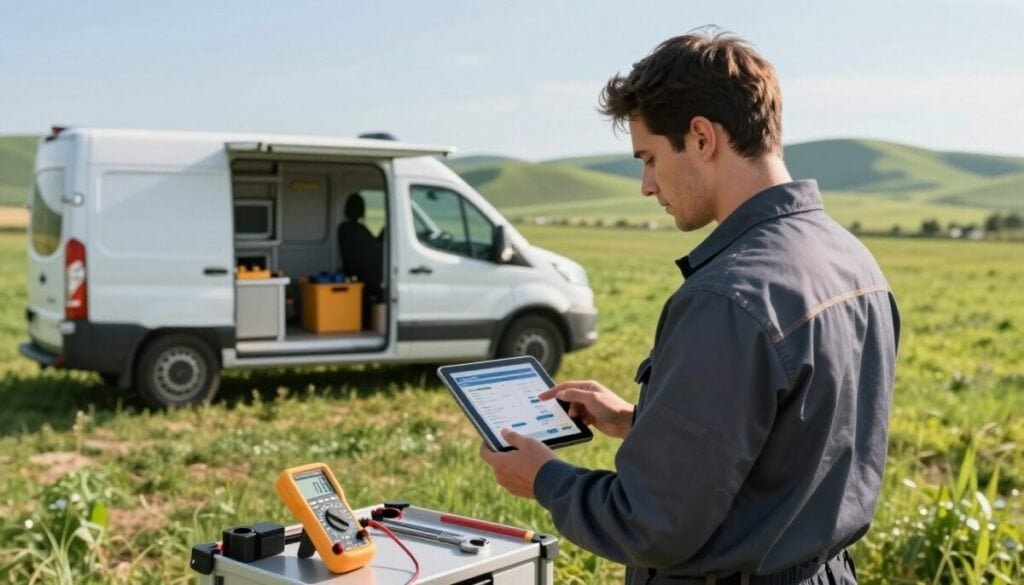
Connectivity gaps are common on job sites, so we need tools that keep data flowing offline.
Many modern field service tools let technicians view jobs, record parts used, and capture signatures without an active connection.
Data entered offline syncs automatically once the device regains a signal. That prevents lost notes and keeps customer records accurate.
We prefer platforms that handle conflict resolution and retries quietly in the background. This keeps our teams focused on the work, not on connectivity.
- Access job details and attachments while offline.
- Auto-sync updates, timestamps, and photos when online.
- Reduce repeat visits by keeping tracking and scheduling intact.
| Benefit | How it works | Outcome |
|---|---|---|
| Uninterrupted tasks | Local data store on the device | Technicians finish jobs without delays |
| Reliable records | Automatic sync and conflict handling | Accurate customer and billing data |
| Higher productivity | Background retries and queued uploads | Fewer missed appointments and faster closeout |
Industry Applications for Specialized Field Services
From telecom towers to HVAC closets, businesses rely on tailored tools that streamline day-to-day work.
Telecommunications and utilities use service management software to schedule crews, track assets, and meet strict compliance rules.
Construction and facilities teams depend on the same platforms to coordinate multi-day projects and keep accurate job records.
Logistics and repair operations benefit from real-time tracking and smart scheduling that cut transit time and boost first-visit completion rates.
We’ve found that small startups and large enterprises both gain from industry-specific features like regulatory templates, asset tagging, and parts forecasting.
- Tailored features reduce repeat visits and speed invoicing.
- Integrated data keeps customer histories and compliance notes in one place.
- Configurable workflows let businesses match tooling to unique needs.
| Industry | Key benefit | Outcome |
|---|---|---|
| Telecom | Asset tracking | Faster installs |
| HVAC | Parts forecasting | Fewer return trips |
| Logistics | Real-time ETA | Higher on-time rates |
Future-Proofing Your Mobile Operations
To stay ready for change, we must pick tools that scale as our teams and demands grow.
We invest in advanced management tools that include flexible software accepting new tech like AI and IoT. This helps us improve routing, scheduling, and on-site diagnostics without major rework.
Regular reviews of our scheduling and process let us spot gains fast. We keep long-term vendor relationships so updates and support remain reliable as our businesses expand.
As customer expectations rise, fast, data-driven service wins. Investing in the right foundation today gives our crews the confidence to handle tomorrow’s challenges.



