
Can watching real user behavior change the way we fix conversion problems? We think it can.
We define session replay tools as the modern standard for seeing how users move through your website and apps. These platforms go beyond basic analytics and give us the qualitative data needed to spot friction and lift conversion rates.
In 2026, the best session replay platforms let our teams watch exact user interactions and pair those observations with metrics. That mix of data and human context helps product and UX teams identify missed errors and make better changes fast.
You can get started today with Rollbar, which offers 1,000 free session replays to help our team visualize customer journeys and measure impact.
Key Takeaways
- These platforms reveal how real users behave on your website and apps.
- Qualitative data pairs with analytics to uncover hidden friction.
- Strong integration across teams accelerates fixes and boosts conversion.
- Rollbar provides 1,000 free replays to help us get started quickly.
- Use observations to prioritize product changes and track metrics.
Why Modern Teams Need Session Replay Tools
Modern product teams need more than charts; they need clear play-by-play views of how real customers interact with our apps. Metrics point out trouble, but they rarely show the moment a user loses patience.
The Shift from Quantitative to Qualitative
We moved from counting clicks to understanding intent. Quantitative analytics tell us where users drop off. Visual replays show why they left.
By watching a single session, our team can spot a broken form, a confusing label, or a lag that causes churn. This context turns numbers into clear fixes.
Bridging the Gap Between Data and Action
When data and visual evidence meet, teams act faster. Seeing the exact moment a customer hits an error helps prioritize product work.
- Identify the error and its frequency.
- Assign the right owner and reproduce the issue.
- Measure impact after the fix.
| Approach | What It Shows | Outcome |
|---|---|---|
| Quantitative analytics | Drop rates, funnels, trend data | Where problems exist |
| Qualitative replays | User intent, errors, UI friction | Why problems happen |
| Combined view | Metrics + visual context | Faster fixes and better retention |
Understanding the Role of Qualitative Behavioral Data
Qualitative behavioral data shows the human decisions behind clicks and scrolls, so we can fix problems that numbers alone miss.
We use session replay and visual recordings to add context to our analytics. That context helps us see why a customer hesitated or abandoned a form.
By reconstructing a single session, we can identify intent and track the exact steps a user took. This makes it easier to assign fixes and test outcomes.
- See intent: Understand what users try to do and where they fail.
- Prioritize work: Use real customer data to rank fixes by impact.
- Improve product: Build changes that match actual user needs.
| What We Watch | Why It Matters | Action |
|---|---|---|
| Click patterns and scrolls | Reveal friction points in flows | Redesign UI or copy |
| Error events and pauses | Show confusion or technical failure | Reproduce bug and fix |
| Conversion attempts | Expose intent behind abandonments | Prioritize product changes |
Top Enterprise Platforms for Scalable Analytics
At scale, unified intelligence platforms let our teams spot systemic friction across the whole web presence. These enterprise platforms combine high-volume visual records with metrics so we can prioritize the right fixes quickly.
Quantum Metric for Unified Intelligence
Quantum Metric captures billions of sessions, making it ideal for large product teams that need an enterprise-grade platform.
Why we like it: broad coverage, automated funnel tracking, and cross-site analysis that highlights systemic issues affecting conversion.
Amplitude for Product Analytics
Amplitude pairs product analytics with behavioral context so our team sees trends and the user actions behind them.
Key benefits include advanced cohort analysis and integration with other platforms for deeper measurement.
ContentSquare for Journey Tracking
ContentSquare focuses on journey-level insights, showing where users hesitate or rage click on a page.
Combined with long-term storage from platforms like Datadog RUM (up to 15 months), we can analyze historical behavior and prove impact over time.
- FullStory — features like rage click detection and high-fidelity visual records.
- Datadog RUM — strong integration and extended retention for long-term analysis.
- Quantum Metric — built for scale and enterprise coverage.
| Platform | Strength | Enterprise Value |
|---|---|---|
| Quantum Metric | Massive scale capture | Systemic friction detection |
| Amplitude | Product analytics | Cohort and feature analysis |
| ContentSquare | Journey tracking | UX-level insights |
Recommendation: choose platforms that scale with your data needs and offer tight integration so our team can turn replays into measurable changes in conversion and experience.
Developer-Focused Solutions for Debugging and Performance

We need fast paths from error alerts to actionable context. Developer platforms give engineers the technical evidence to fix bugs and improve performance.
LogRocket and Sentry for Technical Context
LogRocket captures console logs, DOM changes, and network requests so we see the exact browser state before a failure. Galileo AI Highlights lets us watch up to ten sessions at once to find root causes quickly.
Sentry links error telemetry to visual records. Their free plan includes 50 replays and monitoring for 5,000 errors per month, which is great for solo devs and small teams.
- Features like rage click and dead click detection surface performance issues fast.
- Jump from a crash report to a recording and replay user actions in seconds.
- Analyze the DOM tree and network activity to reproduce and fix bugs.
| Platform | What it captures | Developer value |
|---|---|---|
| LogRocket | Console, network, DOM | Root-cause context |
| Sentry | Error telemetry + recordings | Fast triage from crash to fix |
These integrations give our team the granular data we need to keep a website and apps stable. With clear metrics and visual context, we fix problems faster and ship better product changes.
Privacy-First Options for Regulated Industries
In regulated environments, we must protect customer data without sacrificing product insights. That means choosing a privacy-first platform that can mask sensitive fields in the browser before anything leaves our systems.
Self-hosting matters: platforms like OpenReplay let us keep logs and replays inside our infrastructure. This removes third-party exposure and helps meet GDPR, HIPAA, and other requirements.
We also enforce strict governance. Clear policies, role-based access, and automated masking keep user details safe while teams still get the visual context needed to improve product and experience.
- Mask sensitive fields at capture to avoid leaks.
- Use on-prem or private cloud to maintain data sovereignty.
- Audit access and retention to prove compliance.
| Requirement | What it prevents | How we verify |
|---|---|---|
| Client-side masking | PII and payment exposure | Automated test capture |
| Self-host option | Third-party data transfer | Network and storage logs |
| Access controls | Unauthorized viewing | Role audits |
Lightweight Tools for Small Businesses and Quick Insights
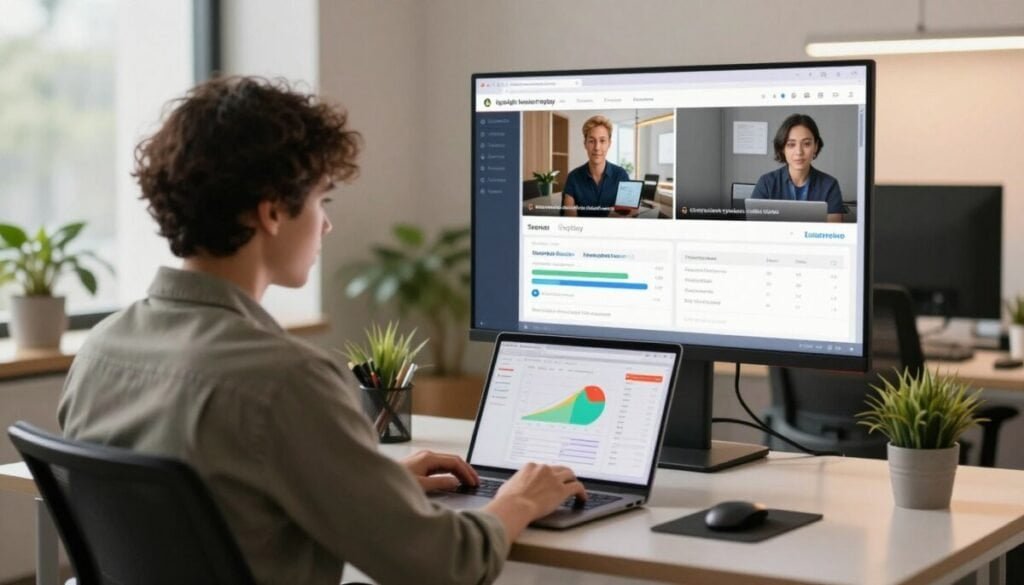
Small businesses often pick lightweight platforms that deliver quick, actionable web insights with minimal setup. These session replay tools give fast visibility into how users move through our website and apps.
We like Hotjar because it’s affordable and simple to get started. It provides heatmaps and basic recordings so our team can spot where clicks and scrolls concentrate.
For teams on a budget, these replay tools remove complexity. You don’t need a dedicated analyst to read the data.
- Quick install and low maintenance.
- Heatmaps plus short recordings for fast fixes.
- Learn which pages hurt conversion and why.
Every session replay gives simple, actionable insights. That steady stream of customer context helps our product stay user-friendly and improves conversion without heavy investment.
How AI is Transforming Session Replay Capabilities
AI shortens the path from raw recordings to action. Automated insight summaries translate long user videos into clear notes, timestamps, and suggested fixes. This saves our team hours every week.
Automated Insight Summaries
We get concise summaries that highlight errors, hesitation, and repeated clicks. Each summary links to the exact moment in the recording so we can verify and assign work.
Benefits: faster triage, clearer priorities, and fewer meetings to agree on next steps.
Predictive Friction Detection
Machine learning models scan thousands of user actions to surface patterns that predict trouble. That early warning helps our product and UX teams act before conversion drops.
- Models rank the most important sessions for review.
- Alerts show where behavior diverges from expected flows.
- Suggested experiments focus on high-impact changes to performance and conversion.
| Capability | What It Finds | Team Impact |
|---|---|---|
| Automated summaries | Errors, pauses, repeated clicks | Faster fixes, clearer tickets |
| Predictive detection | Emerging friction before scale | Proactive optimization |
| Priority scoring | High-impact recordings | Better allocation of engineering time |
To explore complementary analytics like heatmaps and behavior comparisons, see our guide on heatmap and behavior comparison. Integrating these insights moves us from reactive debugging to proactive product improvements.
Key Criteria for Evaluating Your Next Platform

Our evaluation starts with whether a platform captures high-fidelity playback across web and native app environments. We need coverage for all major browsers and mobile OS versions so data reflects real users.
Privacy and governance matter: check for client-side PII masking to mask sensitive fields before anything leaves the browser. That protects customers and simplifies compliance.
Integration is non-negotiable. The platform should connect with our analytics, performance monitoring, and bug trackers so metrics and context travel together.
- Run a short pilot to see how the tool handles live traffic and edge cases.
- Verify recordings are searchable, time-stamped, and easy to share across teams.
- Measure impact: confirm the platform links visual evidence to metrics and ticketing systems.
| Criterion | What to verify | Why it matters |
|---|---|---|
| Fidelity & Coverage | Cross-browser and mobile capture | Accurate representation of user behavior |
| PII Masking | Client-side field masking | Compliance and user privacy |
| Integration | Analytics, APM, ticket systems | Faster triage and measurable fixes |
To compare implementation and best practices, see our complete guide on evaluating session replay before you get started.
Integrating Replays into Your Existing Tech Stack
We link visual user recordings to backend logs so teams see the full path from click to code.
When our front-end playback connects to APM and analytics, we get a unified view of customer journeys. This helps us correlate user behavior with server performance and speeds up triage.
Make sure the chosen session replay tool integrates with your current apps. That way, engineers, support, and product can pull the same data without toggling between platforms.
- Link visual records to error logs and metrics for faster root-cause analysis.
- Map replay timestamps to analytics events so changes are measurable.
- Align findings with the product roadmap to prioritize high-impact fixes.
| Integration | What it connects | Benefit |
|---|---|---|
| APM | Server traces & logs | Faster bug fixes |
| Analytics | Funnels & events | Measure impact of changes |
| Support systems | Tickets & clips | Clearer customer context |
For a practical guide to picking and wiring up session replay software, see this walkthrough. Strong communication across teams makes every recording more valuable and drives real product improvements.
Moving from Observation to Anticipating User Needs
Smart analytics will let us turn every observed interaction into an actionable plan for our website and apps.
By pairing a session replay tool with behavioral data, our teams convert each session into a clear roadmap for product changes.
We believe the best teams build empathy by treating every customer moment as a lesson. Small changes driven by replay and analytics lift conversion and improve experience.
Use these insights to prioritize work, test hypotheses, and keep the user at the center of decisions. Every replay is an opportunity to learn and stay ahead of competitors.
Start small, iterate fast, and let real user behavior guide long-term success for your website and app.



