Can one simple dashboard truly replace hours of guesswork and spreadsheet chaos?
You need clear answers fast. This guide cuts through the noise and shows how different options shape your daily work and long-term strategy.
We cover how cross-network metrics like reach, impressions, engagement, and follower growth become actionable reports. You will see when a basic plan is enough and when upgrades pay off for automation, exports, and advanced team reporting.
Learn how dedicated platforms give deep exports and how all-in-one suites add publishing and collaboration. Discover tools with Looker Studio connectors and options built for agencies, enterprises, listening at scale, and real-time dashboards.
Key Takeaways
- You will learn the main differences between no-cost plans and paid tiers for daily workflow and outcomes.
- See when a trial suffices and when paid features unlock essential exports and automation.
- Understand how dedicated analytics differ from suites that combine posting, inbox, and reporting.
- Get examples for agency, enterprise, and listening use cases.
- Find quick criteria to shortlist the right option for your 2025 goals.
Why this comparison matters for today’s social teams
Teams juggle many channels and need a single source of truth. You run campaigns across platforms where video may drive clicks on TikTok while carousels spike engagement on Instagram. Switching native dashboards wastes time and causes errors.
Centralized reporting shortens cycles and reveals the context behind performance changes. It shows why reach or engagement moved, not just what changed on one profile.
Client-ready visuals build trust. Real-time insights let you adjust campaigns mid-flight. Competitive views and mention tracking expose where rivals win and where risks emerge.
- Consolidate data to reduce manual work and cut report time.
- Spot cross-channel trends that explain audience behavior.
- Scale reporting standards as you add clients and profiles.
- Use white-label exports to present clean results to stakeholders.
Quick feature guide
| Feature | Small teams | Agencies | Enterprises |
|---|---|---|---|
| Centralized dashboards | Speeds weekly reports | Supports multi-client rollups | Integrates with BI platforms |
| Real-time alerts | Fix issues fast | Manage live campaigns | Monitor brand risk |
| White-label exports | Polished client reports | Branded deliverables | Custom SLAs and templates |
| Competitive and sentiment views | Spot quick wins | Benchmark rivals | Track market shifts |
What social media analytics tools actually do
Raw network numbers become clear actions you can run with today. These platforms collect post impressions, engagements, video views, clicks, audience growth, and demographics from major platforms. They convert that raw data into charts and tables you can read fast.
From raw platform data to actionable insights
Organic views show reach, impressions, follower trends, and audience slices over time. Paid reporting adds ad costs, CPC, and cost per landing page visit so you can trace results across the funnel.
Organic, paid, and listening data at a glance
Listening modules capture mentions, sentiment, and share of voice across the web. Competitor dashboards benchmark KPIs side by side to flag gaps in cadence or engagement.
- Unified views bring channels together to speed trend spotting.
- Custom dashboards surface only the metrics that matter to your goals.
- Exports and scheduling automate CSV, PDF, or slide delivery and white-label branding for clients.
| Data type | Key metrics | Use case | Output |
|---|---|---|---|
| Organic | Reach, impressions, engagements, followers | Content timing and creative testing | Charts, CSV, scheduled reports |
| Paid | CPC, ROAS, cost per visit, ad engagements | Budget allocation and funnel analysis | Ad-level reports, CSV, PPTX |
| Listening & Competitive | Mentions, sentiment, share of voice, rival KPIs | Reputation and benchmark tracking | Alerts, dashboards, white-label exports |
Want a practical guide to platforms and workflows? See a curated walkthrough of a social content suite to match features to your needs.
How to evaluate media analytics tools before you commit
Begin by listing the accounts you manage and confirming each tool supports them. Check coverage for Facebook, Instagram, TikTok, LinkedIn, YouTube, X, and niche platforms like Twitch. This step avoids surprises during onboarding.
Next, validate reporting and visualization features. Look for drag-and-drop builders, scheduled email delivery, CSV/PDF/PPTX exports, and white-label branding so stakeholders get consistent reports.
Benchmarking and listening depth
Compare side-by-side competitor KPIs. Verify sentiment scoring and share-of-voice calculations. These metrics help you prove wins and spot risks fast.
Team workflows and scalability
Map approvals, tasking, and response-time tracking to your process. Confirm the platform can handle dozens of profiles, clients, and users without slowing down.
Integrations and data connections
Audit connectors for Google Analytics, Looker Studio, CRMs, and ad platforms. Strong integrations link social activity to web conversions and revenue.
- Checklist: network coverage, report formats, benchmarking, workflows, scalability, integrations, data retention.
- Test automation: scheduled reports and alerts to save time.
| Need | What to verify | Why it matters |
|---|---|---|
| Platform coverage | Facebook, Instagram, TikTok, LinkedIn, YouTube, X, Twitch | Avoid gaps in tracking and reporting |
| Reporting | Drag-and-drop, exports, white-label | Consistent stakeholder deliverables |
| Integrations | Google Analytics, Looker Studio, CRMs | Connect activity to conversions |
Social Media Analytics Tools: Free vs Paid Comparison
Before you upgrade, confirm the platform captures the metrics you actually rely on. Run a short test to verify coverage, exports, and basic dashboards. This step prevents surprises and saves time later.
When a free plan or free trial is enough
A quick validation can be enough if you only need basic cross-channel reports and daily performance checks. Use a free plan to confirm supported networks, ease of use, and core dashboards.
Try a free trial when you must validate export formats, data accuracy, or a full reporting cycle. Many vendors offer 14 to 30 days. Metricool and Pallyy both provide practical starter options to test looker connections and short history windows.
Why paid tiers unlock deeper metrics and automation
Paid tiers add competitor benchmarking, listening, advanced ad breakdowns, and scheduled delivery. Automation and white-label exports usually sit behind higher plans. These features cut manual work and speed client reporting.
If you manage clients, budget for the tier that covers exports and automated reports. Entry plans often cap profiles, users, or historical data, which hurts long-term trend work.
| Need | Starter (free plan) | Trial | Paid tier |
|---|---|---|---|
| Coverage | Basic networks, limited history | Full network check (14–30 days) | All networks, long retention |
| Reports | On-screen charts, CSV | Test PDF, CSV, PPTX exports | Scheduled emails, white-label PDFs |
| Benchmarking | Not included | Limited test access | Competitor and listening dashboards |
| Team features | Single user or small team | Trial access for multiple seats | Roles, approvals, client portals |
Free and low-cost options worth testing first
Start with budget-friendly options to confirm coverage and reporting before you upgrade. These entry plans help you validate networks, exports, and basic dashboards without a large spend.
Metricool
Metricool covers major networks and niche platforms like Twitch. It tracks organic and paid metrics, offers competitor and influencer views, and includes report templates you can use right away.
Use its Looker Studio connector to blend social and ad data with Google Ads and Google Analytics for a fuller funnel view.
Pallyy
Pallyy is budget-friendly for Instagram, Facebook, and LinkedIn. The platform offers unlimited custom reports and competitor tracking for up to 10 Instagram rivals.
Their free plan holds 30 days of history, which is useful for quick checks; upgrade when you need longer retention.
Buffer and starter plans
Buffer’s starter tiers help you validate best times to post, post performance, and simple audience insights. Paid Team plans begin around $12/month per channel and add team workflows.
- Test Metricool for cross-network coverage and looker integration.
- Try Pallyy for affordable IG and LinkedIn reports.
- Use Buffer to confirm scheduling and engagement timing.
- Check export formats and automation so monthly reports run without manual work.
| Need | Starter | What to confirm |
|---|---|---|
| Coverage | Metricool, Pallyy, Buffer | Networks supported match your mix |
| Reports | On-screen, CSV, PDF | Export formats and scheduling |
| Historical data | 30 days or tier-based | Retention meets trend analysis needs |
If you want a targeted list for Instagram reporting, see this guide for the best options: best Instagram analytics tools.
Paid solutions for advanced insights and agency use cases
For agencies and large teams, paid platforms add the automation and controls you need. These options focus on team workflows, branded delivery, and deep performance views. They replace manual spreadsheets and speed client reporting.
Sprout Social: enterprise-grade analytics and team reports
Sprout Social offers deep reporting, task-level tracking, and competitive benchmarking. Expect steep learning and higher cost, but strong multi-team features and engagement metrics make it a solid enterprise choice.
Agorapulse: ROI tracking by merging with Google Analytics
Agorapulse links platform clicks to conversions in Google Analytics. Use it to prove ROI, track leads, and build audience and community reports that tie back to sales.
Sendible: white-label dashboards and drag-and-drop reporting
Sendible supports fully branded client portals and a drag-and-drop report builder with 200+ modules. It scales well for agencies that need custom exports and on-domain portals.
Iconosquare: customizable dashboards for IG and Facebook
Iconosquare focuses on Instagram and Facebook with a flexible analytics dashboard and more than 100 metrics. It schedules branded exports and simplifies creative and timing decisions.
| Platform | Best for | Key advantage |
|---|---|---|
| Sprout Social | Enterprise teams | Deep team and engagement reports |
| Agorapulse | ROI tracking | Google Analytics linking |
| Sendible | Agencies | White-label portals |
| Iconosquare | IG & Facebook focus | Custom dashboards, scheduled exports |
- Paid platforms add scheduled delivery, advanced exports, and longer history.
- Expect richer benchmarking, permissions, and role-based access at this tier.
- Budget for onboarding and training to unlock full value from these features.
Deep-dive tools vs all-in-one platforms
Decide whether you need a specialist dashboard or an all-in-one suite. That choice shapes cost, training, and daily workflow. Pick depth when detailed reports and exports matter. Pick breadth when you want publishing, discovery, and inbox work in one place.
Social Status for pure-play analytics and next-level reporting
Social Status focuses on four dashboards: Profile, Ads, Competitor, and Influencer. It gives CSV, PDF, and PPTX exports and flexible templates for stakeholders.
Best if you need deep reporting and wide export options. Agencies benefit from clean templates and detailed ad breakdowns.
ContentStudio for discovery plus reporting
ContentStudio blends content discovery with sentiment and scheduling. It surfaces top-performing articles and posts across the web while offering built-in analytics.
Competitor analysis is useful but can be gated on higher tiers. Choose it if you want discovery plus publishing in one place.
Viraly and Metricool as value-packed all-in-ones
Viraly combines post and page performance, AI captioning, and fast feature updates. It lacks some advanced metrics but delivers strong everyday value.
Metricool balances cost with broad network coverage and a Looker Studio connector. It is a solid option when you need multi-network reporting and exports without high cost.
- Dedicated dashboards go deeper into organic, ads, competitor, and influencer reporting.
- All-in-ones reduce tool sprawl by adding scheduling, inbox, and discovery around analytics.
- For agencies, prioritize white-label exports and report automation over extra publishing features.
| Type | Primary strength | When to pick |
|---|---|---|
| Pure-play | Deeper reports, more export formats | Reporting-first teams and agencies |
| All-in-one | Publishing, discovery, unified workflow | Small teams that want one place for work |
| Value-packed | Broad coverage at lower cost | Budget conscious teams needing core performance data |
Agency-grade requirements and client reporting
Agencies must deliver clean, branded reports that make decisions simple for clients. You want a single place to present results, not scattered files and screenshots. Pick platforms that let you create white-label portals, export branded PDFs, and schedule delivery on a cadence that fits client needs.
White-label portals, branded exports, and scheduled delivery
Sendible enables full white-label branding across the app and client portals with drag-and-drop reporting. Iconosquare and Social Status handle scheduled exports and branded reports. These features keep the brand consistent and reduce manual work.
Proving value with benchmarks and cross-channel rollups
First-party benchmarks from platforms like AgencyAnalytics help you position performance against industry baselines. Cross-channel rollups combine Facebook, Instagram, TikTok, YouTube, and LinkedIn into one executive document. That single story makes reporting and decisions faster.
- Branded dashboards give clients a cohesive experience.
- Scheduled delivery removes manual follow-ups.
- Benchmarks show relative performance clearly.
- Drag-and-drop builders speed setup and customization.
| Need | Platform example | Benefit |
|---|---|---|
| White-label | Sendible | Cohesive brand experience |
| Scheduled exports | Iconosquare | Reliable reporting cadence |
| Benchmarks | AgencyAnalytics | Industry context for metrics |
Integrations and data pipelines that future-proof your stack

Connect your reporting stack so every campaign tells a complete story. You want pipelines that cut manual work and keep numbers consistent across teams.
Looker Studio connectors for unified marketing reporting
Use connectors to pull networks, ad platforms, and web data into one place. Metricool offers a Looker Studio connector so you can blend social, Google Analytics, and Google Ads into full-funnel dashboards.
This removes CSV merges and keeps your reports repeatable. Build reusable templates and standard naming conventions to scale across brands.
Blending social data with web analytics and ad platforms
Agorapulse links with Google Analytics to trace clicks to conversions and revenue. Cyfe connects 100+ sources so departments get consistent executive views and scheduled exports.
- Plan a clear data model so metrics match across sources.
- Confirm sync windows and freshness to avoid report day surprises.
- Standardize names and build reusable templates for rollups.
- Lock down access and privacy controls as connections grow.
| Connector | Primary benefit | When to use |
|---|---|---|
| Metricool + Looker Studio | Full-funnel dashboards | Cross-network campaign reporting |
| Agorapulse + Google Analytics | Attribution to leads/revenue | Proving social channel ROI |
| Cyfe | Multi-department rollups | Company-wide executive dashboards |
Focus on workflow, not just connections. Good integration design makes reports faster, clearer, and more trustworthy for decision makers.
Competitive benchmarking and social listening
Competitive snapshots show where your content strategy wins and where it falls behind. Use both benchmarking and listening to turn raw metrics into next-step actions.
Iconosquare, ContentStudio, and Sendible give side-by-side KPI views so you can compare cadence, reach, and engagement at a glance. Iconosquare excels at advanced competitive benchmarking. ContentStudio surfaces rival KPIs on higher tiers. Sendible bundles multi-channel reporting into one client-ready document.
Brand24 and Keyhole focus on mentions, sentiment, and share of voice. They alert you to spikes, map discussion leaders, and track hashtag and keyword impact in real time.
- Benchmarking shows how cadence and engagement compare to competitors.
- Listening data reveals discussion leaders and emerging topics to target.
- Alerts on spikes or drops let you act fast during crises or viral moments.
- Combine benchmarking with audience demographics to refine posting times and formats.
| Capability | Best for | Quick benefit |
|---|---|---|
| Side-by-side KPIs | Iconosquare, ContentStudio | Spot gaps in cadence and format |
| Mention tracking | Brand24 | Real-time alerts on sentiment shifts |
| Hashtag & SOV | Keyhole | Measure hashtag reach and share of voice |
Organic vs paid analytics: reading the full picture
Reading both natural reach and ad performance together reveals the full cause-and-effect story. You get context on what content truly resonates and what only looks good because of spend.
Organic performance shows how posts land with your audience without ads. Track impressions, engagement rate, reach, and follower growth to shape creative and cadence.
Use audience demographics to tailor messaging by segment. Map best times to post from platforms like Iconosquare and Social Status. Then schedule content to match peak attention windows.
Paid metrics and attribution
Paid reports add CPC, ROAS, and cost-per-landing-page-visit. Social Status exposes ad-level CPC and conversion cost. Agorapulse links ad clicks to Google Analytics so you can prove ROI.
- Pair ad data with web analytics to measure real conversions beyond clicks.
- Compare organic trends to paid lifts to guide budget shifts.
- Segment by post type and format to repeat what works.
| Focus | Key metrics | Best use |
|---|---|---|
| Organic | Impressions, engagement rate, growth, audience demographics | Creative testing, cadence, timing |
| Paid | CPC, ROAS, cost per landing page visit, attribution | Budget allocation, funnel conversions |
| Combined reports | Cross-channel lifts, timing vs spend, segment wins | Unified monthly reports and strategy shifts |
Start by pulling both views into one report. Use Metricool or ContentStudio if you need combined coverage across networks. For a curated set of platform options, see our social content toolkit.
Dashboards, data visualization, and stakeholder buy-in
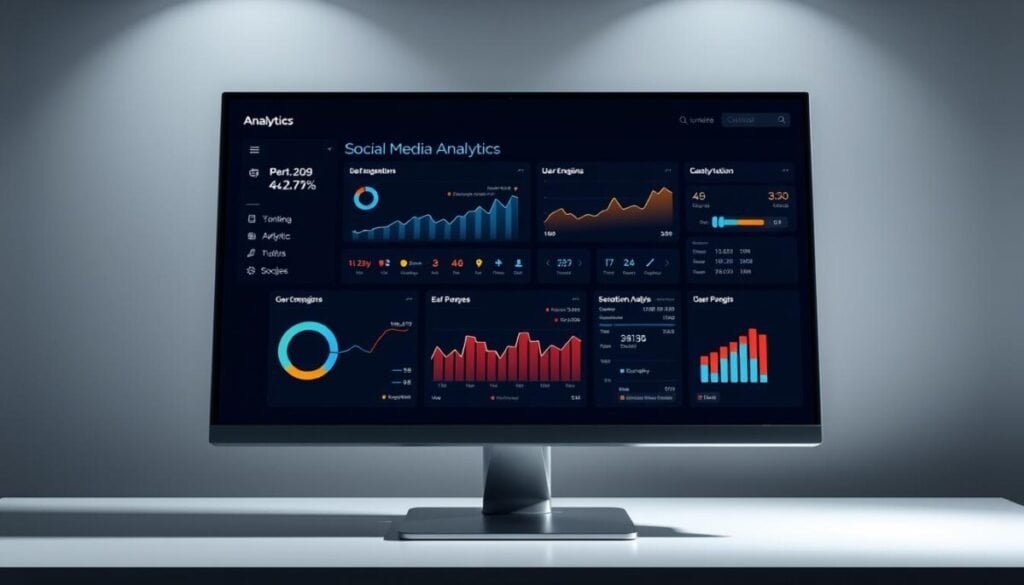
Clear visuals make complex performance numbers easy to act on. An analytics dashboard that highlights outcomes speeds approvals. It also saves time in weekly reviews.
Pick layouts that match your audience. Executives need one-page summaries. Analysts need drill-downs for how posts or campaigns moved the needle.
Drag-and-drop dashboards in Iconosquare and Sendible
Iconosquare offers a personalized analytics dashboard with 100+ metrics, drag-and-drop widgets, and scheduled exports. Sendible adds a drag-and-drop report builder with 200+ modules and white-label options.
Both platforms let you save templates and schedule exports on your cadence. That keeps client deliverables consistent and reduces manual work.
Real-time wallboards and cross-department views with Cyfe
Cyfe connects 100+ integrations and rotates wallboards on large screens. Departments see the same live data and can export PNG, JPG, PDF, or CSV for meetings.
- Focus dashboards on outcomes, not just activity.
- Standardize templates so every client sees consistent KPIs.
- Use annotations and brief narratives to explain spikes and dips.
- Align dashboard timing with your content calendar and campaign cycles.
| Feature | Best use | Export types |
|---|---|---|
| Iconosquare | Custom KPI dashboards | PDF, CSV, scheduled |
| Sendible | Branded client reports | PPTX, PDF, white-label |
| Cyfe | Live wallboards | PNG, JPG, PDF, CSV |
Common pitfalls when comparing tools
Many teams discover coverage gaps when a client asks for a channel the platform does not support. Validate network coverage up front to avoid last-minute surprises.
Feature gating is common. Competitor tracking or listening may sit behind higher tiers in some platforms. Confirm which plan unlocks essential features before you commit.
Export limits, learning curves, and support quality
Export formats and scheduling often vary. Some services limit file types or block automated delivery on lower plans. Test exports so reports ship on time.
Learning curves matter too. Enterprise suites can take longer to master and need training time. Factor implementation and support responsiveness into your timeline.
- Verify historical data retention for year-over-year work.
- Check user and profile caps that can constrain growth.
- Test dashboards against native metrics for data consistency.
- Estimate total cost of ownership, including per-seat fees and add-ons.
- Pilot with a real client to surface hidden gaps early.
| Risk | What to check | Why it matters |
|---|---|---|
| Coverage gaps | Supported networks list | Avoid missed channels |
| Export limits | File types & scheduling | Reliable report delivery |
| Support & learning | Onboarding resources | Faster adoption and fewer mistakes |
Before you buy, run a short pilot and validate exports and feature access. For automation and scheduling ideas, see this guide on automation workflows.
Editor’s picks by use case
Match each vendor to the specific problems you face in daily reporting. Below are concise picks for common needs. Use this as a shortlist when you run short trials.
Best for deep analytics: Social Status
Why it stands out: deep profile, ad, competitor, and influencer reports. It delivers flexible exports for complex client work.
Best value for money: Metricool
Why it stands out: broad network coverage and a Looker Studio connector at a modest price. Good for teams that need cross-platform data without high cost.
Best for agencies and white-label: Sendible
Why it stands out: full white-label portals and drag-and-drop reporting. Ideal when branded reports and client access matter most.
Best for Instagram and Facebook focus: Iconosquare
Why it stands out: customizable dashboards and scheduled branded exports for IG and Facebook performance reviews.
Best for enterprise analytics and teams: Sprout Social
Why it stands out: robust team features and deep reporting. It fits large organizations that need collaboration and governance.
Best for mention analytics at scale: Brand24
Why it stands out: mention tracking, sentiment, and alerts designed for reputation and share-of-voice work.
Best budget-friendly IG/LinkedIn reports: Pallyy
Why it stands out: affordable Instagram and LinkedIn reporting with unlimited custom reports for simple client deliverables.
- Pick Social Status for depth and flexible exports.
- Choose Metricool for coverage, price, and Looker Studio integration.
- Select Sendible when white-label portals and templates are required.
- Use Iconosquare for focused IG and Facebook dashboards.
- Go with Sprout Social for enterprise-grade collaboration and reporting.
- Adopt Brand24 for scaled mention tracking and sentiment alerts.
- Try Pallyy for low-cost IG and LinkedIn reports.
| Use case | Recommended pick | Primary benefit |
|---|---|---|
| Deep reporting | Social Status | Rich exports and competitor views |
| Value & connectors | Metricool | Looker Studio + low cost |
| Agency branding | Sendible | White-label portals |
Make the right move for your 2025 social media strategy
Start by clarifying what success looks like for your brand in 2025. Define outcomes, the core metrics you will track, and how often leaders need reports. Match that checklist to the depth of reporting, listening, and team workflows you require.
Run a focused pilot on a free plan or a short free trial. Validate data flows, export formats, and scheduled delivery before you pay. Use Metricool and Looker Studio to tie social activity to web conversions.
If deep exports and benchmarking matter, add a dedicated platform like Social Status. For branded client portals and drag-and-drop reports, choose Sendible or ContentStudio. Use Agorapulse, Iconosquare, Cyfe, Brand24, or Keyhole to round out listening and dashboard needs.
Document standard metrics, review costs and feature gates, and set quarterly checkpoints. That routine keeps performance clear, reduces surprises, and helps you scale your media strategy with confidence.