Can a few apps or a long stream of video quietly shorten your battery’s life?
When your phone warms during heavy use, billions of electrons are at work. That tiny flow of energy across circuits creates heat as a natural byproduct. Streaming or gaming lifts processor load and raises temperature fast.
If you are an Xfinity Mobile customer, long HD sessions can make a device noticeably warmer. Modern smartphones aim to shed excess heat, but sustained overheating can harm the battery and internal components.
Efficient power management matters. Every app in the background uses energy and chips, and that affects overall performance and battery life. Small changes — closing unused apps, lowering brightness, or adjusting charging habits — help keep temperature in range.
For detailed causes and fixes, see a practical guide on smartphone overheating: smartphone overheating causes and fixes.
Key Takeaways
- High CPU activity from streaming or gaming produces heat.
- Background apps steadily drain power and raise device temperature.
- Sustained overheating can shorten battery life and damage components.
- Simple steps—close apps, remove case while charging, lower brightness—cut risk.
- Know safe operating temperatures and avoid leaving a smartphone in a hot car.
The Science Behind Why Do Phones Get Hot
Modern smartphones can rival laptops, and that extra processing power often shows as surface heat.
High-resolution streaming, console-level gaming, and on-device AI push the central chip to use more power. This raises internal temperature as transistors switch millions of times per second.
It is normal for a phone to feel warm during heavy use or while charging. Cooling layers and heat spreaders help, but sustained load can lead to true overheating that harms the battery and reduces performance.
- Intense processor load from gaming or AI tasks
- Extended screen time and background apps working hard
- High ambient temperatures or long phone charging sessions
| Condition | Typical Temperatures | Impact | Action |
|---|---|---|---|
| Light use | 30–35°C | Normal battery longevity | No action |
| Heavy use | 36–45°C | Reduced peak performance | Limit apps, lower brightness |
| Charging + load | 40–50°C | Risk to battery health | Pause charging or remove case |
Recognize the signs of overheating and act fast to protect battery life and extend the device lifespan. Small habits preserve performance over time.
Common Culprits Behind Device Overheating
Running many tasks at once forces a phone processor to consume more power and produce extra heat. Heavy processor usage from apps running simultaneously strains the chip and raises internal temperature. That reduces performance and can shorten battery life over time.
Environmental factors
Direct sunlight or a hot car interior can turn metal and glass components into a mini oven. Poor ventilation—tight pockets or under a pillow—traps heat and makes damage more likely.
Network signal issues
Weak reception makes a device hunt for signal, which keeps the radio and phone processor working harder. That constant effort drains power and increases overheating risk during normal use.
- Unapproved charger or faulty cable can cause charging issues and extra heat.
- Software bugs or failing hardware often show as unexplained temperature spikes; Phonecheck can diagnose battery health and processor temperature.
- Keep vents clear and avoid long charging sessions in closed spaces.
| Culprit | Sign | Quick action |
|---|---|---|
| Heavy apps running | Lag, warm back | Close apps, limit multitask |
| Sunlight / poor ventilation | Surface heat, fast battery drain | Move to shade, remove case |
| Weak signal / charger issues | Hot near charging port | Switch network, use approved charger |
Immediate Steps to Cool Down Your Smartphone

A sudden rise in surface temperature calls for quick, simple actions to protect your device. Act fast to limit battery stress and avoid long-term damage. These steps work on both iPhone and Android models and take little time.
Removing Protective Cases
If your phone feels uncomfortably warm, remove the protective case first. Many thick cases trap heat and slow cooling.
Take the case off during charging or heavy use to let heat dissipate. That alone can bring temperatures down in minutes.
- Move the device to shade immediately to stop direct heat exposure.
- Lower screen brightness and turn off unused background apps to cut power draw.
- Never place an overheated phone in a refrigerator or freezer; extreme cold and moisture can cause permanent damage.
| Sign | Quick step | Result |
|---|---|---|
| Warm back or edges | Remove case | Faster heat release |
| Warm while charging | Pause charging or remove case | Reduce battery stress |
| Warm under sunlight | Move to shade | Stops added ambient heat |
Simple tips like these let you manage overheating without tools. Use them to protect battery life and keep your device working well over time.
Best Practices for Charging Your Device Safely
Safe charging protects battery life and cuts the chance of phone overheating. Follow a few clear steps to keep your device cool and reliable.
Use the right charger. Always choose a manufacturer-approved charger and cable. That ensures correct power delivery and reduces strain on the battery.
Avoid charging on soft surfaces like beds or pillows. These materials trap heat and can make the device warm during phone charging.
Try not to run intensive apps while plugged in. Gaming or streaming raises power draw and ups internal heat during charging.
| Practice | Why it matters | Quick tip |
|---|---|---|
| Manufacturer-approved charger | Optimizes power and limits electrical stress | Use original or certified chargers |
| Charge on hard, ventilated surface | Prevents trapped heat and improves cooling | Place on desk or countertop |
| Avoid heavy apps while charging | Reduces combined processor and battery heat | Pause games and streaming |
| Plug into a wall outlet | Delivers stable power compared with weak USB ports | Use main outlet, not unknown hubs |
Check cables and the charger for frays or damage. Faulty gear can cause extra heat and raise the risk of overheating.
Small habits protect battery life and keep your phone efficient over time. Follow these steps to keep power under control and trap heat from building up.
Optimizing Software and Background Processes
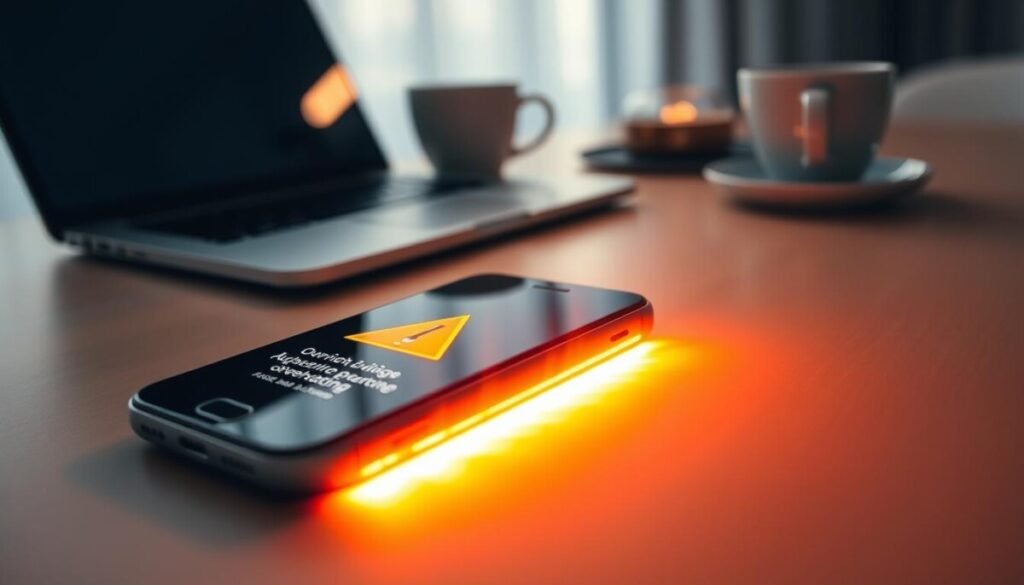
Good software hygiene keeps background tasks from turning your device into a small heater. Tidy software cuts wasted power and improves performance.
Managing Background Apps
Check which apps are running background tasks. Close or restrict apps that use location, sync, or push updates you don’t need.
Cleaner apps such as Clean Master or Power Clean can remove junk files and flag apps that drain battery and cause extra heat.
- Force-stop or uninstall rarely used apps.
- Limit background refresh for social and streaming apps.
- Restart the device weekly to clear stuck processes.
Keeping Software Updated
Install updates promptly. Manufacturers often push patches that improve power management and fix overheating issues.
Check app updates too. New versions can reduce processor load and boost efficiency during charging or heavy use.
| Action | Benefit | Quick Tip |
|---|---|---|
| Remove junk files | Less processor work, lower heat | Use trusted cleaners sparingly |
| Limit background apps | Longer battery life | Restrict permissions for unused apps |
| Keep software updated | Fixes for power and stability | Enable auto-updates on Wi‑Fi |
Small settings make a big difference. Reduce screen brightness, disable unused location services, and pause heavy apps while charging to keep heat and wear down.
For a deeper guide on temperature and battery care, see this helpful resource on phone overheating: phone overheating.
Recognizing When It Is Time for an Upgrade
Persistent warmth during simple tasks can signal that internal parts are under strain. If a phone warms during texting or light browsing, the hardware may struggle with current software and apps.
Watch for sudden shutdowns, battery swelling, or major drops in battery life. Those signs point to component failure or an aging battery that risks damage.
Modern smartphones use better cooling and are more efficient with system updates. If software tweaks and approved chargers no longer help, replacement is often the safer, cost-effective choice.
- Heating with light use — hardware strain.
- Automatic dimming or poor charging — failing power delivery.
- Persistent overheating after updates — processor limits reached.
| Sign | Likely cause | Suggested action |
|---|---|---|
| Warm during texting or browsing | Aging processor or battery stress | Run diagnostics; consider upgrade |
| Sudden shutdowns or swelling | Battery failure, safety risk | Stop use, seek replacement battery or new device |
| Screen dims to cool down | Thermal throttling limits performance | Backup data and plan to replace |
| Still overheats after updates | Hardware unable to meet app demands | Upgrade to a newer model with better cooling |
Choosing a newer model improves battery life, power efficiency, and long-term performance. Replace when repair costs approach the price of a modern smartphone that handles current use and temperatures safely.
Conclusion
Wrapping up, clear steps let you protect your device and its battery from excess heat.
Start with a few simple tips: use approved accessories, limit heavy apps while charging, and remove thick cases during long sessions. These small moves cut strain and lower surface temperature quickly.
Keep phone maintenance regular by updating software and checking battery health. Routine checks help prevent phone overheating and extend usable life.
If the device ever feels dangerously hot, pause use and seek professional help. Acting fast avoids permanent damage and keeps your mobile reliable for years.



