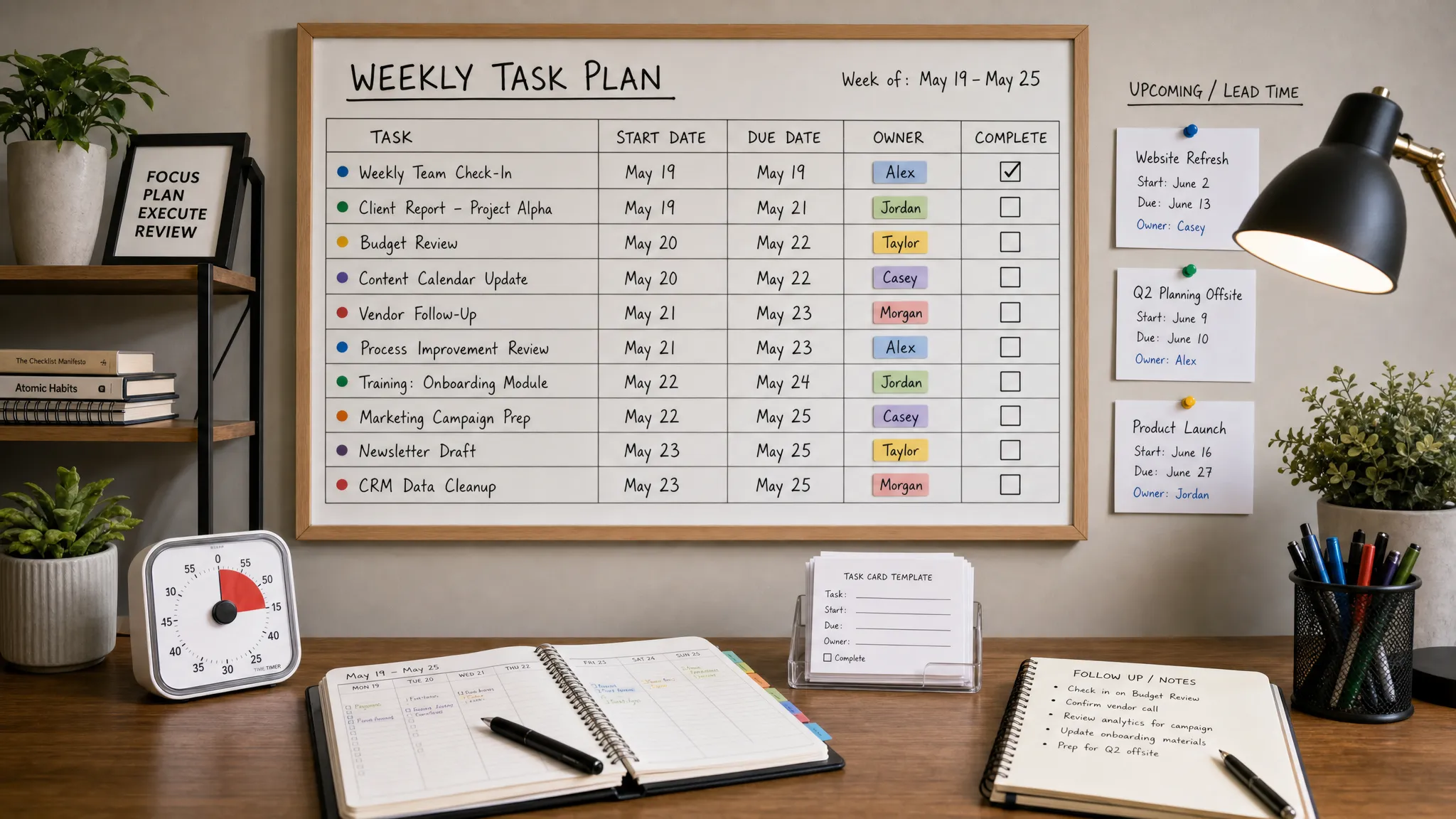
Recurring tasks are supposed to make work easier. They keep invoices going out, reports getting reviewed, campaigns being checked, backups running, and follow-ups happening on time. Yet recurring work is also where deadlines quietly slip, because familiar tasks feel less urgent than new requests.
The fix is not simply adding more reminders. To manage recurring tasks without missing deadlines, you need a system that answers five questions every time: what needs to happen, when work should start, when it is truly due, who owns it, and how you will know it was completed.
Below is a practical framework you can apply in almost any task management tool, calendar app, or team workspace.
Why recurring tasks still get missed
Recurring tasks fail for predictable reasons. The task exists, but the deadline is vague. The reminder fires on the due date, not early enough to do the work. The task repeats, but the previous instance was never completed. Or the owner assumes someone else will handle it because the task is part of normal operations.
There is also a cognitive cost. When recurring work lives across email, Slack, calendars, sticky notes, and memory, your brain has to keep switching contexts. The American Psychological Association notes that task switching can reduce efficiency, especially when people move between competing demands. Recurring tasks need fewer hiding places, not more.
The goal is to make recurring work visible before it becomes urgent.
Start with a recurring task inventory
Before choosing a tool or automation rule, list the recurring tasks that actually matter. Most teams underestimate how many repeating commitments they have because they only think of obvious items like weekly meetings or monthly reports.
Common recurring tasks include:
- Administrative work such as payroll inputs, invoice reviews, renewals, and compliance checks
- Client or customer follow-ups such as status updates, onboarding tasks, and review requests
- Marketing work such as content publishing, analytics reporting, campaign checks, and social scheduling
- Operations work such as backups, QA checks, inventory reviews, and recurring handoffs
- Personal productivity work such as weekly planning, inbox cleanup, and project reviews
Once you have the list, identify which tasks have real consequences if missed. A daily habit and a legal filing should not be managed with the same level of urgency.
| Recurring task type | Example | Deadline risk | Best management approach |
|---|---|---|---|
| Compliance or finance | Monthly tax document review | High | Early start date, owner, backup owner, escalation |
| Client communication | Weekly status update | Medium to high | Template, fixed send day, reminder before due date |
| Internal maintenance | File cleanup or data backup check | Medium | Recurring checklist and completion proof |
| Personal focus work | Weekly planning session | Medium | Calendar block plus task reminder |
| Low-risk habits | End-of-day desk cleanup | Low | Simple repeating reminder |
This inventory gives you a clear map of what needs structure and what can stay lightweight.
Separate the due date from the work date
One of the biggest recurring task mistakes is using only a due date. If a client report is due Friday, the task should not first appear on Friday morning. You need a work date, sometimes called a start date, do date, or scheduled date.
Think of each recurring task as having two timing fields:
- The work date is when you should begin or review the task.
- The due date is the final deadline.
For a monthly analytics report due on the first business day of each month, the work date might be three business days earlier. For a weekly newsletter scheduled for Thursday, drafting might start Monday, editing Tuesday, and final approval Wednesday.
This small distinction is what turns recurring tasks from alarms into workflow assets.
Choose the right recurrence pattern
Not all recurring tasks repeat in the same way. A task management setup that works for daily standup notes may fail for quarterly planning or follow-ups after a completed project.
| Recurrence pattern | Best for | Example |
|---|---|---|
| Fixed schedule | Tasks due on a predictable calendar date | Send payroll inputs every other Friday |
| Rolling schedule | Tasks that repeat after completion | Follow up 7 days after a client reply |
| Business-day schedule | Tasks affected by weekends or holidays | Submit a report on the first business day of the month |
| Trigger-based recurrence | Tasks caused by another event | Create onboarding checklist after a deal closes |
| Seasonal recurrence | Tasks needed only at certain times | Review annual software renewals each November |
Fixed recurrences are simple, but rolling and trigger-based recurrences are often better for real workflows. If a task should happen three days after something else, connect it to that event rather than forcing it onto a static calendar date.
Keep recurring tasks in one reliable home
A recurring task system breaks down when different types of repeat work live in different places without a clear rule. You do not need every task in one app, but you do need one source of truth for each category.
For example, project tasks might live in Asana, ClickUp, Trello, or Monday.com. Time-specific commitments might live in Google Calendar or Outlook. Quick team nudges might live in Slack. The key is deciding what belongs where.
A simple rule works well: if the task requires work, ownership, or proof of completion, put it in a task management tool. If it requires your presence at a specific time, put it on the calendar. If it is only a lightweight nudge, use a reminder app or chat reminder.
If Asana is your main workspace, this guide to creating recurring tasks in Asana for focus time shows how repeat settings can support protected work blocks without rebuilding tasks from scratch.
Turn recurring tasks into templates
A recurring task should not require the owner to remember all the steps every time. If the task repeats, the instructions should repeat too.
A useful recurring task template includes the task outcome, owner, start date, final deadline, required files or links, checklist steps, completion criteria, and escalation path. For team tasks, include what to do if the owner is out or blocked.
For example, a monthly reporting task might include a link to the dashboard, the date range to review, the export format, the approval contact, and the final delivery channel. That removes ambiguity and makes the task easier to delegate.
Templates are especially important when recurring tasks rotate between team members. Without a template, each person may complete the same recurring task differently, which creates inconsistent results and avoidable rework.
Build reminders around lead time, not panic time
A reminder on the deadline is useful only if the task takes five minutes. For anything more involved, reminders should be tied to lead time.
Use this simple structure:
- First reminder: when preparation should begin
- Second reminder: when the task should be mostly complete
- Final reminder: before the true deadline
For high-risk recurring work, add a backup reminder for the manager, project lead, or secondary owner. This is not micromanagement if the task has customer, compliance, or revenue impact. It is risk management.
Slack can be helpful for lightweight recurring nudges, especially when the reminder belongs in the same place your team communicates. If you rely on chat-based prompts, this walkthrough on setting up recurring reminders in Slack can help you avoid reminders that disappear into general conversation.
Protect recurring work with calendar blocks
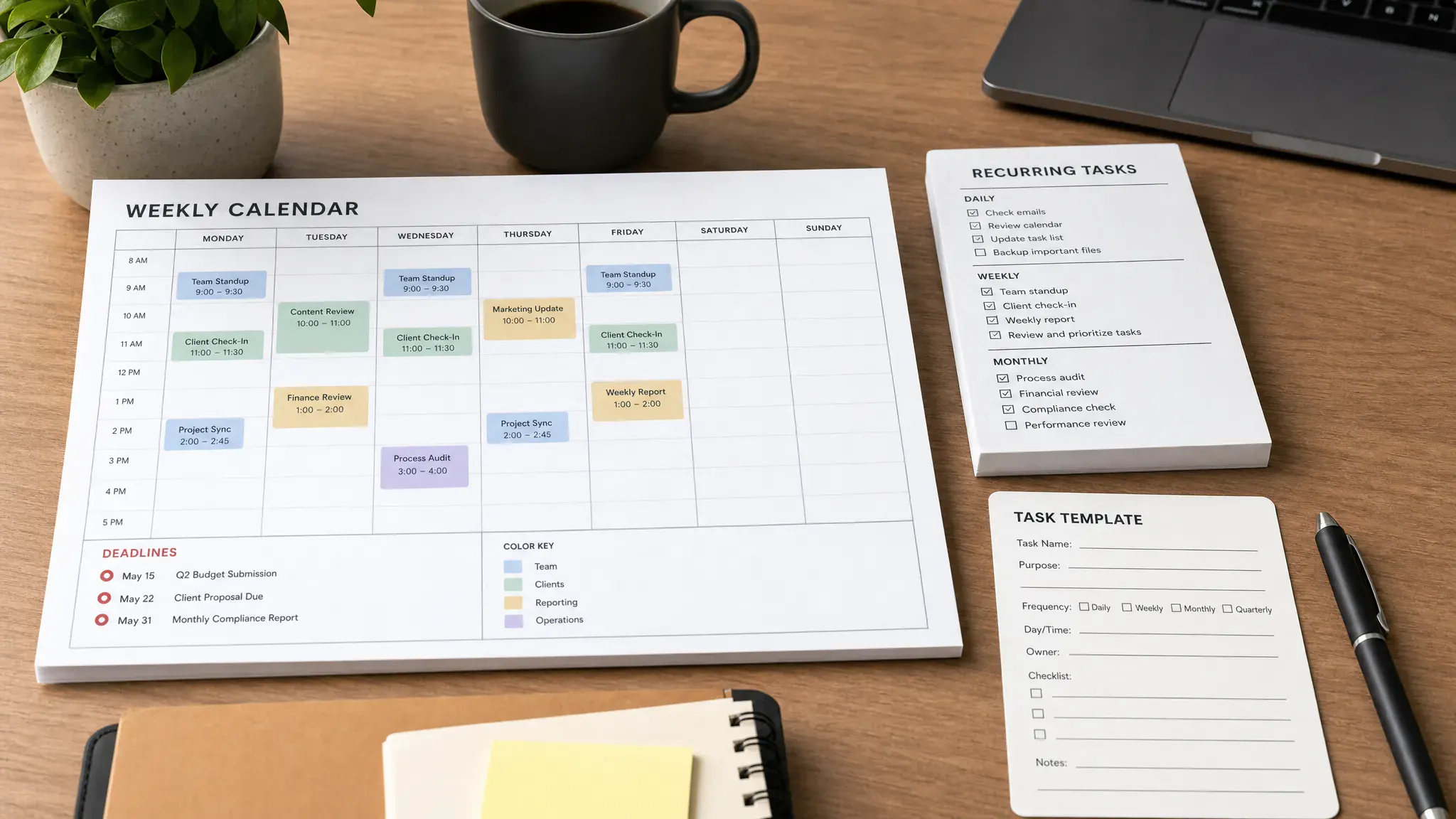
Some recurring tasks are missed because there is no time reserved to complete them. A task manager can tell you what to do, but your calendar shows whether you have room to do it.
For recurring work that takes 30 minutes or more, create a matching calendar block. This is especially useful for weekly reviews, reporting, planning, billing, writing, and quality checks. Treat the block like a meeting with your future workload.
If the task depends on a meeting, add prep time before the meeting rather than hoping you will find a gap. This guide on how to auto-block prep time before scheduled events explains how buffers can prevent rushed work and last-minute deadline stress.
Calendar protection is not about filling every hour. It is about making recurring commitments visible against your actual capacity.
Review recurring tasks weekly
Even well-designed recurring tasks need maintenance. Projects change, owners leave, deadlines shift, and some recurring tasks stop being useful. A weekly review keeps the system accurate.
During your review, ask four questions:
- What recurring tasks are due in the next two weeks?
- Which tasks need preparation before the due date?
- Which recurring tasks were missed, delayed, or completed late?
- Which repeating tasks should be edited, paused, delegated, or deleted?
This review does not need to be long. Fifteen to thirty minutes is enough for many individuals and small teams. The important part is consistency. If you want a broader planning structure, our guide to creating a weekly workflow that actually works pairs well with recurring task management because it connects capture, scheduling, execution, and review.
Assign ownership clearly for team recurring tasks
Recurring team tasks need one directly responsible owner. Shared ownership often sounds collaborative, but it can create confusion. If everyone owns the task, no one feels fully accountable for the deadline.
For each recurring team task, define the owner, backup owner, reviewer, and final approver if needed. Keep this visible inside the task description or template. If the task changes hands, update the recurring task itself, not just the current instance.
Automation can help, but it should support accountability rather than hide it. For example, you might automate task assignments when a new client enters onboarding, when a support ticket reaches a certain status, or when a campaign moves into review. The automation should create the task, assign the owner, set the due date, and include the instructions.
This matters in service businesses where recurring follow-up drives customer experience. Healthcare practices, for instance, often need repeatable workflows for reviews, patient communications, website updates, and campaign checks, which is why specialists such as Louisville Web Lab’s healthcare marketing and patient automation team focus on connecting marketing activity with reliable operational follow-through.
Avoid overloading your recurring task system
A common productivity trap is turning every good intention into a recurring task. The result is a task list full of reminders that you ignore because too many of them are low value.
Before adding a recurring task, ask whether it supports a real outcome. If the answer is vague, make it a checklist item inside another recurring review instead. For example, instead of creating separate recurring tasks to check analytics, review backlinks, update content ideas, and inspect conversions, you might create one weekly marketing review task with those items inside it.
The best productivity tools do not just help you create more tasks. They help you see what matters and reduce noise.
Track missed deadlines as system feedback
When a recurring deadline is missed, do not only ask who forgot. Ask why the system allowed it to be forgotten.
| Problem | Likely cause | Better fix |
|---|---|---|
| Task was noticed too late | Reminder was too close to deadline | Add a start date and early reminder |
| Task was ignored repeatedly | Too many low-priority reminders | Consolidate or delete weak recurring tasks |
| Owner was unavailable | No backup owner | Add coverage rules for critical tasks |
| Work took longer than expected | No calendar block or time estimate | Reserve time and adjust lead time |
| Output was inconsistent | Instructions were unclear | Create a task template and checklist |
This turns missed deadlines into process improvements. Over time, your recurring task system becomes more reliable because every failure teaches you what to tighten.
Use a simple recurring task setup checklist
Before you save any recurring task, confirm that it has the essentials. The task should have a clear verb, a single owner, the correct recurrence pattern, a work date, a due date, enough lead time, instructions, relevant links, and a definition of done.
For higher-risk tasks, add a backup owner and escalation rule. For longer tasks, add calendar time. For team tasks, add a reviewer or approval step. This may feel like extra setup, but it saves far more time than recovering from missed deadlines later.
Frequently Asked Questions
What is the best way to manage recurring tasks? The best way is to keep recurring tasks in a trusted task management tool, separate the work date from the due date, assign a clear owner, and review upcoming recurring tasks weekly.
Should recurring tasks go on a calendar or in a task app? Use a task app when the work needs ownership, instructions, tracking, or completion proof. Use a calendar when the task requires protected time or must happen at a specific hour.
How far in advance should I set reminders for recurring tasks? Set reminders based on lead time. A five-minute task may only need a same-day reminder, while reports, approvals, and client deliverables may need reminders several days before the deadline.
How do I stop recurring tasks from cluttering my list? Audit them weekly or monthly. Delete tasks that no longer support an outcome, combine small related tasks into a single review checklist, and pause seasonal tasks when they are not needed.
What should I do when a recurring deadline is missed? Treat it as system feedback. Check whether the task had enough lead time, a clear owner, visible instructions, calendar space, and a backup plan. Then update the recurring template so the same failure is less likely next time.
Build a recurring task system you can trust
Managing recurring tasks is not about remembering more. It is about designing a workflow that makes the right work visible at the right time, with the right owner and enough room to finish.
Start with your highest-risk recurring tasks this week. Add work dates, improve reminders, create templates, and reserve calendar time where needed. Once the system works for critical deadlines, expand it to the rest of your workflow.
For more practical tutorials, tool comparisons, and digital workflow optimization ideas, Online Tool Guides can help you choose and use the online tools that keep your work moving without deadline surprises.



