
Can one platform really show who reads your emails long enough to matter? We ask that because modern email marketing demands more than raw open rates.
We often face a crowded choice of platforms, and picking the right newsletter analytics tools for accurate newsletter performance insights can feel overwhelming. So we cut through the noise and compare real features, like HubSpot’s unique eight-second read metric and MailerLite’s AI-ready MCP server for deep data insights.
Our guide also highlights niche strengths. Email Meter supports shared Gmail and Outlook mailboxes. Klaviyo needs a solid customer history to power predictions. Omnisend auto-segments lists for lifecycle-based engagement.
In short, we show which platforms give reliable tracking, clear dashboards, and integrations that lift conversion and deliverability so teams can make faster, smarter choices.
Key Takeaways
- We compare platforms that move beyond simple open rates to true engagement metrics.
- HubSpot, Klaviyo, MailerLite, Email Meter, and Omnisend each offer distinct advantages.
- Shared mailbox support and AI-ready servers can speed team workflows.
- Predictive features need enough historical data to work well.
- Good reporting and integration drive better deliverability and revenue outcomes.
Why Newsletter Analytics Tools Are Essential for Growth
For modern teams, tracking email performance is the difference between guesswork and predictable revenue. We rely on clear data to decide which campaigns drive signups, upgrades, and sales.
Monitoring unsubscribe rates over time tells us if a welcome series or promotion is too aggressive. Tracking soft and hard bounces keeps our lists clean and protects deliverability.
Good tracking also links in-session behavior to messages. When we integrate Google Analytics with an email platform, we see how clicks turn into on-site activity and revenue.
Engagement metrics like forwards and social shares show whether content resonates beyond the inbox. That insight helps us refine copy, timing, and automation to improve conversion.
- Protect deliverability: spot bounces and spam traps early.
- Improve conversion: find funnel bottlenecks from open rates to purchase.
- Plan smarter: use historical data to set cadence and segmentation.
| Metric | Why it matters | How we act |
|---|---|---|
| Open rate | Shows subject and timing effectiveness | Test subject lines and send times |
| Click rate | Measures content relevance and CTAs | Optimize copy and landing pages |
| Bounce & unsubscribe | Impacts deliverability and list health | Clean lists and adjust campaign frequency |
| Conversion / revenue | Direct business outcome from campaigns | Align messaging with sales funnel |
For design and setup tips that complement measurement, see our guide to design best practices. Combining effective reporting strategies with smart design helps teams scale growth faster.
How We Evaluated the Top Email Marketing Platforms
We focused on whether a platform makes it simple to act on campaign signals. Our tests looked for clarity, speed, and real-world usefulness.
Defining Key Metrics
We tracked core email metrics that drive growth: open rates, clicks, deliverability, and conversion. Each metric had to map to a clear action.
We favored platforms that provide benchmark comparisons and custom reporting. That helps teams set realistic goals and measure progress.
The Importance of Data Quality
Accurate data matters more than flashy dashboards. We preferred services that use direct API integration over unreliable read receipts.
When a platform fused channel data, like ActiveCampaign does, it gave a fuller view of the funnel. MailerLite’s MCP server earned points for turning raw data into campaign fixes.
- We tested ease of custom dashboards so teams can surface the right metrics quickly.
- We checked benchmark access to compare rates and spot outliers.
- We noted AI features that suggest fixes for engagement drops or bounces.
| Criterion | What we checked | Why it matters | Result |
|---|---|---|---|
| Data quality | API vs read receipts | Accuracy for reporting and deliverability | API-based platforms scored highest |
| Benchmarks | Industry comparisons | Context for open rates and conversion | Valuable for planning |
| Custom reporting | Dashboard flexibility | Ties metrics to business goals | Essential for teams |
| Multi-channel | Cross-channel data blending | Holistic view of sales and engagement | ActiveCampaign led here |
MailerLite for Actionable Marketing Insights
MailerLite turns raw message data into clear, action-ready guidance for small teams and e-commerce brands. We rely on its visual reporting and fast updates to make better campaign decisions without guesswork.
Leveraging AI for Campaign Optimization
The MCP server is the standout feature here. It lets us ask AI systems like ChatGPT or Claude plain-language questions about our account performance. That speeds up insight discovery and surfaces practical fixes we can apply in minutes.
MailerLite offers a custom report builder with 21 selectable metrics so we track the exact KPIs that affect conversion and revenue. Click maps show which parts of our emails get the most interaction, making copy and layout tests far easier.
- Real-time dashboards: data updates while we edit automations and campaigns.
- A/B testing: test subject lines, pop-ups, and landing pages to boost engagement.
- Exportable reports: share CSV or PDF summaries with clients or teams.
| Feature | Benefit | Best for |
|---|---|---|
| MCP AI server | Natural-language insights on performance | Teams needing fast recommendations |
| 21-metric builder | Custom dashboards focused on revenue | E‑commerce businesses |
| Click maps & comparative reporting | See what subscribers click and how rates change over time | Growing lists and optimization-focused teams |
MailerLite also includes a free plan for up to 250 subscribers and premium pricing starting at $12 per month. For teams balancing cost and performance, it’s an intelligent performance solution that blends smart reporting with hands-on optimization.
Klaviyo for Predictive E-commerce Data
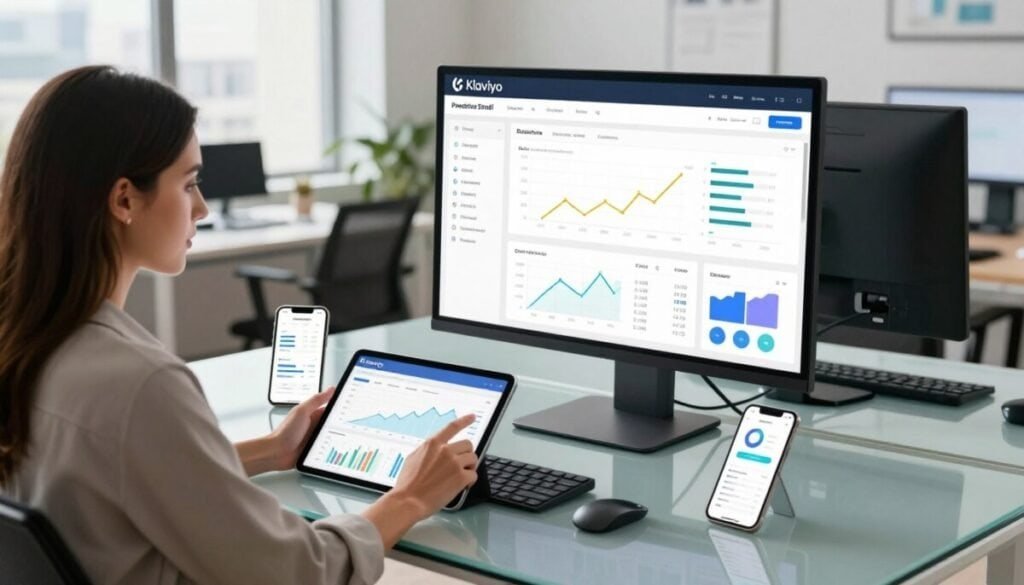
Klaviyo brings machine learning to store email campaigns, turning purchase history into timing and segment predictions.
The platform forecasts who will buy or churn by using past orders and behavior. To unlock predictive metrics you need at least 500 unique customers, about six months of order history, and several repeat buyers with three or more purchases.
When conditions are met, we can build automated flows that trigger before a predicted next purchase—often a week in advance. That lets us send targeted campaigns that lift conversion and reduce churn.
Benchmarks show industry-specific comparisons in the dashboard, so we see how our email performance stacks up against similar businesses.
- Best for e-commerce: identify high-value customers and time offers.
- Automation: use predictive dates to send offers, reminders, and win-backs.
- Integration: connects with major platforms so revenue per campaign is tracked accurately.
| Feature | Why it matters | Result |
|---|---|---|
| Predictive forecasts | Target at right time | Higher conversion |
| Benchmark data | Context by industry | Better goal setting |
| Free plan / pricing | Free up to 250 subscribers; paid from $20 | Entry options for small stores |
Mailchimp for Website Conversion Tracking
Mailchimp helps us link every email click to real website actions so we can measure true campaign ROI.
The platform’s Google Analytics integration lets us set specific conversion events. That means we track how email clicks turn into signups, purchases, or key on-site actions.
The marketing dashboard gives a quick view of opens, clicks, and conversion rate. We use the delivery details tab to diagnose problems. It shows sent, delivered, bounced, and spam reports daily so we can protect inbox deliverability.
- Clear campaign timelines: a graph shows performance over time and links spikes to specific emails.
- Deliverability diagnostics: daily bounce and spam counts reveal list issues fast.
- Accessible pricing: free plan for up to 250 subscribers, paid plans from $13/month, plus a 14-day free trial for paid features.
For teams that want to expand beyond basic reporting, we recommend pairing Mailchimp’s reporting with deeper guides on email marketing solutions. That helps us connect campaign performance to revenue and long-term growth.
| Feature | What it shows | Benefit |
|---|---|---|
| Google Analytics integration | Conversion events from email clicks | Track revenue and on-site actions |
| Delivery details | Sent, delivered, bounced, spam daily | Faster deliverability fixes |
| Performance graph | Campaign results over time | Correlate emails with sales spikes |
ActiveCampaign for Sales Funnel Integration

ActiveCampaign ties email behavior to sales outcomes so teams see which messages move deals forward. The platform tracks website activity, conversions, and even 1-to-1 replies to map performance across the funnel.
Lead scoring assigns points for opens, clicks, webinar sign-ups, and downloads. That makes our hottest leads easy to spot and follow up with timely content.
Custom reporting gives us line, bar, and pie charts so dashboards match our goals. We create reports that show how email campaigns feed pipeline and revenue.
- Integrated view: track visits, downloads, and page views alongside campaign replies.
- Prioritize outreach: lead scores help sales focus on contacts who engage most.
- Flexible reporting: build dashboards that highlight conversion rates and lifecycle stages.
| Capability | Why it matters | Typical result |
|---|---|---|
| Website & email tracking | Connects on-site behavior to messages | Clear funnel attribution |
| Lead scoring | Ranks prospects by engagement | Faster, higher-value outreach |
| Custom charts & dashboard | Visualize conversion and revenue | Better campaign planning |
| Pricing | Starts at $19/month for 1,000 subscribers | Good fit for sales-focused teams |
Omnisend for Customer Lifecycle Mapping
Omnisend’s lifecycle map turns raw purchase signals into clear customer stages so we know who to target next.
We like that Omnisend uses average order value and purchase frequency to sort subscribers into segments like Champions, Needs Nurturing, and About to Leave.
That automatic segmentation makes our campaigns more relevant and reduces time spent on manual list work.
Dashboards show e‑commerce metrics such as revenue per message, open rate, and click rate for every campaign and automation.
- Lifecycle visibility: see which subscribers are ready to buy and which need nurture.
- Step-level tracking: measure how many people reach each automation node and the sales each email generates.
- Cost-effective plans: free plan up to 250 subscribers, paid plans start at $16/month.
| Metric | Why it matters | How we act |
|---|---|---|
| Revenue per message | Direct view of ROI | Scale top-performing campaigns |
| Stage distribution | Shows buyer readiness | Prioritize offers to Champions |
| Automation step rate | Reveals drop-off points | Improve subject lines or CTAs |
| Open & click rate | Signals engagement | Refine timing and content |
For teams focused on e‑commerce growth, Omnisend turns customer data into clear actions and better campaign performance. We also link these setups to our wider automation workflows guide to speed deployment and lift revenue.
HubSpot for Deep Engagement Metrics

HubSpot surfaces engagement details that let us see not just opens, but how long readers actually spend with an email.
The platform sorts viewers into three time buckets: under 2 seconds (glanced), 2–8 seconds (skimmed), and 8+ seconds (read).
That simple split gives us context beyond open and click counts. We use the top engaged contacts list to target follow-up outreach and tailor automation for high-value leads.
- CRM-linked reporting: HubSpot ties email campaigns to website sessions and new customers so we can measure true performance.
- Scalable plans: a free plan sends up to 2,000 emails, and paid tiers start at $20/month for deeper CRM and tracking features.
- Actionable insights: time-spent viewing helps prioritize deliverability fixes and message testing.
| Feature | Why it matters | How we act |
|---|---|---|
| Time-spent viewing | Shows attention, not just opens | Prioritize follow-up to readers (8+ sec) |
| Top engaged contacts | Identifies active subscribers | Personalize outreach and sales touches |
| Marketing sources report | Connects channels to customers | Allocate budget to high-return campaigns |
Email Meter for Team Performance and Shared Inboxes
When multiple people manage the same inbox, clear performance data keeps work flowing and customers happy. Email Meter focuses on how teams handle incoming email so managers can act fast.
Response Time Tracking
We track average, median, and first response time to show where delays happen. That mix gives a full picture of speed and consistency.
Workload Distribution
Who handles the volume matters. Email Meter reveals who answers most messages so we can rebalance tasks and avoid burnout.
Shared Mailbox Support
Full Gmail and Outlook coverage makes this the go-to solution for support and sales teams. There’s no browser extension required thanks to a direct API integration.
- Free plan available with basic response tracking and email volume data — no credit card needed.
- Automated weekly reports arrive every Monday so managers stay informed without logging in.
- Designed for teams that need clear metrics and simple, actionable reporting.
| Metric | What it shows | Manager action |
|---|---|---|
| First response time | Speed to initial contact | Set SLA goals and coach reps |
| Median response | Typical team speed | Adjust staffing and shifts |
| Volume per user | Workload distribution | Reassign or hire to balance load |
Specialized Tools for Transactional Email and SLA Monitoring
For teams with strict response targets, dedicated services give visible timers and automated alerts inside the inbox. These platforms focus on real-time tracking and SLA compliance so critical messages never slip past deadlines.
Real-time SLA alerting like Timetoreply places countdowns directly in an agent’s inbox. We see which threads approach their deadline and who needs to respond next.
Transactional delivery matters too. SparkPost tracks 35+ email metrics, giving us deep visibility into deliverability, latency, and per-message performance.
- 250ok Analytics feeds real-time tracking and Google Postmaster data so we spot Gmail-specific delivery issues fast.
- Email on Acid adds heatmaps and device/client data to optimize transactional message design and conversions.
- SLA compliance dashboards let us set targets—like answering 90% of requests within four hours—and watch progress automatically.
| Platform | Primary focus | Key feature | Best for |
|---|---|---|---|
| Timetoreply | Response SLA monitoring | Inbox timers & real-time alerts | Support teams with strict SLAs |
| SparkPost | Transactional email performance | 35+ delivery & performance metrics | High-volume transactional campaigns |
| 250ok Analytics | Deliverability tracking | Real-time reporting + Postmaster integration | Teams needing Gmail-specific insights |
| Email on Acid | Message rendering & recipient behavior | Heatmaps, client/device, geolocation | Design teams optimizing transactional messages |
In practice, combining SLA alerting with delivery and recipient data helps us automate monitoring and catch issues before they become costly. That keeps performance high and client satisfaction steady.
Choosing the Right Analytics Solution for Your Business Goals
We start by asking which outcomes matter most to our goals so we can pick the right path. Define a handful of metrics that map to revenue, retention, or growth before you evaluate any product.
Choose a solution that fits your workflow and connects to existing systems. Test a free plan or trial to judge whether the email reporting, automation, and campaign visibility give actionable insight—not just raw data.
Make measurement a shared practice: review metrics on a regular cadence and share findings across teams. For guidance on selecting platforms that match specific business problems, see a practical primer on how to select the right data platforms.



