Is your watch getting hotter than it should during a busy day or while charging? That sudden heat can feel worrying, and it often points to a problem you can fix fast.
The Apple Watch and Galaxy Watch are built to run within safe temperature ranges, but heavy apps, direct sun, or charging can push them past comfort.
Take a moment to learn why this happens and what steps save time and protect your device. Simple fixes—like closing apps, removing a case, or changing charging habits—can prevent battery damage and keep features working longer.
If heat persists after basic checks, seek professional help so you don’t risk long-term harm. For more detailed device temperature tips, see device heat fixes.
Key Takeaways
- Act quickly when your watch feels too warm to avoid lasting damage.
- Apple Watch and Galaxy Watch operate best within set thermal limits.
- Manage apps, cases, and charging to reduce operational heat.
- Short-term moves—shade, close apps, remove case—often help immediately.
- Seek service if heat and performance issues continue after simple fixes.
Identifying the Causes of Smartwatch Overheating
Your watch can feel hot when the surrounding temperature or intense processing pushes its limits.
Environmental heat is a top cause. The Apple Watch is built to work best between 32° and 95° F (0°–35° C). The Ultra and later models tolerate a wider range when worn, but extreme sun or air temps can still create problems.
Direct sunlight or hot cars can raise internal temps fast. When a Galaxy Watch sits in sun, the battery may strain to keep steady power for normal tasks. That stress can lead to performance issues or brief charging limits.
- Check ambient temperature — above 95° F often signals trouble for standard models.
- High processor load in hot conditions makes the device work harder and run warmer.
- Charging while in a hot spot can accentuate battery and power issues.
Identifying the root cause helps you pick the right fix. Look for environmental heat first, then apps or charging habits if the watch still shows signs of overheating.
Immediate Steps to Cool Down Your Device
If you notice unexpected heat from your watch, act now. A red thermometer icon on an Apple Watch may show only the symbol and the time. That tells you the internal sensors are too hot to run full features.
Remove the device from your wrist
Take the watch off right away if the screen dims or performance slows. For a Galaxy Watch, a red thermometer means you must remove it to avoid skin discomfort.
Move to a cooler environment
Place the watch in shade or a cooler room. Let it sit for a few minutes so internal parts can stabilize and return to normal function.
- If the galaxy watch shows a red thermometer, remove it from your wrist immediately.
- Move the watch to a shaded, cool spot for several minutes to dissipate heat.
- If the device is charging and feels too warm, disconnect the charging cable.
- Prioritize removal if the screen dims, slows, or you feel warmth on your skin.
Managing Apps and Features to Prevent Smartwatch Overheating
Cutting unnecessary background tasks reduces strain and helps your device run cooler. Start by checking which apps refresh in the background and stop those you do not need.
Disable non-essential background processes
Turn off background sync for apps you rarely use. This lowers CPU use and saves battery power.
Limit power-hungry features
Features like continuous heart rate sampling and GPS tracking raise the processing rate. Disable them when you do not need live data.
- Close unused apps to stop hidden processes.
- Remove widgets that show heavy content on the main screen.
- Use low-power or sleep modes during long meetings.
| Action | Effect | When to use |
|---|---|---|
| Disable background sync | Reduces CPU load and power draw | All-day or overnight |
| Turn off continuous HR/GPS | Lowers sensor use and heat output | Non-workout periods |
| Limit widgets | Less content refresh, steadier temps | Main screen customization |
Managing apps and limiting power-intensive features extends battery life and cuts the risk of device overheating. Check settings weekly to keep your Galaxy Watch running smoothly.
Best Practices for Safe Charging
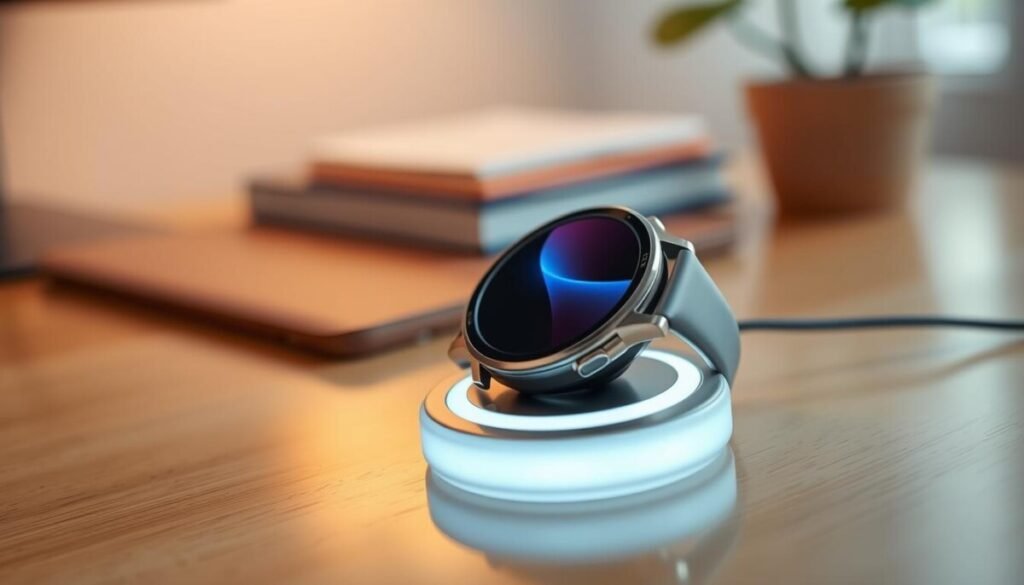
Proper charging habits keep your device safe and extend the life of the battery. Follow simple steps to reduce heat and prevent damage while you power up.
Using authorized charging cables
Always use an authorized charger for your Galaxy Watch. Approved cables match power specs and cut the risk of battery or device damage.
Apple notes its Magnetic Charging Cable and adapter meet IEC safety standards; check similar certification for other brands. Learn more about Apple charging guidance at official charging safety.
Avoiding prolonged charging
Do not leave the watch on the charger for long stretches after it reaches full. Prolonged charging can stress the battery and raise internal heat.
With 201 reported cases of battery heat during charging, keep sessions short when possible to protect long-term battery health.
Ensuring proper ventilation
Place your watch on a flat, open surface while charging. Covering the device or using tight spots traps warmth and can cause hardware damage.
Good airflow helps the charger deliver steady power and keeps the battery cooler during each charge cycle.
- Use certified chargers to meet safety standards.
- Limit charging time once the battery is full.
- Charge in a ventilated spot to avoid trapped heat.
Conclusion
Small changes in how you use and charge the device cut the chance of smartwatch overheating. Monitor your environment and keep software up to date to reduce strain on the battery and CPU. These steps take little time and make a big difference.
For your Galaxy Watch, limit power‑hungry features, use approved chargers, and remove the watch if it feels too hot. Let it cool fully before resuming use to avoid lasting damage.
If the problem persists, contact customer support so technicians can check for a hardware issue. Taking quick action protects your device and keeps daily performance steady.



