
Choosing between Trello and Asana is less about picking the most popular project management app and more about matching a tool to the way your work actually moves.
Trello feels like a digital whiteboard with sticky notes. It is visual, fast to learn, and excellent for simple task flows. Asana feels more like a structured work management system. It gives you deeper task details, multiple project views, dependencies, reporting, and stronger cross-team coordination.
If your workflow is light, visual, and card-based, Trello will probably feel natural. If your workflow involves deadlines, approvals, dependencies, stakeholders, and recurring team accountability, Asana is usually the better fit.
Quick answer: Trello vs Asana in one minute
Choose Trello if you want a simple Kanban-style board for tracking work through stages like Backlog, In Progress, Review, and Done. It is especially useful for personal productivity, small teams, editorial calendars, lightweight client work, and straightforward checklists.
Choose Asana if you need a more structured task management tool for projects with many contributors, due dates, dependencies, milestones, status updates, and executive visibility. It is better suited for marketing teams, operations teams, product launches, agencies, and managers who need reliable project reporting.
The most important question is not which tool has more features. The better question is: does your workflow need visual simplicity or structured coordination?
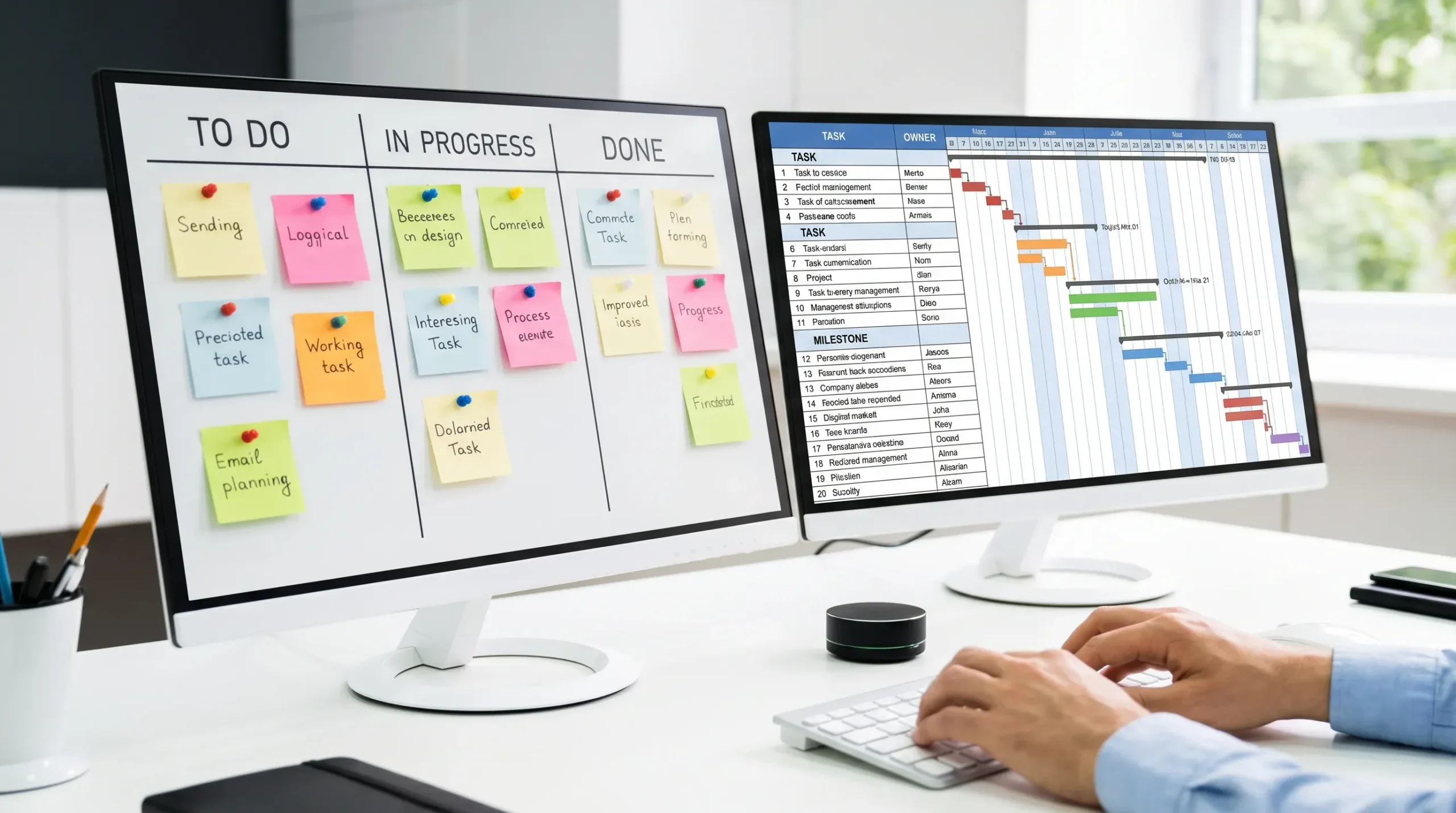
Trello vs Asana at a glance
| Category | Trello | Asana |
|---|---|---|
| Best for | Visual boards, simple workflows, lightweight task tracking | Structured projects, team coordination, reporting, dependencies |
| Learning curve | Very easy for beginners | Moderate, especially for advanced views and rules |
| Default workflow style | Cards moving across lists | Tasks organized by list, board, timeline, calendar, and other views |
| Task detail | Good for checklists, labels, attachments, comments, due dates | Stronger for subtasks, dependencies, custom fields, approvals, status, and ownership |
| Automation | Butler automation for repetitive board actions | Rules and workflow automation for routing, updates, and task changes |
| Reporting | Basic unless extended with views, Power-Ups, or integrations | Stronger built-in visibility for teams, projects, dashboards, portfolios on supported plans |
| Best team size | Individuals, small teams, lightweight collaboration | Small to large teams with multi-step projects |
| Main risk | Boards can become messy as work becomes complex | Can feel heavier than needed for simple personal workflows |
What Trello does best
Trello is built around boards, lists, and cards. A board represents a project or process. Lists represent stages. Cards represent tasks, ideas, requests, or work items.
This structure is why Trello is so easy to adopt. You can create a board in minutes, add a few lists, and start moving cards from left to right. For beginners, that visual motion makes progress obvious.
Trello is strongest when your workflow has a clear pipeline. Examples include content production, sales outreach, bug triage, hiring pipelines, home projects, course planning, or a simple personal task board.
Trello is also flexible because it does not force a specific project management method. You can use it for Kanban, weekly planning, editorial calendars, CRM-style tracking, or a personal productivity system.
Trello usually fits well when you need:
- A simple visual board that everyone understands quickly
- Fast setup with minimal configuration
- Lightweight collaboration around cards, comments, and checklists
- A flexible system for recurring tasks or simple process tracking
- A low-friction way to see what is waiting, active, blocked, or complete
The downside is that Trello can become harder to manage as complexity grows. A board with 30 cards is easy. A workspace with 20 boards, hundreds of cards, unclear owners, and no reporting rhythm can quickly become confusing.
What Asana does best
Asana is designed for structured work management. It can use boards like Trello, but it is not limited to a board-first workflow. Tasks can appear in list view, board view, calendar view, timeline view, dashboards, and other project views depending on your plan and configuration.
That makes Asana better for teams that need more than a card moving across columns. A task in Asana can have an owner, due date, collaborators, subtasks, dependencies, custom fields, project membership, priority, comments, and status context.
For teams that manage launches, campaigns, cross-functional projects, or client deliverables, this extra structure matters. Managers can see what is late, what is blocked, who owns the next step, and how projects connect to broader goals.
Asana usually fits well when you need:
- Clear task ownership across teams
- Project timelines with deadlines and dependencies
- Repeatable workflows with rules and templates
- Status reporting for managers or stakeholders
- Portfolio-level visibility across multiple projects
If you are already using Asana and want to make daily planning easier, our guide on setting up the Asana My Tasks view for time blocking can help you turn task lists into a more realistic schedule.
The downside is that Asana can feel like too much if all you need is a quick visual checklist. Small teams may also overbuild their workspace with too many projects, sections, custom fields, and rules before their process is mature enough to support them.
Workflow fit: which tool is better for your use case?
The easiest way to decide is to look at the type of work you manage most often.
| Workflow type | Better fit | Why |
|---|---|---|
| Personal task board | Trello | Simple, visual, and quick to maintain |
| Weekly team task tracking | Trello or Asana | Trello works for lightweight updates, Asana works better when ownership and deadlines matter |
| Content calendar | Trello for simple publishing, Asana for complex campaigns | Trello is great for visual stages, Asana handles approvals and dependencies better |
| Marketing campaign | Asana | Campaigns often require due dates, owners, assets, review cycles, and launch milestones |
| Product launch | Asana | Dependencies, timeline planning, and cross-functional accountability matter more |
| Simple client pipeline | Trello | A board can track leads, proposals, active work, and completed jobs clearly |
| Agency project management | Asana | Better for multiple clients, deliverables, approvals, and team reporting |
| Bug tracking for a small team | Trello | A lightweight bug board can be enough for early-stage teams |
| Operations and recurring processes | Asana | Recurring tasks, templates, and structured ownership are useful |
| Executive project overview | Asana | Stronger reporting and portfolio-style visibility |
One important note: sometimes the best answer is neither Trello nor Asana. If your workflow depends on industry-specific compliance, document storage, resident communication, or operational governance, a dedicated platform may be better than a general task app. For example, NYC condo and co-op boards may be better served by Boardly, which is built specifically for board communication, building documents, and small-building operations.
Ease of use and onboarding
Trello wins on simplicity. Most people can understand a Trello board almost instantly because it mirrors a physical board: work starts on the left, moves through stages, and finishes on the right.
That makes Trello a strong choice when you need quick adoption across a team that does not want formal project management training. It is also easier for clients, volunteers, or non-technical collaborators to understand.
Asana has a steeper learning curve because it offers more structure. New users need to understand projects, tasks, subtasks, sections, views, collaborators, inbox notifications, and task ownership. None of this is overly difficult, but it does require more setup discipline.
The tradeoff is that Asana scales better once your team needs consistent project rules. If you invest time in clean templates, naming conventions, and status update habits, Asana becomes a more reliable source of truth.
Project views and task organization
Trello is best known for Kanban boards, but it also supports additional ways to view work depending on your plan and configuration. Still, Trello’s mental model remains board-first. If you love dragging cards across columns, that is a strength.
Asana gives you more ways to organize the same work. A team can manage tasks in a list, visualize them on a board, place them on a calendar, or map them on a timeline. This is useful because different stakeholders need different views.
A project manager may want a timeline. A writer may want a personal task list. A designer may prefer a board. A leadership team may want status and portfolio visibility. Asana is better when multiple people need to see the same work from different angles.
For higher-level visibility, you can also read our guide on using Asana Portfolio View for executive overview. That type of reporting is where Asana starts to separate itself from simpler task boards.
Automation and recurring work
Both Trello and Asana can automate repetitive work, but they approach automation differently.
Trello’s automation system, often associated with Butler, is useful for board actions. You can automate card movement, due date changes, checklist creation, label updates, and recurring card creation. This is ideal for board maintenance.
Asana’s rules are better for structured workflows. You can trigger actions when tasks move sections, custom fields change, due dates approach, or tasks are assigned. This makes Asana useful for approval flows, intake processes, handoffs, and recurring operations.
The best automation advice is the same for both tools: start small. Automate the repetitive actions your team already does manually. Do not automate a messy process before you understand it.
Good first automations include:
- Assigning a task when it moves into a specific stage
- Adding a checklist or subtasks from a template
- Changing priority when a due date is near
- Moving completed items to a done section or archive
- Notifying a channel or collaborator when work is ready for review
If your team is exploring workflow automation more broadly, our online tools list for task management is a useful place to compare other productivity tools and project management options.
Reporting and visibility
This is one of the clearest differences in the Trello vs Asana debate.
Trello gives you visibility at the board level. You can see what is in progress, what is blocked, and what has been completed if your board is well maintained. For many small teams, that is enough.
Asana gives you stronger reporting options for complex work. It is easier to track overdue tasks, project status, workload, milestones, dependencies, and progress across multiple projects. This is especially valuable for managers who need to answer questions like: What is at risk? Who owns this? What is late? What changed since last week?
If your team currently runs status meetings just to ask where things stand, Asana may reduce that overhead. If your team simply needs a shared visual board to keep work moving, Trello may be more efficient.
Collaboration and communication
Both tools support comments, mentions, attachments, due dates, and notifications. The difference is how communication fits into the workflow.
Trello keeps discussion attached to cards. This is simple and effective when each card represents a clear piece of work. You can open the card, review the checklist, read comments, and move it forward.
Asana keeps communication attached to tasks and projects, but with more structure around ownership and status. It is better when multiple people contribute to a task over time and when stakeholders need updates without reading every comment.
For small teams, Trello’s simplicity can reduce friction. For larger teams, Asana’s structure can reduce ambiguity.
Pricing and value
Both Trello and Asana offer free plans and paid tiers. The right value depends on which features you actually need, not just the monthly price.
Trello often feels more cost-effective for small teams that mainly need boards, cards, checklists, and simple collaboration. Asana often delivers more value when you need advanced project views, reporting, dependencies, rules, and portfolio-style visibility.
Because pricing and feature limits can change, always verify current plan details before choosing. Instead of asking which tool is cheaper, ask what your team would stop doing manually if you paid for the right plan.
| Value question | Trello may be better if… | Asana may be better if… |
|---|---|---|
| Do we need advanced reporting? | No, board visibility is enough | Yes, leaders need status and progress views |
| Do we manage dependencies? | Rarely | Often |
| Do external collaborators need access? | Yes, and they need something simple | Yes, but work needs more structure |
| Do we need multiple project views? | Occasionally | Frequently |
| Do we want minimal setup? | Yes | Not as much as we want structure |
| Are we scaling across departments? | Not yet | Yes |
When Trello is the better choice
Trello is the better choice when your workflow is visual, simple, and flexible. It is especially useful when process stages are more important than complex task metadata.
Choose Trello if you often think in terms of cards moving across a board. For example, Ideas, Drafting, Editing, Scheduled, Published is a natural Trello workflow for a small content team. Lead, Contacted, Proposal Sent, Won, Lost is a natural Trello workflow for simple sales tracking.
Trello is also great for teams that need a tool people will actually use. If your team resists heavy systems, Trello’s simplicity may produce better adoption than a more powerful tool that nobody maintains.
When Asana is the better choice
Asana is the better choice when your workflow requires accountability, deadlines, and coordination across multiple people or teams.
Choose Asana if work often gets delayed because people do not know who owns the next step. Choose it if you need to see dependencies before a deadline slips. Choose it if managers need project updates without interrupting contributors.
Asana is also stronger when your team manages repeatable processes. For example, onboarding a new client, launching a campaign, planning an event, or publishing a major report can all benefit from templates, subtasks, custom fields, and rules.
A practical decision framework
If you are still unsure, answer these questions honestly:
- Do we mostly need to see work moving through stages? Choose Trello.
- Do we need owners, due dates, dependencies, and reporting? Choose Asana.
- Do we want the fastest possible setup? Choose Trello.
- Do we need a long-term operating system for cross-team work? Choose Asana.
- Do stakeholders need high-level visibility without opening every task? Choose Asana.
- Do collaborators prefer a simple visual board? Choose Trello.
A useful rule of thumb: Trello organizes tasks visually. Asana organizes work operationally.
How to test both tools before committing
Do not choose based only on feature lists. Run a small pilot with real work.
- Pick one active project that has enough complexity to be meaningful.
- Build the same workflow in Trello and Asana.
- Add real tasks, due dates, owners, and comments.
- Use each tool for one week with the same team.
- Review adoption, clarity, missed updates, and time spent maintaining the system.
- Choose the tool that made work easier to understand, not the one with the longest feature list.
During the pilot, pay attention to behavior. If people naturally update Trello but ignore Asana, Trello may be the better fit. If people keep asking for timelines, task ownership, and reporting, Asana may be the better long-term choice.
Common mistakes to avoid
The biggest mistake is choosing a tool before defining your workflow. Trello and Asana can both fail if your team has unclear owners, vague deadlines, inconsistent naming, or no agreement about what done means.
Another mistake is overbuilding from day one. In Trello, that means creating too many boards, labels, and card templates. In Asana, it means creating too many projects, custom fields, sections, and automation rules before the team has established a basic rhythm.
Start with a simple workflow, use it consistently, and improve it after you see real friction.
Final verdict: which one fits your workflow?
Trello is best if you want a lightweight, visual, easy-to-adopt task board. It is ideal for individuals, small teams, and workflows where moving cards across stages gives enough clarity.
Asana is best if you need structured project management, accountability, multiple views, dependencies, reporting, and cross-team visibility. It is ideal for teams that need more than a shared board and want a scalable system for managing work.
If your work is simple, choose the tool that keeps it simple. If your work is complex, choose the tool that makes complexity visible and manageable.
Frequently Asked Questions
Is Trello better than Asana for personal use? Trello is often better for personal use because it is faster to set up and easier to maintain. A simple board with To Do, Doing, Waiting, and Done can handle many personal workflows.
Can Asana do Kanban like Trello? Yes. Asana has a board view that can work like a Kanban board. The difference is that Asana also adds stronger task structure, project views, dependencies, and reporting options.
Which tool is better for remote teams? Asana is usually better for remote teams managing complex projects because it provides clearer ownership, deadlines, and status visibility. Trello can still work well for small remote teams with simple workflows.
Which is easier for beginners? Trello is easier for most beginners. Its board-and-card structure is immediately understandable, while Asana takes more time to configure and learn.
Which tool is better for automation? Both can automate repetitive tasks. Trello is strong for board-based automations, while Asana is stronger for structured workflow rules involving task fields, assignments, and project updates.
Should a team use both Trello and Asana? Most teams should avoid using both for the same kind of work because it creates duplicate updates and confusion. Use both only if they serve clearly different workflows.
Which tool is cheaper? Both have free and paid plans, and pricing changes over time. Trello may be more cost-effective for simple boards, while Asana may offer better value when advanced coordination and reporting save your team time.
Keep refining your productivity stack
The best task management tool is the one your team will use consistently. If you are comparing Trello, Asana, ClickUp, Notion, calendars, time trackers, or automation tools, Online Tool Guides can help you choose the right software for your workflow instead of adding more apps for their own sake.
For more comparisons and tutorials, start with our guide to online tools that help with task management and productivity.



