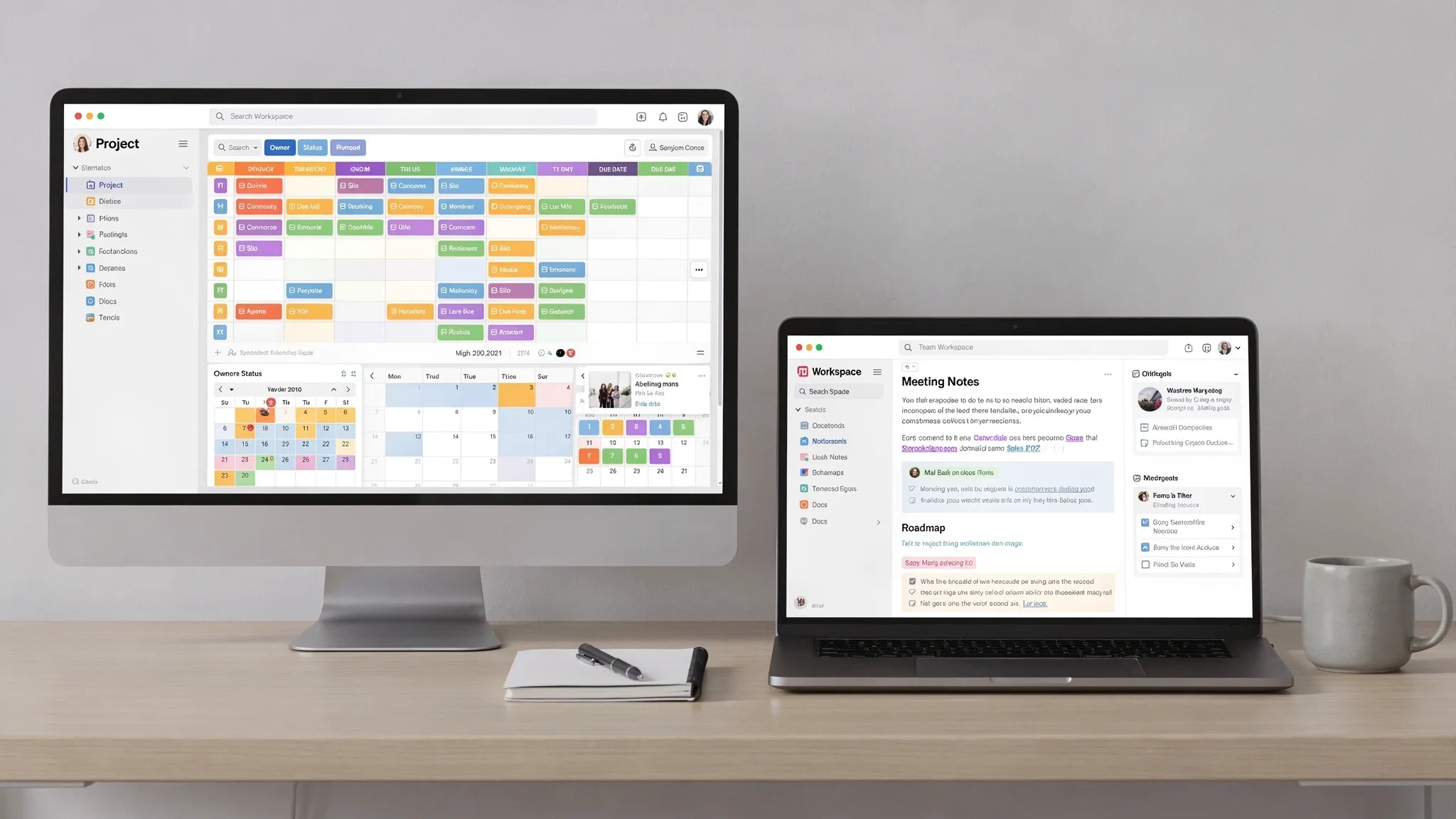
Airtable vs Notion is not really a question of which tool is “better.” It is a question of what kind of workspace your work actually needs.
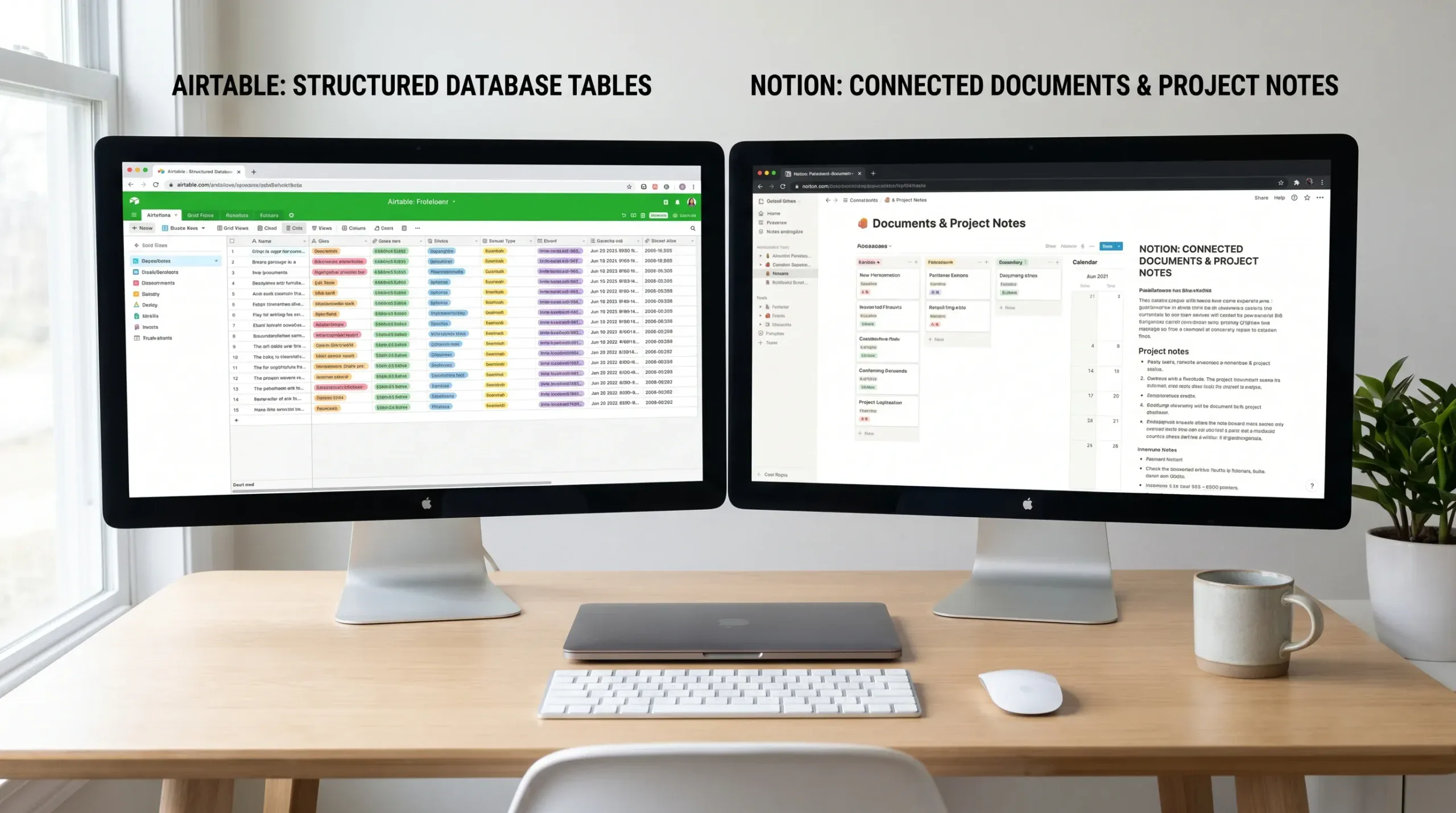
Both tools can manage projects, organize content calendars, track clients, document processes, and support team collaboration. Both have databases, templates, integrations, and AI features. The difference is their center of gravity: Airtable is a structured database workspace, while Notion is a flexible documentation and knowledge workspace with database features.
If your work depends on clean records, repeatable processes, filtered views, forms, approvals, and automation, Airtable usually has the edge. If your work depends on notes, project context, internal wikis, dashboards, meeting docs, and lightweight task tracking, Notion often feels more natural.
The quick answer
Choose Airtable if you need a no-code database for operations, content production, CRM tracking, inventory, event planning, applicant pipelines, or any workflow where records move through defined stages.
Choose Notion if you need an all-in-one workspace for documentation, planning, personal productivity, team knowledge, meeting notes, project briefs, and connected dashboards.
Use both if your team needs Airtable for structured operations and Notion for the “why,” “how,” and “what happened” behind the work.
Airtable vs Notion at a glance
| Category | Airtable | Notion | Best fit |
|---|---|---|---|
| Core design | Database-first workspace | Page-first workspace | Airtable for structured data, Notion for knowledge work |
| Learning curve | Moderate, especially for linked tables and automation | Easy to start, harder to govern at scale | Notion for beginners, Airtable for operations teams |
| Databases | Strong relational database model | Flexible databases inside pages | Airtable for high-structure tracking |
| Documentation | Available, but not the main strength | Excellent for notes, wikis, and docs | Notion |
| Project management | Strong when projects are record-driven | Strong when projects need context and docs | Depends on workflow style |
| Automations | More mature for database actions | Useful for lighter workflow automation | Airtable for operational automation |
| Views | Grid, kanban, calendar, gallery, timeline, interfaces, forms | Table, board, calendar, timeline, list, gallery | Airtable for operational views, Notion for dashboard views |
| Permissions | Better suited to structured team access | Simple page sharing, but can require care | Airtable for database governance |
| Personal productivity | Good, but can feel too structured | Excellent for personal dashboards and planning | Notion |
| Scaling | Strong for repeatable business processes | Strong for knowledge bases and team hubs | Use based on what is scaling |
The overlap can be confusing because both tools now do more than they originally did. Airtable has become more app-like, with interfaces and automations. Notion has become more database-capable, with better views, relations, templates, and calendar workflows. Still, the original DNA matters.
What Airtable does best
Airtable is best understood as a modern spreadsheet connected to a relational database, with friendly views and workflow tools layered on top. Instead of keeping everything in one flat sheet, you can build tables for clients, projects, campaigns, assets, vendors, tasks, locations, and team members, then link them together.
That makes Airtable especially useful when you need to answer questions like:
- Which campaign assets are waiting for approval?
- Which clients have renewals due this month?
- Which videos are assigned to each editor?
- Which form submissions meet the criteria for follow-up?
- Which projects are blocked by missing information?
The value of Airtable is structure. You define fields, choose field types, link records, create filtered views, collect information through forms, and automate routine steps. For teams that are tired of fragile spreadsheets, Airtable can feel like a major upgrade without needing a developer.
If you want to go deeper into workflow setup, our guide on setting up Airtable automations for database management walks through triggers, actions, testing, and governance.
Airtable strengths
Airtable shines when your work has a clear object to track. That object might be a lead, article, order, candidate, supplier, asset, grant application, property, or product feature. Each item becomes a record, and every record can move through a process.
Its strongest advantages are structured fields, linked records, multiple views of the same data, forms, automations, and interfaces that let different users interact with the same database in different ways. This is especially valuable when managers, contributors, and external collaborators do not all need to see the same information.
Airtable also works well when data quality matters. If a status field should only contain “Draft,” “Review,” “Approved,” or “Published,” Airtable encourages that kind of consistency. That matters for reporting, automation, and handoffs.
Airtable limitations
Airtable can feel heavier than Notion for simple note-taking or brainstorming. It is not the most natural place to write long strategy documents, maintain a personal journal, or build a company handbook full of narrative context.
It also rewards planning. A messy Airtable base can become just as confusing as a messy spreadsheet if you create too many fields, duplicate tables, or unclear views. Teams should agree on naming conventions, ownership, and automation rules before building mission-critical workflows.
Cost can also become a factor as teams add more users, need advanced permissions, increase automation volume, or work with larger databases. Because plan limits change, always check current Airtable pricing and feature availability before committing.
What Notion does best
Notion is best understood as a flexible digital workspace built around pages and blocks. A page can be a note, wiki article, project brief, database, meeting agenda, checklist, dashboard, or operating manual. You can nest pages inside pages, embed databases, create templates, and connect related information without feeling boxed into rows and columns.
That makes Notion especially useful when you need to organize knowledge and context, not just records.
A marketing team might use Notion for campaign briefs, messaging docs, brand guidelines, meeting notes, and a content calendar. A founder might use it for investor updates, hiring plans, product roadmaps, and weekly planning. A student or freelancer might use it for assignments, research, goals, finances, and personal time blocking.
If your main problem is turning scattered notes and ideas into a usable system, Notion is often the better starting point. Our guide on building a personal Notion dashboard for time blocking shows how flexible Notion can be for planning focused work.
Notion strengths
Notion is excellent for documentation. It feels natural to write inside it, add headings, embed media, create callouts, link related pages, and build dashboards that combine tasks, notes, and resources.
It is also friendly for personal productivity. You can start with one page and gradually turn it into a system. A daily planner can become a project dashboard. A meeting notes database can connect to client pages. A reading list can connect to content ideas.
Notion’s flexibility is its biggest advantage. You do not need to know your full structure before you begin. You can start messy, learn how you work, and organize later.
Notion limitations
That flexibility can also become a weakness. Without rules, a team Notion workspace can turn into a maze of duplicate pages, outdated docs, unclear task databases, and abandoned templates.
Notion databases are useful, but they are not always the best fit for complex operational workflows. If your team needs strict data validation, many linked tables, advanced reporting, external forms, structured approvals, or high-volume record management, Airtable often feels more reliable.
Permissions also require attention. Notion page sharing is easy, but shared databases, linked views, and nested pages can create confusion if your team does not understand what people can see or edit.
Database power: Airtable wins for structure
The biggest difference in the Airtable vs Notion debate is database depth.
Airtable treats data as the main event. Every table has records and fields. Fields have types. Records can link to other records. Views can be designed for specific roles, statuses, filters, and workflows. Automations can trigger based on database changes.
Notion also has databases, but they live inside a page-based workspace. That makes them more flexible and easier to combine with written context. However, it also means Notion databases can become less disciplined if the team uses them like enhanced checklists rather than structured systems.
Here is a practical way to think about it:
| Need | Better choice | Why |
|---|---|---|
| CRM pipeline with multiple contact stages | Airtable | Cleaner records, filters, forms, and operational views |
| Personal task dashboard | Notion | Easier to combine tasks, notes, goals, and planning |
| Content calendar with approval workflow | Airtable | Strong for statuses, assignees, due dates, and automation |
| Content strategy hub with briefs and research | Notion | Strong for long-form context and connected notes |
| Inventory tracker | Airtable | Better for structured fields and linked records |
| Company wiki | Notion | Better reading and writing experience |
| Lightweight project tracker | Notion | Faster to set up and easier for mixed docs and tasks |
| Multi-step operations workflow | Airtable | More reliable for database-driven processes |
If your workspace needs to behave like a small internal app, choose Airtable. If it needs to behave like a living notebook, wiki, and dashboard, choose Notion.
Documentation and knowledge management: Notion wins for context
Notion is difficult to beat as a documentation hub. It is comfortable for writing SOPs, collecting meeting notes, organizing product specs, building onboarding guides, and connecting related knowledge.
Airtable can store notes and attachments, but it does not feel like a true writing environment. You can add long text fields, comments, and attachments, but if the main value is explaining a process or preserving decisions, Notion is usually smoother.
This matters because many teams do not only need to know the status of work. They need to know why decisions were made, what requirements matter, where assets live, and how new people should repeat the process.
For example, a content team might track every article in Airtable, but keep editorial guidelines, SEO checklists, writer instructions, and publishing SOPs in Notion. That split can be cleaner than forcing one tool to do everything.
Project management: it depends on your project style
Neither Airtable nor Notion is a pure project management tool in the same way as Asana, ClickUp, Jira, or Monday.com. But both can manage projects well if the workflow matches the tool.
Airtable is better when projects are structured and repeatable. Think campaign production, event planning, hiring pipelines, editorial calendars, partnership tracking, product catalogs, and client onboarding.
Notion is better when projects require a lot of written context. Think research projects, product discovery, content planning, startup operating systems, personal productivity, and internal knowledge hubs.
A useful test is this: if your team asks “What stage is this in?” more than “Where is the context?” Airtable is probably stronger. If your team asks “Where are the notes, brief, decision history, and next steps?” Notion is probably stronger.
Automations and integrations: Airtable is usually stronger
Airtable is often the better choice for automation because its database structure creates clear triggers and actions. A record enters a view, changes status, receives a form submission, or matches a condition, then an automation can notify someone, create a record, update a field, or connect to another app depending on your setup and plan.
Notion has automation options too, and its API allows teams to connect it with other tools. But Notion’s automation use cases tend to be lighter unless you combine it with tools like Zapier, Make, Slack, Google Calendar, or custom scripts.
If you are building serious task automation, lead routing, content approval flows, or operational notifications, Airtable usually gives you a cleaner foundation. If you are automating reminders, page creation, lightweight database updates, or documentation workflows, Notion may be enough.
Collaboration and permissions: choose based on risk
For small teams, both Airtable and Notion are easy to share. The difference becomes more important as your workspace grows.
Airtable is often better for role-based operational collaboration. You can design views and interfaces so different people interact with specific parts of a process. This is helpful when contributors only need to update assigned records, managers need reporting views, and external collaborators need limited access.
Notion is excellent for open collaboration around knowledge. People can comment, edit docs, create pages, and contribute to shared hubs. But because Notion is so easy to expand, it needs workspace governance. Someone should own the structure, archive outdated pages, and maintain templates.
If mistakes in the workspace could cause operational problems, like lost leads, incorrect inventory, or missed approvals, Airtable is safer. If the main risk is scattered knowledge, repeated questions, or poor onboarding, Notion is safer.
Real-world examples: which tool fits the job?
A solo creator can probably run their whole workflow in Notion. It can hold content ideas, scripts, sponsorship notes, goals, publishing checklists, and weekly planning. Airtable may be useful later if the creator starts managing a larger production calendar with contractors.
A service business may prefer Airtable for structured operations and Notion for internal playbooks. For instance, a boutique salon brand such as Kimistry Hair Boutique in Orchard Singapore could use Airtable to organize service inquiries, stylist schedules, treatment categories, client follow-ups, and visual portfolio assets, while using Notion for staff onboarding, brand guidelines, service descriptions, and campaign planning.
A marketing agency might use Airtable to track deliverables across clients, due dates, approvals, channels, budgets, and asset links. Notion could store client briefs, meeting notes, reporting narratives, SOPs, and strategy docs.
A startup might begin in Notion because it needs speed, flexibility, and documentation. As the team grows, it might add Airtable for recruiting pipelines, user research databases, partnership tracking, customer feedback, or product operations.
A nonprofit might use Airtable for donor records, grant deadlines, volunteer schedules, and event logistics. Notion would work well for board notes, program documentation, training materials, and internal planning.
Cost considerations: do not compare only the monthly price
When comparing Airtable vs Notion, pricing is not just about the plan name. The real cost comes from how many people need access, what features they need, and how much work the tool replaces.
Before choosing, estimate these factors:
- Number of full team members who need edit access
- Number of guests or external collaborators
- Database size, file storage, and record volume
- Automation needs and run limits
- Permission and admin requirements
- AI feature needs, if relevant
- Time saved compared with spreadsheets, email, and manual updates
Notion can be very cost-effective for documentation-heavy teams because many people can contribute to shared knowledge without building complex systems. Airtable can be cost-effective for operations-heavy teams because one well-built base can replace multiple spreadsheets, forms, and manual status updates.
The cheapest tool is not always the best value. The better question is: which tool reduces errors, saves time, and makes your workflow easier to maintain?
Can Airtable and Notion work together?
Yes, and for many teams this is the best answer. Airtable and Notion are not always competitors. They can serve different layers of the same workflow.
A simple combined setup might look like this:
- Airtable stores structured operational data, such as clients, campaigns, assets, approvals, deadlines, and owners.
- Notion stores strategy, SOPs, meeting notes, project briefs, onboarding docs, and team knowledge.
- Automations or manual links connect key records to relevant Notion pages when context is needed.
- Teams review Airtable for “what is happening” and Notion for “how and why we work this way.”
This setup avoids forcing Airtable to become a wiki or forcing Notion to become a heavy operational database. It also helps teams scale without turning one workspace into a confusing all-purpose dumping ground.
If you are still comparing options beyond these two, our online tools list for task and project management can help you explore other productivity tools.
How to choose: a practical decision framework
If you are still undecided, run a small test instead of debating features endlessly. Pick one real workflow, build it in both tools, and compare the result.
Use this 15-minute test:
- Choose one workflow, such as a content calendar, client tracker, hiring pipeline, or project dashboard.
- Add 10 real items, not fake examples.
- Create at least two views, such as “Due this week” and “Needs review.”
- Add one relationship, such as client to project or campaign to asset.
- Invite one teammate and ask them to update an item.
- Ask which version felt clearer, safer, and easier to maintain.
The winner is the tool your team can understand after the initial setup excitement fades.
Choose Airtable if most of these are true
- You think in records, fields, statuses, and views.
- You need stronger database structure than a spreadsheet.
- You collect information through forms.
- You want automations based on field changes or workflow stages.
- You need cleaner operational reporting.
- You manage repeatable business processes.
- You care about limiting what different collaborators can see or edit.
Choose Notion if most of these are true
- You think in pages, notes, docs, and dashboards.
- You need a company wiki or personal operating system.
- You want to combine tasks with written context.
- You need flexible templates for planning and documentation.
- You are building a knowledge base, not a strict database app.
- You want a friendly workspace for brainstorming and writing.
- You prefer starting simple and improving the structure over time.
Common mistakes to avoid
The biggest Airtable mistake is treating it like a prettier spreadsheet without designing relationships, field rules, and views. If you duplicate data everywhere, you lose much of Airtable’s value.
The biggest Notion mistake is creating endless pages without ownership or maintenance. A beautiful Notion dashboard is not useful if the information is outdated, duplicated, or impossible to find.
Another mistake is choosing based on templates alone. Templates are useful for inspiration, but your real workflow will reveal whether the tool fits. A template that looks impressive can still fail if your team does not know how to maintain it.
Finally, avoid choosing a workspace without testing collaboration. A tool can feel perfect for one person and confusing for a team. The best workspace is the one your team will actually use consistently.
Final verdict: Airtable for operations, Notion for knowledge
If you need a structured, reliable system for tracking business processes, choose Airtable. It is the stronger option for relational data, operations, repeatable workflows, forms, filtered views, and automation.
If you need a flexible workspace for notes, dashboards, documentation, planning, and knowledge sharing, choose Notion. It is the stronger option for context-rich work where writing and organization matter as much as tracking.
If your team needs both structure and context, do not force a single-tool answer. Use Airtable as the operational database and Notion as the knowledge layer. That combination can be more sustainable than trying to make either tool do everything.
Frequently Asked Questions
Is Airtable better than Notion? Airtable is better for structured databases, operational workflows, forms, and automation. Notion is better for documentation, knowledge bases, planning dashboards, and flexible project context. The better tool depends on your workflow.
Can Notion replace Airtable? Notion can replace Airtable for lightweight databases, personal dashboards, simple project trackers, and content planning. It is less ideal for complex relational databases, high-structure operational workflows, and advanced database automation.
Can Airtable replace Notion? Airtable can replace Notion for tracking work, but it is not as comfortable for long-form documentation, team wikis, meeting notes, or knowledge management. Many teams use Airtable and Notion together instead.
Which is easier for beginners? Notion is usually easier to start because you can create a page and begin writing immediately. Airtable may take more setup because you need to think about fields, tables, views, and relationships.
Which is better for project management? Airtable is better for structured, repeatable projects with clear stages and reporting needs. Notion is better for projects that need briefs, notes, documentation, and flexible planning in the same workspace.
Which is better for a content calendar? Airtable is stronger for high-volume editorial workflows with statuses, owners, approvals, channels, and automation. Notion is stronger if your calendar needs to live beside briefs, research notes, ideas, and strategy docs.
Should a small business use Airtable or Notion? A small business should use Airtable if the main need is tracking clients, jobs, inventory, leads, or approvals. It should use Notion if the main need is organizing documents, SOPs, meeting notes, and internal knowledge.
Keep building a smarter workflow
Choosing between Airtable and Notion is only one part of building a better digital workflow. The real win comes from matching the tool to the job, documenting the process, and reviewing your setup regularly.
For more practical comparisons, tutorials, and productivity systems, explore more guides on Online Tool Guides, including our walkthroughs on Airtable automations, Notion time blocking, and task management tools.



