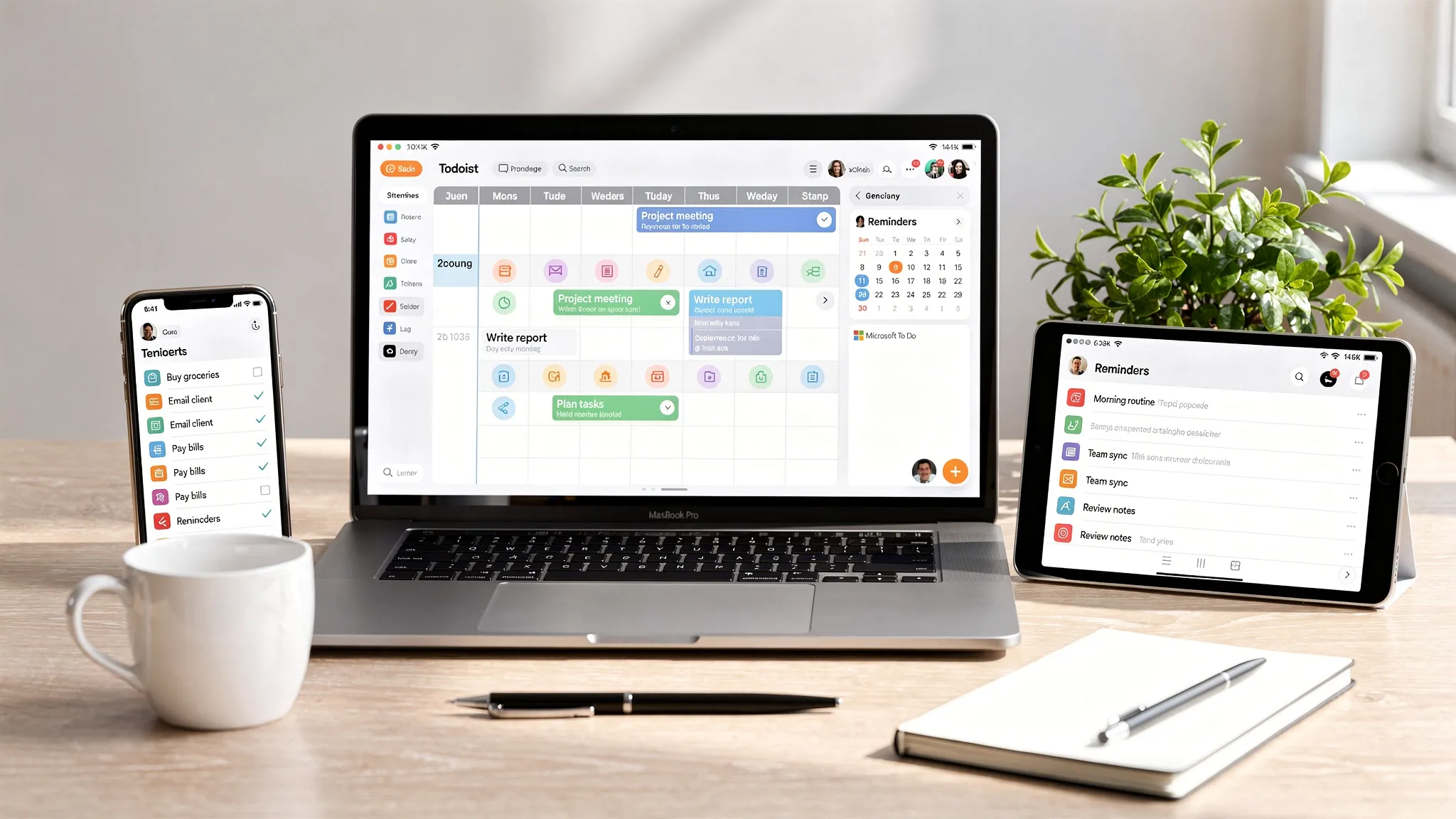
The best to-do list app is not always the one with the most features. For personal productivity, the right app is the one you will actually open, trust, and maintain when your day gets messy.
That matters because most personal task systems break in predictable ways. You forget to capture tasks, your list becomes a junk drawer, recurring reminders get ignored, or the app is too complex for everyday errands, study sessions, side projects, and home admin.
This guide compares the best to-do list apps for personal productivity in 2026, with practical recommendations for different working styles. Whether you want a simple daily checklist, a calendar-based planning system, or a more advanced task database, there is a good fit below.
Quick picks: best to-do list apps by use case
| App | Best for | Standout strength | Best platform fit |
|---|---|---|---|
| Todoist | Best overall personal task manager | Fast capture, natural language dates, filters | Cross-platform |
| TickTick | Best all-in-one productivity app | Tasks, calendar, habits, Pomodoro timer | Cross-platform |
| Microsoft To Do | Best free app for Microsoft users | My Day, Outlook flagged emails, simple lists | Windows and Microsoft 365 |
| Apple Reminders | Best free app for Apple users | Siri capture, location reminders, smart lists | iPhone, iPad, Mac |
| Google Tasks | Best lightweight Google Workspace option | Gmail and Google Calendar integration | Google users |
| Things 3 | Best premium Apple-only app | Clean design, elegant daily planning | Apple ecosystem |
| Notion | Best customizable task dashboard | Databases, templates, project notes | Power users and planners |
| Any.do | Best simple daily planner | Calendar view, daily planning prompts | Mobile-first users |
| Habitica | Best gamified task app | Rewards, streaks, accountability | Motivation-focused users |
What makes a great personal to-do list app?
A strong task app should reduce mental load, not add another place to manage. Before comparing features, it helps to define what “good” looks like for personal productivity.
The most important factor is capture speed. If adding a task takes too many taps, you will stop using the app when you are busy. A good app should let you add “pay rent Friday,” “call dentist tomorrow at 10,” or “review budget every Sunday” without slowing you down.
The second factor is daily clarity. A long master list can be useful, but your app should make it obvious what deserves attention today. Features like Today views, priorities, smart lists, calendar integration, and recurring reminders help separate what is urgent from what is merely stored.
The third factor is maintenance. Personal productivity depends on review habits. The best apps make it easy to reschedule, complete, archive, and organize tasks without turning weekly planning into a chore.
1. Todoist: best overall to-do list app for personal productivity
Todoist is the safest recommendation for most people because it balances power with simplicity. It works well for basic grocery lists, daily work tasks, recurring personal reminders, and larger personal projects.
Its biggest advantage is fast natural language input. You can type a task like “submit expense report every Friday at 4pm” and Todoist can turn it into a recurring scheduled task. Projects, sections, labels, priorities, and filters give you room to grow without forcing you to build a complicated system from day one.
Todoist is especially useful if you manage both personal and professional responsibilities. You can keep separate projects for home, health, finances, learning, and work, then rely on the Today and Upcoming views to see what needs attention.
It is not the most visual planner, and users who prefer calendar-first scheduling may want TickTick, Akiflow, Sunsama, or a calendar workflow instead. But for most people looking for a reliable personal task manager, Todoist is the best starting point.
Best for: People who want a clean, flexible, cross-platform to-do list app that can scale from simple lists to advanced workflows.
2. TickTick: best to-do list app with built-in productivity features
TickTick is ideal if you want more than a checklist. It combines task management with a calendar view, habit tracking, a Pomodoro timer, recurring tasks, subtasks, priorities, and list organization.
That makes it one of the best productivity tools for people who like having their planning system in one place. Instead of using one app for tasks, another for habits, and another for focus sessions, TickTick can handle several parts of your routine.
The calendar view is one of its strongest features. If you tend to overload your day, seeing tasks alongside time can make your planning more realistic. The Pomodoro timer is also useful for turning vague intentions, like “study chemistry” or “clean office,” into focused work sessions.
The tradeoff is that TickTick can feel more feature-heavy than Todoist or Microsoft To Do. If you only want a minimal checklist, you may not need everything it offers. But if your personal productivity system includes habits, time blocking, and recurring routines, TickTick is a strong choice.
Best for: Users who want tasks, habits, calendar planning, and focus timers in one app.
3. Microsoft To Do: best free to-do list app for Microsoft users
Microsoft To Do is simple, free, and surprisingly effective if your digital life already runs through Outlook, Windows, or Microsoft 365.
Its signature feature is My Day, a daily planning view where you choose what to focus on today. This is helpful because it prevents your task list from becoming a permanent wall of overdue items. You can keep long-term tasks in lists, then intentionally pull only the relevant ones into My Day.
Microsoft To Do also works well with Outlook flagged emails. If your tasks often start as emails, this connection can save time and reduce inbox clutter. It is not a full project management tool, but it is excellent for personal errands, work follow-ups, recurring reminders, and shared household lists.
The main limitation is customization. Power users may miss advanced filters, tags, and deep automation. For most Microsoft users, though, that simplicity is the point.
Best for: People who want a free, clean task app that connects naturally with Outlook and Microsoft accounts.
4. Apple Reminders: best free to-do list app for iPhone and Mac users
Apple Reminders has become much more capable over the years, and it is one of the best personal productivity options if you live in the Apple ecosystem.
The biggest advantage is system-level convenience. You can ask Siri to add tasks, create location-based reminders, build shared lists, use tags, organize smart lists, and view reminders across iPhone, iPad, Mac, Apple Watch, and iCloud.
For everyday personal productivity, this convenience is hard to beat. You can say “remind me to buy batteries when I get to Target” or “remind me to water plants every Sunday,” then trust that the reminder will appear where you already spend time.
Apple Reminders is best for people who want a native app rather than another subscription. It is less ideal if you work across Windows, Android, and Apple devices, or if you want advanced collaboration beyond simple shared lists.
Best for: Apple users who want a free, native, voice-friendly task manager for daily life.
5. Google Tasks: best lightweight app for Gmail and Google Calendar users
Google Tasks is not the most advanced to-do list app, but it is useful because it sits directly inside the Google ecosystem. If you already manage your day in Gmail and Google Calendar, Google Tasks can be enough.
You can create tasks from emails, add due dates, view tasks in Google Calendar, and manage simple lists from mobile or the web. For students, freelancers, and professionals who already keep Google Calendar open all day, that convenience matters.
The limitation is depth. Google Tasks is best for straightforward reminders and simple task lists. It does not offer the same advanced filtering, project structure, or productivity features as Todoist or TickTick.
If you also use Google Keep for reminders, notes, and quick capture, it is worth understanding how those tools overlap. Online Tool Guides has a dedicated tutorial on using Google Keep for time-blocked task reminders if you want a lighter note-based workflow.
Best for: Google users who want simple tasks visible inside Gmail and Calendar.
6. Things 3: best premium to-do list app for Apple minimalists
Things 3 is a favorite among Apple users because it feels polished, calm, and intentional. It avoids the clutter that can make productivity apps feel like work before the work begins.
The app organizes tasks around areas, projects, headings, Today, Upcoming, Anytime, and Someday. This structure is excellent for personal productivity because it separates active commitments from ideas you might pursue later.
Things 3 is also a good match for people who like Getting Things Done style planning without building a complex system. You can capture quickly, clarify later, and use the Today view to stay focused.
Its biggest drawback is platform support. Things 3 is designed for Apple devices and does not offer the same cross-platform flexibility as Todoist or TickTick. It also uses separate purchases for different Apple platforms rather than a single universal subscription model.
Best for: Apple users who want a beautifully designed, low-friction personal task manager.
7. Notion: best customizable task system for planners and power users
Notion is not a traditional to-do list app, but it can become a powerful personal productivity dashboard if you enjoy customization. You can create task databases, project trackers, weekly plans, reading lists, goal dashboards, habit logs, and notes in one workspace.
The advantage is flexibility. A task can include status, priority, due date, project, category, energy level, notes, files, and links. You can then create filtered views such as Today, This Week, Waiting On, Errands, or Deep Work.
This works especially well if your tasks are connected to information. For example, a student can link assignments to class notes. A creator can link content tasks to briefs and publishing calendars. A freelancer can connect client tasks with meeting notes and invoices.
The tradeoff is setup time. Notion can become overbuilt if you spend more time designing your dashboard than completing tasks. If you want a focused setup, start small. You can also follow Online Tool Guides’ walkthrough on creating a personal dashboard in Notion for time blocking to avoid unnecessary complexity.
Best for: People who want tasks, notes, projects, and planning dashboards in one customizable workspace.
8. Any.do: best simple daily planner for mobile-first users
Any.do is a friendly option for users who want daily planning without a steep learning curve. It combines tasks, calendar features, reminders, and list sharing in a clean interface.
The app is particularly good for people who manage personal errands from a phone. Daily planning prompts can help you review tasks and decide what matters now, rather than letting everything sit in a list forever.
Any.do is useful for household coordination, grocery lists, appointments, and simple work follow-ups. It is not as powerful as Todoist for filters or as feature-rich as TickTick, but it wins on approachability.
If your main goal is to stop forgetting small commitments, Any.do is worth considering. If you want advanced project planning, reporting, or deep customization, you will likely outgrow it.
Best for: Mobile users who want a simple, guided daily planning experience.
9. Habitica: best gamified to-do list app
Habitica turns tasks, habits, and routines into a game. You create an avatar, complete tasks to earn rewards, and can participate in social accountability features.
This is not the most traditional productivity app, but as an unconventional productivity tool, it can work extremely well for people who struggle with motivation, consistency, or boring recurring tasks. Turning chores, study sessions, workouts, and admin work into a reward system can make routines feel less abstract.
Habitica is best when used intentionally. It can help with behavior change, but it may not be the right place for complex work projects, detailed planning, or calendar-based scheduling.
Best for: Users who are motivated by streaks, rewards, accountability, and game-like progress.
Which to-do list app should you choose?
The easiest way to choose is to match the app to your natural planning style. Do not pick the most advanced app unless you actually need advanced features.
| Your productivity style | Best choice | Why it fits |
|---|---|---|
| You want the best all-around app | Todoist | Fast, reliable, flexible, cross-platform |
| You want tasks plus habits and focus timers | TickTick | Combines several productivity tools in one app |
| You use Outlook every day | Microsoft To Do | Strong Microsoft integration and simple daily planning |
| You live on iPhone and Mac | Apple Reminders | Native, free, Siri-friendly, location-aware |
| You work mostly in Gmail and Calendar | Google Tasks | Lightweight and built into Google workflows |
| You want a polished Apple-only experience | Things 3 | Clean interface and thoughtful task organization |
| You want a custom dashboard | Notion | Great for linked notes, projects, and databases |
| You want a simple mobile planner | Any.do | Easy daily review and list management |
| You need motivation more than structure | Habitica | Gamifies chores, habits, and recurring tasks |
For most readers, the shortlist is simple. Choose Todoist if you want the best balance. Choose TickTick if you want built-in habits and time blocking. Choose Microsoft To Do, Apple Reminders, or Google Tasks if you want a free app that fits your existing ecosystem.
A simple setup that works in any to-do list app
Once you choose an app, avoid the common mistake of creating too many lists, tags, priorities, and workflows on day one. A simple system is easier to trust.
Start with four core lists: Inbox, Today, Projects, and Waiting. The Inbox is for quick capture. Today is for tasks you genuinely plan to do before the day ends. Projects is for multi-step outcomes. Waiting is for anything blocked by another person, delivery, approval, or response.
Then add recurring tasks only for routines that truly matter. Examples include paying bills, reviewing your calendar, taking out trash, backing up files, checking subscriptions, or planning meals. Too many recurring reminders can create notification blindness.
For personal productivity, the best habit is a short daily review. Spend five minutes each morning choosing your Today list, then five minutes at the end of the day rescheduling unfinished tasks. This prevents the app from becoming a graveyard of overdue intentions.
If you manage a side hustle or small ecommerce operation, your personal task list can also track practical handoffs like ordering packaging, checking inventory, and requesting quotes from a freight forwarding and 3PL partner when your shipping needs become more complex.
Features worth paying for, and features you can skip
Many to-do list apps offer generous free plans, but paid plans can be worthwhile if they remove friction from your daily routine. The right upgrade depends on how central the app is to your life.
| Feature | Worth paying for? | Why |
|---|---|---|
| Cross-device sync | Usually yes | Personal tasks often appear when you are away from your desk |
| Recurring tasks | Yes | Essential for bills, routines, maintenance, and habits |
| Calendar integration | Often yes | Helps prevent overplanning and supports time blocking |
| Labels, filters, and smart lists | For power users | Useful when you manage many tasks across contexts |
| Collaboration | Sometimes | Helpful for households, partners, freelancers, and small teams |
| Themes and visual customization | Usually optional | Nice to have, but not necessary for productivity |
| AI task suggestions | Depends | Useful only if they improve planning instead of adding noise |
If you are just starting, use a free plan for at least two weeks. If you keep hitting limits, then upgrade. A productivity subscription is only worth it if the app becomes part of a consistent system.
Common mistakes to avoid
The first mistake is treating your to-do list as a calendar. A task list tells you what needs to be done. A calendar tells you when time is available. If you schedule too many tasks without estimating how long they take, your day will collapse quickly.
The second mistake is using priorities for everything. If every task is high priority, nothing is. Reserve top priority for tasks that create real consequences if delayed.
The third mistake is keeping vague tasks. “Work on taxes” is easier to avoid than “download January bank statement” or “email accountant missing receipts.” Good task wording should make the next action obvious.
The fourth mistake is never reviewing old lists. A weekly cleanup keeps your app useful. Delete tasks that no longer matter, reschedule tasks that still matter, and move vague ideas into a Someday list.
If you want to connect your task system with broader workflow planning, Online Tool Guides also covers time tracking applications and an online tools list for task management.
Frequently Asked Questions
What is the best free to-do list app? Microsoft To Do, Apple Reminders, and Google Tasks are the best free options for most people. Choose Microsoft To Do if you use Outlook, Apple Reminders if you use iPhone and Mac, and Google Tasks if you live in Gmail and Google Calendar.
Is Todoist better than TickTick? Todoist is better if you want a clean, fast, flexible task manager. TickTick is better if you want built-in extras like a calendar view, habit tracking, and a Pomodoro timer. Both are excellent for personal productivity.
What is the simplest to-do list app? Apple Reminders, Microsoft To Do, and Google Tasks are the simplest mainstream choices. Any.do is also beginner-friendly if you prefer a mobile-first daily planner.
Should I use Notion as a to-do list app? Use Notion if your tasks are closely connected to notes, projects, documents, or databases. If you only need fast reminders and recurring tasks, a dedicated app like Todoist, TickTick, or Apple Reminders will usually feel faster.
Are to-do list apps better than paper planners? To-do list apps are better for recurring reminders, search, cross-device sync, and rescheduling. Paper planners can be better for reflection and intentional daily planning. Many people use both: task management solutions for capture and reminders, plus paper for daily focus.
How many task lists should I have? Start with as few as possible. Inbox, Today, Projects, Waiting, and Someday are enough for most personal systems. Add more only when you repeatedly need a new category.
Build a task system you will actually use
The best to-do list app for personal productivity is the one that makes your next action clear. For most users, Todoist is the best overall choice, TickTick is the best all-in-one option, and Microsoft To Do, Apple Reminders, or Google Tasks are the best free ecosystem picks.
Start simple, review daily, and upgrade only when you know what problem you are solving. For more hands-on recommendations, tutorials, and workflow ideas, explore the latest guides at Online Tool Guides.



